



ExpressVPN supports servers in 105 countries worldwide. These locations are spread across regions including the Americas, Europe, Asia-Pacific, the Middle East, and Africa, giving you a wide range of options to connect from.
This guide will show you how to choose the right VPN server location for your needs. See a full list of VPN server locations.
What would you like to do?
Access content like TV shows and movies from a certain country
Bypass censorship in your current location
Get a secure and private connection
Get fast download speeds
Troubleshoot issues with my current VPN server location
Access content like TV shows and movies from a certain country
To watch content that is only available in your home country, connect to a VPN server location in your home country. If there is more than one VPN server location available for the same country, choose the one that is closest to your physical location.
To connect to a VPN server location:
- ExpressVPN Windows app
- ExpressVPN Mac app
- ExpressVPN iOS app
- ExpressVPN Android app
- ExpressVPN Linux app
- ExpressVPN router app
- ExpressVPN browser extensions
- ExpressVPN Apple TV
- ExpressVPN Android TV
Need help? Contact the ExpressVPN Support Team for immediate assistance.
Bypass censorship in your current location
If you are in a country with censorship practices, use the Smart Location feature in the app. Smart Location automatically recommends the optimal location for you based on anonymous metrics such as download speed, latency, and distance.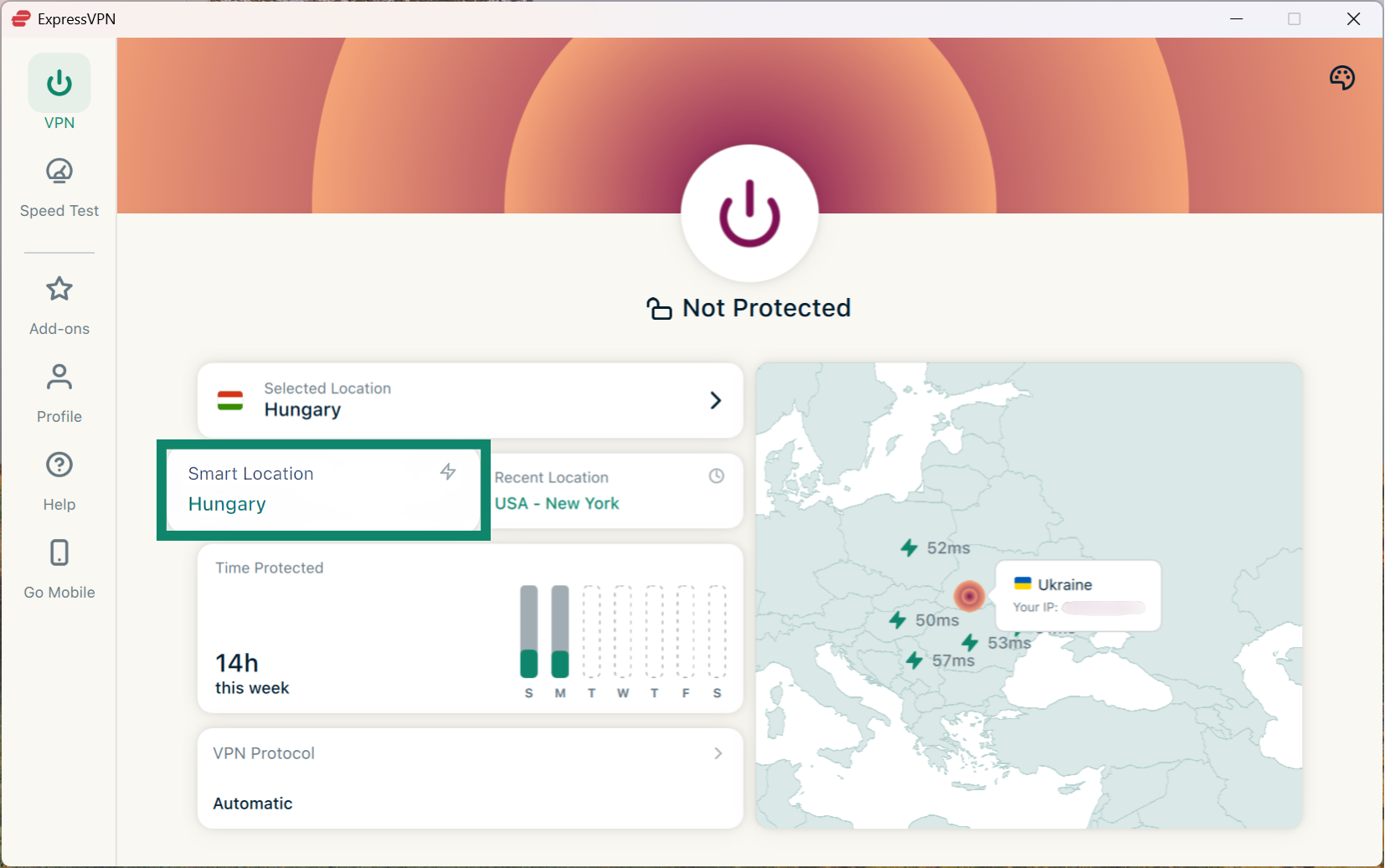
Note that on iOS and Android, this feature is called Fastest Location.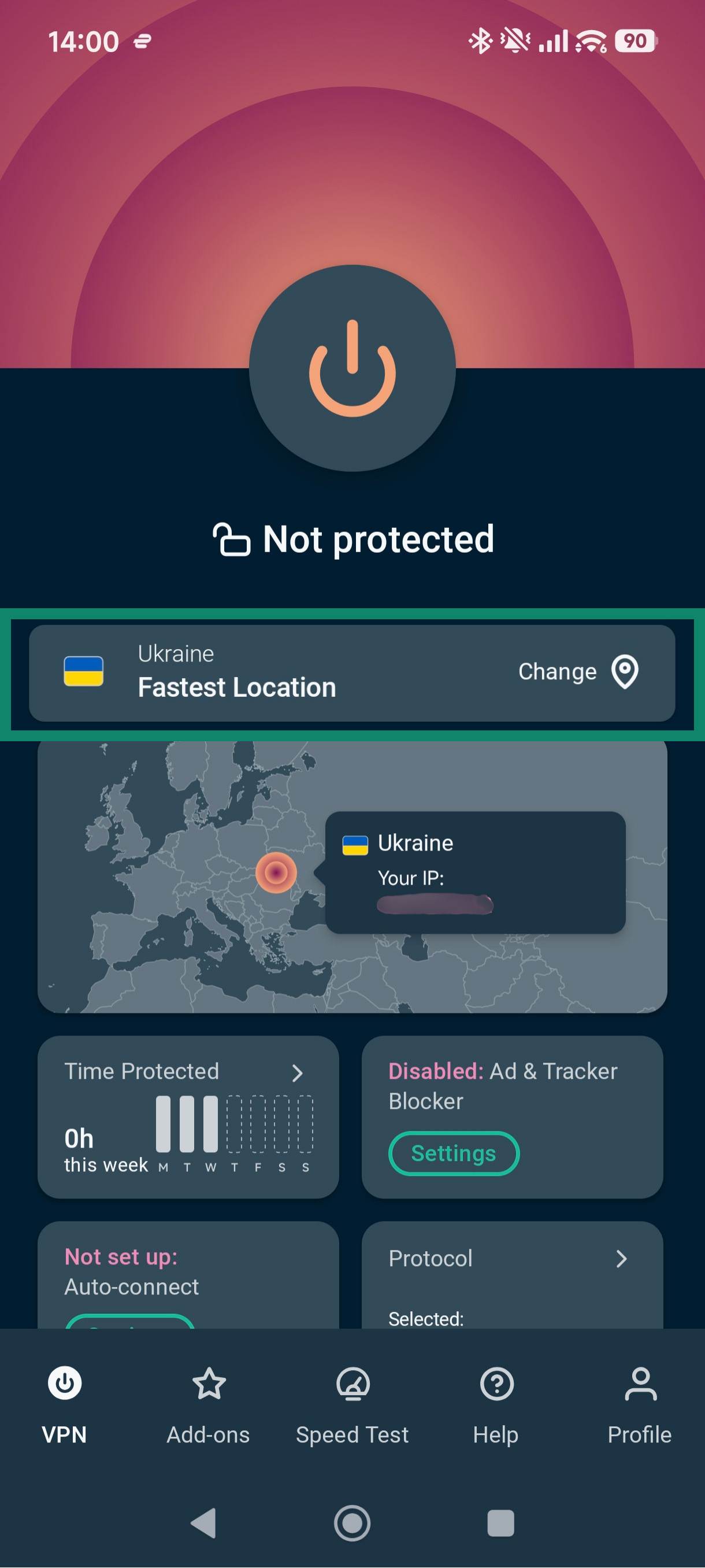 Learn how to connect with Smart Location or Fastest Location.
Need help? Contact the ExpressVPN Support Team for immediate assistance.
Get a secure and private connection
For a secure and private connection, use the Smart Location feature in the app. Smart Location recommends the optimal location for you based on anonymous metrics like download speed, latency, and distance.
Note that on iOS and Android, this feature is called Fastest Location.
Learn how to connect with Smart Location or Fastest Location.
Need help? Contact the ExpressVPN Support Team for immediate assistance.
Get fast download speeds
There are numerous factors that determine download speeds. To find the VPN server location that will give you optimal download speeds, you can:
- Select a VPN server location that is closest to your physical location on the Recommended server location list.
- Use the Smart Location feature (or Fastest Location if you’re on iOS or Android), which automatically recommends the optimal location for you.
Need help? Contact the ExpressVPN Support Team for immediate assistance.
Troubleshoot issues with my current VPN server location
If the VPN server location you are connected to is slower than expected, refer to this troubleshooting guide.
For other issues, follow the troubleshooting steps relevant to your use case:
- Secure and private connection: Connect to a different server location that is closest to your physical location on the Recommended server location list.
- Fast connection speeds:
- Connect to a VPN server location that is closest to your physical location on the Recommended list.
- Use the Smart Location feature on desktop or Fastest Location on mobile, which automatically.
- Access TV shows and movies: Contact the ExpressVPN Support Team for VPN server recommendations.
Need help? Contact the ExpressVPN Support Team for immediate assistance.