

Download the best Apple TV VPN in 2026
Reinforce your online privacy while enjoying high-quality streaming on your Apple TV
- Skip the hassle with our easy-to-install native tvOS app
- Enjoy fast, secure 4K streaming with multiple VPN protocols
- Test servers directly on Apple TV with the built-in speed test
30-day money-back guarantee*
*for first-time users

What is a VPN for Apple TV?
See how an Apple TV VPN safeguards your connections
-
![Encryption protects your personal data As soon as you turn on your Apple TV VPN, it secures your connection using encryption. ExpressVPN uses robus...]()
Encryption protects your personal data
As soon as you turn on your Apple TV VPN, it secures your connection using encryption.
ExpressVPN uses robust 256-bit AES encryption to protect your streaming activity and personal data.
-
![IP masking keeps you safe The VPN routes your Apple TV's traffic through a private server to mask your device's IP address with its own. This safeg...]()
IP masking keeps you safe
The VPN routes your Apple TV's traffic through a private server to mask your device's IP address with its own. This safeguards your IP location.
Plus, VPN IP addresses are shared, making it hard for sites to link your activity to you via your IP address.
-
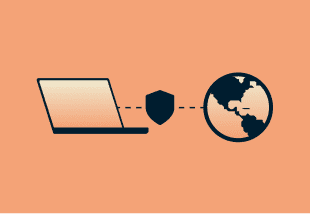
![VPN tunneling provides private connections Your Apple TV traffic is sent through a secure tunnel from your device to ExpressVPN’s private server....]()
VPN tunneling provides private connections
Your Apple TV traffic is sent through a secure tunnel from your device to ExpressVPN’s private server.
This shields your activity (such as which streaming services you use) from third parties, including your ISP and network administrators.


Why use a VPN with Apple TV?
Discover how the best VPN for Apple TV can enhance your streaming experience
-
![Stream your favorite content safely Streaming services often block VPN IP addresses, but ExpressVPN’s engineers work hard to ensure our servers w...]()
Stream your favorite content safely
Streaming services often block VPN IP addresses, but ExpressVPN’s engineers work hard to ensure our servers work with popular streaming platforms in each country, so you can secure your data without compromising your streaming experience.
-
![Improved streaming performance Forget about content-based throttling while you watch the latest episode ofSeverance. You can stream knowing your IS...]()
Improved streaming performance
Forget about content-based throttling while you watch the latest episode ofSeverance. You can stream knowing your ISP won’t track or disrupt what you’re watching on your Apple TV. ExpressVPN’s encryption prevents ISPs from seeing where your traffic goes.
-
![Private, secure connections With ExpressVPN’s advanced security tools, you can ensure your personal data is kept safe. Plus, our independently au...]()
Private, secure connections
With ExpressVPN’s advanced security tools, you can ensure your personal data is kept safe. Plus, our independently audited no-logs policy prevents third parties (and even us) from monitoring your VPN activity.



ExpressVPN for Apple TV: Key features
An Apple TV VPN that gives you advanced privacy protection without compromising streaming quality
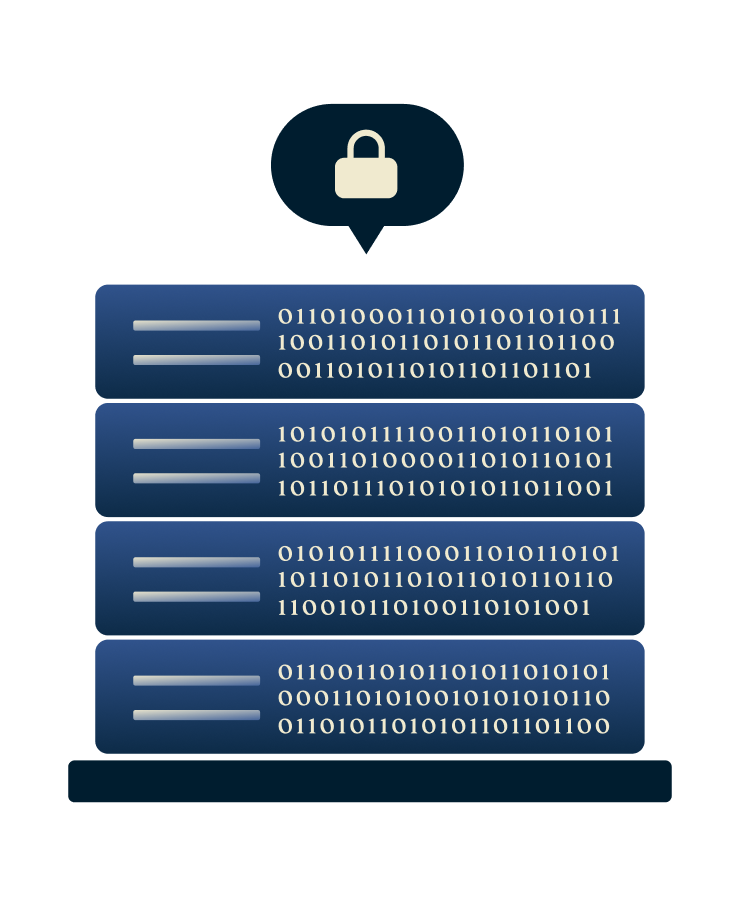
TrustedServer technology for privacy by design
ExpressVPN uses TrustedServer technology on our RAM-only servers to wipe all data with each reboot, so they can’t log and store your online activity. Each server loads a fresh software stack at startup to minimize potential vulnerabilities, too.
Both our TrustedServer technology and no-logs policy undergo regular third-party audits by independent services to ensure what you watch on your Apple TV is truly kept private.

Post-quantum protection to future-proof your security
Keep your Apple TV safe from attackers that have access to either classical or quantum computers (when those arrive).
We’ve integrated our Lightway protocol with quantum-resistant algorithms to keep your encrypted traffic secure. Even as quantum computing advances in the next few years.

170+ server locations worldwide
Take control of your virtual location with ExpressVPN’s worldwide server network. We refresh our server IP addresses regularly to maintain private and reliable connections for streaming on your Apple TV and beyond.
Each server is equipped with automatic obfuscation. That way, you can use your Apple TV VPN without anyone noticing, even when faced with network restrictions or firewall blocks.

Works on up to 14 devices simultaneously
Worried about your other Apple gadgets? Or protecting a big household? We’ve got you covered with native VPN apps for all Apple devices and support for up to 14 simultaneous device connections. This means you can stream on your Apple TV while browsing on your iPhone and playing a game on your iPad, with each connected to a VPN server of your choice.

24/7 Live chat support if you need help
Our support team is available 24/7 to help you, whether it’s giving setup instructions or tips on how to use a VPN with your Apple TV. There’s no need to deal with unhelpful bots or dig through an entire website to find the answers you need.
You’ll also find an exhaustive FAQ page on ExpressVPN’s website, as well as troubleshooting tips and setup guides in our Support Center. A search bar makes it easy to find what you’re looking for.
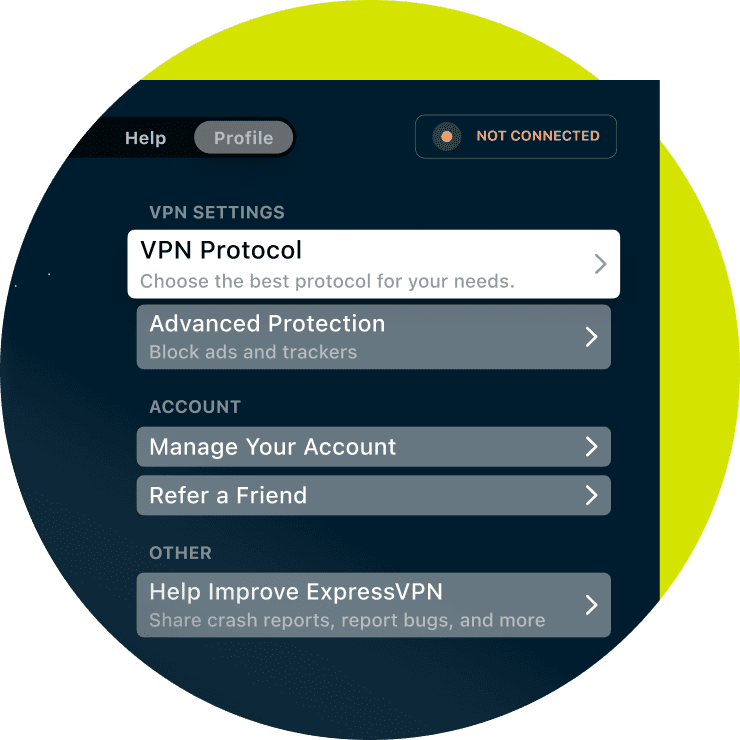
Choose the VPN protocol that fits your needs
ExpressVPN for Apple TV gives you multiple protocol options. Choose between our proprietary Lightway protocol, WireGuard, OpenVPN, or let Automatic select the best option for your network. ExpressVPN’s Lightway is built on roughly 2,000 lines of code, making it lightweight and efficient. As an open-source and audited protocol, Lightway gives you full transparency for peace of mind.
Advanced features for optimal performance
ExpressVPN provides you with the tools you need for private, reliable, and customizable connections

Automatic obfuscation on every server
Our obfuscated network lets you use ExpressVPN wherever you go. It disguises your VPN traffic as a regular connection to overcome network blocks and firewalls.
Many streaming platforms block VPN traffic, but ExpressVPN’s stealthy servers offer reliable connections for streaming on all popular platforms.
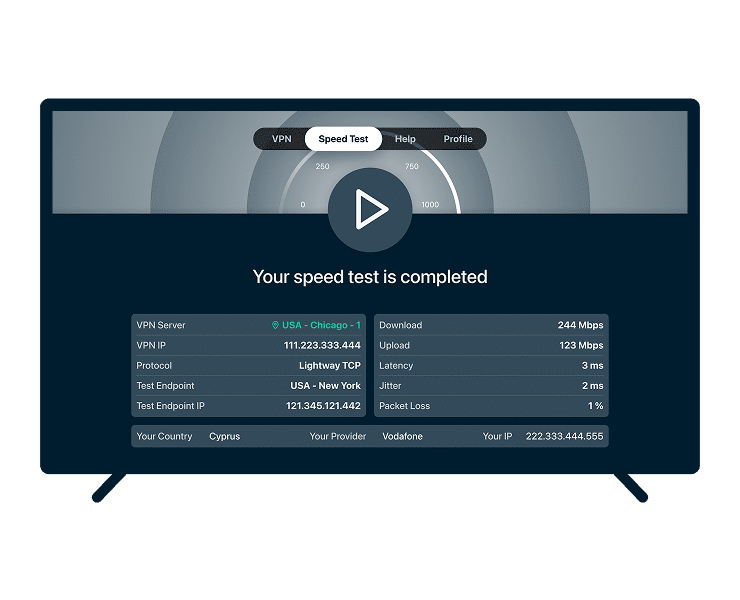
Built-in speed test tool
If a specific server location feels slower than expected or a connection isn’t performing as it should, you can quickly compare performance across server locations right from your Apple TV.
This makes it easier to find a better-performing location in just a few clicks.

DNS and IP leak protection
All DNS queries are routed through our private, encrypted servers, preventing exposure to ISPs or third parties. This enhances your privacy and provides reliable connections for your favorite streaming content without risking data leaks or location detection.
How to set up ExpressVPN on Apple TV
Option 1: Use the ExpressVPN app for tvOS (Apple TV 17/18)
-
![Sign up for
ExpressVPN Visit the order page and choose a subscription option. Our 30-day money-back guarantee covers all first-time subscribers.*]()
Sign up for ExpressVPN
Visit the order page and choose a subscription option. Our 30-day money-back guarantee covers all first-time subscribers.*
-
![Download the Apple TV app On your Apple TV, go to the App Store and search for ExpressVPN. Select the app and click Get to install. No additional s...]()
Download the Apple TV app
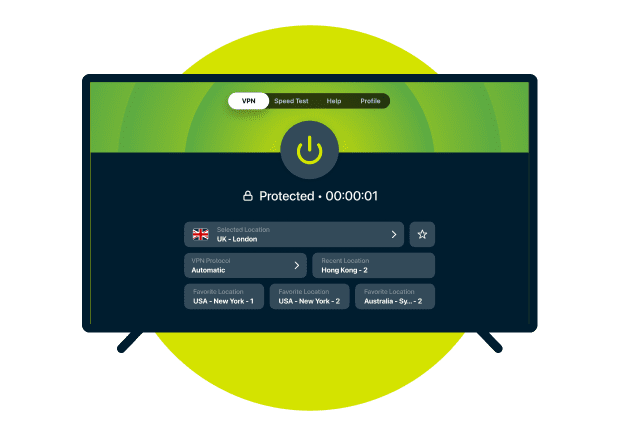
On your Apple TV, go to the App Store and search for ExpressVPN. Select the app and click Get to install. No additional setup required.
-
![Sign in to
ExpressVPN Log in to your Apple TV VPN app with your ExpressVPN credentials. Connect to a server in your desired location and get stra...]()
Sign in to ExpressVPN
Log in to your Apple TV VPN app with your ExpressVPN credentials. Connect to a server in your desired location and get straight to streaming.


*ExpressVPN’s money-back guarantee is limited to first-time customers. All refunds for ExpressVPN subscriptions through iOS are at the discretion of Apple.
Option 2: Use ExpressVPN on a router
-
![Buy an Aircove and sign up Order an Aircove router or get Aircove Go, the portable router model. Both options come with our VPN pre-installed**.]()
Buy an Aircove and sign up
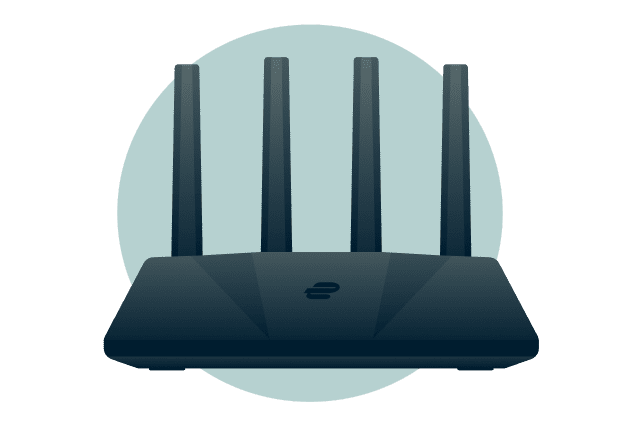
Order an Aircove router or get Aircove Go, the portable router model. Both options come with our VPN pre-installed**.
-
![Set up your Aircove Aircove routers take just 5 minutes to set up, with no complicated configuration requirements. Simply plug it in to your modem ...]()
Set up your Aircove
Aircove routers take just 5 minutes to set up, with no complicated configuration requirements. Simply plug it in to your modem and turn it on.
-
![Turn on your Aircove and sign in Visit expressvpnrouter.com and enter your details. Connect to a VPN server and enjoy streaming on your Apple TV wi...]()
Turn on your Aircove and sign in
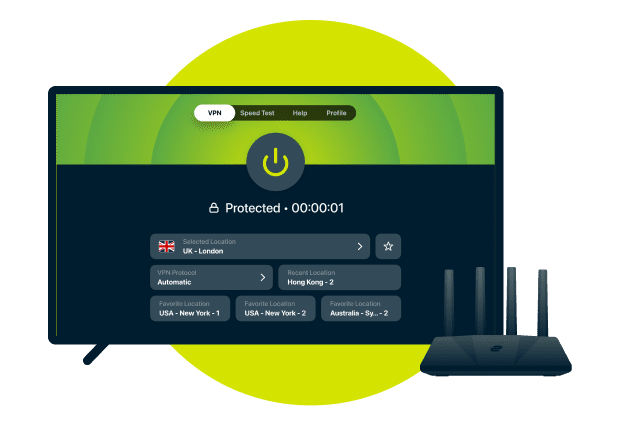
Visit expressvpnrouter.com and enter your details. Connect to a VPN server and enjoy streaming on your Apple TV with your privacy intact.

**VPN features on Aircove require an active ExpressVPN subscription
Option 3: Set up smart DNS with MediaStreamer
-
![Sign up for
ExpressVPN Pick the subscription option that fits your needs and sign up. A 30-day money-back guarantee backs all new subscribers*.]()
Sign up for ExpressVPN
Pick the subscription option that fits your needs and sign up. A 30-day money-back guarantee backs all new subscribers*.
-
![Register
your IP address Log in to your ExpressVPN account and navigate to the DNS settings page. Register your IP address so MediaStreamer reco...]()
Register your IP address
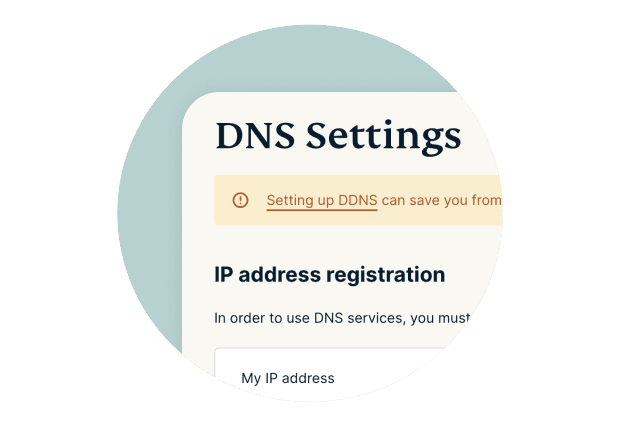
Log in to your ExpressVPN account and navigate to the DNS settings page. Register your IP address so MediaStreamer recognizes it.
-
![Configure the DNS settings on your Apple TV Set your Apple TV Wi-Fi settings to manual. Then, enter the MediaStreamer DNS IP address provided by Ex...]()
Configure the DNS settings on your Apple TV
Set your Apple TV Wi-Fi settings to manual. Then, enter the MediaStreamer DNS IP address provided by ExpressVPN. After a restart, you’re ready to stream.


*ExpressVPN’s money-back guarantee is limited to first-time customers. All refunds for ExpressVPN subscriptions through iOS are at the discretion of Apple.
Option 4: Share a VPN connection via a virtual router
-
![Get ExpressVPN Pick a subscription option and register. A 30-day money-back guarantee backs all new subscribers*. Download the appropriate VPN app ...]()
Get ExpressVPN
Pick a subscription option and register. A 30-day money-back guarantee backs all new subscribers*. Download the appropriate VPN app to your PC.
-
![Set up a virtual router In your PC settings, set up a shareable hotspot with a name and password. The steps for doing so vary depending on your dev...]()
Set up a virtual router
In your PC settings, set up a shareable hotspot with a name and password. The steps for doing so vary depending on your device.
-
![Connect your Apple TV Launch ExpressVPN on your computer and connect to a server. Next, open your Apple TV Wi-Fi settings and connect to the hotspo...]()
Connect your Apple TV
Launch ExpressVPN on your computer and connect to a server. Next, open your Apple TV Wi-Fi settings and connect to the hotspot—and you’re done.


*ExpressVPN’s money-back guarantee is limited to first-time customers. All refunds for ExpressVPN subscriptions through iOS are at the discretion of Apple.
24/7 customer support via live chat & email
See how ExpressVPN works

Setup options for every Apple TV generation
ExpressVPN offers straightforward setup methods, no matter your model
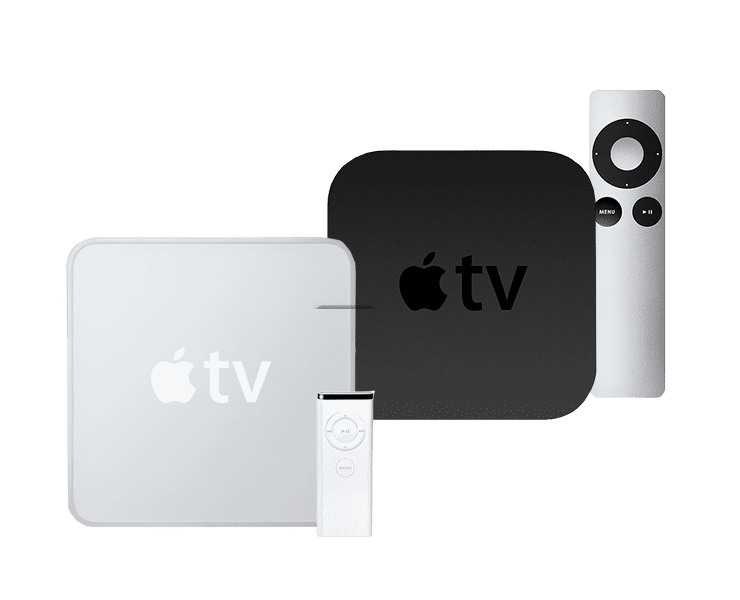
1St, 2nd, and 3rd generation Apple TVs
For older Apple TV models, you can use our MediaStreamer smart DNS feature, connect through an Aircove router, or share a VPN connection from a Windows PC. MediaStreamer is designed to improve your streaming experience, but it doesn’t encrypt your traffic or provide the same privacy protections as a VPN.
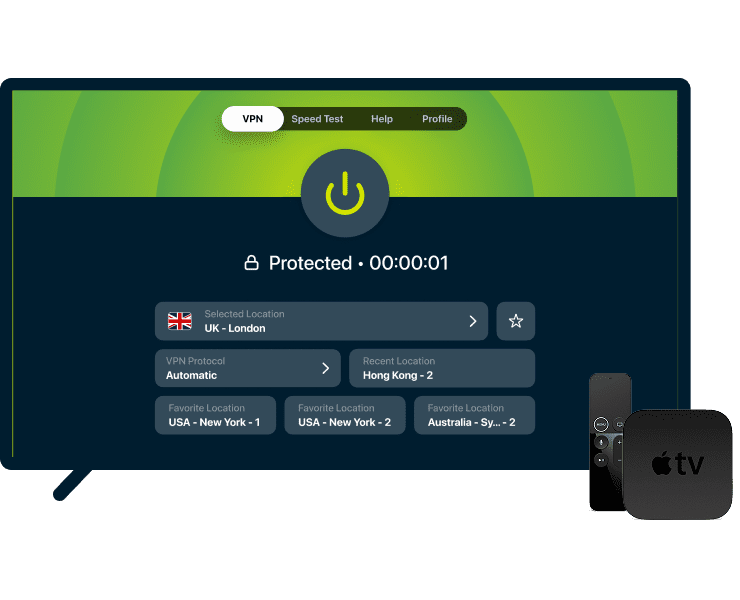
Apple TV HD
If your Apple TV HD supports tvOS 17 or later, you can install the native ExpressVPN app directly from the App Store. The app gives you flexible protocol options and quick access to the locations you use most. You can also use MediaStreamer, Aircove, or share a VPN connection from a Windows PC.

Apple TV 4K (all generations)
Every 4K model is fully compatible with our native Apple TV VPN app. Simply install it from the App Store. The app offers multiple VPN protocols, built-in speed testing, and quick access to favorite server locations.
Free vs. premium VPNs for Apple TV
Everybody loves free, but free will only get you so far
Free VPNs offer basic features, which is why premium VPNs exist
| Free Apple TV VPNs | ExpressVPN for Apple TV | |
|---|---|---|
| App installation and performance | Usually lacks an Apple TV VPN app requiring manual configuration. Outdated networks and features lead to frequent interruptions and dropped connections. | A regularly maintained native Apple TV VPN app for quick installation and seamless integration. Smart DNS is also available. |
| Speed and data | Slow and crowded servers make it difficult to maintain HD streams, especially when connected to faraway server locations. Strict data caps limit you to a few hours of streaming per month. | Access to ExpressVPN’s full fleet of fast and uncrowded servers. High-quality streams with our regularly upgraded network and proprietary Lightway protocol. |
| Server network | Few server locations, and sometimes prevents you from choosing your preferred server. | ExpressVPN provides servers across 105 countries and 170+ locations. Easily switch between servers as often as you want. |
| Privacy protection | Many free VPNs log and sell user data to third parties, compromising your digital privacy. | TrustedServer technology and a no-logs policy keep your information private. |
| Compatibility with streaming platforms | Unreliable and limited. | Works with most popular platforms across the globe. |
| Customer support and updates | Lacking real-person support (email or live chat). You may find answers within a support page or basic FAQs section. Apps are rarely updated, with frequent bugs and glitches. | Quick answers to your questions with 24/7 live chat. Frequently maintained and updated apps that run smoothly. |
| Simultaneous connections | One device | Up to 14 devices |
| Bonus Apple TV features | None | Multiple VPN protocols, built-in speed testing, favorite locations, and automatic obfuscation ensure your connections remain fast and reliable when using popular streaming platforms. |
What people are saying about ExpressVPN
Get an inside look at what customers have to say about their experiences with ExpressVPN
I have ExpressVPN on all my devices - phone, laptop, tablet, AppleTV, etc., and absolutely love it.


* A sample of reviews from our most satisfied customers
Got an account with @expressvpn yesterday. Great decision for traveling out of the country!
@D_Geiger

* A sample of reviews from our most satisfied customers
With its consistent performance and reliable security, ExpressVPN is the best VPN out there.

* We sometimes pay expert sites for customer referrals
FAQs: About Apple TV VPNs
Get answers to common Apple TV VPN questions
Can I use a VPN with Apple TV?
Yes, you can. Using a VPN with your Apple TV secures all the traffic between your TV and the internet while streaming and listening to music. ExpressVPN offers a native Apple TV app for devices running tvOS 17 and later.
Does Apple TV support VPN apps?
Yes. Apple TV devices running tvOS 17 or later support VPN apps, including ExpressVPN. Just search for ExpressVPN in the App Store, download the app, sign in, and connect. If your Apple TV is running tvOS or earlier, ExpressVPN offers alternative setup options like MediaStreamer.
How do I use a VPN on Apple TV?
It's easy. Once the app is installed on your device, sign in, choose a server location, and connect. You can also save favorite locations for quicker access from the home screen, run a speed test to compare server performance, and switch between VPN protocols.
How do I change my VPN location on Apple TV?
When you connect to a different VPN server, your Apple TV uses the IP address of that server instead of your IP address. Changing your VPN location depends on which setup method you use. For instance, if you use ExpressVPN's Apple TV app, all you need to do is pick a new server location in the app.
If you’re using the Aircove router, you can log in to expressvpnrouter.com and enter your details. From there, choose a new server and connect. For MediaStreamer setups, you’ll need to update your DNS settings in your ExpressVPN account dashboard and on your Apple TV.
What do I do if Apple TV doesn’t allow VPN apps?
If your Apple TV model doesn’t support tvOS 17 or later, you can still use ExpressVPN with alternative setup methods.
You can connect your Apple TV through an Aircove router or share a VPN connection from your Windows PC. Another option is MediaStreamer, ExpressVPN’s smart DNS feature. It can improve your streaming experience, but it doesn’t encrypt your traffic or provide the privacy and security benefits of a VPN connection.
Another option is to set up a mobile hotspot on your PC or phone and connect your Apple TV to that (with the VPN app controlled through that device).
Is it legal to use a VPN on Apple TV?
Yes, it's legal to use a VPN for Apple TV in most countries. There are only a few countries that ban VPNs due to strict legislation. So just be sure that you familiarize yourself with your local law and abide by the user agreements of the services you use through Apple TV.
Can you use a free VPN for Apple TV?
There are free VPNs available for Apple TV, but they can't beat the reliability, security, speeds, and customer support of a paid VPN.
If you want to try a premium option first, ExpressVPN offers new subscribers a 30-day money-back guarantee, so you can try it with confidence. You’ll get access to the full Apple TV app, including multiple protocol options, built-in speed testing, and support for up to 14 simultaneous device connections.




