- 2026 Best VPN for Gaming*

Fortnite VPN: Play with less lag
Keep your connection secure and reliable with ExpressVPN, the best VPN for Fortnite
30-DAY MONEY-BACK GUARANTEE FOR FIRST-TIME USERS
*ExpressVPN helps support expert review sites through an affiliate program that compensates them for referrals.
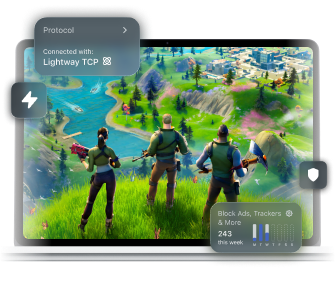









How to play Fortnite with ExpressVPN
Quickly set up your VPN before game time with these steps
-
Step 1

Sign up and install ExpressVPN
-
Step 2
Connect to an ExpressVPN server
Our fast server network spans across 105 countries.
-
Step 3

Play Fortnite securely
Stay protected against DDoS attacks and data leaks while gaming.
ExpressVPN: Your essential tool for the Battle Royale
Reduce connection drops and stay secure on Fortnite

A connection drop could spell elimination if you’re in the middle of a heated match.
This is where ExpressVPN’s Lightway protocol comes in handy, as your VPN connection simply goes on idle instead of being terminated.
This helps your VPN connection kick in almost instantly when your device goes back online, so you can quickly return to action.
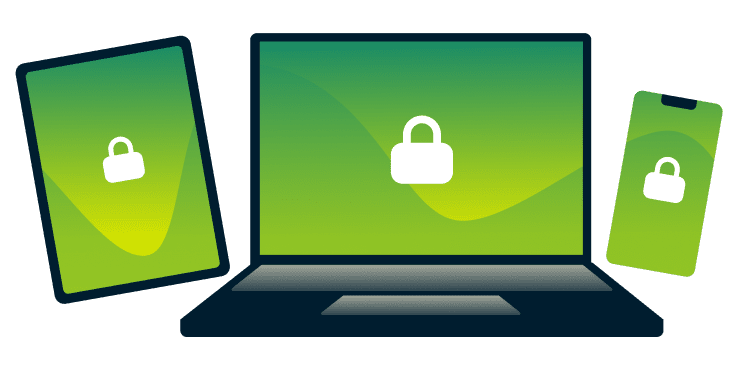
Finding a VPN that works with all your gaming devices can be a challenge. ExpressVPN makes it easy with apps for virtually any device you use to play Fortnite, including Windows, Android, and iOS. You can also share a hotspot to cover devices that don’t natively support VPN apps.
Our apps also include advanced protection with parental controls and protection against links to malicious domains. Just subscribe to ExpressVPN, download our app for your device, and connect to a server before starting the game.
Tired of playing in the same old Fortnite region? Switching to a different one could add some excitement to your game, but it could also cause high ping.
ExpressVPN's global server network spanning 170+ locations across 105 countries lets you connect to a fast VPN server near your target game server. This minimizes the latency impact of using a VPN, and in some cases, our optimized routing may even help reduce your ping compared to your ISP's default path.
-

Up to 40 Gbps server capacity
-

Servers in 105 countries
-

Ultra-fast Lightway
-

Optimized for gaming
Reliable in real-world gaming conditions
ExpressVPN is a key ally in your quest for Fortnite glory
-
Maintain connection stability while building

Looking for a gaming VPN that won’t impact your Fortnite connection?
Our high-capacity servers of 10Gbps and 40Gbps help maintain a stable VPN connection, even during peak hours. You can also use Smart Location to automatically pick the best available server based on latency.
Game all you want because we never cap your data or artificially limit your speeds.
-
Focus on victory as we cover your security

We work hard in the background to watch your six even in the most intense firefight.
ExpressVPN hides your IP address from would-be doxxers to keep your virtual battles out of the real world.
On public Wi-Fi, robust encryption also keeps your information (like passwords) from interception by others on the same network.
Why people use Fortnite with a VPN
Wherever you go, ExpressVPN has you covered
Access local Fortnite servers securely
Epic Games lets you access all your Fortnite content, even when you travel abroad. But the sudden change in your location could flag your activity as suspicious.
To avoid this, use a VPN while abroad and connect to a VPN server in your home region before launching the game. This will help you access your Fortnite account abroad without running into connection blocks.

Connect nearby in regional tournaments
When competing in a regional event, the route between your device and game server isn’t always optimized. This can result in high ping and put you at a disadvantage.
ExpressVPN has servers in 105 countries. This ensures you can connect to a VPN server closest to the game server, which may help reduce your ping—especially if your ISP picks a suboptimal path to Fortnite servers.
Play Fortnite with mobile protection
Playing Fortnite on mobile can be a privacy risk, as switching between Wi-Fi and mobile data could briefly reveal your IP address.
ExpressVPN’s Internet Kill Switch keeps you safe by blocking all internet traffic until your VPN connection is restored.This keeps your data protected, even when your connection is unstable.
Get help with challenging networks
If your team is ready to battle but you’re stuck at school or work, local network restrictions could block you from accessing Fortnite.
A VPN’s encryption prevents your office or school network administrator from seeing you’re trying to connect to Fortnite. This can help you connect to game servers on networks that filter traffic by content type.
Why you need the best VPN for Fortnite
A Fortnite VPN helps prevent security and privacy risks
-
Protect your Epic Games account data
It’s unsafe to access your Epic Games data on public Wi-Fi. Without encryption, others on the same network could intercept your information, such as your login details.
ExpressVPN creates an encrypted tunnel between your device and our VPN server to keep third parties from reading your traffic data.
-
Reduce DDoS risk with an anonymous IP address

Play Fortnite long enough, and you could be the next target of a DDoS attack from a salty gamer.
As this relies on knowing your real IP address, it’s important to hide your IP address with a VPN as soon as possible. When your real IP address is hidden, attackers lose their ability to target your personal connection.
ExpressVPN is compatible with


Free VPNs vs. ExpressVPN for Fortnite
ExpressVPN wins the battle for security and reliability

No-logs privacy protection
When you use a free VPN, you’re likely trading your connection data for the privilege. That’s not the case with ExpressVPN.
Our no-logs policy means we don’t collect any of your activity or connection logs. It’s a fact verified by independent third parties like KPMG, and PwC.
Unlimited bandwidth
There’s always a catch with a free VPN, like limited servers and bandwidth restrictions. Playing and updating Fortnite on such a service could quickly eat into your limited data allowance.
Your ExpressVPN subscription has no data caps and no bandwidth limits.Connect and download as much as you need, we never cap your data or artificially limit your VPN speeds.
Reviews from ExpressVPN customers
Learn why people choose ExpressVPN
-
Absolutely fantastic. It was the perfect solution for connectivity issues in a game I've been playing recently.
J B


-
ExpressVPN is the perfect all around VPN service for your network security needs.
Dirt_Reynolds


-
ExpressVPN is the fastest VPN I've found. It shows you the fastest server you can connect to, and a list of alternate servers.
Christopher Gilmer
-
#1 Best VPN 2026 & Best Gaming VPN
ExpressVPN is the best Gaming VPN right now, thanks to its impressive speeds, excellent privacy protections and expansive global network of servers.

-
Editor’s Choice Award 2026
ExpressVPN’s expansive network and dedication to staying on the forefront of encryption tech earn it an award.

-
#1 Best VPN for the U.S. 2026
ExpressVPN is the best VPN for the U.S. right now. It has VPN servers in every American state, excellent security, and a simple user interface.

-
 Rated 4.4 out of 5
 -
 Rated 4.7 out of 5






FAQs
Here’s everything you need to know about our Fortnite VPN
Can you get banned for using a VPN on Fortnite?
No, that is, unless you use a VPN to do things that violate Epic Games’ Terms of Service and Community Rules. These include cheating, bullying, and sharing other people’s information.
How do I fix a Fortnite VPN error or kick?
Fortnite VPN errors and kicks can sometimes be triggered by a blocklisted IP address. As such, disconnect and then reconnect to your VPN service. This will give you a fresh IP address that will help fix the issue.
ExpressVPN regularly refreshes its IP address pool to prevent Fortnite VPN issues.
Is it legal to use a VPN for Fortnite?
It is legal to use a VPN for Fortnite, except for countries that ban VPNs. Because of this, ensure that its use is allowed in your current location before you connect to a VPN server and play Fortnite.
What is the best VPN for Fortnite?
ExpressVPN is the best Fortnite VPN. Our 10Gbps and 40Gbps servers help provide a stable VPN connection. Plus, our global server network lets you connect to a fast VPN server nearest to a game server. We offer unlimited bandwidth too, so won’t throttle your connection no matter how much you play.
Will a VPN help with my ping in Fortnite?
A VPN can help with your ping in Fortnite, especially if you prefer to play in regions that are far from your physical location. Connecting to a VPN server closest to your game server can make this possible.
Can I use a VPN for Fortnite on PlayStation or Xbox?
Yes. Share your VPN connection from a PC or Mac to your console via Ethernet cable or Wi-Fi hotspot. The setup process varies by device.
ExpressVPN for Fortnite
- Maintain speed and security during gameplay
- Get a 30-day money-back guarantee for first-time customers





