

Get the best WhatsApp VPN
Stay connected with a VPN for WhatsApp, even on office and campus networks
- Call and message on WhatsApp while traveling, with 170+ server locations
- Use WhatsApp safely on unsecured networks with robust encryption
- Easy VPN setup for WhatsApp on mobile and WhatsApp Web on desktop
30-DAY MONEY-BACK GUARANTEE FOR FIRST-TIME USERS








How to set up a VPN for WhatsApp in 3 steps
Get a WhatsApp VPN with easy installation and one-tap encryption
-
Step 1

Get ExpressVPN
Sign up for ExpressVPN with a risk-free guarantee* and download the app
-
Step 2
Connect to a server
Open your app and connect to a servers from the location list of 105 countries
-
Step 3

Open WhatsApp
Use WhatsApp for calls and messages with a secure connection
Why you need a VPN for WhatsApp
Keep your WhatsApp conversations flowing with more privacy control
Stay connected to WhatsApp on restrictive networks
Campus, office, and other managed Wi-Fi networks often use firewalls that filter and block communication apps like WhatsApp. This leaves you stuck, unless you use a VPN.
A VPN service hides your real IP address and encrypts your traffic. Combined with server obfuscation, it prevents the network from detecting that you’re using WhatsApp. Message, call, and share photos on work or school Wi-Fi during your downtime—without using up your mobile data.

Help reduce IP‑based tracking and location signals
Without a VPN, your IP address can reveal your approximate city or region to your ISP, Wi-Fi admins, and the online services you use. A VPN hides your IP address and reduces that exposure.
When you use a WhatsApp VPN it prevents your ISP and network from identifying your WhatsApp traffic. This gives you greater control over your location privacy during calls and chats.
Enhance privacy on public Wi-Fi and shared connections
Public Wi-Fi can make your online activity easier for network operators or nearby attackers to monitor. WhatsApp messages are end-to-end encrypted, but network admins can still see that you're using WhatsApp and monitor your connection patterns.
VPN encryption keeps your online activity more private on public Wi-Fi. Plus, a kill switch automatically blocks traffic to prevent unprotected traffic from exposing your location and app usage.
More stability for video and voice calls with ExpressVPN
More consistent WhatsApp audio and fewer interruptions with ExpressVPN

Reduce content-based ISP throttling
Internet providers manage bandwidth based on the type of activity they detect. If they slow connections for communication apps, your WhatsApp calls can suffer with choppy audio or frozen video.
A VPN encrypts your traffic, making it harder for ISPs to identify specific apps and apply content-based throttling. This means clearer WhatsApp calls and fewer quality drops, so you can focus on the call rather than the connection.
10Gbps and 40Gbps servers
When too many users on VPN servers share limited bandwidth during peak hours, connections can slow. That means your WhatsApp calls can drop and video can lag.
ExpressVPN’s high-capacity servers are built for speed, even under heavy demand. With ample bandwidth and low latency, your connection stays responsive for clear voice and video calls with fewer interruptions, even when networks are busy.

High-speed servers in 170+ locations
If you connect to a distant VPN server, your data has to travel farther, which increases latency. This delay can cause real-time WhatsApp calls to lag, freeze, or drop.
ExpressVPN’s high-speed servers in 170+ locations let you connect to a nearby server. This gives you lower latency for faster, more responsive calls. The result is simple: Message, call, and see the people you care about on WhatsApp, without constantly reconnecting.

Lightway supports WhatsApp connectivity
Switching between Wi‑Fi and mobile data can cause WhatsApp calls to drop or videos to buffer. These interruptions can happen more often with traditional VPN protocols.
ExpressVPN’s proprietary Lightway protocol quickly recovers from brief connection interruptions, like switching between Wi‑Fi and mobile data. This fast recovery helps WhatsApp calls and videos resume almost instantly.
Using WhatsApp with VPN: Device compatibility
Simple apps and extensions for safer WhatsApp use on your devices

More secure messaging on iOS and Android
ExpressVPN’s Android and iOS apps protect your mobile connection as you move between home Wi-Fi, mobile data, and shared networks throughout the day.
Just one subscription supports up to 14 simultaneous device connections. So you can keep WhatsApp secure on your phone while your laptop, tablet, and other devices stay protected too. That means there are no gaps in coverage as you switch between devices or networks.
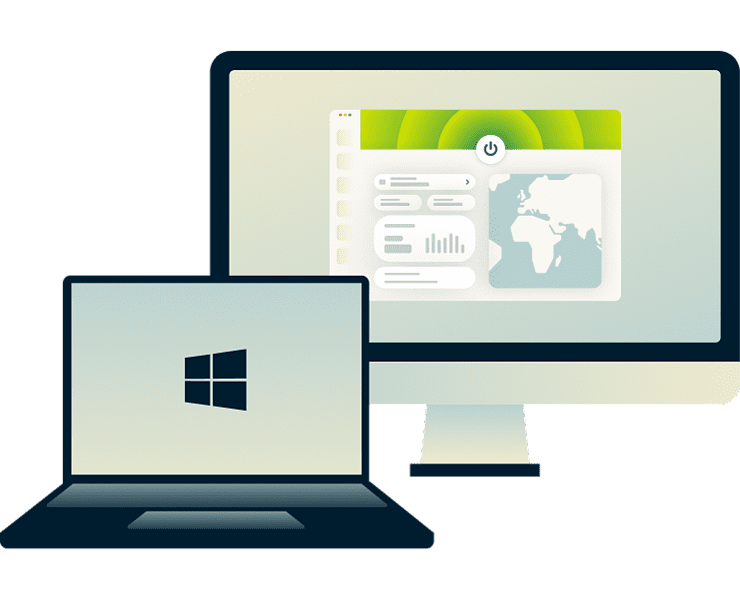
Desktop protection for WhatsApp Web (Windows and Mac)
ExpressVPN offers intuitive desktop apps for Windows and Mac, along with a Chrome extension that secures browser traffic or controls the desktop app remotely.
When using WhatsApp Web at work, ExpressVPN adds an extra layer of privacy by encrypting your online activity. Your network admin can't identify which apps you're using or which sites you're visiting, keeping your personal communications private even on company networks.
Troubleshooting: WhatsApp not working with VPN?
Simple things to check when WhatsApp plays up
-
Switch servers to reconnect
When WhatsApp won’t connect, messages aren’t delivered, and calls don’t work. This could happen if the VPN server is overloaded, or if WhatsApp is blocking that server's IP address.
Switch to another server for a fresh connection path and a new IP address. This can resolve connection failures quickly. After switching, reopen WhatsApp and your messages should send without delay, and your calls connect normally.
-
Change protocol or use Smart Location
If WhatsApp connects but calls sound choppy, video freezes, or messages are slow to send, the issue might be the VPN protocol's efficiency or how your network handles it. Try switching to a more efficient VPN protocol.
You can also try Smart Location, which automatically selects a nearby server to give you the best speeds and latency based on your network. These adjustments can help improve video and audio stability without turning the VPN off.
-
Fix WhatsApp sync issues
If WhatsApp stops syncing between your devices, it could be due to outdated app data. Clear the cache on Android or reinstall the app on iOS (after backing up your chats) to remove conflicts between old session data and your new IP address.
Update WhatsApp for the latest bug fixes and improvements, which can resolve syncing issues. Once the app is refreshed and reconnected, your messages and media should sync across your devices.
Why ExpressVPN is the best VPN for WhatsApp
Use WhatsApp whatever your routine, with round-the-clock expert support
Verified no-logs policy and TrustedServer technology
ExpressVPN’s TrustedServer technology runs entirely on RAM and never writes data to hard drives. Each server resets with regular reboots, wiping all information to ensure nothing is ever stored.
ExpressVPN encrypts all your online traffic and protects it under an independently audited no‑logs policy. So you get peace of mind knowing that no activity logs of your WhatsApp use or browsing are ever kept.

24/7 customer support via live chat
When WhatsApp won’t connect, the impact is immediate. Missed calls, unsent messages, and stalled group chats can interrupt work, family plans, or time-sensitive conversations.
ExpressVPN helps you troubleshoot VPN-related issues with your WhatsApp connection. Our 24/7 live chat support is available whenever you need it. Get back to using WhatsApp without searching forums or waiting for email replies.

Server obfuscation to help WhatsApp stay usable
ExpressVPN uses automatic server obfuscation across its network, which helps VPN traffic blend in with regular internet traffic. This reduces the chance of your WhatsApp use being disrupted on more restrictive networks.
Also, IP addresses are automatically refreshed whenever you reconnect or connect to a new website. This frequent rotation helps maintain a stable connection, so you can focus on staying in touch without needing to adjust any VPN settings.
What people are saying about ExpressVPN
See why ExpressVPN customers prefer our service
-
Absolutely fantastic. It was the perfect solution for connectivity issues in a game I've been playing recently.
J B


-
ExpressVPN is the perfect all around VPN service for your network security needs.
Dirt_Reynolds


-
ExpressVPN is the fastest VPN I've found. It shows you the fastest server you can connect to, and a list of alternate servers.
Christopher Gilmer
-
#1 Best VPN 2026 & Best Gaming VPN
ExpressVPN is the best Gaming VPN right now, thanks to its impressive speeds, excellent privacy protections and expansive global network of servers.

-
Editor’s Choice Award 2026
ExpressVPN’s expansive network and dedication to staying on the forefront of encryption tech earn it an award.

-
#1 Best VPN for the U.S. 2026
ExpressVPN is the best VPN for the U.S. right now. It has VPN servers in every American state, excellent security, and a simple user interface.

-
 Rated 4.4 out of 5
 -
 Rated 4.7 out of 5






Frequently asked questions
Get answers to common questions before downloading a WhatsApp VPN
Is it legal to use a VPN with WhatsApp?
In most countries, using a VPN with WhatsApp is legal. VPNs are widely used for enhancing privacy and security online. However, you must always follow local laws regarding communication apps as well as WhatsApp’s terms of service.
Does a VPN hide my location on WhatsApp?
A VPN replaces your public IP address with the VPN server's, helping reduce IP-based location tracking. WhatsApp still accesses your account details and GPS data (if enabled), but your real IP stays hidden from the networks you connect through.
Can I use WhatsApp Web over a VPN?
Yes, you can use WhatsApp Web with a VPN. ExpressVPN's desktop apps for Windows and Mac work with WhatsApp Web to keep your connection encrypted and more stable. Just connect the VPN first, then scan the QR code as usual so your chats will sync across devices.
Why are my WhatsApp calls failing on VPN?
Call issues usually come from congested servers or unsuitable protocols. ExpressVPN’s Lightway protocol, Smart Location, and high-capacity servers are built to improve call stability. So you’re less likely to toggle off the VPN for WhatsApp calls.
Can I use a free VPN for WhatsApp?
Free VPNs often restrict data, slow connections, or log activity. This affects both WhatsApp functionality and your privacy. ExpressVPN offers audited no-logs protection, fast servers, and 24/7 support, giving you more consistent WhatsApp performance and a clearer privacy guarantee.
How to use VPN for WhatsApp calls?
To use a VPN for WhatsApp calls, download and install ExpressVPN on your device. Connect to a nearby server using Smart Location for optimal speed. Open WhatsApp and make your call with VPN protection for enhanced privacy and security.
Try ExpressVPN for WhatsApp risk-free
Get the best VPN for WhatsApp and protect your connection
ExpressVPN comes with a 30-day money-back guarantee* for all new customers, so you can try it out risk-free. If it doesn’t meet your needs, contact support for a full refund.





