
Stream Hulu with a reliable VPN
Address common Hulu VPN connection errors and stream privately with ExpressVPN
- VPN servers in all 50 U.S. States to connect to your Hulu account
- High-speed servers for minimal buffering even during peak hours
- Compatible with all your favorite devices for streaming Hulu
30-DAY MONEY-BACK GUARANTEE FOR FIRST-TIME USERS









How to set up ExpressVPN in 3 steps
Follow these steps before you start streaming shows, sports, and more on Hulu
-
Step1

Get ExpressVPN and download the app
Choose a subscription deal that’s right for you and install ExpressVPN on your device.
-
Step 2

Connect to a server in one of 105 countries
Our network includes servers in all 50 US states.
-
Step 3

Secure your connection and start watching
Once connected, open Hulu and stream your favorite shows.
Why you need a high-performance VPN for streaming
VPNs built for streaming offer fast and reliable connections to Hulu

Stop ISP throttling from slowing down your marathon
Some ISPs slow down your connection to manage bandwidth across their network when you’re streaming, causing your marathon of The Kardashians to buffer repeatedly.
A VPN encrypts your connection, which masks your streaming activity from your ISP. This helps you avoid content-based ISP throttling that targets high-bandwidth streaming traffic.

Stay connected to your accounts while traveling
When you travel abroad, you may lose access to your streaming subscriptions. This can be inconvenient, especially if you need to manage your account while you’re abroad.
Connecting to a VPN server in your home country can help you stay in touch with your regular accounts. You’ll get a local IP address, letting you stream as usual but with added privacy and security.

Maintain a stable connection on restrictive networks
Wi-Fi networks at schools or offices typically block streaming services like Hulu to control bandwidth or prevent distractions.
With a VPN, you can encrypt your traffic to prevent network administrators from detecting what you’re accessing. These enables you to get around local network blocks and access Hulu with enhanced privacy.

Protect your online privacy
Choosing a VPN isn’t just about finding the one with the fastest speeds. It’s also about picking a service that respects your privacy.
Ideally, select one with RAM-only servers and a verified no-logs policy. This assures you that your provider won’t collect, store, or share your connection data.
ExpressVPN for Hulu: Engineered for speed and stability
The best VPN for Hulu delivers the speed, security, and reliability you need

10Gbps and 40Gbps servers for uninterrupted viewing
VPNs with outdated infrastructure can experience bottlenecks during peak hours, which can be frustrating during live sports. ExpressVPN’s global server network is built for fast, stable connections.
We don’t apply data caps or bandwidth limits, either. You can stream as much as you want, for as long as you want without your VPN slowing you down.

Lightway protocol keeps your stream stable
Switching between networks causes your connection to drop and restart from scratch, forcing your stream to rebuffer. Standard VPN protocols need to fully re-authorize and reconnect, wasting your time.
Instead of terminating your session during brief interruptions, ExpressVPN’s Lightway protocol preserves it. When your network stabilizes, it picks up where it left off, reconnecting in seconds so your Hulu stream resumes with minimal interruption.

170+ server locations to find the best possible route
ExpressVPN’s server network spans 105 countries, and includes servers across all 50 US States, so you can easily connect to a nearby location. The shorter the distance between you and your server, the faster your Hulu stream loads.
You can also enable Smart Location to automatically connect to the fastest available server nearby to keep your Hulu stream consistently stable, even during peak hours.
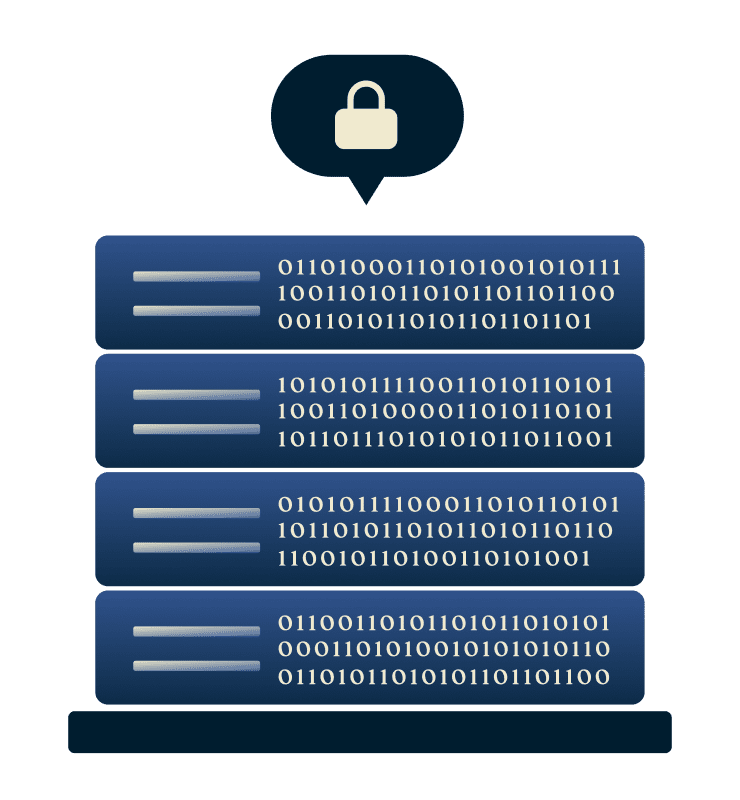
RAM-only servers and no-logs policy designed for your privacy
ExpressVPN’s TrustedServer technology runs our servers only on RAM, with all server data automatically wiped and reinstalled with every reboot. Our no-logs policy ensures we don’t store any of your activity or connection logs.
Independent third parties like KPMG and Cure53 regularly audit these claims to give you peace of mind when you use our VPN.
Troubleshooting the “Hulu VPN Error” and playback issues
Try these solutions if you’re having trouble streaming Hulu with a VPN

Common error codes and what they mean (e.g., P-EDU101 or BYA-403-011)
Hulu’s licensing agreements determine where content can be streamed. To comply with these agreements, it may block certain connections to its platform, including ones from a VPN service.
When this happens, Hulu will display an error code, such as P-EDU101 or BYA-403-011. These issues are often referred to as anonymous proxy errors.

How to resolve “Anonymous Proxy” or connectivity alerts
If you encounter an anonymous proxy error, try turning off the VPN, clearing your Hulu app's cache, and reconnecting to a different U.S. VPN server.
Once you reconnect, you'll get a fresh IP address that won’t clash with Hulu’s cached data, which can help resolve the issue and get you back to streaming.
Tips for fixing buffering or “Home Network” location errors
This often occurs when you’re trying to stream Hulu LiveTV on a device that isn’t connected to your designated Home network.
If you’re streaming on mobile, ensure you’ve checked in to your Home network in the past 30 days. Also, switch VPN servers within the US to get a new IP address, which typically fixes the problem.

When to contact 24/7 support for an instant server recommendation
Still having trouble with Hulu not working with your VPN? Get in touch with ExpressVPN’s customer support team at any time. Our multilingual, 24/7 live chat connects you with experts who can help you troubleshoot the issue.
Use a VPN on every device
ExpressVPN works with all major devices with native apps
-
Dedicated VPN apps for Hulu-supported devices

ExpressVPN has apps for all major platforms you use for streaming Hulu, including iOS, Android, Windows, macOS, Amazon Fire TV Stick, and Android TV.
Better still, you can connect up to 14 devices simultaneously with one subscription.
-
MediaStreamer for Apple TV and Gaming Consoles

MediaStreamer is our DNS service for devices that don’t natively support VPN apps, like Samsung TVs and game consoles.
It’s not a VPN, but it’s ideal for streaming Hulu while maintaining fast speeds.
What people are saying about ExpressVPN
Find out what ExpressVPN subscribers think about our products
-
Absolutely fantastic. It was the perfect solution for connectivity issues in a game I've been playing recently.
J B


-
ExpressVPN is the perfect all around VPN service for your network security needs.
Dirt_Reynolds


-
ExpressVPN is the fastest VPN I've found. It shows you the fastest server you can connect to, and a list of alternate servers.
Christopher Gilmer
-
#1 Best VPN 2026 & Best Gaming VPN
ExpressVPN is the best Gaming VPN right now, thanks to its impressive speeds, excellent privacy protections and expansive global network of servers.

-
Editor’s Choice Award 2026
ExpressVPN’s expansive network and dedication to staying on the forefront of encryption tech earn it an award.

-
#1 Best VPN for the U.S. 2026
ExpressVPN is the best VPN for the U.S. right now. It has VPN servers in every American state, excellent security, and a simple user interface.

-
 Rated 4.4 out of 5
 -
 Rated 4.7 out of 5






Hulu VPN: Common Questions
Want to know more about using Hulu with a VPN? Find your answers here.
Why isn’t my VPN working with Hulu?
Hulu might be blocking your current VPN server's IP address. Try switching to a different U.S. server location to get a new IP address, which can help resolve the issue.
Can I use a VPN on my Smart TV or Roku?
Yes, ExpressVPN has native apps for Android TV, Amazon Fire TV, and newer Apple TV models. For Roku and other devices that don't support VPN apps, you can use ExpressVPN's MediaStreamer smart DNS feature, located in your account settings.
Does a VPN improve video quality?
A VPN can help improve video quality if your ISP is implementing content-based throttling: intentionally slowing your connection based on your streaming activity. By encrypting your traffic, ExpressVPN helps you avoid this type of throttling.
Is it legal to use a VPN with streaming services?
It is legal to use a VPN with streaming services in most countries. Take note, though, that VPN use and trying to hide your IP address might be against a particular service’s terms of use, so confirm this before trying to access it with a VPN.
How to use Hulu with a VPN?
Download and install ExpressVPN on your device, then connect to a U.S. server. Once connected, open Hulu and sign in to your account to start streaming.
Secure your streaming experience risk-free
Take advantage of our 30-day money-back guarantee* for all new customers
*Contact support to request a refund within 30 days. Purchases through the App Store are handled by Apple, and refunds are at their discretion.





