



This guide details ExpressVPN’s refund policy and money-back guarantee, while also showing you how to get a refund.
Jump to…
ExpressVPN’s refund policy
Refunds for App Store purchases
How to get a refund
ExpressVPN’s refund policy
If you are a first-time user who is not 100% satisfied with ExpressVPN, you have a guaranteed 30 days from the moment you buy your subscription (and dedicated IP add-on, if applicable) to request a full refund.
Note that refunds apply to subscriptions purchased directly from ExpressVPN or via Google Play. The money-back guarantee does not apply to renewal purchases.
To request a refund, follow the steps below or get in touch with the ExpressVPN Support Team.
Refunds for App Store purchases
Users whose subscriptions are billed as an in-app purchase through the Apple App Store (iTunes) do not have access to the ExpressVPN 30-day money-back guarantee.
Instead, users can request refunds through the App Store, which are issued solely at the discretion of Apple Support.
Read more about ExpressVPN’s 30-day money-back guarantee here.
How to get a refund
To get a refund:
- Go to Payment history to view a list of your invoices.
- If prompted, enter your email address and select Send Code.
- Enter the verification code that is sent to your email, then select Continue.
- Select Refund next to the payment you want refunded.
- Choose whether or not to complete the optional survey, then select either Submit and Proceed with Refund or Skip and Proceed with Refund.
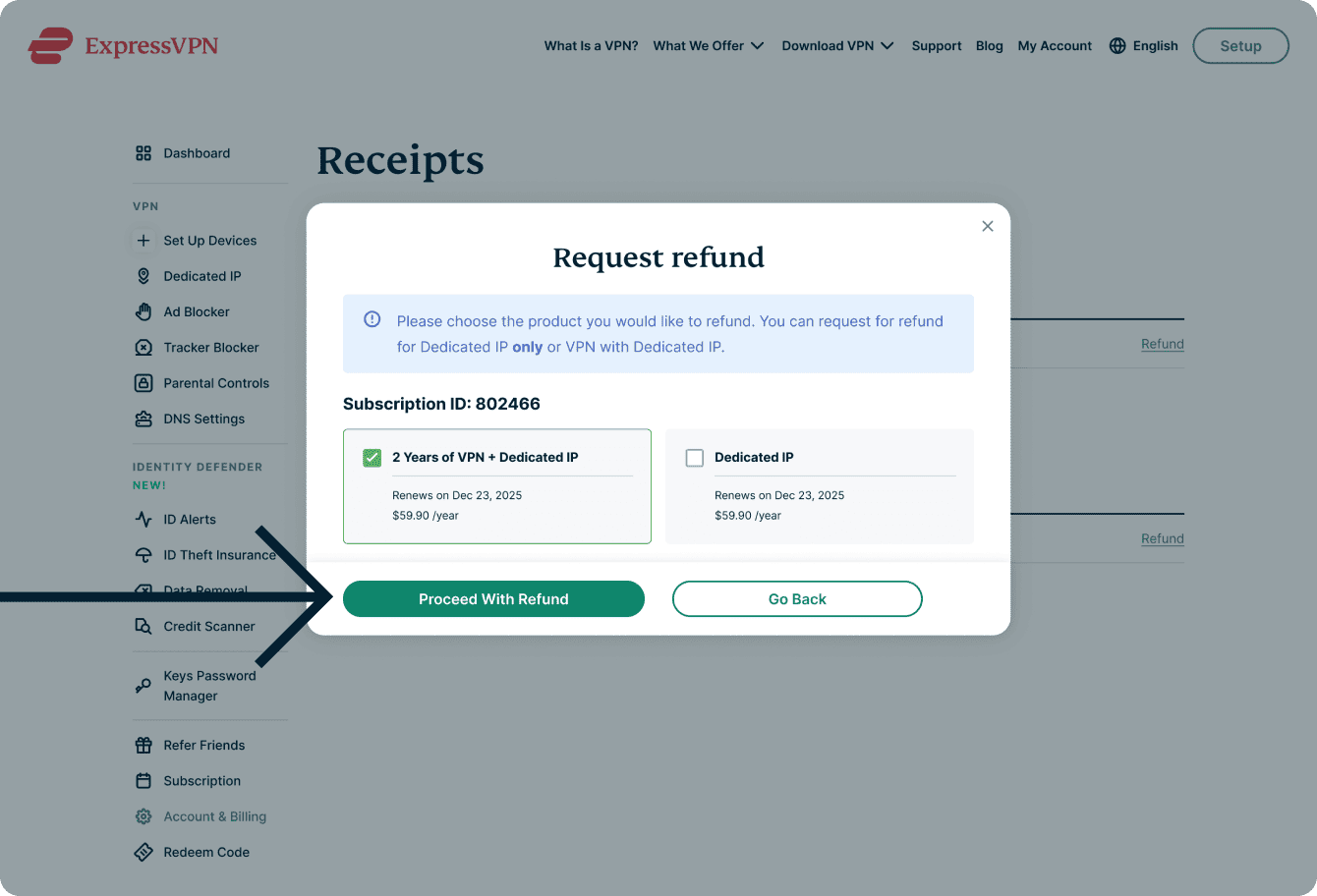
- Choose the product you want to refund, then select Proceed With Refund.

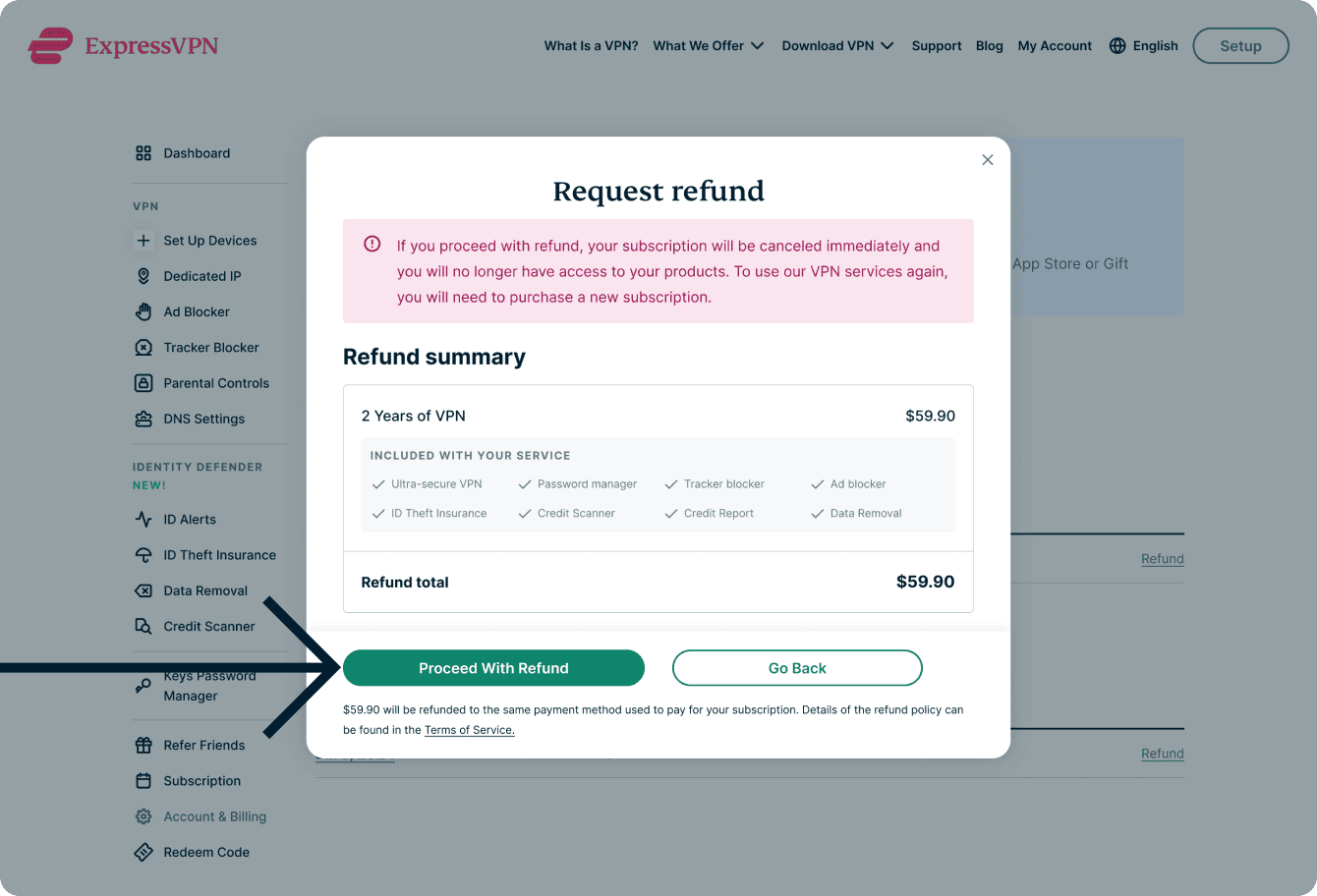
- Review your refund request, then select Proceed With Refund.
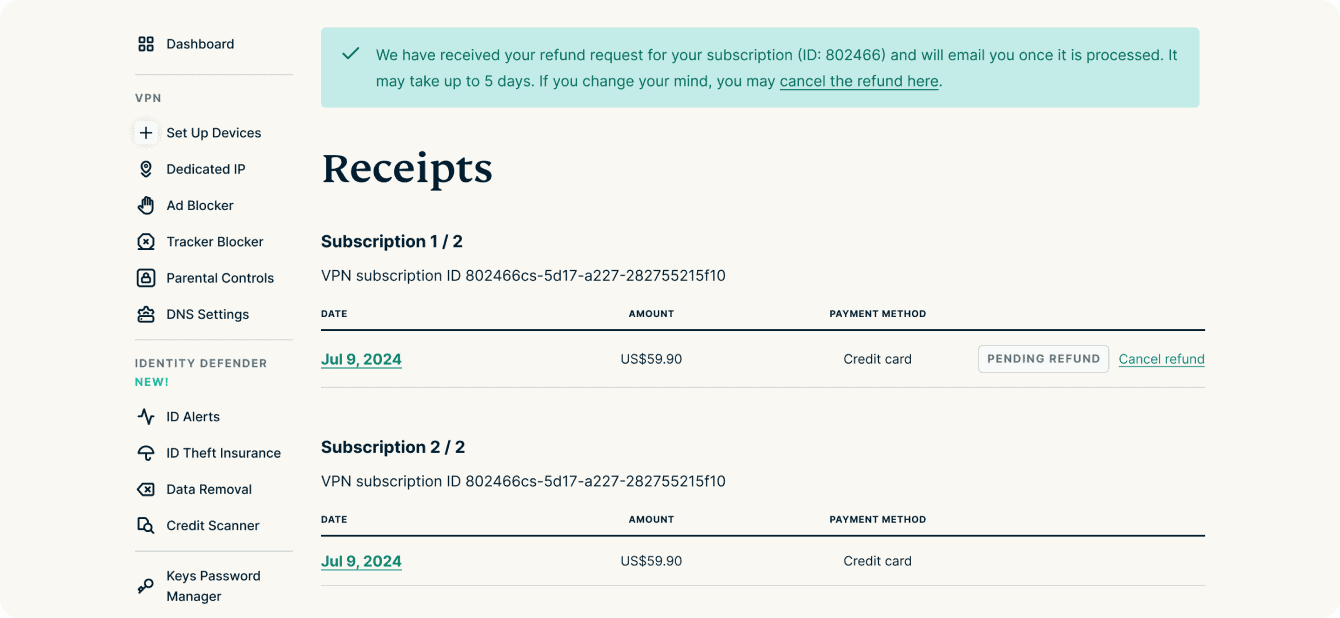
- You will see a message confirming your refund request. It takes up to ten days to process your refund.

If you are eligible for a refund but have issues with the steps above, contact the ExpressVPN Support Team for immediate assistance.