
Gmail VPN: Private and secure email access
Secure your Gmail connection on any network with industry-leading encryption
- Keep your email activity private from network observers
- Access Gmail securely on school, work, and public networks
- Get reliable, private access to your inbox with servers in 105 countries
30-DAY MONEY-BACK GUARANTEE FOR FIRST-TIME USERS
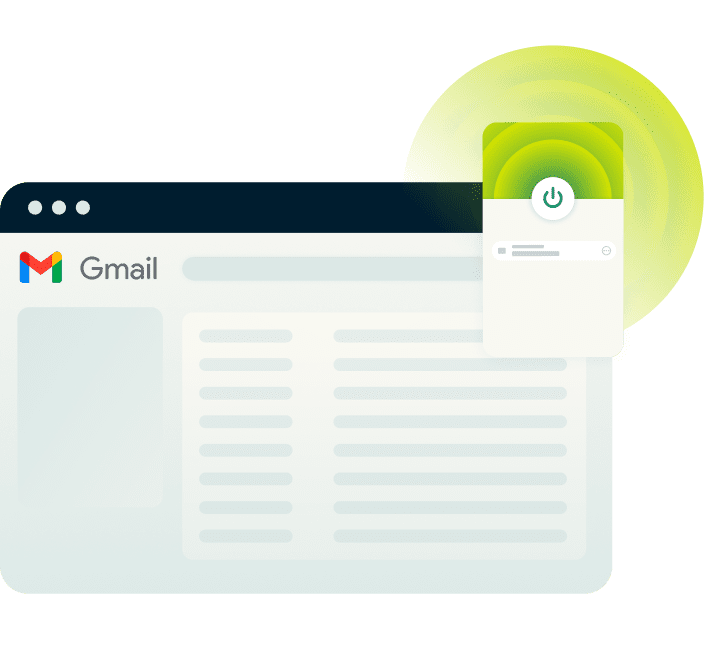








How to use ExpressVPN with Gmail in 3 steps
Set up the best VPN for Gmail in minutes
-
Step1

Sign up for ExpressVPN
Sign up risk-free* with ExpressVPN, and download the app for your device.
-
Step 2
Connect to a secure server location
Select the server location of your choice across 105 countries, 170+ locations.
-
Step 3
Log in to your Gmail account safely
Once logged in, read and send emails securely, even on public Wi-Fi.
Why use a VPN for Gmail?
Get easy access to your inbox with a Gmail VPN connection

Overcoming local network restrictions at school or work
Offices, shared networks, and campus Wi-Fi networks often use firewalls that can interfere with access to personal email services like Gmail.
A VPN service encrypts your connection and routes your traffic through a secure server. This keeps your inbox within reach, even on restrictive networks.
Protecting your communications on public Wi-fi
Public Wi-Fi networks in cafés, airports, or hotels often lack encryption, leaving you vulnerable to Man-in-the-Middle attacks.
A Gmail VPN keeps your connection private on these networks, preventing network observers from seeing your activity or intercepting your data as you check your inbox.
Use Gmail securely while traveling
When traveling, you're constantly connecting to unfamiliar networks—hotels, airports, cafés. Each connection is a potential exposure point. Using a VPN while traveling can help reduce the risks that come with public connections.
A VPN for Gmail with a widespread server network lets you connect securely while on the go, keeping your data protected no matter how often you switch networks.
Getting the most from your Gmail VPN
Knowing how to use Gmail with a VPN prevents disruptions
Connect to the same server location to avoid security alerts
Switching VPN servers too often can trigger Gmail’s "suspicious activity" alerts, since logins appear from different IP addresses.
To avoid interruptions, stick to the same server location. This helps Gmail recognize your login pattern while keeping your connection secure.

What to do if Gmail flags your login
If Gmail flags your VPN IP address as unusual, it may prompt verification via SMS, email, or an authenticator app. Stick to the same VPN server location to help reduce these prompts.
Completing the verification confirms your identity, restores normal access to your inbox, and resolve the VPN Gmail problem.
Enable 2FA for an extra layer of security
Two-factor authentication (2FA) adds an extra layer of protection beyond your VPN.
Even if Gmail detects a login from a new location, 2FA ensures only you can access your account. This keeps your inbox secure even on unfamiliar networks.
Why ExpressVPN is the best choice for Gmail
Get fast and private connections to your inbox with the best VPN for Gmail

High-speed servers in 105 countries
ExpressVPN’s high-capacity servers (10Gbps and 40Gbps) across 170+ locations in 105 countries support fast, reliable Gmail access. Connect to a nearby server to reduce delays, prevent login interruptions, and keep your inbox accessible while traveling or switching networks.
Our Lightway protocol keeps your connection stable when moving from Wi‑Fi to cellular, so you can check emails reliably while on the go.

Best-in-class encryption and a verified no-logs policy
ExpressVPN uses 256-bit AES encryption, the industry standard for top-tier security to protect your connection. This prevents ISPs, Wi‑Fi operators, and other network snoopers from tracking your Gmail activity.
With an independently-verified, strict no-logs policy and RAM-only servers that don’t store data, ExpressVPN doesn’t monitor or record your online activity. Your Gmail usage stays private, even from us.

Dedicated apps for every device you use for email
Catch up on Gmail while commuting, on your tablet in bed, or on your laptop at the office. ExpressVPN offers easy-to-use apps for Android, iOS, Windows, Mac, and more. On mobile, the Lightway protocol minimizes battery drain without sacrificing speed.
One ExpressVPN subscription protects up to 14 devices simultaneously, keeping your email activity secure across all your devices.

24/7 customer support and refund policy
Our expert support team is ready to help you get the best out of your Gmail VPN experience. Our live chat is available 24/7 to troubleshoot any connection problems that arise.
Get ExpressVPN for Gmail risk-free with our 30-day money-back guarantee* for first-time customers. Simply contact support to request a refund if you’re not satisfied.
*Refunds for iOS subscribers are at the discretion of Apple.
What people are saying about ExpressVPN
Discover why our happy customers use ExpressVPN for Gmail
-
Absolutely fantastic. It was the perfect solution for connectivity issues in a game I've been playing recently.
J B


-
ExpressVPN is the perfect all around VPN service for your network security needs.
Dirt_Reynolds


-
ExpressVPN is the fastest VPN I've found. It shows you the fastest server you can connect to, and a list of alternate servers.
Christopher Gilmer
-
#1 Best VPN 2026 & Best Gaming VPN
ExpressVPN is the best Gaming VPN right now, thanks to its impressive speeds, excellent privacy protections and expansive global network of servers.

-
Editor’s Choice Award 2026
ExpressVPN’s expansive network and dedication to staying on the forefront of encryption tech earn it an award.

-
#1 Best VPN for the U.S. 2026
ExpressVPN is the best VPN for the U.S. right now. It has VPN servers in every American state, excellent security, and a simple user interface.

-
 Rated 4.4 out of 5
 -
 Rated 4.7 out of 5






Gmail VPN: Common questions
Discover all you need to know about how to use Gmail with a VPN
Does Gmail work with a VPN?
Yes. Gmail works with ExpressVPN. It encrypts your connection and masks your IP address without disrupting email functionality. Occasionally, Gmail may ask for verification if your IP address changes frequently. Connecting to a consistent server location helps prevent these prompts.
Will using a VPN get my Gmail account locked?
No. Using a VPN won’t get your Gmail account locked. Gmail may occasionally prompt extra verification if your IP address changes too often, but using a consistent server and enabling two-factor authentication helps avoid login issues.
Why is my Gmail not working with a VPN?
Gmail may prompt verification if your IP address changes frequently or appears unfamiliar. Connecting to the same VPN server location regularly and completing Gmail's verification steps resolves this. Need help? ExpressVPN's 24/7 live chat support is always available.
Is it legal to use a VPN for Gmail?
Yes. Using a VPN with Gmail is legal in most countries. A VPN simply encrypts your internet connection and protects your privacy. However, VPN laws vary by location, so it’s best to check local regulations if you’re unsure.
Which devices are compatible with ExpressVPN?
ExpressVPN for Gmail works on smartphones, tablets, and desktop devices, letting you access your inbox securely across all your gadgets. With a single subscription, you can protect up to 14 devices at once, keeping your email access private at home or on the go.
What is the best VPN for Gmail?
ExpressVPN is the best VPN for Gmail, offering fast 10/40Gbps servers in 105 countries and 170 locations, 256-bit AES encryption, and a verified no-logs policy. With unlimited bandwidth and reliable speeds, you get secure, consistent Gmail access across all your devices. Plus, first-time users can try it risk-free with our 30-day money-back guarantee.
Get ExpressVPN for Gmail risk-free
First-time customers can try ExpressVPN risk-free with our 30-day money-back guarantee.*
*Contact support to request a refund. Limited to first-time subscribers. Purchases through the App Store are handled by Apple, and refunds are at their discretion.





