VPN for Kindle Fire: Fast, private, and easy to use
Watch Global Premieres and the FIFA World Cup in HD/4K from home or abroad with fast, reliable VPN connections
- Browse with private IP addresses from 105 countries
- Install a VPN on Kindle Fire in minutes, no tech skills required
- Protect your data with strong encryption, even on public Wi-Fi
30-day money-back guarantee*
*for first-time users

Why use a VPN on your Amazon Fire tablet
See why using a Kindle Fire VPN enhances your privacy and flexibility
Browse securely on public Wi-Fi
Whether you’re listening to an audiobook while waiting for your flight or streaming a podcast from a café, your Fire tablet keeps you connected on the go. But public Wi-Fi networks in airports and shared spaces can leave your data exposed.
Get the VPN app for Kindle Fire and use encrypted connections to keep your activity private. Plus, a built-in kill switch blocks all traffic if the connection drops—protecting your data until the VPN reconnects.

Get faster, more stable connections on crowded networks
Have you ever noticed your connection speeds slow to a crawl during peak hours? That’s often because ISPs or shared networks throttle certain types of traffic, like video streaming or gaming.
Using a VPN on your Kindle Fire means your connection is encrypted. Your ISP or network admin can’t see what you’re doing online, which helps prevent content-based throttling.

Stop ISPs and apps from tracking your activity
You search for a new pair of headphones, and suddenly ads for that exact product follow you across websites and social media for days. That’s tracking in action. ISPs, apps, and advertisers can monitor your activity and collect your data.
With a reliable VPN for Amazon Fire tablet, IP masking and built-in security features may help limit the reach of known trackers and malicious sites. This results in a safer, cleaner online experience across your Amazon ecosystem.

Use your Fire Tablet safely while traveling abroad
When you travel, it’s nice to stay informed, follow your favorite sporting events, or safely manage your online banking. But sometimes you run into problems using these services abroad.
By connecting to a VPN server on your Kindle Fire you can hide your IP address to keep your location private and stay safely connected to what matters most, while you jetset around the world.
How to install ExpressVPN on Kindle Fire
Using a VPN on your Kindle Fire is just 3 clicks away
-
![Smart Tv Download@2x 1]()
Step 1
Check which Fire OS version you have
Go to Settings → Device Options → About Fire Tablet to see your Fire OS version*.
-
![Smart Tv Download@2x 2]()
Step 2
Download the ExpressVPN app from the Amazon Appstore
Open the Amazon Appstore, search for ExpressVPN, and download the app.
-
![Get A Private Ip Address2x]()
Step 3
Sign in, connect, and you’re ready to go
Open the app, sign in, choose a VPN server, and tap Connect.

What to look for in a VPN for Kindle Fire
Essential features every VPN app for Kindle Fire should offer

Easy setup on Fire Tablets
Setting up a VPN on your Kindle Fire should be quick and headache-free. Our app is designed for Fire OS, with intuitive navigation and one-tap connection, so you can start browsing, streaming, and shopping securely in minutes.
Plus, ExpressVPN is compatible with Fire tablets, Fire TV, and Fire Stick, keeping you protected across all your Amazon Fire devices.
Strong encryption and no-logs policy
When choosing a VPN for your Kindle Fire, look for one that uses strong encryption to keep your online activity private. In addition, A VPN with a strict no-logs policy ensures your data is never stored or tracked.
ExpressVPN combines advanced 256-bit AES encryption with a third-party audited no-logs approach, meaning even we cannot access your information.

High-speed servers for consistent performance
Your Kindle Fire deserves a connection that keeps up with it!
A VPN with a global network of regularly maintained servers, combined with a reliable VPN protocol, ensures you can play online games, catch live events, and stream your favorite TV series consistently from wherever you may be in this world.

Helpful customer support
Having trouble setting up your VPN on Kindle Fire?
With ExpressVPN, you’re never left on your own—24/7 multilingual customer support via live chat and email is just a click away. Our experts can guide you through installation, troubleshooting, and any questions you may have.
Why ExpressVPN is a great choice for Kindle Fire
Discover why this is the best VPN for Amazon Fire tablets
Built-in Fire tablet app with intuitive interface
ExpressVPN offers a dedicated app for Fire tablets, designed for Fire OS. With a clean layout and one-tap connection, you can secure your data, access content, and stay protected online in seconds.
The app is compatible with all the latest Kindle Fire generations, including Fire (5th, 7th, and 9th gen) and Fire HD (5th through 8th gen).
Consistently fast and stable connections
With high-speed 40Gbps VPN servers across 105 countries, and unlimited bandwidth, your Kindle Fire gets reliable, consistent performance with ExpressVPN.
Combined with our proprietary Lightway protocol, optimized for mobile and minimal battery usage, your connections remain consistent and fast. Even when switching between Wi‑Fi and cellular networks.

Trusted privacy practices with independent audits
ExpressVPN for Kindle Fire protects your privacy with a strict no-logs policy and advanced TrustedServer technology, which runs all servers on volatile memory (RAM). This means your data is never permanently stored, and every server automatically wipes itself with each reboot.
Third-party audits verify that your browsing activity, IP address, and connection data remain private and secure.

One subscription covers all your devices
With ExpressVPN, a single subscription lets you secure up to 14 devices at the same time. Protect your Kindle Fire, Fire TV, Fire Stick, Apple ecosystem, Windows PC and more.
Devices connected through Aircove, an ExpressVPN-enabled router* count together as one connection. Plus, with optional parental controls, you can keep the whole family safe online while managing secure content access across your gadgets.
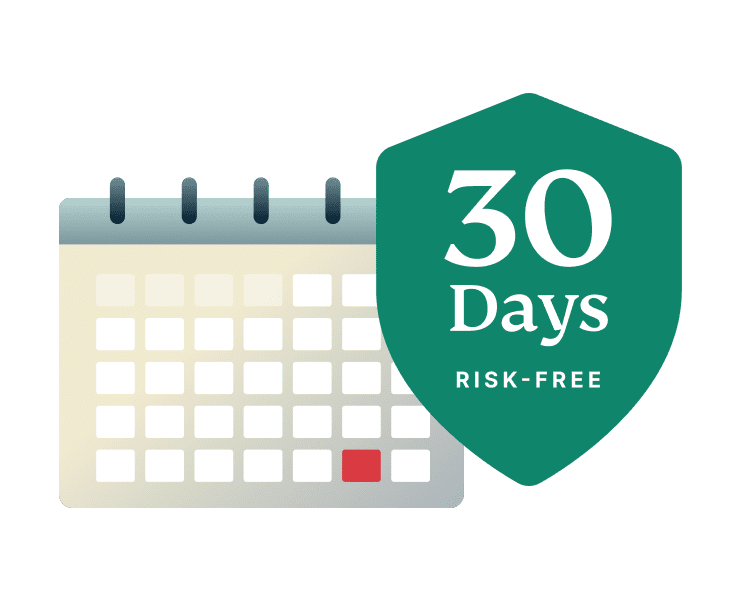
30-Day money-back guarantee
Sign up with ExpressVPN and try it risk-free! First-time customers who subscribe through our website or apps are covered by a 30-day money-back guarantee.
If for any reason, you’re not satisfied, simply contact our 24/7 customer support for a full refund—no questions asked.
Works across all Kindle Fire generations
From older models to the latest releases; get the best VPN for Amazon Fire tablets
-
![All Devices Protected]()
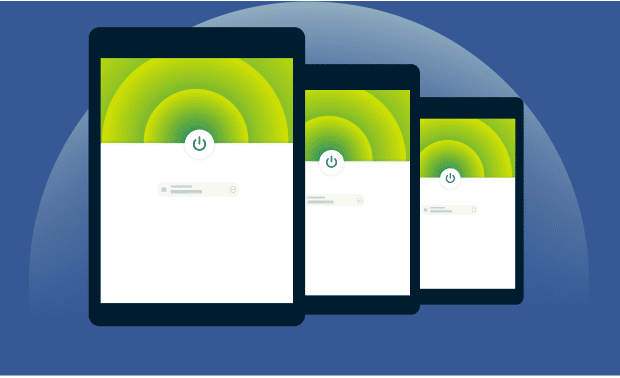
Compatible with Fire OS 5 and up
ExpressVPN supports Fire OS 5 and later on Amazon Fire tablets, ensuring your device can run the app and get full protection regardless of whether your tablet is older or new.
-
![Tablet Supported]()
How to check if your tablet is supported
Open Settings › Device Options › About Fire Tablet to check your Fire OS version. If it’s 5 or higher, your tablet can run the latest ExpressVPN app.
Older devices may require updates. If the app can’t be installed directly, you can still protect your Fire tablet by sideloading the app or using a VPN‑enabled router.
What people are saying about ExpressVPN
Discover why our satisfied customers trust ExpressVPN
I have ExpressVPN on all my devices - phone, laptop, tablet, AppleTV, etc., and absolutely love it.


* A sample of reviews from our most satisfied customers
Got an account with @expressvpn yesterday. Great decision for traveling out of the country!
@D_Geiger

* A sample of reviews from our most satisfied customers
With its consistent performance and reliable security, ExpressVPN is the best VPN out there.

* We sometimes pay expert sites for customer referrals
FAQ’s: About Kindle Fire VPNs
Find answers to commonly asked questions about VPNs for Kindle Fire
Can you put a VPN on a Kindle Fire?
Yes. You can install ExpressVPN on Kindle Fire tablets running Fire OS 5 or later. Older Kindle Fire models may need sideloading or a VPN‑enabled router. Once set up, your tablet is protected with full VPN encryption and privacy.
Can you use a VPN on Amazon Fire Tablets?
Yes. All Amazon Fire tablets running Fire OS 5 or later can use ExpressVPN via the Amazon Appstore. Older models or unsupported devices can connect through a VPN-enabled router or sideloaded app, keeping your online activity secure across all Fire tablet generations.
How do I use a Kindle with a VPN?
Kindle e-readers cannot run VPN apps directly. To protect your connection when downloading content or browsing, you can use Aircove, an ExpressVPN-enabled router. Any device connected to that router—including your Kindle—is secured with ExpressVPN’s encryption and privacy features.
Which Kindle Fire versions support VPN apps?
ExpressVPN works on a wide range of Fire tablets, including: Fire (5th, 7th, and 9th generations) and Fire HD (5th, 6th, 7th, and 8th generations). Simply download the app from the Amazon Appstore to get secure, encrypted connections on your device.
Why can’t I find ExpressVPN in the App Store?
If you can’t see the ExpressVPN app in the Amazon Appstore, it may be due to your device’s region or compatibility. On some Fire OS versions the app is hidden or unavailable. You can still install ExpressVPN by sideloading it or by protecting your tablet via a VPN‑enabled router.
Does a VPN slow down my Fire tablet?
Using the best VPN on your Amazon Fire tablet can slightly reduce internet speed due to encryption, but ExpressVPN’s high-speed servers and optimized Lightway protocol minimize any impact—and can even improve performance by avoiding ISP throttling for streaming and gaming.
Can I use the same ExpressVPN account on other devices?
Yes. A single ExpressVPN subscription lets you secure up to 14 devices simultaneously, including Fire tablets, Fire TV, Fire Stick, smartphones, computers, and more. Devices connected through a VPN-enabled router with ExpressVPN also count as one connection.
Does ExpressVPN offer a free trial for Fire tablets?
Yes. For first-time users, ExpressVPN for Kindle Fire comes with a 30-day money-back guarantee. You can try all premium features risk-free, and if you’re not satisfied, simply contact customer support within 30 days for a full refund—no questions asked.
Try ExpressVPN risk-free on your Kindle Fire
First-time subscribers can try ExpressVPN risk-free with our 30-day money-back guarantee*.