 Celebrate with up to 80% off
How do scammers get your information? The real tactics behind fraud


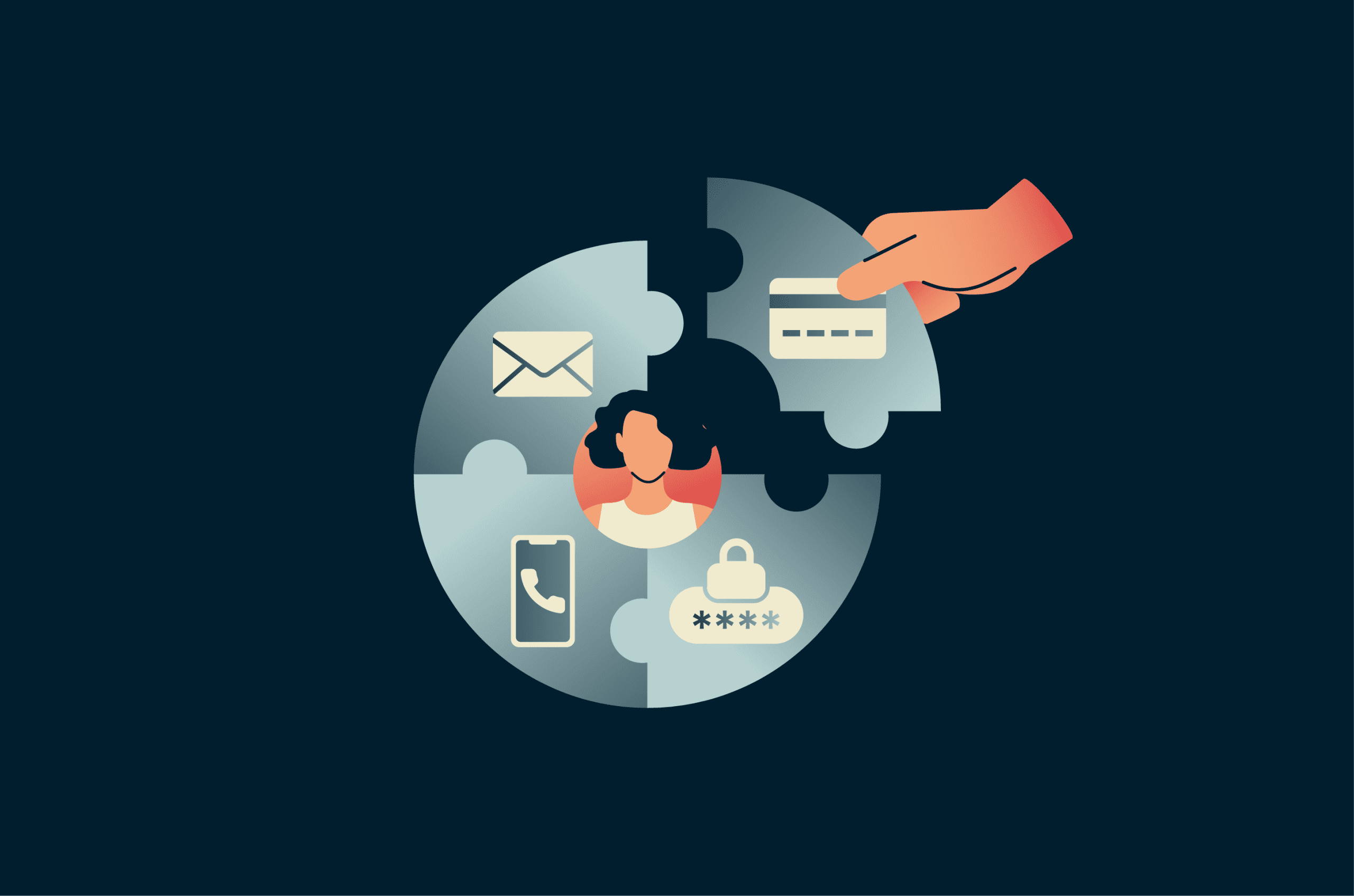
Scammers use a mix of long-standing and evolving tactics to obtain personal information. Sometimes the goal is straightforward, such as stealing banking credentials or credit card details. But attackers may also piece together seemingly harmless bits of information to support larger scams such as identity theft or financial fraud.
What information scammers look for
Almost any type of personal information can be used to support scams. Even something as simple as an exposed name or home address can become more useful when paired with other information.
Account credentials are among the most common targets. Most people today have multiple accounts with different apps, services, and platforms, which may contain various kinds of personally identifiable information (PII) or financial data.
Stolen username, email and password pairs aren’t the only type of information that can lead to account compromise. Answers to security questions, phone numbers, and activity records can all be useful to scammers. Temporary credentials such as one-time passcodes (OTPs) and multi-factor authentication (MFA) codes can also be valuable because they may help attackers complete login, password reset, or account recovery flows.
Government-issued IDs, banking information, date of birth, and other personal details can also be used for fraud and impersonation.
Other high-value targets include medical records, intellectual property, and work-related documents. The exact data scammers pursue depends on the type of scam, their objectives, and the sophistication of their methods.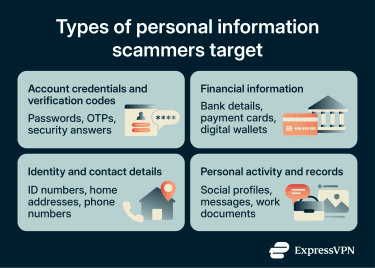
How small pieces of information add up to bigger risks
Many accounts require users to prove their identity in multiple ways before accessing them or completing important actions such as marketing transactions, updating contact details, changing logins, or managing subscriptions.
This means that scammers often need more than one piece of information to achieve their goals. A single data point is rarely enough to cause serious harm unless it's highly sensitive, such as a reused account password without additional security protections.
Seemingly harmless information can become dangerous when combined from multiple data sources. A name and workplace from LinkedIn paired with a phone number from a data breach, for instance, can be enough to impersonate a company’s IT department in a phishing call.
Likewise, an old leaked password combined with an email address may still work in credential-stuffing attacks if the password was reused elsewhere. Details like an address, birthday, or family member names can help scammers answer security questions, impersonate someone, or abuse account recovery flows.
Common ways scammers steal personal information
There’s no shortage of data sources scammers can use to find compromising information, including social media profiles, public records, data brokers, leaked databases, phishing scams, and malware.
Social engineering
Social engineering encompasses a broad spectrum of tactics aimed at tricking people into giving away sensitive information. These attacks exploit human emotions and psychological triggers rather than technical vulnerabilities.
Phishing is one of the most common social engineering tactics and a major contributor to account compromise, fraud, and data exposure. Attackers lure targets with attractive offers or urgent-sounding messages crafted to appear legitimate, aiming to get them to hand over sensitive information directly.
Social engineering tactics range from broad, high-volume campaigns to highly targeted attacks, such as spear phishing. Attackers may also target organizations by impersonating existing customers, as in SIM swap attacks, to redirect access or verification messages to a device they control.
Beyond phishing and its variants, social engineering methods include romance scams, scareware, and watering hole attacks, among others. Generative AI can help attackers automate and scale these campaigns, for example, by mimicking human behavior in smishing, vishing, or live chat scams.
Device and network attacks
Attackers use many techniques, tactics, and procedures to intercept, monitor, or steal sensitive information from users and their devices.
Many of these attacks target browser weaknesses, internet-connected applications, or communications transmitted over public networks, particularly on outdated or unpatched systems. These flaws may allow attackers to steal personal information, hijack active sessions, install malware, or intercept communications.
Another risk comes from using insecure public Wi-Fi networks. Malicious admins or other users connected to the same network may use packet sniffing or other techniques to monitor traffic and capture transmitted data.
Cybersecurity bodies have also warned about juice jacking, a scenario in which compromised USB charging ports or cables could be used to install malware or to export data from a device.
Malware
Malware is malicious software designed to disrupt systems, steal information, or give attackers unauthorized access to a device. Spyware is a broad family of malware that infects devices and continuously collects data in the background. Some variants hide their presence entirely, covertly sending information to the attacker over the infected device's internet connection. Some pose as legitimate apps.
Malware is often classified by the type of data it targets. Infostealers seek sensitive information from sources like user documents, saved messages, browser data, or credentials. Keyloggers record keystrokes to identify character sequences, such as login pairs. Other variants include banking trojans, adware, and privacy-invasive tracking technologies.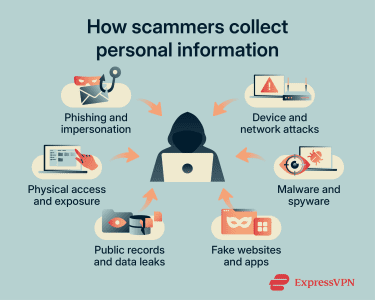
Fake websites and apps
Also called spoofing, this involves scammers building realistic-looking web pages or apps to trick users into revealing sensitive information. Common examples include phishing login pages and fake banking or shopping apps designed to mimic legitimate services.
Scammers may combine fake apps with social engineering tactics to carry out attacks. Fake apps may abuse device permissions to access contacts, camera, microphone, location, or screen content. Fake websites may request browser permissions or mimic login and payment flows to capture information.
In some cases, malicious apps have appeared in official app stores after posing as legitimate tools. Once installed, they may provide basic functionality while secretly collecting data, credentials, or other sensitive information.
Public and leaked sources
Public and leaked sources can expose personal information without direct contact from a scammer. Data brokers and people-search sites may compile information from public records, social media profiles, and other commercial sources.
Breached databases may also contain login credentials, PII, financial records, or payment card details. Scammers may combine these sources to make impersonation, phishing, or account recovery attempts more convincing.
Physical exposure
Most contemporary scammer tactics focus on stealing digital information, but physical media carries its own risks. The most common threats come from leaving devices unlocked and unattended, device theft, and improper data disposal.
Simply deleting files is usually insufficient before selling, recycling, or discarding a device. Depending on the device and storage type, data may remain recoverable unless the device is properly reset, securely erased, or destroyed. Untrustworthy repair services may also access storage, even on devices that appear completely unusable.
Working with sensitive services in public spaces, such as doing online banking in a café or making transfers at an ATM, creates additional risk. Strangers may obtain compromising information through shoulder surfing, CCTV footage, or a screen left briefly unattended.
Scammers may also resort to dumpster diving or other methods to obtain improperly discarded information. Even shredded paperwork or damaged hard drives can sometimes be partially reconstructed or recovered.
What can scammers do with personal information?
The ways scammers can exploit personal information are almost as varied as the types of information they target. The consequences can include account compromise, financial loss, identity fraud, privacy violations, reputational harm, and legal disputes.
Account compromise
Email addresses, usernames, passwords, security question answers, recovery email addresses, phone numbers, and other verification details can help attackers gain unauthorized access to accounts.
Even when information doesn’t allow attackers to directly log in to a victim’s account, it may be abused in password reset or account recovery flows, potentially leading to full account takeovers, impersonation, identity fraud, financial theft, and further data compromise.
This type of attack is especially common when data breaches expose reusable username-password pairs. Attackers may run credential stuffing attacks against email providers, social media apps, streaming services, cloud storage, and other popular platforms. By fraudulently changing a victim’s contact details to ones they control, they can also intercept confidential information intended only for the legitimate user.
Identity theft
With the right PII, scammers can impersonate users, particularly in online spaces that don’t require face-to-face interaction. The risk is amplified when combined with account compromise or stolen contact methods, such as a successful SIM swap.
Through identity theft, scammers can commit a wide range of crimes against both institutions and individuals. Posing as the victim, they may fraudulently open accounts, use the stolen identity in social engineering attacks, create fake identification documents, or associate the victim with fraudulent activity.
More sophisticated scammers may build synthetic identities by combining real and fabricated information, such as pairing a Social Security number (SSN) with a made-up name, address, or date of birth.
Because these identities contain an element of truth, they may be harder for know-your-customer (KYC), identity verification, or credit screening systems to detect. This makes them useful for medical, insurance, and financial fraud.
Victims may face serious and lasting consequences, including reputational damage, financial losses, and legal disputes. It can take a long time to realize what’s happening and stop further abuse.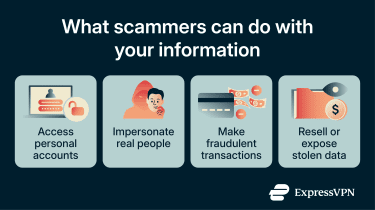
Financial fraud
Many scammers are financially motivated. The most direct involves obtaining credit card or bank account details, though scammers also target digital wallets and online payment platforms. Available protections vary by provider, region, payment method, and transaction type.
Depending on what they obtain, scammers may make fraudulent purchases, transfer funds to their own accounts, forge financial records, or apply for loans and credit in the victim's name. In practice, bypassing financial security layers often requires compromising multiple data types simultaneously, such as contact details, PII, banking credentials, and OTP access.
Sell or leak data
Rather than exploiting stolen data directly, scammers may sell it to other criminals. This is often seen as a lower-risk approach, since tracing the origin of information used in cyberattacks is difficult.
Data theft is also common in ransomware and extortion schemes, where stolen files may be used to pressure victims, sold to other criminals, or posted on leak sites.
Warning signs your information may be compromised
These are some common indicators of information theft:
- Unexpected login attempts: Check account activity for logins from unfamiliar devices, locations, browsers, or times. Enable login notifications where available. Unrecognized password reset emails can also indicate attempted account access or phishing.
- Suspicious charges or transactions: Monitor accounts for unauthorized transfers or payments, including small amounts. Fraudsters may use small transactions to test whether stolen payment details are valid before attempting larger purchases.
- Unusual calls, emails, or text messages: Look for unexpected requests, urgent wording, unusual sender details, suspicious links, or inconsistencies in branding, spelling, or formatting. These can be signs of social engineering, spoofing, or phishing.
- Locked or hijacked accounts: Investigate if an existing account becomes inaccessible despite correct credentials. This may indicate a takeover, especially if accompanied by password reset, recovery, or account creation emails. In some cases, a "user already exists" message during signup may also warrant checking whether an account was created without authorization.
- New accounts opened in your name: Watch for signup confirmations, credit checks, identity verification messages, password setup emails, or financial statements tied to accounts you didn't create, as these may indicate identity theft or financial fraud.
How to protect your information from scammers
Being proactive can significantly reduce the risk of information theft by strengthening account access, limiting unnecessary exposure, and monitoring for signs of misuse.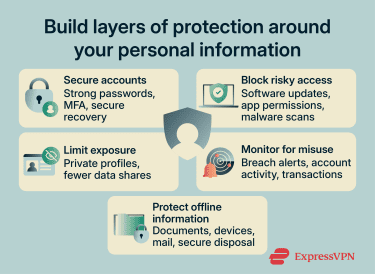
Use strong authentication practices
Use strong, unique passwords, enable MFA, and keep recovery methods up to date. A secure password manager, such as ExpressVPN’s ExpressKeys, can help generate and store passwords, reducing unsafe practices such as password reuse or storing credentials in unencrypted formats.
Verify links, downloads, and requests
Be cautious with unexpected messages, urgent requests, shortened links, QR codes, and attachments. Verify the sender and destination before entering personal or financial information. Use security software to scan downloads and check for signs of phishing before sharing sensitive information.
Keep devices and apps updated
Keep operating systems, apps, browsers, and important services up to date. Review installed apps, browser extensions, and device permissions, and remove anything unrecognized, unused, or unnecessary.
Limit the public exposure of personal information
Limit the personal information you share on public forums, social media, and networking platforms. Review which parts of your profile and activity are publicly visible and restrict them where possible.
Many sites offer settings that control how they collect, use, or share your data. Some also let you request a copy of your information or have it deleted. Closing unused accounts and requesting deletion where available can reduce unnecessary exposure.
Some personal information may also appear on data broker sites, people-search websites, or public records databases. Depending on your region and the type of data involved, privacy laws may provide rights to access, correct, delete, object to, or opt out of certain uses of personal information. For eligible U.S. users on Advanced and Express Pro plans, ExpressVPN Identity Defender’s Data Removal can also help by sending removal requests to data brokers and people-search sites, where available.
Also read: How to protect your data on social media.
Monitor sensitive accounts and breach notifications
Review breach notifications, account alerts, people-search listings, and public search results for exposed contact details or other personal information. Government, cybersecurity, and law enforcement agencies may also publish alerts about major incidents, active scams, or new security threats.
Also read: How to deep search yourself and remove personal data from the web.
Protect physical documents and devices
Avoid leaving sensitive paperwork, financial statements, identification documents, or unlocked devices unattended in public or shared spaces. Dispose of devices and paperwork securely. Before selling, recycling, or discarding a device, follow the manufacturer’s reset or secure-erasure process, remove removable storage, and confirm personal data has been removed. Shred sensitive paperwork and monitor mail for signs of theft or tampering.
What to do if a scammer has your information
Acting quickly limits potential harm and prevents further compromise.
- Secure affected account: Start the account recovery or reset process immediately and create a new password. Log out of all devices and browsers and revoke active sessions where available. Also, secure the email account, recovery email address, phone number, and any linked accounts that could be used to reset passwords.
- Strengthen MFA: If your account was accessed despite MFA being active, switch to a stronger method. Hardware security keys and passkeys are among the most phishing-resistant options, while authenticator apps are generally safer than SMS-based codes.
- Secure your bank accounts and payment methods: Contact your bank’s fraud division or your digital wallet’s customer support using a verified phone number, app, or website. It may be necessary to freeze accounts, dispute unauthorized transactions, replace cards, lower transaction limits, or enable transaction notifications.
- Report fraud or identity theft: Depending on the nature of the compromise, report the incident to law enforcement, government agencies, insurance providers, employers, or other relevant parties. If identity details were misused or exposed, a fraud alert or credit freeze may also be appropriate, depending on the country and type of information involved.
- Scan devices for malware: Run a full scan with reputable security software. Review installed apps and browser extensions, and remove anything unrecognized or suspicious. Persistent infections may require a dedicated removal tool, an operating system reinstall, a device reset, or help from a trusted technician.
- Warn contacts: Let friends, family, colleagues, and other contacts know if communication or social media accounts have been compromised. Ask them not to trust unexpected links, requests, or messages from the compromised account.
FAQ
Can scammers steal my identity with just my name?
Is it dangerous if a scammer has my address?
Can scammers use old passwords from data breaches?
Should you answer calls from unknown numbers?
How can I remove my information from data broker sites?
Is it safe to share personal information over email?