Secure ways to share passwords: Safer options for family and work


Whether you’re giving a family member access to an account or helping a coworker log into a shared tool, sharing passwords is sometimes unavoidable. The key is sharing them in a way that reduces the risk of unauthorized access.
Why secure password sharing matters
Secure password sharing matters because a shared password often gives someone the same access as the account owner. If it’s exposed, intercepted, or stored somewhere unsafe, the account could be used without permission.
A password sent through an unencrypted channel could be intercepted. One shared through a platform you don’t control might be stored longer than expected. A credential given to someone who later loses their device could fall into the wrong hands.
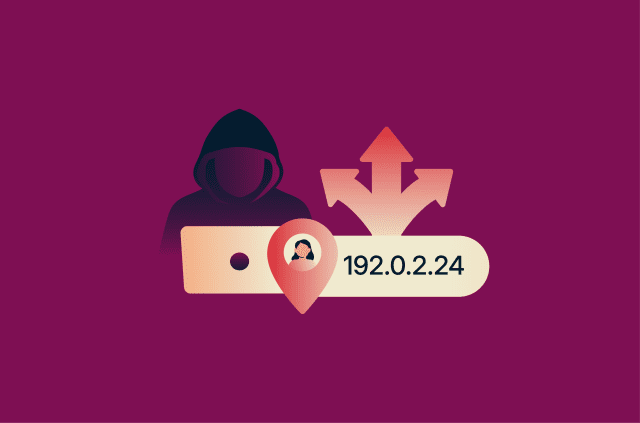
This can expose the shared account, especially if the password remains active after it’s been shared. The risk is even higher when the same password is used for more than one account. If that password leaks, attackers may try it elsewhere, a technique known as credential stuffing.
Signs a shared password may be compromised
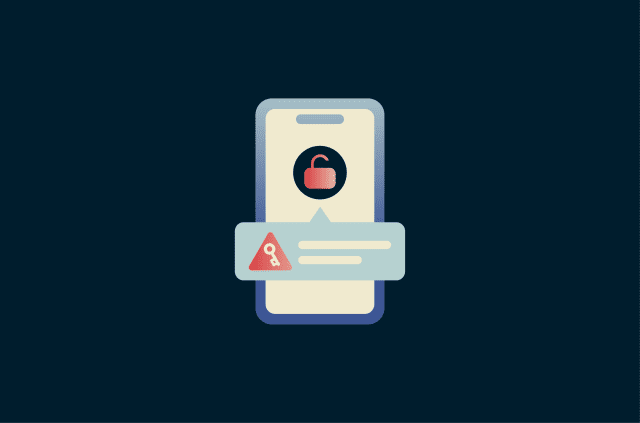
Whether your password is exposed in a data breach, found in an unsafe message thread, or accessed by someone it wasn’t intended for, the warning signs of a compromised password often look similar:
- You can’t log in with the current password.
- You receive unexpected password reset or two-factor authentication (2FA) alerts.
- The account shows logins from unfamiliar locations or devices.
- Messages, files, or settings change without explanation.
- Contacts receive messages you didn’t send.
- Payment details, recovery email, or phone number change.
You may also notice unusual activity inside the account. For example, files may be missing or messages may show as read.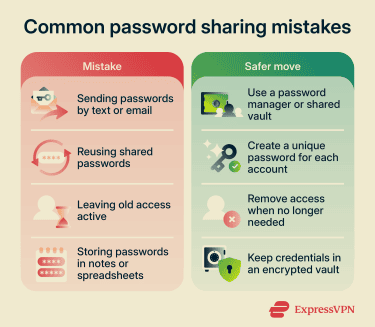
Most secure ways to share passwords
The most secure way to share passwords is to avoid sending them as plain text. Instead of copying a password into a message, use a tool that lets you control who can see it, how long they can access it, and whether you can remove that access later.
Share passwords through a password manager
A password manager, such as ExpressKeys, lets you share saved logins without pasting the password into a text, email, or chat. The password stays inside an encrypted vault, where the recipient gets access through a controlled sharing process.
This makes secure password sharing much easier to manage. With ExpressKeys, saved logins can be shared from the mobile app, and sharing options can control who can access the item, how long the link remains available, and whether it can only be viewed once or multiple times. This can be useful for shared household accounts, utility accounts, or work tools that more than one authorized person needs to access.
Learn more: How to securely share passwords using ExpressKeys
Use shared vaults for trusted access
Shared vaults work well when more than one person needs ongoing access to the same account. Instead of sending the same password to each person separately, you place the login in a shared space and give access to specific people.
Shared vaults don’t remove every risk. Anyone with access may still misuse the account or copy the password, depending on the tool and the account settings. Still, they give you more control than sending passwords through email or chat, especially when the vault includes permissions, activity logs, and access removal features.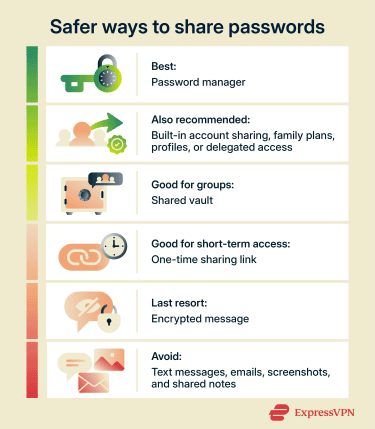
Send one-time links for temporary access
One-time links can help when someone needs temporary account access and you don’t want to create a shared vault. Some password managers and secure sharing tools let you create a link that expires after a set time or after someone opens it.
This can be useful when you need to share a password with a contractor, support person, friend, or family member for a short task. The link reduces the chance that the password will sit in an inbox or chat history indefinitely.
Use encrypted communication only when necessary
Encrypted messaging is better than plain SMS or email, but it shouldn’t be your main method for password sharing. Once you send a password in a message, you may lose control over where it goes next or how long it stays in the chat.
If you must send a password through an encrypted messaging app, keep the message as limited as possible. Send it only in a one-to-one chat, make sure you’re messaging the right person, and avoid including the username, account name, recovery details, or 2FA codes in the same conversation. Use disappearing messages where available, but remember that they don’t stop someone from copying or screenshotting the password. Also, avoid sending passwords as screenshots or photos since they may be saved to the camera roll or cloud backups. After temporary access is no longer needed, change the password.
How to share passwords safely in personal situations
Personal password sharing usually comes up in everyday situations, like helping a spouse access a household account, letting a parent log in to a bill payment site, or planning for emergency access. The key is to share only what’s needed and use the safest option available.
These simple rules will help you share passwords more securely:
- Start with account access, not the password: If a service lets you add a family member, profile, or delegate, that’s usually safer than sharing the main login.
- Use a safer sharing method: For ongoing access, a password manager or shared vault can keep credentials protected. For short-term access, a one-time sharing link may be better.
- Avoid sharing accounts that control other accounts: Some logins can be used to reset passwords, approve sign-ins, or recover access elsewhere. This includes main email accounts and password manager accounts. These should usually stay private if possible.
- Plan emergency access in advance: Some password managers offer emergency access features that let a trusted person access selected items under specific conditions. This needs to be set up in advance.
How teams should manage shared passwords
When teams need shared access, they should treat passwords like company assets.
Use this guide to manage shared passwords safely:
- Start with individual accounts when possible: If a tool lets each employee have their own login, use that instead of sharing one password. Individual accounts make it easier to control access, track activity, and remove someone when their role changes.
- Keep shared credentials in approved vaults: Don’t store team passwords in Slack, email threads, spreadsheets, or shared documents. Use a company-approved password manager or password vault so credentials stay in one controlled place.
- Organize access by role, team, or project: Employees should only have access to the passwords they need for their work. Separate vaults or groups can help manage this cleanly. For example, a marketing vault might contain social media and campaign tools, while an operations vault might contain vendor portals or internal systems. This helps limit unnecessary access and makes permissions easier to manage.
- Restrict admin access: Only give admin-level access to people who need it. Shared passwords for sensitive accounts should have stricter controls, such as multi-factor authentication (MFA), approval steps, or limited viewing permissions.
- Build password access into onboarding and offboarding: Add employees to the right vaults when they join, update access when their role changes, and remove access when they’re offboarded. For sensitive shared accounts, also change the password if the person could view or copy it.
- Review access regularly: Check who can view or use shared credentials, especially after team changes, contractor projects, or security incidents. Old access often creates unnecessary risk.
- Keep an audit trail: Use tools that show when someone viewed, copied, changed, or shared a password. Audit logs don’t prevent every issue, but they make it easier to investigate suspicious activity and confirm that access rules work as intended.
Choose a secure password-sharing tool
The safest way to share passwords is usually through a reputable password manager. Instead of sending a password by text, email, or chat, a password manager lets you share access through an encrypted vault and remove that access later if needed.
Features to look for when sharing passwords include:
- Secure item sharing: The password manager should let you share a specific login without copying the password into a regular message. This keeps the password inside the password manager rather than exposing it in chat history, email inboxes, or screenshots.
- Hidden password sharing: Some password managers let you share access without showing the recipient the actual password. The recipient can use autofill to log in but can’t easily view or copy the password from the vault. This can be useful when someone needs temporary access, although it is not a perfect control for every website because someone with account access may still be able to change settings or misuse the account.
- Expiring share links: Another option for one-time or short-term access are links that expire after a set time or after they are opened. This reduces the risk of an old link being found and used later.
- Access removal: You should be able to revoke access when someone no longer needs it.
- Shared vaults or collections: Shared vaults let families or trusted groups organize shared passwords in one place. This is safer and easier to manage than sending individual passwords back and forth each time someone needs access.
- Emergency access: Emergency access lets a trusted person request access to your vault or selected items if you are locked out, unavailable, or unable to respond. The best implementations include a waiting period or approval step so access is not granted immediately without your knowledge.
It’s also worth noting that for personal use, it’s usually more convenient if the other person doesn’t need to have an account with the same password manager just to receive a shared login. Some tools let you send a secure link or limited-access share that the recipient can open without setting up the same app, which can be helpful for one-off or occasional sharing.
Businesses, on the other hand, usually need more advanced options and should look for features such as:
- Role-based access: Employees should only access the credentials they need for their work.
- Admin controls: IT or security teams should be able to add, remove, and review access from one place.
- Single sign-on (SSO) integration: Larger businesses may want password access to connect with their existing identity provider.
- Policy controls: Businesses may need rules for password strength, sharing, device access, and recovery.
FAQ
Can you share a password without revealing it?
Yes. This includes built-in sharing features, such as family access, team seats, delegated access, or separate profiles, when available. Some password managers also let users share logins without revealing the password itself.
Is it safe to share passwords with family?
Should businesses use shared passwords?
How do shared vaults work?
Are one-time password links secure?
What should you do if a shared password is leaked?
How can you stop someone from accessing a shared account?
What is the safest alternative to texting passwords?