
- #1 Best VPN 2026*

PUBG VPN:
Connect with enhanced privacy
Keep your PUBG matches stable, your real IP hidden, and your Krafton account safer on any network
*ExpressVPN helps support expert review sites through an affiliate program that compensates them for referrals.

-

IPHONE/IPAD -

Android -

Windows -

Mac -

Linux -

Router -

Smart TV -

Game console
How to play PUBG with ExpressVPN
Get connected fast, pick a server, and play with protection
-
Step 1

Sign up and install ExpressVPN
Download ExpressVPN on your gaming device and sign in before you play.
-
Step 2
Select a server location
Choose a nearby server location from our global network for optimal ping.
-
Step 3

Launch PUBG and start your match
Play normally, with protection from the best VPN for gaming.
Why use ExpressVPN for PUBG PC and mobile?
Responsive connections, wide server choice, and help when you need it

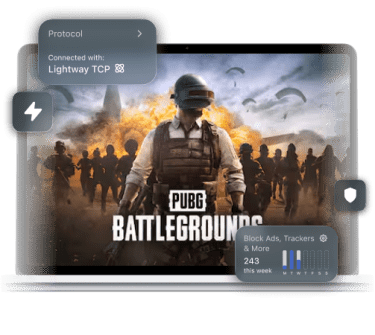
Jitter and Wi-Fi drops in a TPP final circle can cost you the match. ExpressVPN’s proprietary Lightway protocol helps minimize VPN overhead, with a more efficient design than older VPN protocols. When your connection drops, Lightway reconnects quickly to the VPN server, so you spend less time scrambling to rejoin those crucial PUBG moments.
Playing on Windows? Lightway Turbo takes things further, using multi-lane tunneling to boost upload and download speeds without sacrificing real-time performance.

Sometimes, ISPs send your traffic along subpar routes to game servers, causing sudden jitter or ping spikes even if everything else is solid.
ExpressVPN’s VPN server network spans 214 locations across 113 countries, so you can try nearby and in-between routes (or have fun playing across different locations). If you want the best location near you, turn on Smart Location and it will find the best route automatically. You can also use the built-in server speed test on the app to select the current best option in your region of choice.
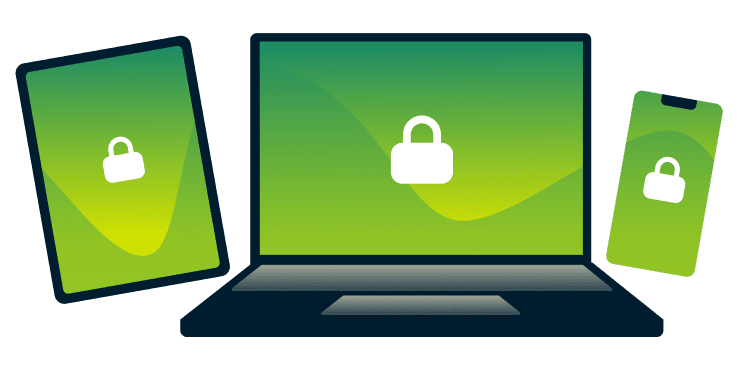
If you bounce between Battlegrounds on PC and mobile, dealing with a different PUBG VPN setup on every device could be your worst nightmare. A support agent that takes 10 business days to reply can add to the frustration.
ExpressVPN offers native apps for Windows, Android, iOS, and more, with simple, streamlined UIs that work similarly on each platform. In addition, our 24/7 support team is available on live chat to help you get back to your game with device-specific troubleshooting expertise.
-

Up to 40Gbps server capacity
-

Servers in 113 countries
-

Ultra-fast Lightway
-

Optimized for gaming
Stabilize your connection to PUBG servers
Keep fights steadier, protect your IP, and stay reliable on tricky networks
-

Stabilize your ping for precise “peek” advantage
When your ping spikes mid-fight, your timing falls apart on peeks and quick trades. In that case, you don’t want a VPN adding more overhead than needed to your connection.
ExpressVPN helps keep PUBG sessions stable with fast VPN servers, unlimited bandwidth, and a lightweight VPN protocol built for low-latency connections. Our 10Gbps and 40Gbps servers are designed to handle heavy traffic without slowing you down.
-

Connect to global matchmaking pools
If you live in a region with a low player count, matchmaking can take forever. Other times, you just want to play with your buddies from other countries.
ExpressVPN lets you switch servers (with servers spread across AS, SEA, AMER, and EU) so you can try queuing closer to where your friends play or where matches pop up faster. Wondering which VPN server is best for PUBG Mobile Lite? Use the built-in server speed test on your ExpressVPN app.
-
Guard against targeted DDoS attacks and doxing
If someone gets ahold of your IP address after a heated match, by sharing a shady link in your PUBG Discord channel for example, they can put you out of commission with a DDoS attack.
ExpressVPN masks your real IP address from other players—they only see the VPN IP. Meanwhile, Advanced Protection features, like Threat Manager, block out known malicious domains and shady links outside PUBG. You get to keep playing, even if others get salty.
-

Get more control on restrictive networks
Network restrictions at school, work, or on public networks usually means gaming is a "no-no."
ExpressVPN encrypts your traffic and uses obfuscation to make it appear as regular HTTPS to network filters. This makes it harder for networks to identify and restrict gaming traffic. You get to keep playing, and admins only see ordinary encrypted traffic.
Optimized for mobile gaming
Keep downloads moving, protect your account, and optimize Lite play

Download PUBG updates without content-based throttling
When your ISP detects huge resource downloads or game traffic, they can limit your bandwidth. This is also known as content-based ISP throttling.
ExpressVPN can help with this situation by routing your traffic into a secure tunnel with 256-bit AES encryption. Your ISP sees VPN traffic (not PUBG), and is none the wiser. You get maps, textures, and updates fast, without side-eyeing the progress bar.
Works quietly alongside PUBG Mobile Lite
PUBG Mobile Lite runs on older hardware and tighter networks, so wasted overhead can tank performance even more.
ExpressVPN keeps things simple and streamlined with our VPN for PUBG Mobile Lite. Our Lightway protocol is designed to use less battery than older protocols, by using much less processing power and network data compared to protocols like OpenVPN.
Secure your Krafton account data on public Wi-Fi
Playing on public Wi-FI is tempting. But, someone may be snooping and waiting to get their hands on your account data or other important information.
ExpressVPN encrypts your data so third parties can’t easily access your information, and our Internet Kill Switch keeps your data from leaking outside the encrypted tunnel if your connection drops.
Access your accounts safely while traveling
When you travel, you may lose access to your PUBG items, crates, or content.
ExpressVPN is an ideal VPN for travelers. It helps keep your experience close to your home region, even if you’re physically far away. Connect to a VPN server in your country and keep playing with all of your region-specific events and content safely intact.
Free VPNs vs. ExpressVPN for PUBG
Steer clear of slow servers, data caps, and privacy tradeoffs
-

Why a paid VPN beats a free PUBG VPN
A free PUBG VPN can pack too many people onto a few low-capacity servers. Ping spikes and disconnects can show up right when you need consistency.
ExpressVPN is a paid VPN, running on global infrastructure with 10Gbps and 40Gbps servers. This supports your speeds, even if thousands of users crowd the servers.
-

Unlimited bandwidth for large updates
Free VPNs often have hidden data caps, and these can hit mid-match or when you’re downloading a resource pack.
ExpressVPN includes unlimited VPN bandwidth, so your PUBG VPN doesn’t hit a data ceiling during long sessions or big updates. You finish updates and get back into matches without surprise slowdowns cramping your style. Leaving no question as to which VPN is best for PUBG.
-

Privacy protection without connection logs
Some free VPN providers fund themselves by logging and monetizing your private user data.
ExpressVPN values your trust, with a strong no-logs policy, vetted by leading third parties like PwC and KPMG. Our TrustedServer technology ensures that every server runs on RAM, wiped clean after every reboot. Nothing persists from session to session, and your data stays safe.
-
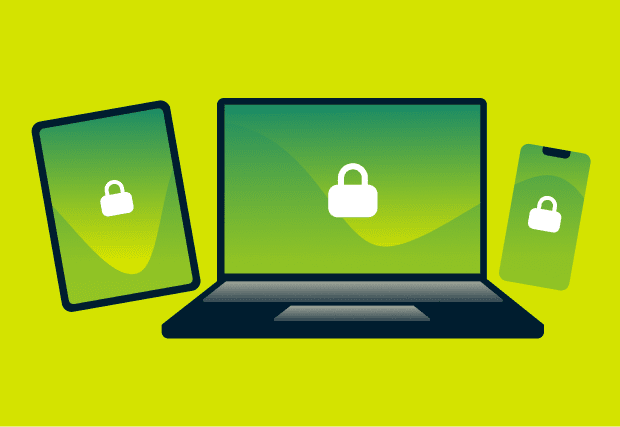
Support for cross-device protection
Free VPNs often cover just one device, leaving you without protection if you play PUBG on your PC and mobile.
ExpressVPN keeps things consistent with dedicated apps for most major devices. With a single subscription, you can connect 10-14 devices simultaneously, depending on tier.
ExpressVPN is compatible with


Trusted by the global gaming community
The VPN people trust for competitive play and privacy
-
#1 Best VPN 2026
Best Gaming VPNExpressVPN is the best Gaming VPN right now, thanks to its impressive speeds, excellent privacy protections and expansive global network of servers.

-
Editor’s Choice Award 2026
ExpressVPN’s expansive network and dedication to staying on the forefront of encryption tech earn it an award.

-
#1 Best VPN for the U.S. 2026
ExpressVPN is the best VPN for the U.S. right now. It has VPN servers in every American state, excellent security, and a simple user interface.

-
The fastest VPN
ExpressVPN is the fastest VPN I’ve found. It shows you the fastest server you can connect to, and a list of alternative servers. Or, you can let it choose for you. It’s affordable and worth it.
Christopher Gilmer


-
Great for travel & access
Does exactly what it's supposed to. Using it while travelling is great, accessing international websites for purchases is great, doesn't lag internet speed too much. Peace of mind and super easy to use.
Sam H.


-
Extremely reliable
ExpressVPN provides extremely reliable service that will keep you and your personal information safe. ExpressVPN is the perfect all around VPN service for your network security needs.
Dirt_Reynolds
-
Protects all devices
Just want to say, I have used ExpressVPN for over 10 years. On my phone, computers, and even on my home router. You guys are the very best!
OneDarkSeed

-
Excellent value
One of the major names in virtual private network (VPN) services, ExpressVPN offers a lot to consumers at face value.
MacHash

-
Post-quantum encryption
Backed by bleeding-edge post-quantum encryption technology, Express has landed a firm spot on our best VPNs list.
Carles Dijous






FAQs
Your PUBG VPN questions, answered
What is the best VPN for low ping on PUBG Mobile?
The best VPN for PUBG Mobile will keep your connection steady and reconnects fast. ExpressVPN uses our proprietary Lightway protocol to help minimize VPN overhead and our apps come with a built-in server speed test so you can quickly find the best one near your preferred location.
Will using a VPN for PUBG get me banned?
No. People use a VPN for PUBG to protect their IP address, keep their data safe, and switch virtual locations; PUBG bans only target cheats and abusive behavior. ExpressVPN gives you the best VPN setup for PUBG, with a fast global network and privacy you can trust.
How to play PUBG Lite with a VPN?
It´s easy. Sign up to ExpressVPN, download the app on your gaming device, choose a server location, and connect. You can then open the game and play normally. Wondering which VPN server is best for PUBG Mobile Lite? Start with the closest location for better ping and matchmaking.
Can a VPN help with “Server Busy” errors?
If you see a “Server Busy” error, try switching virtual locations using your VPN, since congested routes or network limits often trigger the issue. ExpressVPN's global 10Gbps to 40Gbps server network offers both mobile and PC users one of the fastest VPNs for stable PUBG matchmaking.
Is it legal to use a VPN for PUBG in my country?
Generally, yes, but VPN laws differ by country, so check local rules. Also make sure your gameplay stays in line with Krafton's terms of service. ExpressVPN is the best VPN for PUBG and helps to keep updates protected and gameplay more stable.
ExpressVPN for PUBG
- Keep playing with more speed, stability, and safety
- Get help instantly with expert 24/7 customer support








