 Celebrate with up to 80% off
What is link sharing? A simple guide to sharing files securely


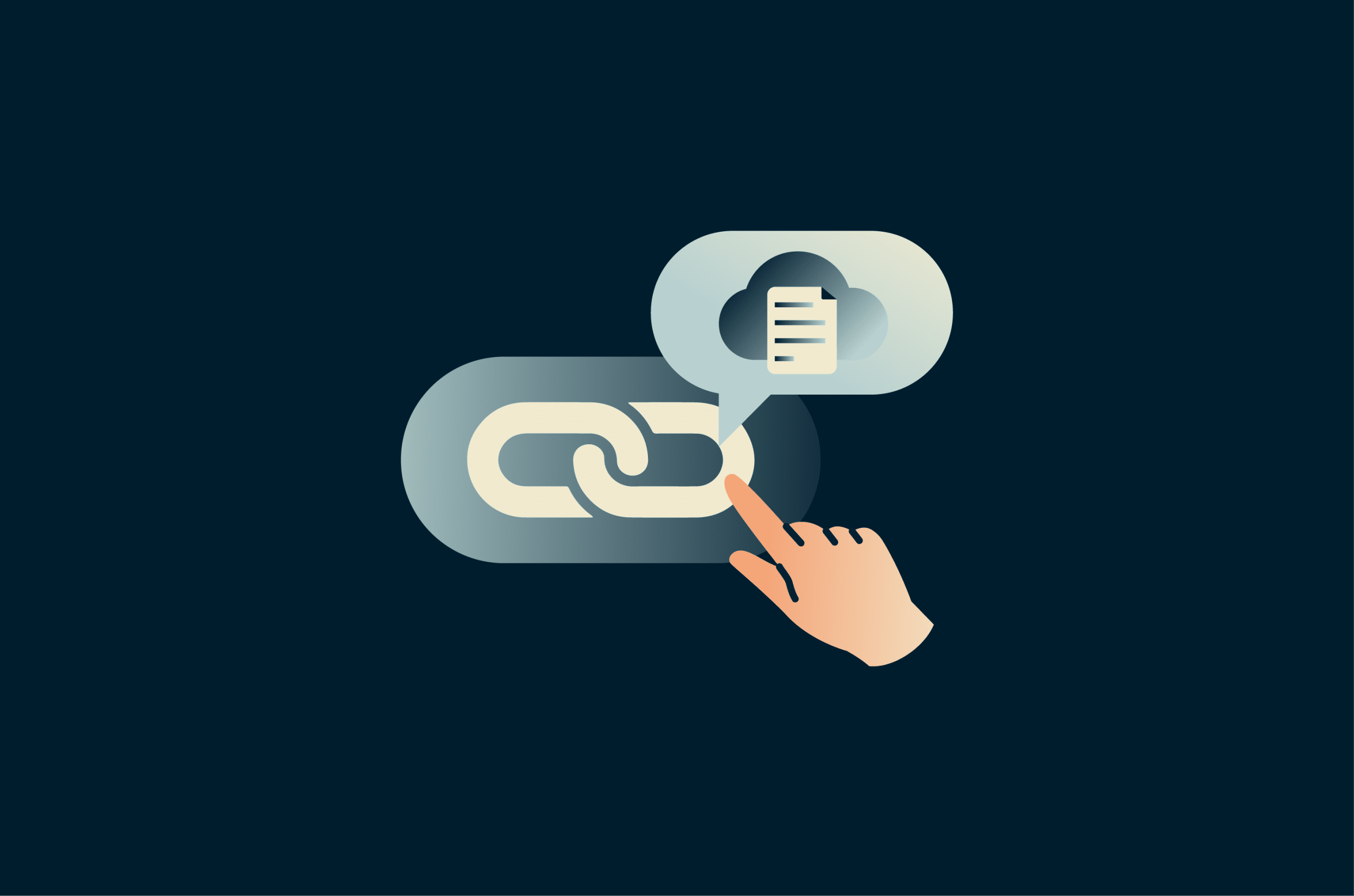
Link sharing is the practice of sharing files, folders, or a piece of content stored on a server, typically in the cloud, via a clickable URL. Instead of sending the actual file or piece of content as an attachment, you use a link that points to where it’s stored and share that, giving recipients access based on the permissions you’ve set.
Where is link sharing used?
Link sharing is built into most cloud storage and productivity platforms, from consumer tools like Google Drive, Dropbox, and OneDrive to developer-facing cloud storage services like AWS S3, Google Cloud Storage, and Azure Blob Storage.
Beyond storage platforms, link sharing is common in:
- Project management tools like Asana and Trello, where files and documents are shared between team members as part of a workflow.
- Messaging apps like Slack and Microsoft Teams, where links can replace file attachments for faster, more controlled sharing.
- Email, where links to large files replace attachments that would otherwise exceed size limits.
- Client portals and extranets, where businesses share documents with external parties like clients, partners, or auditors without giving them broad access to internal systems.
How link sharing works
Link sharing works by associating a unique URL with content stored on a cloud platform's servers. When you choose to share the content, the platform creates a URL that’s tied to it.
When you share that URL, you’re sharing a direct path to where the content lives on those servers and what the recipient is allowed to do with it.
Here is what happens when you do.
How a shareable link is created
When you choose to share a piece of content, the platform generates a unique token, which is a string of characters that can serve two purposes:
- Identify the specific content being requested.
- Carry information about who can access it and what they can do with it.
It then embeds that token directly into the URL.
How tokens grant access
When a recipient clicks the link, their browser sends a request to the platform's server. What happens next depends on how the platform handles access control.
Some platforms store access rules server-side. The server reads the token in the URL, uses it to identify the content being requested, and looks up the permissions associated with that link in its own system. Based on what it finds, it either serves the content or blocks the request.
Other platforms encode the access rules directly into the token using a cryptographic signature. To determine access, the server verifies the token itself. The signature is generated using a private key held by the platform and encodes which content can be accessed, what actions the recipient is permitted to take, and when that access expires.
In some cases, the recipient doesn’t need an account with the platform because the token acts as the credential.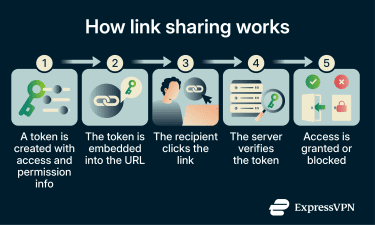
How permissions work
Once the token is verified, the platform uses the permission information associated with the token, either carried within it or stored in its own system, to determine what the recipient can do with the content.
These permissions are set at the time of sharing and enforced server-side, meaning the platform controls them regardless of what the recipient does on their end. The most common access types are:
- Read-only: The recipient can view the content but can’t make any changes.
- Editing access: The recipient can make live edits to the shared document.
- Suggestion or comment access: The recipient can suggest changes to the document content or add comments but can’t edit the content directly.
- Download access: The recipient can save a copy of the shared content to their own device.
Managing access after sharing
The type of control you have after sharing depends on how the platform manages access control.
On platforms that store access rules server-side, permission levels can be elevated or rolled back at any time, and individuals can be removed from the sharing list entirely, after which their access is revoked immediately. The next time they attempt to use the link, the server will return an error.
On platforms that use cryptographic signing, revoking access can be less straightforward. If the access rules are baked into the token itself, the platform can’t invalidate a single link without rotating the private key, which would invalidate all links at once. For this reason, these platforms may need to rely on expiry windows to limit exposure. Once that period passes, the token is invalidated, and the link stops working, even for people who already have it.
Benefits of link sharing
Link sharing offers a number of advantages over traditional file-sharing methods, including:
Faster file access and easier collaboration
Because access is granted through a link rather than a file transfer, recipients can open the content from any device without waiting for a download or needing a copy sent to them.
And since everyone with access and permissions is accessing the same file, teams can work on it together in real time without the risk of overwriting each other's work or losing track of which version is current.
Better control over shared content
With link sharing, you can define who can access the content, how long they can access it, and what they can do with it, such as whether they can edit, share, or download it. These permissions can also be changed after sharing the link, so you’re not locked into the initial access rules.
Easier to share large files
Traditional file-sharing methods, like email attachments, typically impose size limits that make it difficult to send large files like videos, design assets, or data exports. With link sharing, because the file stays on the platform's servers and the recipient accesses it directly through the link, those limits no longer apply.
Lower storage and delivery costs
Storing files on a cloud platform eliminates the need for physical hardware like external drives or on-premises servers. It’s subscription-based and scales with your needs. And because the file isn’t duplicated and sent to each recipient individually, it also reduces bandwidth overhead.
Link sharing security best practices
Shareable links come with risks. A link sent to the wrong person, left active after a project closes, or accessed without proper controls can expose content that was never intended to be made public. The following best practices help you share files securely.
Use password protection
Password protection adds a layer of security on top of link access itself by requiring anyone who clicks on the link to enter a password to access the content. If a link is forwarded to the wrong person or resurfaces months after it was shared, the content can’t be accessed without the correct password.
Password protection can be implemented in two ways:
- Link-level protection: The protection is tied to the link and not the file. Once it’s downloaded as a copy, it’s no longer protected by the password.
- File-level encryption: The file itself is encrypted, so even if someone downloads it, they’ll still need the password to access the content every time they try to open it on their device.
If you are using link-level protection, consider removing download permissions so the file can’t leave the platform as an unprotected copy. Always send the password separately from the link itself.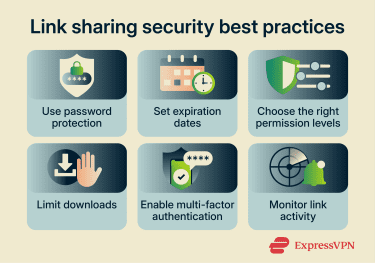
Set expiration dates or revoke access
Setting an expiration date ensures that access is automatically revoked after a specified period, ranging from a few hours to several days. Even if the link is widely circulated, it becomes unusable once it expires.
This also helps reduce the risk of orphaned file-sharing links, which are links that remain active even though they are no longer needed, potentially creating unintended access points. If there’s no option to set an expiration date, you can just revoke access to the link altogether once it’s served its purpose.
Choose the right permission levels
Permissions should always reflect the minimum level of access required for the task at hand. A client reviewing a proposal doesn’t need edit access, and a contractor delivering a final asset doesn’t need to see the entire project folder.
Granting more access than necessary increases the risk of accidental changes, unauthorized redistribution, or data exposure, and this can happen without the sharer realizing it. If the need changes, permissions can be updated at any time through the platform.
Limit downloads
Allowing downloads means the content can leave the platform as an unprotected copy that you no longer have control over. On platforms that support it, disabling downloads means recipients can view or interact with the content through the link but cannot save a local copy to their device.
This is particularly useful when sharing confidential documents, unreleased work, or other sensitive information.
Enable multi-factor authentication (MFA)
When you store and share content through a cloud platform, your account is the control center for everything, including the files you have uploaded, the links you have generated, and the permissions you have set. If someone gains access to it, they can view, modify, or revoke any link you have shared.
Enabling multi-factor authentication (MFA) on your account means that even if your password is compromised, an attacker can’t get in without a second form of verification, such as a code sent to your phone or generated by an authenticator app.
Monitor link activity
Most cloud platforms provide some level of activity tracking for shared links. On consumer platforms, this typically shows basic information such as when a link was accessed or edited and by whom. Some enterprise platforms go further, logging IP addresses, view duration, and download activity.
Regardless of the platform, reviewing link activity regularly helps identify anomalies early, such as a link being accessed from an unexpected location, at an unusual time, or by more people than it was shared with. If something looks off, you can immediately adjust permissions or revoke the link.
How to choose a link-sharing platform
Different link-sharing apps offer different levels of security, storage, and control. Whether you’re an individual looking to share files occasionally or a business managing sensitive content at scale, here’s what to consider before choosing one.
Security and encryption
If privacy is a priority, look for platforms that offer end-to-end encryption (E2EE), which ensures files are encrypted on your device before upload and can only be decrypted by the intended recipient with the correct decryption keys, meaning even the platform itself can’t access your content.
Besides this, platforms should also offer password protection for files and two-factor authentication (2FA) for external user access.
Storage capacity
The storage capacity you need depends on your use case. For personal use or occasional file sharing, free plans offering between 2 and 15 GB may be sufficient. Businesses handling large volumes of data may require several terabytes of storage to securely store, manage, share, and back up data.
Permission controls
If you’re sharing sensitive content or working with external parties, look for platforms that offer granular permission controls at the file and folder level, including view, comment, edit, and download access.
The ability to restrict access to specific email addresses, require login before a link resolves, and manage permissions independently for each piece of shared content becomes increasingly important the more sensitive your content is.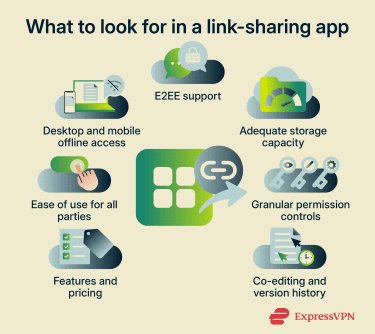
Collaboration features
If teams are working on content together rather than simply distributing it, look for real-time co-editing, version history, comments, and activity tracking. Real-time co-editing allows multiple users to work on the same file simultaneously, while version history ensures that changes can be tracked and earlier versions restored if needed.
Pricing and scalability
File-sharing applications are available across a wide range of pricing plans, from free versions to enterprise-grade subscriptions. Free plans may offer limited storage and fewer security features, though they may still be suitable for personal use.
Businesses generally opt for paid solutions with stronger security, collaboration, and administrative controls. It’s also important to choose a platform that allows you to simply upgrade to a higher tier for more storage without requiring complex data migration.
Ease of use
The file-sharing app you choose should be easy to use and have an intuitive interface, and this is especially important for businesses. If setting a password or an expiration date requires several steps, users might skip it. The same applies to the experience: if accessing a shared link requires creating an account or navigating a complex login process, people might find workarounds that are less secure.
Offline access
For individuals who need to access files while traveling or in areas with unreliable connectivity, check whether the platform supports offline access on mobile. For businesses with remote or distributed teams, offline sync on both desktop and mobile is important, as is how the platform handles conflicts when multiple people edit the same file offline.
What to do when a shared link breaks
Shared links can stop working for a number of reasons, and knowing how to identify, fix, and prevent the problem can save you and your recipients a lot of frustration.
Why do shared links stop working?
Shared links can stop working for a number of reasons, including:
- The link expired after its validity period passed.
- The file was deleted, moved to a different location, or reorganized without generating a new link.
- The sender removed access to the link.
- The account that generated the link was closed or deleted.
- The recipient isn’t logged in to the correct account.
- The link is restricted to specific users, and the recipient doesn’t have permission to access the file.
How to check if your link is broken before you share it
Before sending a link, test it in a private or incognito browser window. This ensures you aren’t relying on your own logged-in session to access the content, which would make the link appear to work even if it would not for someone else.
How to fix a broken link
Depending on why the link is not working, you can try a few troubleshooting methods:
- If the file was moved, generate a fresh link from its new location.
- If it was deleted accidentally, check the platform's trash folder, as most platforms retain deleted files for a limited period.
- If the link expired, generate a new one with an updated validity period.
- If the platform itself changed its URL structure, check whether the file is still accessible through the platform's interface and generate a new link from there.
- If the recipient receives an access-denied message, verify that the permissions are correct and that they're signed in with the correct account if authentication is required.
Link-sharing tips for businesses
 Many businesses deal with sensitive information on a daily basis, which is why they should exercise extra caution when sharing files via links. Here’s what to keep in mind:
Securing external collaboration
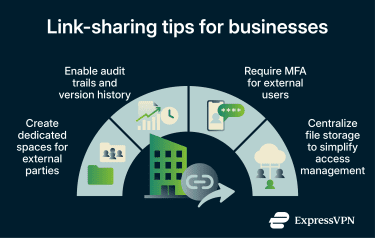
Businesses often collaborate with external parties such as vendors, clients, and consultants, making secure sharing practices especially important. When sharing content externally, consider creating dedicated shared spaces specifically for external parties rather than granting them access to internal systems.
These spaces should have stricter access controls, detailed audit trails, and, if possible, MFA enabled for all external users accessing shared links.
Documenting review and approval
Contracts, financial reports, and other shared documents often require multiple stakeholders to review, comment on, and edit files simultaneously. Businesses should use link-sharing platforms that provide version history, audit trails, and granular permission controls to maintain accountability throughout the review and approval process and ensure there is always a clear record of who made what changes and when.
Compliance and data protection
Businesses sharing files through links must ensure compliance with relevant privacy and security regulations, as well as contractual obligations.
Improperly shared links can lead to unauthorized access to sensitive data, which may constitute a data breach and trigger compliance violations or penalties.
To reduce these risks, businesses should implement E2EE, password-protected links, granular access controls, and MFA, particularly when sharing files with external parties.
Centralizing file management
Storing and sharing files through a centralized cloud platform reduces duplication, simplifies access management, and lowers the risks that come with files scattered across personal drives, email threads, and physical storage devices.
FAQ
Can link sharing replace email attachments?
However, email attachments may still be preferred in official communications or restricted business environments where external links are blocked.
Should shared links be public or private?
Can people forward a shared link to others?
How can I tell if a shared link was opened?
When should I disable a shared link?