
VPN for Spotify: Stream music privately and securely
Listen to your home playlist with a Spotify VPN that works reliably on restricted networks
- Avoid content-based ISP throttling for continuous Spotify listening
- Use the battery-efficient Lightway protocol for streaming music on mobile
- Listen to Spotify with ExpressVPN’s risk-free protection*
30-DAY MONEY-BACK GUARANTEE FOR FIRST-TIME USERS








How to use ExpressVPN with Spotify
Set up a Spotify VPN in minutes with no tech skills required
-
Step 1

Download the ExpressVPN app
Sign up for ExpressVPN risk free*, and download the app to your device.
-
Step 2
Connect to a high-speed server location
Open the app and connect to one of 170+ high-speed server locations.
-
Step 3
Open Spotify and listen securely
Listen to Spotify with VPN protection throughout your day.
Why use a VPN with Spotify?
Take your music safely with you from home to school or work
Use Spotify on restricted school and work Wi-Fi
When Spotify is blocked on work or school Wi-Fi, you’re left in silence or forced to burn through mobile data. Some VPN connections don’t help, because network filters can detect and block typical VPN traffic.
The best VPN service for Spotify uses server obfuscation to make your VPN traffic look like regular internet activity. This helps it pass through network filters, so you can open Spotify and stream normally without having to find workarounds.
Avoid content-based ISP throttling to prevent buffering
ISPs may monitor the services you use and slow down your connection based on your activity. That causes sudden buffering and dips in sound quality right when you’re settling into a playlist.
VPNs encrypt your internet traffic so ISPs can’t see you’re streaming on Spotify, and won’t apply content-based throttling. So you get steadier playback from your first track to the last, without sudden drops mid-song .
Protect your listening history from data snoopers
What you listen to reflects your mood, habits, and daily routines. Spotify’s private sessions hide your listening activity from friends and followers, but ISPs, network admins, or anyone monitoring an unsecured network can still see what sites and apps you use.
With VPN encryption, your ISP and network admins can’t track your listening habits and build usage profiles based on when and how often you listen. It’s much harder for hackers to get hold of your login details or other personal data too.
Troubleshooting if Spotify is not working with VPN
Stop the silence and stream on Spotify again with these easy fixes
-
Spotify won’t connect: Switch servers or protocols
If Spotify won’t open or fails to load playlists while your VPN is on, the issue is often related to Spotify’s detection or blocking system. Spotify may restrict certain IP addresses, or your current VPN protocol may be easier for networks to identify.
Reconnect the VPN or switch to a different server for a fresh IP address and change VPN protocols. Both are easy to do in ExpressVPN’s app and can quickly restore access so you can connect to Spotify as usual.
-
Buffering or slow playback: Clear the cache or switch servers
If Spotify songs buffer, skip, or drop in quality, it could be because of outdated cached data in your Spotify app or the VPN server you’re using is congested.
Clear the cache in your Spotify app which forces it to reload with fresh connection data. Or use ExpressVPN’s Smart Location to find the fastest server. Taking either or both these steps can help you play songs continuously without drops in quality.
Essential features for a Spotify VPN
The best Spotify VPNs let you listen all day long and keep your data secure

Unlimited bandwidth for endless listening
You stream music while scrolling socials, messaging friends, and while switching between apps all day. A VPN with data limits forces you to ration Spotify use or cuts you off unexpectedly.
With unlimited bandwidth, you can keep your music with you all day long. Stream playlists while you work out, discover podcasts on your commute, and switch between apps without worrying about your music cutting out when you least expect it.
Strong encryption for public Wi-Fi security
Your favorite music keeps you going on your commute, in cafés, or while waiting at the airport. But public Wi-Fi can leave your connection exposed. This puts your data and your Spotify account at risk of interception.
A VPN with strong encryption shields your connection, so hackers can’t steal your Spotify login details or other information. Experience worry-free listening on the go, knowing your account and data are protected from interception.
Kill switch to prevent data leaks if connection drops
Listening to Spotify on the move means switching networks or dealing with unstable Wi‑Fi. If your connection drops, even briefly, your device can reconnect to the internet without VPN protection, exposing your real IP address and breaking your privacy.
An Internet Kill Switch stops this happening by instantly cutting internet traffic if the VPN disconnects. Your music typically pauses while the VPN re‑establishes a secure connection.
Why ExpressVPN is the best choice for Spotify
Listen all day long with the Spotify VPN that’s light on your battery and heavy on features
Lightway protocol: Built for efficiency
ExpressVPN’s Lightway protocol is designed for speed without draining your mobile battery. Its lightweight code is designed to use less power during extended use, so you won’t find yourself reaching for a charger as often.
It also reconnects quickly when you switch between Wi‑Fi and mobile data, helping cut down on playback interruptions. With Lightway, Spotify stays consistent as you listen from the school run, to working at your desk, to the gym in the evening.

Global network: Servers in 105 countries
Music helps you feel grounded. But when you travel or work between countries, you may find yourself cut off from some of the Spotify tracks you love.
If your favorite song isn’t available where you are, switch to a server in your home country. With servers in 105 countries, ExpressVPN makes it easy to connect back home. So you keep your regular playlists accessible whenever you travel.
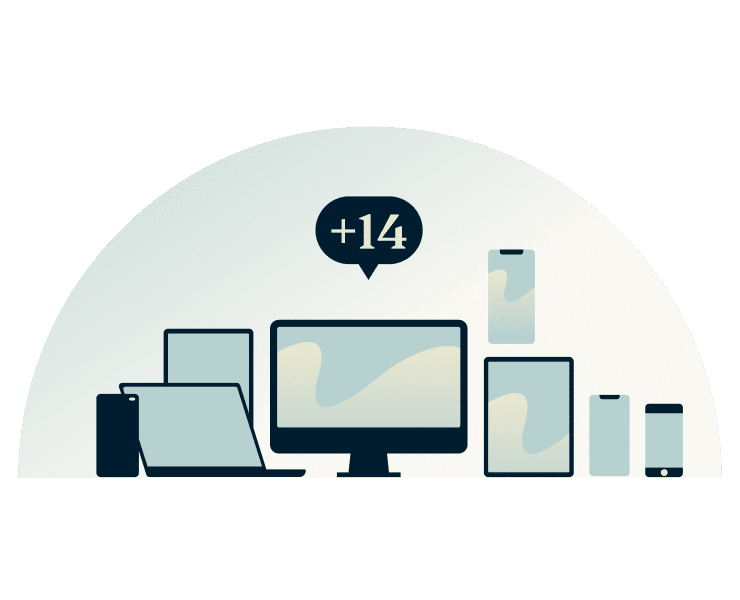
Works on every device: iOS, Android, Desktop, and more
ExpressVPN has apps for iOS and Android, Windows, macOS, and more. So when you listen to Spotify on your phone during your commute, then switch to your desktop at work, your encrypted connection continues across devices.
One subscription covers up to 14 devices at the same time. That means you can cover all the devices in your household, including everyone on your Spotify Premium Family plan.

24/7 live chat support for instant help
When your Spotify app refuses to play, you don’t want to dig through forums guessing at fixes. ExpressVPN’s 24/7 live chat support is there to help you get listening again.
Whether you’re dealing with connection errors, or need the best server for optimal Spotify performance, help steps in quickly so your music can take over again.
Can I use a free VPN with Spotify?
Yes, if you aren’t disturbed by interruptions or sharing your personal data
The reality of data caps and buffering
Free VPNs often impose data caps and have limited server networks that suffer from congestion. That means long listening sessions can stall, podcasts cut off mid-sentence, or tracks stop just as they build.
ExpressVPN has no data caps, and along with its fast VPN network, your Spotify stream plays continuously. You stay in the moment, enjoying every track and episode without worrying when the next pause will hit.
Privacy risks: Free VPNs may sell your data
Many free VPNs use aggressive logging and data-sharing practices that turn your listening habits into something that’s tracked, packaged, and sold.
ExpressVPN doesn’t record or store your Spotify activity. Our TrustedServer technology and strict no-logs policy are independently audited to confirm the systems operate as designed.
Why free VPNs fail on school and work networks
Free VPNs typically don’t use server obfuscation, which makes their connections easy for schools and workplaces to detect and block. ExpressVPN uses automatic server obfuscation across the entire network, so your VPN traffic blends in as regular internet activity.
This helps your connection pass through network filters. So you can listen to your Spotify playlists during your lunch break, even on more restrictive campus and office networks.
Frequently asked questions
Answers to common questions about using a VPN with Spotify
Does Spotify work with a VPN?
Yes. Spotify works with VPNs, and many users choose one to add privacy and security while streaming. A VPN encrypts your connection, which helps protect your activity on public or shared networks without changing how you use Spotify day to day.
Why does Spotify block some VPN connections?
Spotify operates under licensing agreements that vary by region. To comply, it works to detect and restrict some VPN traffic. This can cause playback issues if a VPN connection is flagged or if an IP address has been heavily reused.
Will a VPN drain my battery while streaming music?
Encryption adds some processing overhead, which can affect battery life. ExpressVPN’s Lightway protocol is designed to reduce this impact by using less power during long sessions, helping you stream music for longer without constantly reaching for a charger.
Can I use Spotify Premium with a VPN?
Yes. Spotify Premium works with a VPN. Stream music, download playlists, and use Premium features as usual while connected, as long as your Spotify Premium VPN connection is stable and Spotify is working normally.
Is it legal to use a VPN with Spotify?
In most countries, using a VPN is legal. VPNs are privacy and security tools designed to protect your internet connection. You should not use a VPN to violate Spotify’s terms of service or bypass licensing or copyright restrictions.
Try ExpressVPN with Spotify risk-free
All first-time subscribers get a 30-day money-back guarantee*
*Contact support to request a refund within 30 days. Purchases through the App Store are handled by Apple, and refunds are at their discretion.





