



A proxy server is an intermediary between your computer and the internet, often used to hide your real location and allow you to access websites that would otherwise be blocked. However, not all proxies offer the same privacy protections as a VPN. When you’re using ExpressVPN, you don’t need to run an additional proxy.
If you’re having trouble connecting to the internet, it’s possible that you are using a proxy server.
For instructions on how to disable your proxy in Chrome, please refer to the section appropriate to your computer.
I am on…
Disable proxy for Chrome on Windows
Windows 11
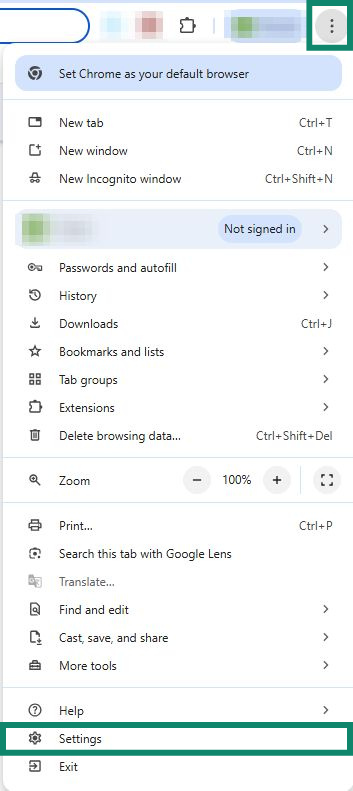
- Click the three dots

 in the top-right corner in the browser toolbar and select Settings.

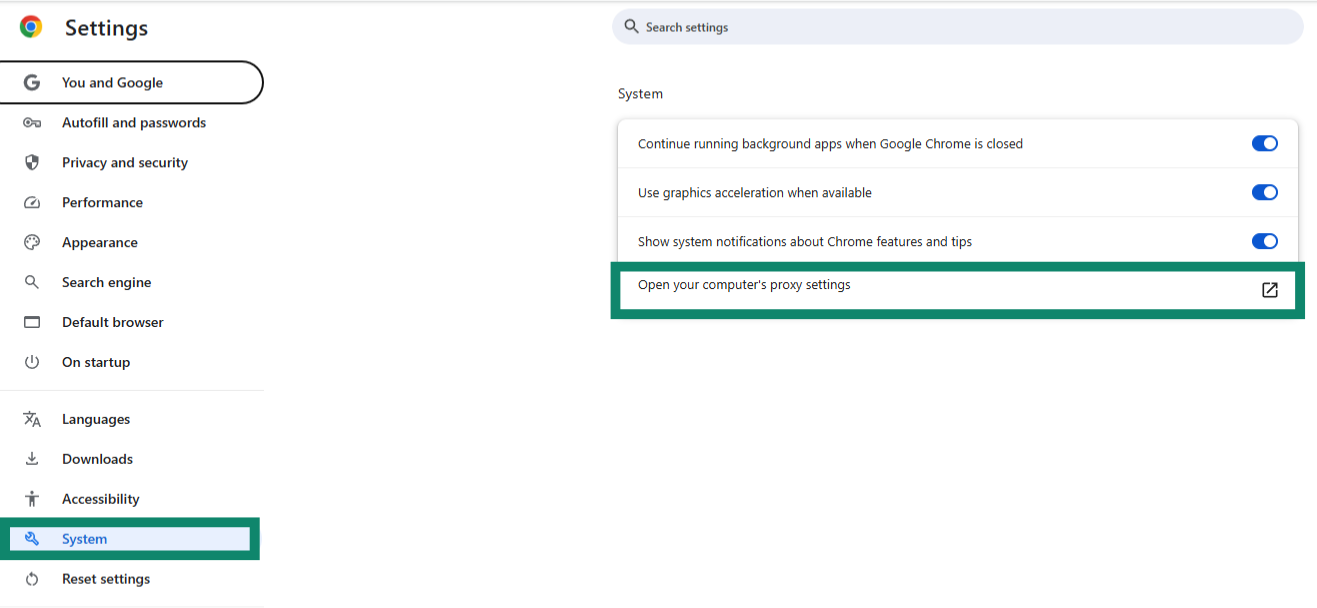
- On the left-hand side of the screen, click System, then Open your computer’s proxy settings. This will open the Proxy window in the Network & internet settings.


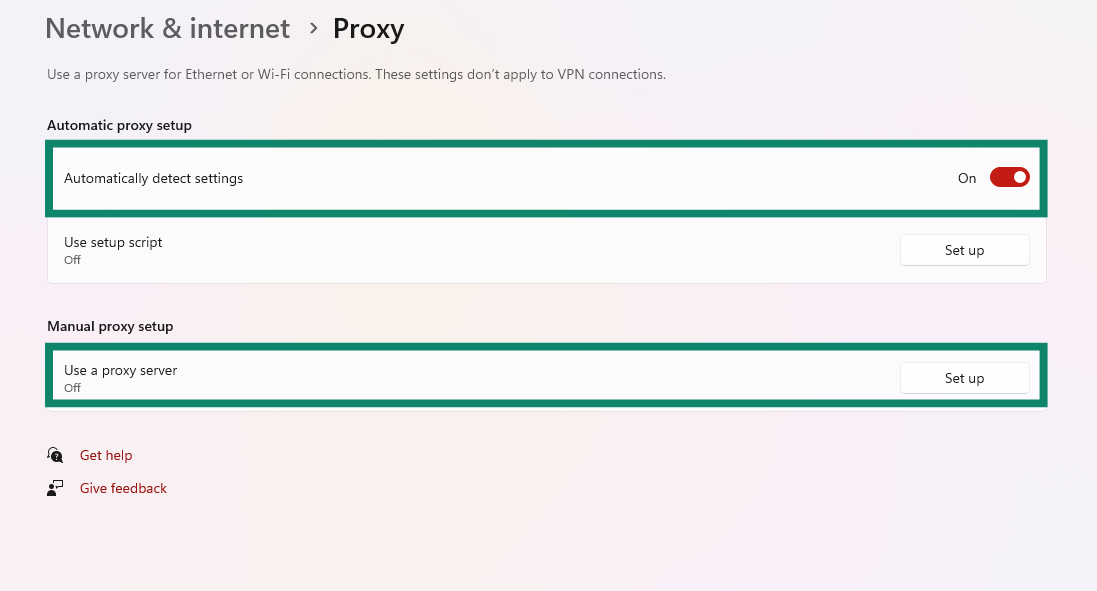
- Toggle Automatically detect settings off and make sure the Use a proxy server setting under Manual proxy settings is set to Off.


Need help? Contact the ExpressVPN Support Team for immediate assistance.
Disable proxy for Chrome on Mac
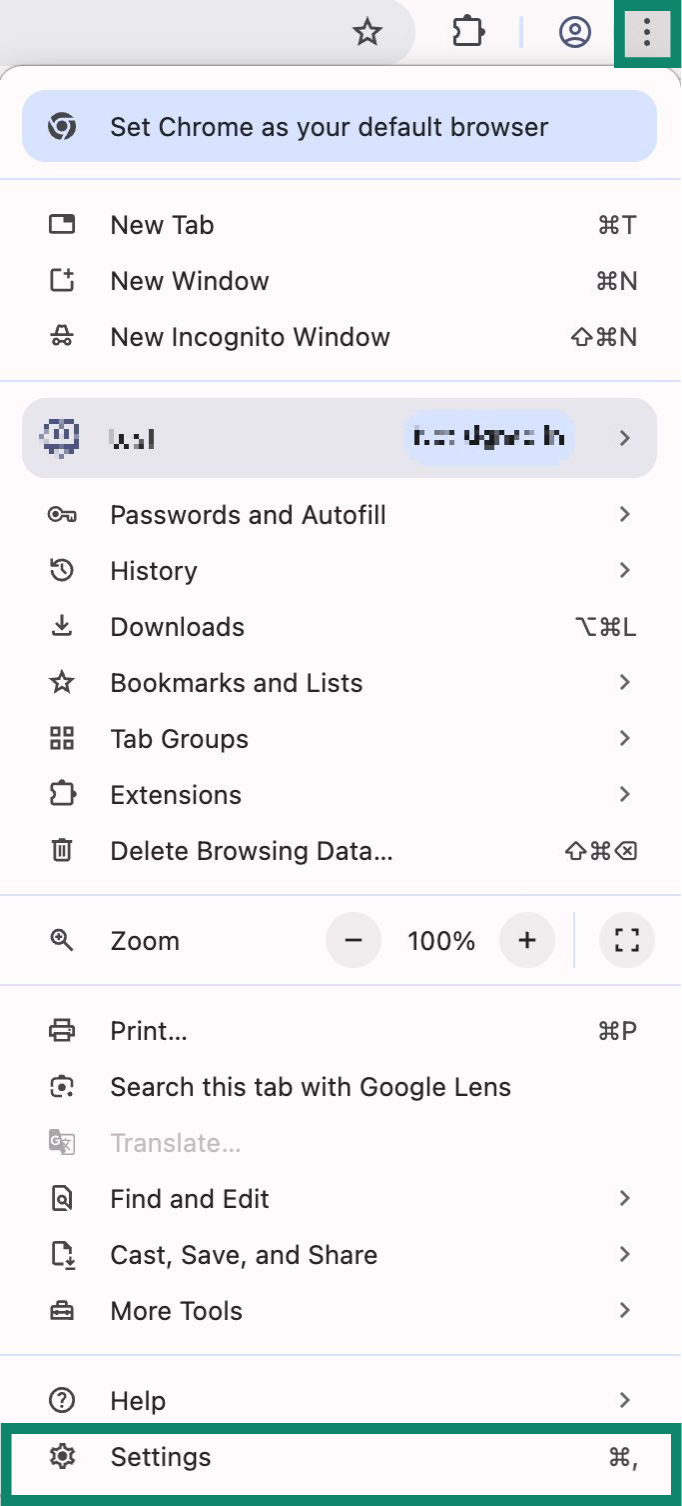
- Click the three dotsin the top-right corner in the browser toolbar and select Settings.


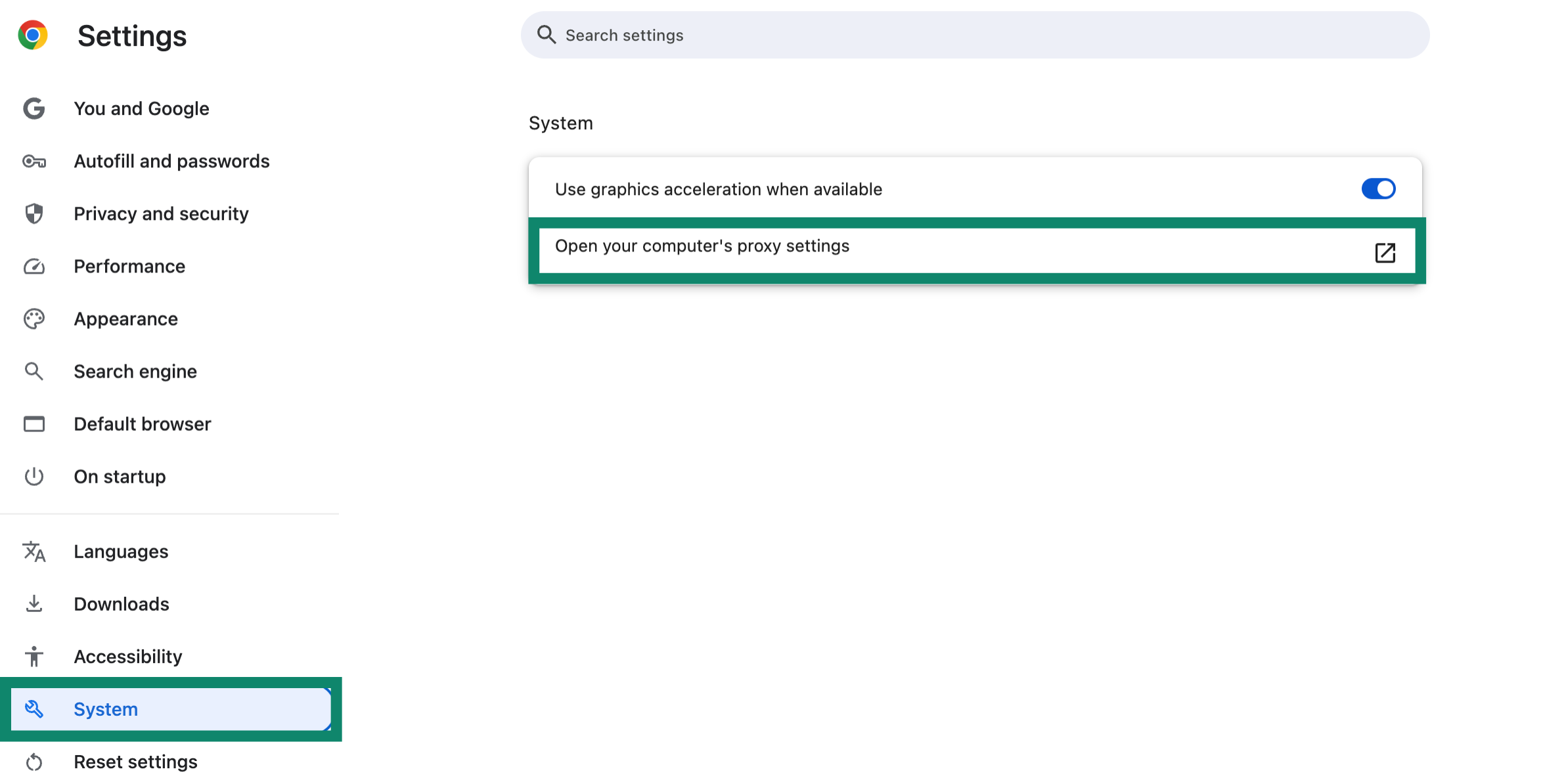
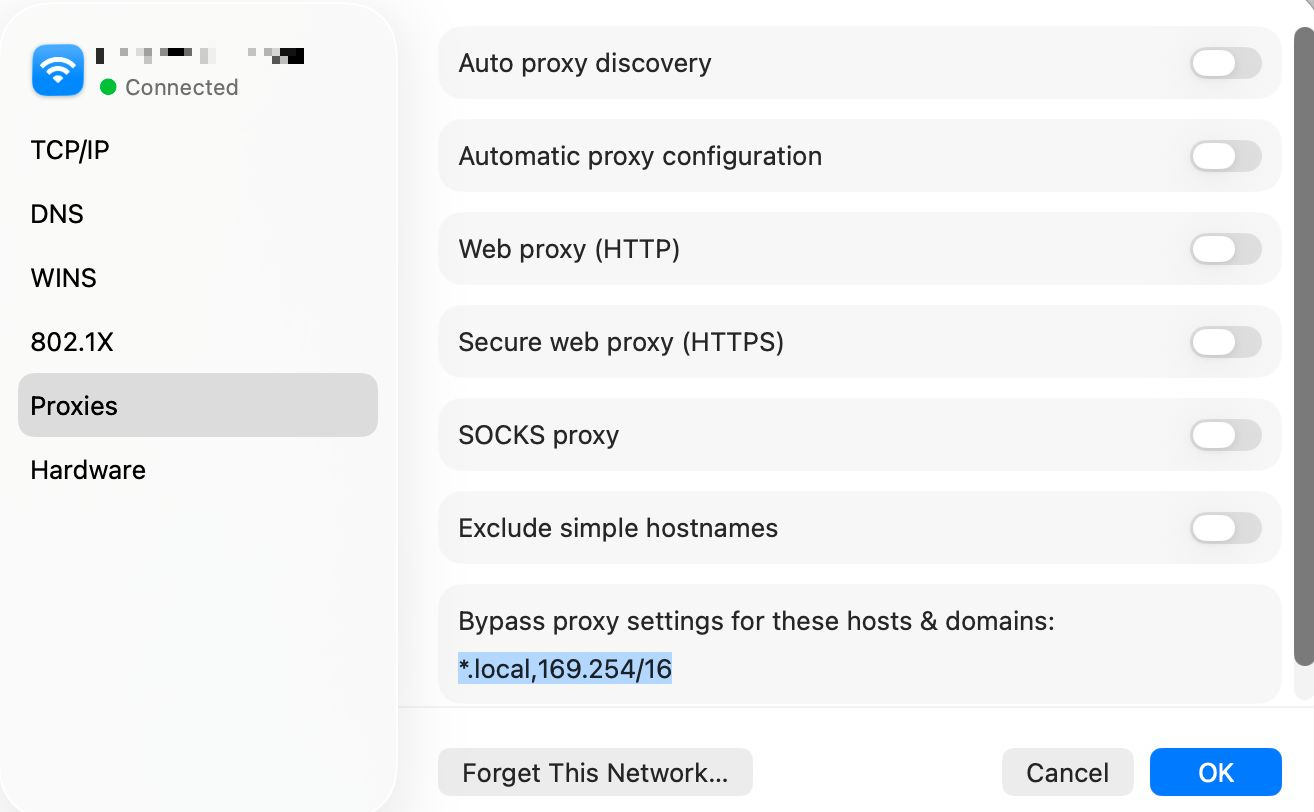
- On the left-hand side of the screen, click System, and then click Open your computer’s proxy settings. This will open the Proxy tab in the network settings.


- Toggle every protocol off and click OK. You can close the settings windows now.


Need help? Contact the ExpressVPN Support Team for immediate assistance.
Further Issues?
If you have other issues, including not being able to access certain websites and services, contact the ExpressVPN Support Team for immediate assistance.