
- #1 Best VPN 2026*

Roblox VPN:
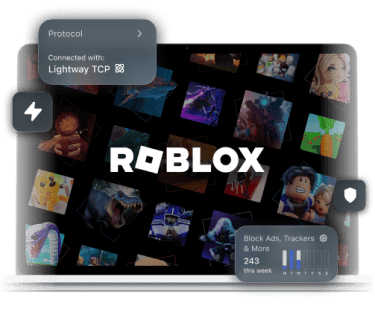
Secure your connection
Reduce rubberbanding and stay protected from IP-based threats with
the top VPN for Roblox
*ExpressVPN helps support expert review sites through an affiliate program that compensates them for referrals.

-

IPHONE/IPAD -

Android -

Windows -

Mac -

Linux -

Router -

Smart TV -

Game console
How to play Roblox with ExpressVPN
It’s easy to get started with just a few steps
-
Step 1

Sign up and install
ExpressVPNCreate an account and download the ExpressVPN app.
-
Step 2
Connect to a
VPN serverGet a local IP address from servers in 214 locations.
-
Step 3
Play Roblox with
enhanced privacyExpressVPN supports PC, mobile devices, and game consoles.
Why ExpressVPN is the best VPN for Roblox
Bring your A-game with a stable connection

VPNs with outdated or poorly optimized systems can add latency, putting you at a disadvantage in competitive Roblox games like BedWars.
We built our Lightway protocol to be extra lean and efficient, making ExpressVPN one of the fastest VPNs around. This reduces its overhead, so your connection stays as responsive as possible.

Encountering the dreaded Error Code 279 playing Blox Fruits puts an instant stop to your progress. Network-level blocks on shared networks often cause this issue.
ExpressVPN's 256-bit AES encryption prevents the network from identifying and blocking your Roblox connection. So you can avoid Error Code 279 and get back to leveling up.

Some ISPs route your data inefficiently to Roblox servers, increasing your ping. In some cases, routing through a VPN server closer to the game server may help.
ExpressVPN’s servers in 214 locations across 113 countries give you the flexibility to find a route closer to the Roblox server you're playing on, potentially avoiding the lag your ISP would add.
-

Up to 40Gbps server capacity
-

Servers in 113 countries
-

Ultra-fast Lightway
-

Optimized for gaming
A gaming VPN built for reliable performance
Keep your connection secure and steady from BedWars to Fish It!
-

Avoid content-based ISP throttling
Some ISPs can ruin your Roblox session if they slow down gaming traffic on purpose.
ExpressVPN’s robust encryption helps you avoid content-based ISP throttling. It keeps your ISP from seeing you’re connected to a Roblox server, so it no longer slows your connection based on that activity.
-

Stay safe with minimal distraction
You don’t want someone targeting you with DDoS attacks outside the game when you’re busy unlocking blox fruits.
ExpressVPN protects your connection while gaming without getting in your way. It hides your IP address, reducing the risk of others targeting your connection directly.
-

Secure all your devices and consoles
With Roblox available on a wide range of platforms, you need a VPN that can keep up.
ExpressVPN has your bases covered with apps for Windows, macOS, iOS, and Android. You can also share your VPN connection with your game consoles, including Xbox. One account is all you need to secure up to 14 devices at once.
Stable connection for creating
Build worlds on ExpressVPN’s secure and reliable servers
Shield your Robux and personal account data
Logging in to your Roblox account via public Wi-Fi can be risky, as cybercriminals may lurk in these networks and intercept your data.
If you do need to use an untrusted Wi-Fi network, connect to your VPN first. This encrypts your device’s traffic to keep your data and Roblox assets safe.
Maintain 5G stability for Roblox Mobile
Your device’s connection can drop as it switches between networks, disrupting your game. With many VPNs, you need to take extra steps to reconnect when this happens.
Not with our Lightway protocol. It just pauses your traffic to prevent leaks and reconnects quickly, so you can return to your game faster.
ExpressVPN vs. free VPNs for Roblox
You get much more when gaming with ExpressVPN

Why paid infrastructure beats a free Roblox VPN
Free VPNs have limited resources that can’t keep up with demand, meaning you could get left behind during events like The Hunt with a free VPN.
ExpressVPN’s 10Gbps servers, with many upgraded to 40Gbps, are built to handle high demand, helping you stay in the game even during peak hours.
Unlimited bandwidth for constant game updates
Whether you’re creating in Roblox Studio or joining a multiplayer game, the amount of data Roblox downloads can easily add up.
Free VPNs often impose data caps to manage their networks. Meanwhile, ExpressVPN offers unlimited VPN bandwidth so we won’t put a stop to your gaming.

Privacy without connection or activity logs
Free VPNs still have to fund their operations. Which can lead to them logging and selling your data.
ExpressVPN is a no-logs VPN. We don’t keep activity logs, in order to protect your privacy. To prove our claim trust, we regularly undergo independent audits with firms like KPMG, PwC, and Cure53.

Get 24/7 live support when you need it
Free VPNs can be unreliable on purpose to push you into creating a paid account. ExpressVPN is designed to be easy to use.
If you need any help setting up ExpressVPN for Roblox, or using it to play on your school Wi-Fi, you can chat live with our 24/7 customer support.
ExpressVPN is compatible with


Gamers all over the world love ExpressVPN
See what our customers have to say
-
#1 Best VPN 2026
Best Gaming VPNExpressVPN is the best Gaming VPN right now, thanks to its impressive speeds, excellent privacy protections and expansive global network of servers.

-
Editor’s Choice Award 2026
ExpressVPN’s expansive network and dedication to staying on the forefront of encryption tech earn it an award.

-
#1 Best VPN for the U.S. 2026
ExpressVPN is the best VPN for the U.S. right now. It has VPN servers in every American state, excellent security, and a simple user interface.

-
The fastest VPN
ExpressVPN is the fastest VPN I’ve found. It shows you the fastest server you can connect to, and a list of alternative servers. Or, you can let it choose for you. It’s affordable and worth it.
Christopher Gilmer


-
Great for travel & access
Does exactly what it's supposed to. Using it while travelling is great, accessing international websites for purchases is great, doesn't lag internet speed too much. Peace of mind and super easy to use.
Sam H.


-
Extremely reliable
ExpressVPN provides extremely reliable service that will keep you and your personal information safe. ExpressVPN is the perfect all around VPN service for your network security needs.
Dirt_Reynolds
-
Protects all devices
Just want to say, I have used ExpressVPN for over 10 years. On my phone, computers, and even on my home router. You guys are the very best!
OneDarkSeed

-
Excellent value
One of the major names in virtual private network (VPN) services, ExpressVPN offers a lot to consumers at face value.
MacHash

-
Post-quantum encryption
Backed by bleeding-edge post-quantum encryption technology, Express has landed a firm spot on our best VPNs list.
Carles Dijous






FAQs
Learn how to keep your ping low and avoid connection errors
Will using a VPN get me banned from Roblox?
Simply using a VPN for Roblox won't get you banned from the platform, unless you use the VPN to violate Roblox's Community Standards.
Why does Roblox say "Failed to Connect" even with a VPN?
This means that the Roblox app on your device is having trouble connecting with the game server. Try disconnecting and reconnecting your VPN to see if it fixes the issue.
How do I fix "Error Code 279" on a shared network?
Error Code 279 is often caused by network-level blocks on shared or managed networks. Connecting through ExpressVPN may help by routing your traffic through an encrypted tunnel, making it harder for the network to identify and block your Roblox connection. You can also try switching networks or reconnecting to your current one.
Does a VPN work for Roblox on Xbox and PlayStation?
Yes, you can use a VPN with Roblox for Xbox and Playstation. But since you can't install a VPN app directly on these devices, you can install ExpressVPN on your PC or Mac computer first, then share its VPN connection with your console.
Can a VPN help with high ping in Blox Fruits?
In some cases, yes. If your ISP routes traffic inefficiently to Blox Fruits servers, connecting through an ExpressVPN server closer to the game server may offer a more direct route, which can help reduce ping and rubberbanding. Results vary depending on your location and ISP.
ExpressVPN for Roblox
- Maintain speed and security during gameplay
- Get help from 24/7 customer support in your preferred language








