Travel tech essentials to stay safe at the FIFA World Cup 2026™


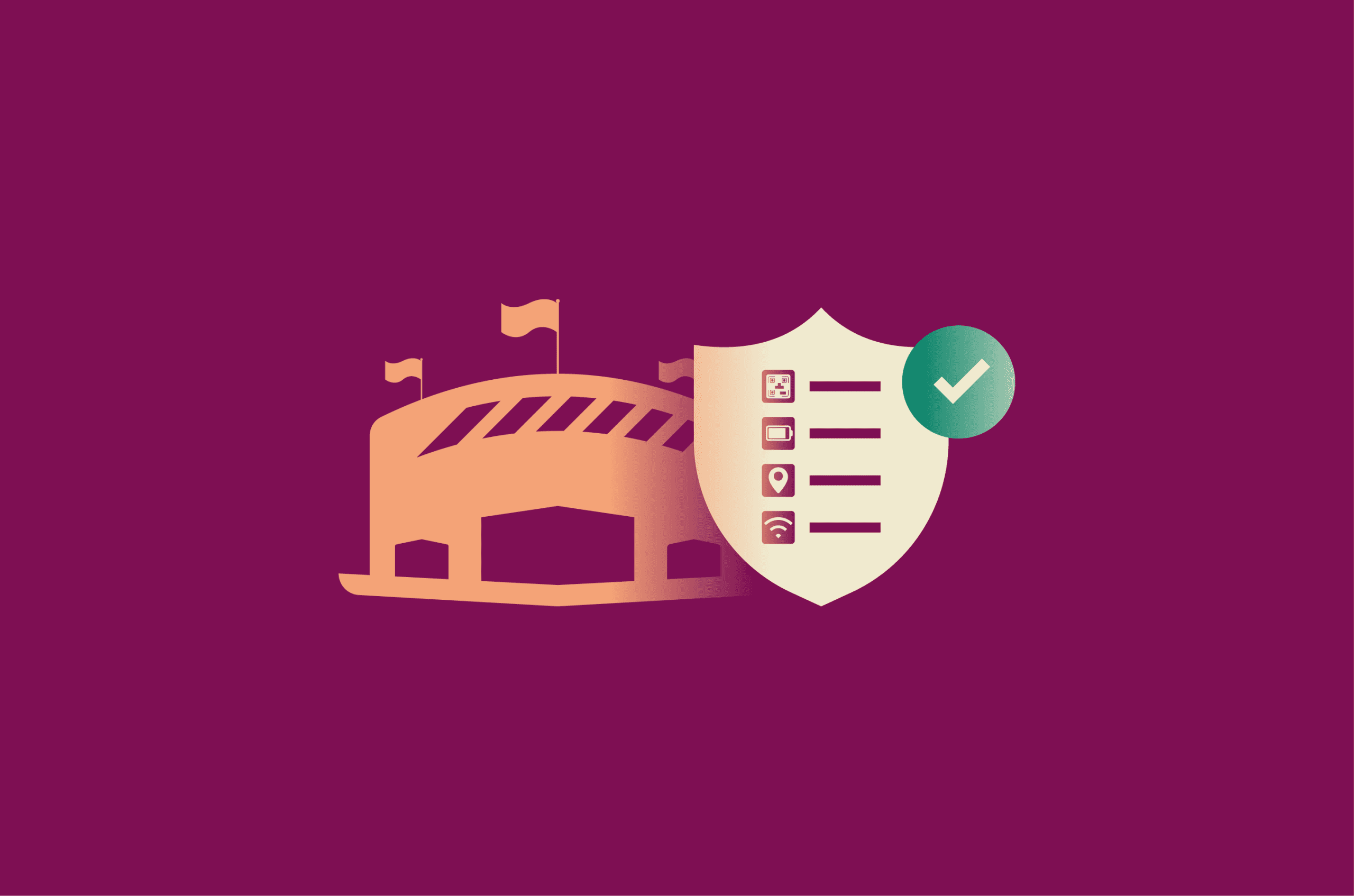
The FIFA World Cup 2026™ runs from 11 June to 19 July across 16 cities in the U.S., Canada, and Mexico. That means more time on the move, greater reliance on your phone, and more exposure to crowded networks and busy public spaces.
Whatever your route, the right travel tech can save you from the kinds of problems that tend to happen at big international events: dead phone batteries, lost luggage, patchy connectivity, and scams.
Tech essentials to pack for the FIFA World Cup 2026™
These aren’t must-haves for everyone. Think of them as practical tools for specific situations: public Wi-Fi, digital tickets, travel between cities, and crowded venues.
Virtual private network (VPN)
Public Wi-Fi at airports, cafés, hotels, and fan zones is convenient, but it’s not always secure. On networks without proper protection, attackers can sometimes sniff traffic for unencrypted data or quietly redirect you to fake websites without you noticing.
The good news is that today, almost everything you do online is already encrypted by default: according to Google, over 90% of web traffic uses HTTPS, and many major apps refuse to connect over unencrypted channels.
This means the risk is lower than it used to be, but a trusted virtual private network (VPN) closes the remaining gap by encrypting the traffic between your device and the VPN server, making it much harder for anyone else on the same network to see what you’re doing.
That makes it very useful when you're:
- Logging into accounts.
- Accessing ticket apps.
- Using banking or payment services.
Services like ExpressVPN can automatically secure your connection on unsecured Wi-Fi, so you don’t have to think about it every time you join a network.
A VPN also masks your IP address, which adds a layer of privacy and makes it harder for websites and services to estimate your location or link activity to the same connection.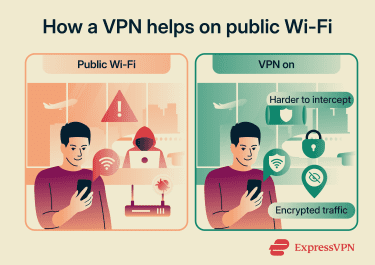
Connecting to a VPN server in your home country can also help you access your apps and services, like online banking, while traveling. With a large global server network, ExpressVPN makes it easy to find a reliable connection wherever you are.
That said, a VPN isn’t a catch-all. It won’t protect you from phishing pages, fake ticket sites, downloading something malicious, or someone walking off with your phone. A simple rule: if you can use mobile data instead of public Wi-Fi, do that. If not, a VPN is the next best option.
Learn more: When and why to use a VPN during the FIFA World Cup 2026™
Portable power bank
You’ll be on your phone constantly: tickets, maps, rideshares, photos, social media, and group chats. A power bank ensures you don’t run out of battery when you actually need your phone. It also means you don’t have to rely on public USB charging stations. Juice-jacking attacks, where a tampered public USB port could attempt to access data or install malicious software, get a lot of press, but they’re rare.
A 10,000mAh power bank typically gives you around two full phone charges and weighs very little. Look for one with USB-C input and output so one cable handles everything. Remember that power banks have to go in your carry-on, never in checked luggage. Airline rules in the U.S., Canada, and Mexico generally cap them at 100Wh. Most consumer banks come in well under that, but it’s still worth checking the label.
eSIM
An eSIM (embedded SIM) is a digital SIM card that lets you connect to a local or international data plan without swapping physical cards. Buy one from an eSIM provider online, scan a QR code, and you’re online in minutes.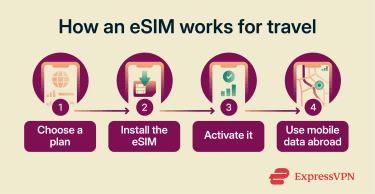
For a tournament across three countries, that flexibility matters. Roaming charges can add up quickly, and you can switch plans without visiting a shop. That said, your phone needs to be unlocked and eSIM compatible, so it’s worth checking before you fly.
Also, even the best eSIM plans can struggle when 80,000 phones try to connect from one venue at kick-off. Download offline maps and your tickets before you arrive.
Tip: Some VPN plans include travel perks. For example, ExpressVPN offers a travel eSIM through its partner holiday.com, with select plans including a few days of free mobile data.
Phone privacy screen
A privacy screen (a thin filter that goes over your phone display) makes the screen much harder to read from the side. In packed trains, lines at the stadium, and crowded fan zones, it stops casual shoulder surfers from reading your messages, ticket QR codes, banking app, or PIN as you type.
Bluetooth tracking tags
Luggage delays and mix-ups can be more common during large events, and it’s easy to lose track of a backpack or purse in crowded places. A small Bluetooth tag can help you keep track of your belongings by reporting their location through a network of nearby phones.
This wider network makes modern luggage trackers genuinely useful, as you don’t necessarily need to be near your bag for it to update its location. Any nearby iPhone anonymously relays an AirTag’s location through Apple’s Find My network. Samsung’s SmartTag works the same way through SmartThings Find.
It’s worth dropping one in your checked bag, backpack, or purse if you can.
Hardware security key or 2FA backup
Many important accounts (email, banking, Apple, or Google ID) use two-factor authentication (2FA), where you need both a password and a second verification step, often from a phone, to log in. However, if a phone gets stolen, lost, runs out of battery, or isn’t able to receive a verification code, there might not be a way to log in right away.
Two ways to fix this before you fly:
- Back up your authenticator codes: Many authenticator apps now sync codes across devices. Set this up so you can sign in from a backup device.
- Carry a hardware security key: A small USB or NFC device that acts as a physical second factor. It fits on a keyring (keep it separate from your phone) and works as a backup login method for many different services. That way, you’re not relying entirely on a phone to log in.
Note: Codes sent by text message often fail to arrive when you're roaming or using a local SIM or eSIM, since SMS depends on your home network number. Authenticator apps generate codes on your device without needing any signal, which makes them more reliable abroad than SMS.
Tip: Some password managers, like ExpressVPN Keys, can generate 2FA codes directly within the app, so you don’t need a separate authenticator.
RFID card blocker
Contactless cards use Near Field Communication (NFC), a short-range form of Radio Frequency Identification (RFID) technology, to make payments. This means someone could steal card details by wirelessly scanning a contactless card, sometimes called wireless pickpocketing.
However, this is a rare attack method. Modern cards generate a unique cryptogram for each tap; there’s usually a transaction limit per tap, and the reader has to be extremely close to the card.
So, if you want extra peace of mind, use an RFID card blocker (like a specialized wallet or sleeve).
Quick summary: What protects you from what
Let’s break down some of the risks when traveling to the FIFA World Cup 2026™ and tools that can help keep you safe.
| Problem | Tool |
| Unsecured public Wi-Fi | VPN or mobile data |
| Public USB charging stations | Power bank |
| Dead phone | Power bank |
| Contactless card scanning | RFID card blocker and transaction alerts |
| Roaming charges, dead zones | eSIMs with local or travel data plan |
| Lost or delayed luggage | Bluetooth trackers |
| Shoulder surfing | Phone privacy screen |
| Stadium cellular congestion | Offline maps and downloaded tickets |
| Locked out of accounts | 2FA backup or hardware security key |
FAQ
Is a VPN necessary for international travel for the FIFA World Cup 2026™?
Are eSIMs worth it for international travel to the FIFA World Cup 2026™?
Is traveling to the FIFA World Cup 2026™ safe?