
- #1 Best VPN 2026*

Steam VPN:
Secure your account and optimize every download
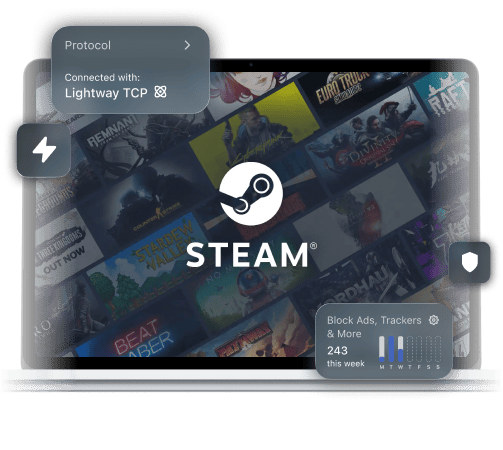
Protect your Steam account and keep your download speeds consistent on any network with ExpressVPN
*ExpressVPN helps support expert review sites through an affiliate program that compensates them for referrals.

-

IPHONE/IPAD -

Android -

Windows -

Mac -

Linux -

Router -

Smart TV -

Game console
How to use ExpressVPN with Steam
Follow along, and get protection for Steam in minutes
-
Step 1

Sign up for ExpressVPN
Download ExpressVPN for Windows, Mac, Linux, or Steam Deck.
-
Step 2

Log in and connect to the VPN
Choose a nearby server for faster speeds.
-
Step 3

Protect your Steam account
Play on Steam, protected by a fast VPN.
Why ExpressVPN is the best VPN for Steam in 2026
Avoid activity-based ISP throttling and keep your account safe

Your ISP may notice your gaming downloads and start capping your bandwidth. Not what you want when downloading the latest open world game.
ExpressVPN canhelp you avoid ISP content-based throttling encrypting your data with the powerful 256-bit AES standard. Your ISP will see that you’re using a VPN, but won’t know you’re downloading games, making it less likely the provider will limit your bandwidth.

Competitive matches fall apart when bad ISP routing causes packet loss or delay spikes.
ExpressVPN uses high-speed 10Gbps and 40Gbps servers in 214 server locations across 113 countries. This reduces the chance of your VPN server adding unnecessary overhead, and it can even help improve your route to game servers. You don’t have to find a server manually either; turn on Smart location to find the fastest option nearby.

A stolen Steam login can put years of purchases, saved progress, and account access at risk.
ExpressVPN encrypts your traffic, so hackers have a much harder time gaining access to your information. It also masks your IP address with a VPN IP address to protect you against targeted DDoS attacks. We top it off with Advanced Protection to block harmful websites from links shared on Steam comments or chats.
-

Up to 40Gbps server capacity
-

Servers in 113 countries
-

Ultra-fast Lightway
-

Optimized for gaming
Privacy vs. policy: Staying safe on Steam
See where a VPN helps, and where Steam sets limits
-
Does using a VPN get you banned on Steam?

A Steam VPN ban can happen if a user tries circumventing region/pricing rules — not for by-the-book VPN use.
ExpressVPN protects your privacy with a strong, third-party vetted no-logs policy, supported by our RAM-only TrustedServer infrastructure. Servers are automatically wiped with every reboot, as you can see in our Trust Center. You keep playing within Steam’s rules with much more privacy.
-
Secure your account on shared and public Wi-Fi

Shared networks like public Wi-Fi or school Wi-Fi can leave Steam logins, payment details, and session data wide open to snoopers Some networks may restrict Steam altogether.
ExpressVPN encrypts your information, making it much harder for third parties on the network to see your activity, login information, or payment data. Plus, admins can only see VPN activity, not Steam play. You keep playing your way while your data stays safer.
ExpressVPN vs. free VPNs for Steam
Free VPNs often cut corners on speed, privacy, and coverage
| Critical features | ExpressVPN | Free gaming VPN |
| Privacy and data handling | Industry-leading encryption and an audited no-logs policy | Hidden logging practices or ads, with limited information |
| Server infrastructure | Provides regularly refreshed IP addresses on servers worldwide | Reuses old and blacklisted IP addresses in limited locations |
| Speed and network quality | 10Gbps and 40Gbps servers, Lightway protocol, and unlimited VPN bandwidth | Limited, overcrowded servers with slower speeds, and monthly data caps |
| Leak protection and stability | Built-in Internet Kill Switch, which helps prevent data leaks | A kill switch is uncommon, and protection features are weak |
| Device and app support | Native apps for Android and iOS, covering 10-14 active devices per subscription | One device, with limited features unless you upgrade to a paid tier |
| Customer support | Offers 24/7 expert live chat support and detailed support FAQs | Dedicated support is usually non-existent |
Choose a top-rated Steam VPN
See why gamers worldwide say yes to ExpressVPN
-
#1 Best VPN 2026
Best Gaming VPNExpressVPN is the best Gaming VPN right now, thanks to its impressive speeds, excellent privacy protections and expansive global network of servers.

-
Editor’s Choice Award 2026
ExpressVPN’s expansive network and dedication to staying on the forefront of encryption tech earn it an award.

-
#1 Best VPN for the U.S. 2026
ExpressVPN is the best VPN for the U.S. right now. It has VPN servers in every American state, excellent security, and a simple user interface.

-
The fastest VPN
ExpressVPN is the fastest VPN I’ve found. It shows you the fastest server you can connect to, and a list of alternative servers. Or, you can let it choose for you. It’s affordable and worth it.
Christopher Gilmer


-
Great for travel & access
Does exactly what it's supposed to. Using it while travelling is great, accessing international websites for purchases is great, doesn't lag internet speed too much. Peace of mind and super easy to use.
Sam H.


-
Extremely reliable
ExpressVPN provides extremely reliable service that will keep you and your personal information safe. ExpressVPN is the perfect all around VPN service for your network security needs.
Dirt_Reynolds
-
Protects all devices
Just want to say, I have used ExpressVPN for over 10 years. On my phone, computers, and even on my home router. You guys are the very best!
OneDarkSeed

-
Excellent value
One of the major names in virtual private network (VPN) services, ExpressVPN offers a lot to consumers at face value.
MacHash

-
Post-quantum encryption
Backed by bleeding-edge post-quantum encryption technology, Express has landed a firm spot on our best VPNs list.
Carles Dijous






Frequently asked questions
We answer all of your questions about using a Steam VPN
Why is my Steam download slow with a VPN?
Often, the problem is comes from using a high-overhead VPN protocol or low-bandwidth servers. ExpressVPN uses the low-overhead, high-speed Lightway protocol, with fast VPN servers to support heavy traffic.
Can Steam detect if I am using a VPN?
It can notice IP changes, but that doesn't automatically mean a penalty. ExpressVPN works best as a VPN for Steam for privacy and security, not for behavior that could trigger a Steam VPN ban. Learning how to use a VPN for Steam by following the platform's ToS is important.
Can I use a VPN to play region-locked Steam games?
You shouldn't treat a VPN as a safe workaround for region restrictions. ExpressVPN is the best VPN for Steam if your goal is protecting your privacy, not trying to bypass Steam’s store or content rules.
Does a VPN work for the new Steam Family Groups?
Yes, a VPN can still protect the connection on your device while Steam Family Groups works normally. ExpressVPN gives you full VPN protection for 10-14 devices with only one subscription, depending on tier.
Is it better to use Split Tunneling for Steam?
On supported platforms, yes. ExpressVPN's split tunneling can keep Steam, or competing background apps, on the route that makes the most sense for your setup, which may help keep bandwidth and responsiveness more consistent.
ExpressVPN for Steam
- Maintain speed and security during gameplay
- Get 24/7 customer support in the language of your choice