- #1 Best VPN 2026*

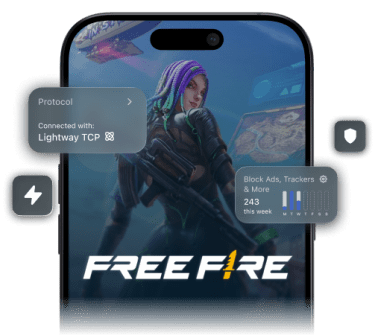
Free Fire VPN: Secure your connection
for every match
Stay responsive on mobile, avoid ISP throttling, and keep your IP address safe from targeted attacks
*ExpressVPN helps support expert review sites through an affiliate program that compensates them for referrals.

-

IPHONE/IPAD -

Android -

Windows -

Mac -

Linux -

Router -

Smart TV -

Game console
How to play Free Fire with a VPN
Sign up and start playing with VPN protection in minutes
-
Step 1

Download ExpressVPN
Sign up, download ExpressVPN, and open the app.
-
Step 2

Choose a nearby server
Choose or let Smart Location find the fastest VPN server nearby.
-
Step 3

Launch Garena Free Fire
Open Garena Free Fire and secure your Booyah.
Get the best VPN for Garena Free Fire
Reliable connections across a global network with 24/7 human support

If your VPN for Free Fire (or ISP) uses suboptimal network traffic routes, delays can make ranked fights feel jittery.
ExpressVPN runs a global network across 214 server locations in 113 countries, which can help reduce lag and packet loss by giving you more routing options to find a stable connection. You’ll spend less time hunting for a usable route and more time taking clean shots, even while traveling.

When you’re playing on unstable mobile networks, older, inefficient VPN protocols can stall and force a reconnect, right when you’re on a roll.
ExpressVPN’s proprietary, open-source Lightway protocol uses a lean codebase that helps your Free Fire VPN connect quickly. It’s built to recover quickly after network drops and uses less battery power and data than older VPN protocols in the process.

When ping spikes, connections drops, or packet loss hits, generic VPN troubleshooting advice wastes your time and keeps you guessing.
ExpressVPN is the best VPN for gaming with dedicated setup guidance to enhance your connection for mobile gaming. Plus, you get 24/7 support to guide you through issues like ping spikes, content-based throttling, and packet loss. We help keep your VPN for Free Fire dialed in, so you can focus on the match.
-

Up to 40Gbps server capacity
-

Servers in 113 countries
-

Ultra-fast Lightway
-

Optimized for gaming
Get a tactical edge in every battle
Reduce lag spikes and reconnect fast with less battery drain
-

Maintain stability during combat
When Free Fire gets chaotic, crowded VPN servers can add hiccups that cost you the match. ExpressVPN runs high-capacity 10Gbps servers (with 40Gbps available in many locations) across a widespread network. This helps your VPN for Free Fire handle traffic bursts during close-range fights and endgame pushes, even if thousands of others are using ExpressVPN.
-

Stay in control on restrictive Wi-Fi
Dorms, cafes, airports, and shared home Wi-Fi can can slow down or block gaming traffic altogether. ExpressVPN uses 256-bit AES encryption, and obfuscation so networks can’t see what you’re doing online or that you’re using a VPN. If your ISP appies content-based throttling, this also helps keep your gaming traffic from being singled out and slowed down.
-
Safely access the Advance Server
Keep your Advance Server downloads and local test matches stable and protected while on the go, so you can try out updates without risking your account. Testing Free Fire updates on the Advance Server while traveling means connecting on unfamiliar networks. ExpressVPN encrypts your phone’s connection to these networks, helping to protect your session from cyber risks while you play.
Dominate the battle royale with a mobile-first VPN
Get a stable, fast, and mobile-optimized VPN experience

Reconnect fast to maintain your streak
When your Wi-Fi suddenly drops, or you jump from Wi-Fi to 5G mid-match, a slow reconnect can cost you ranked progress. If your connection drops, ExpressVPN’s Lightway protocol reconnects fast while maintaining full mobile gaming VPN protection intact, no manual restarts needed. You can stay focused on your aim, not on fidgeting with VPN settings.

Stabilize your ping for accurate headshots
If your ping spikes mid-fight, your timing slips, your tracking feels off, and close-range duels turn into rock, paper, scissors. In some cases, routing through an ExpressVPN server can offer better latency to Free Fire's game servers than your ISP's default path.
Use Smart Location on the app to find the best option automatically. We can't fix a bad base connection or Garena server issues, but we'll help you make the most out of what you've got.
Optimize your VPN for mobile devices
On low or mid-range phones, heavy VPN protocols tend to drain battery fast and heat up your device during long grind sessions. ExpressVPN’s Lightway protocol uses much less processing power than conventional protocols, which helps your Free Fire VPN stay battery-efficient. Use this protocol to keep your gaming protected and reliable without your phone feeling like a stovetop after a few matches.
Protect your diamonds and your account
Reduce account flags and IP exposure while keeping your connection private
-

Reduce abnormal activity flags
If you bounce across regions on a fresh account, Garena can flag the behavior as geo-hopping and you risk permanently losing access.
ExpressVPN helps you keep playing in your home region even when you’re abroad, which keeps usage patterns consistent. You stick to home base with full VPN protection while following established region-lock rules.
-

Hide your IP from angry rivals
All it takes is one toxic lobby for someone to start probing your connection and trying IP-based harassment like DDoS.
ExpressVPN masks your real IP address, which helps reduce exposure to DDoS and IP-based doxxing attempts. Advanced protection features block trackers and known malicious domains that show up when you tap sketchy links outside the game.
ExpressVPN is compatible with


Why free VPNs are a risk to your Booyah
Free VPNs have low-capacity servers, data caps, and shady logs
-

The hidden speed costs of free VPNs
Free VPNs often suffer from congestion on small networks, causing lag spikes, rubber-banding, and mid-match disconnects. Compound that with bandwidth caps, which hit hardest when you’re grinding ranked or trying a test build, and you’ve got a recipe for frustration.
ExpressVPN gives you unlimited VPN bandwidth with 10Gbps (up to 40Gbps in some locations) capacity servers, so your connection doesn’t slow down just because you played too long or because others are on the network.
-

Flagged IPs can lead to permanent bans
Many free VPNs recycle a tiny pool of shared IP addresses that get abused by cheaters, botters, and spammy traffic. When you use a Free Fire VPN with one of those IP addresses, Garena can treat your connection as suspicious and ban your account.
ExpressVPN has a large VPN IP address pool, making it less likely for game systems to flag them as "bulk" or "abused" addresses. For even more control, a dedicated IP address is available as an add-on (included with Pro), giving you an address only you use—no shared history attached.
-

Sketchy data usage rules
Free VPNs have to get paid somehow, and some do it by collecting your browsing data and sharing it with third parties.
ExpressVPN’s no-logs policy spells out our commitment to keeping no usage logs, all vetted by reputable third parties like PwC and KPMG. Our TrustedServer technology runs on RAM-only servers, which can’t permanently store data. Protect your privacy without wondering who’s monetizing your traffic.
Trusted by millions of gamers around the world
See what reputable publications and real people have to say
-
#1 Best VPN 2026
Best Gaming VPNExpressVPN is the best Gaming VPN right now, thanks to its impressive speeds, excellent privacy protections and expansive global network of servers.

-
Editor’s Choice Award 2026
ExpressVPN’s expansive network and dedication to staying on the forefront of encryption tech earn it an award.

-
#1 Best VPN for the U.S. 2026
ExpressVPN is the best VPN for the U.S. right now. It has VPN servers in every American state, excellent security, and a simple user interface.

-
The fastest VPN
ExpressVPN is the fastest VPN I’ve found. It shows you the fastest server you can connect to, and a list of alternative servers. Or, you can let it choose for you. It’s affordable and worth it.
Christopher Gilmer


-
Great for travel & access
Does exactly what it's supposed to. Using it while travelling is great, accessing international websites for purchases is great, doesn't lag internet speed too much. Peace of mind and super easy to use.
Sam H.


-
Extremely reliable
ExpressVPN provides extremely reliable service that will keep you and your personal information safe. ExpressVPN is the perfect all around VPN service for your network security needs.
Dirt_Reynolds
-
Protects all devices
Just want to say, I have used ExpressVPN for over 10 years. On my phone, computers, and even on my home router. You guys are the very best!
OneDarkSeed

-
Excellent value
One of the major names in virtual private network (VPN) services, ExpressVPN offers a lot to consumers at face value.
MacHash

-
Post-quantum encryption
Backed by bleeding-edge post-quantum encryption technology, Express has landed a firm spot on our best VPNs list.
Carles Dijous






FAQ
Quick questions and answers about VPN protection for Free Fire
Is it safe to use a VPN for the Free Fire Advance Server?
Yes. If you're approved through Garena's official flow, ExpressVPN keeps your Advance Server traffic private on public and shared networks. Download the VPN app from official app stores only, not random APK sites.
Will Garena ban my account for using a VPN?
Garena's enforcement focuses on cheating, automation, and abnormal account behavior, not VPN use itself. That said, ExpressVPN can't guarantee ban safety; Garena applies policies at their discretion. Play within their rules and check your regional terms of service.
Does a VPN help with network connection error in Free Fire?
Yes. ExpressVPN helps when the error comes from routing issues, congestion, or restrictive Wi-Fi, because a Free Fire VPN encrypts your traffic and can change the route it takes. If the issue is server-side, ExpressVPN won’t fix it.
Can a VPN help reduce ping and lag in Free Fire?
Yes, if the problem is related to poor ISP routing or content-based throttling. ExpressVPN helps you avoid content-based throttling and can send your traffic through a more consistent route for steadier ping. It won’t fix a weak line or overloaded game servers, but it can help you avoid common network problems.
Does ExpressVPN work with Free Fire MAX?
Yes. ExpressVPN works with Free Fire MAX the same way it works with the standard game, so you get the same privacy and stability benefits with your Free Fire VPN setup.
Try ExpressVPN for Free Fire gaming
- Play with fast, stable VPN connections and DDoS protection
- Switch servers between 214 locations across 113 countries