 Celebrate with up to 80% off
TikTok VPN: Private access and secure browsing
Take control of your TikTok experience
with ExpressVPN's servers in 113 countries
- Access TikTok privately on restrictive school and office networks
- Mask your IP address and limit location-based targeting on your feed
- Keep your FYP relevant while traveling abroad
30-DAY MONEY-BACK GUARANTEE FOR FIRST-TIME USERS

-

IPHONE/IPAD -

Android -

Windows -

Mac -

Linux -

Router -

Smart TV -

Game console
How to use ExpressVPN for TikTok in 3 steps
It’s easy to set up ExpressVPN with TikTok
-
Step1

Sign up for ExpressVPN and download the app
You can download ExpressVPN for platforms like iOS, Android, macOS, Windows, and more.
-
Step 2
Connect to a secure server location
Choose from servers in 113 countries and 214 locations.
-
Step 3

Open TikTok and start scrolling
Our TikTok VPN will help keep your data safe and secure on any network.
24/7 customer support via live chat and email
Why do you need a VPN for TikTok?
A VPN is essential for securely accessing TikTok when you’re on the move
Overcome local network blocks at school or work
Some office and school Wi-Fi networks block traffic from social media apps to maintain everyone’s productivity and manage bandwidth.
If your local network blocks TikTok, a VPN helps by making your internet traffic appear as regular traffic. This prevents the network from seeing you’re trying to access TikTok, letting you browse your FYP as usual.

Protect your digital footprint from data tracking
TikTok collects a great deal of data about you, including your current location. Using a VPN can be ideal if you don’t want to see those annoying hyper-local ads on your feed.
With a VPN for TikTok, you can hide your IP address with a shared IP used by many other people. This can limit advertisers' ability to target you based on your location and browsing activity.
Maintain access to your account while traveling
Traveling abroad could shift your TikTok experience, including your FYP and the local content you're used to seeing. TikTok detects your location and adjusts what it shows you accordingly.
Using a VPN service, you'll be able to connect to a server in your home country and keep browsing your usual content, wherever your travels take you.
Tips for the best TikTok VPN experience
Here’s how you can scroll your FYP without issues while using a VPN
Understanding TikTok’s region-locking
TikTok locks regions to control certain content and features. To do this, it determines your location using multiple signals like your SIM card’s region and IP address.
If you want to change your region, it’s best to access the platform on your computer’s browser and connect to a VPN to use TikTok. This forces the app to check your location based on your IP address, making the change more effective.

Use Lightway for minimal impact on mobile
Viewing hours and hours of videos on TikTok can take a toll on your device’s battery life. Add to that a power-hungry VPN in the background, and you’ll find yourself constantly reaching for your charger.
ExpressVPN’s Lightway Protocol uses less battery and data, enabling you to scroll on top-trending content for longer while connected to the VPN.
Avoid “shadowban” concerns with premium IP Addresses
TikTok could "shadowban" you or limit your engagement if it suspects you’re a spammer based on your IP address. ExpressVPN regularly refreshes its IP address pool, helping you avoid similar issues.
For extra peace of mind, consider getting our dedicated IP address add-on. You’ll get an exclusive IP address, which makes TikTok less likely to tag your traffic as spam.
Why ExpressVPN is the best VPN for TikTok
ExpressVPN improves your security and access to TikTok on your devices
-
High-speed servers in 113 countries

Traveling abroad? Using a VPN while traveling can help you keep your usual FYP by connecting to a VPN server back home.
You can choose from ExpressVPN’s vast and fast server network in 113 countries across 214 locations.
-
Best-in-class and verified privacy protection
We protect your security and privacy on public Wi-Fi and within our infrastructure.
256-bit AES encryption keeps shady entities at bay on untrusted networks, while our no-logs policy ensures we don’t record your online activity.
-
Reliable performance across iOS and Android
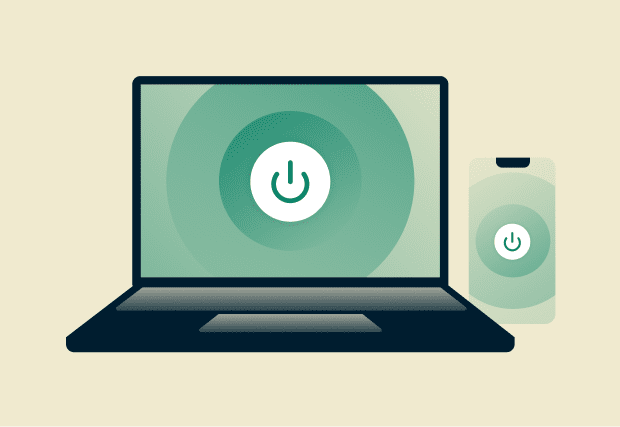
ExpressVPN works on all major platforms like iOS, Android, Windows, Linux, and macOS to give you built-in benefits, like advanced protection, on all your devices.
Just one subscription is all you need to connect up to 14 devices simultaneously.
What people are saying about ExpressVPN
See why millions of people trust ExpressVPN to protect their browsing
-
Absolutely fantastic. It was the perfect solution for connectivity issues in a game I've been playing recently.
J B


-
ExpressVPN is the perfect all around VPN service for your network security needs.
Dirt_Reynolds


-
ExpressVPN is the fastest VPN I've found. It shows you the fastest server you can connect to, and a list of alternate servers.
Christopher Gilmer
-
#1 Best VPN 2026 & Best Gaming VPN
ExpressVPN is the best Gaming VPN right now, thanks to its impressive speeds, excellent privacy protections and expansive global network of servers.

-
Editor’s Choice Award 2026
ExpressVPN’s expansive network and dedication to staying on the forefront of encryption tech earn it an award.

-
#1 Best VPN for the U.S. 2026
ExpressVPN is the best VPN for the U.S. right now. It has VPN servers in every American state, excellent security, and a simple user interface.

-
 Rated 4.4 out of 5
 -
 Rated 4.7 out of 5






TikTok VPN: Common Questions
Everything you need to know about using a VPN with TikTok
Can you use TikTok with a VPN?
Yes, you can use TikTok with a VPN. Simply connect to an ExpressVPN server before opening the app, and use TikTok as you normally would, with the added benefit of encrypting your connection and masking your IP address.
Will a VPN change my TikTok location or FYP?
Connecting to a VPN and choosing a different country's server can change your TikTok location. Keep in mind that TikTok uses multiple signals to determine your location, so results may vary. Always comply with the platform's Terms and Conditions.
Can TikTok ban you for using a VPN?
Using a VPN when accessing TikTok won’t get you banned, as it isn’t against the platform’s Terms of Service. However, doing things that go against these terms, such as spamming, could get you banned on TikTok.
Why is my TikTok not working with a VPN?
It may be caused by TikTok blocking that particular IP address or app cache issues. To fix this, disconnect from the VPN server, clear your TikTok app cache, and reconnect to the VPN, or try switching to a different server location.
Does a VPN affect my video views or engagement?
To make sure you reach your intended audience, connect to a VPN server in your home country. Keep in mind that TikTok uses multiple signals beyond your IP address to determine content delivery, so results may vary.
How to get a VPN for Tiktok?
Getting started with ExpressVPN takes just a few steps. Subscribe to ExpressVPN, download the app on your device, and connect to a server. That's it, you're ready to use TikTok with a VPN.
Will a VPN work for Tiktok?
Yes, a VPN works with TikTok, as long as it has fast, reliable servers and strong encryption to keep your connection stable and private. ExpressVPN ticks both boxes, with servers in 113 countries and 256-bit AES encryption, so you can use TikTok with confidence.
Try a trusted VPN risk-free
Take advantage of our 30-day money-back guarantee* for all new subscribers
*Users who purchased their subscriptions through the Apple App Store (iTunes) or the Google Play Store do not have access to the ExpressVPN 30-day money-back guarantee. Instead, users can request refunds through the App Store or Play Store, at Apple’s or Google’s discretion.