
- #1 Best VPN 2026*

Warzone VPN:
Secure your connection
From first drop to final circle, stay protected with a VPN built that can keep up with your gaming habits
*ExpressVPN helps support expert review sites through an affiliate program that compensates them for referrals.

-

IPHONE/IPAD -

Android -

Windows -

Mac -

Linux -

Router -

Smart TV -

Game console
How to play Warzone with ExpressVPN
Set up the best VPN for Warzone in a few easy steps
-
Step 1

Sign up for ExpressVPN
Download ExpressVPN for Windows.
-
Step 2

Sign in and connect to the VPN
Select a VPN server or use Smart Location.
-
Step 3

Launch Warzone and drop into the action
Use a hotspot to share the VPN with consoles.
Why choose the best VPN for Call of Duty: Warzone
Stability and control for every drop, push, and rotation
-
Help reduce connection instability

Packet burst and jitter hit hardest mid-gunfight, and it often comes down to how your traffic is routed to the game server.
Download ExpressVPN, choose a server near Activision’s gaming servers, or let Smart Location pick the best one near you. This may help in cases where ISP routing isn't optimal.
-
Get more flexibility when matchmaking

Long queue times are common in some regions, especially outside peak hours. A Warzone VPN can open up more matchmaking options.
With servers in 113 countries, ExpressVPN gives you the option to connect through different regions, opening up access to more active matchmaking pools.
-
Battle ISP throttling during major updates

Many ISPs throttle certain types of activity, and slowed download traffic means large patches can take time.
ExpressVPN encrypts your connection, so your ISP can’t easily identify and throttle your gaming traffic. This can help you maintain more consistent speeds during large downloads.
-
Protect against DDoS and "IP stressing"

You’re in the final circle, fully geared, and suddenly you’re knocked offline. While rare, IP-based attacks like DDoS or "IP stressing" can disrupt online matches.
ExpressVPN hides your real IP address, so your connection isn’t directly exposed. This makes it much harder for others to target your network directly.
Optimize your warzone connection for stability and security
A setup that stays reliable from drop-in to final circle

Connect to VPN servers built for reliable performance
Small connection issues can throw off timing when it matters most in ranked matches.
ExpressVPN’s high-capacity servers are designed to handle heavy demand. This helps provide a more consistent connection path for long Warzone sessions and intense matches.

Use the Lightway protocol for fast connections
Warzone depends on constant, real-time data. A VPN should stay out of the way.
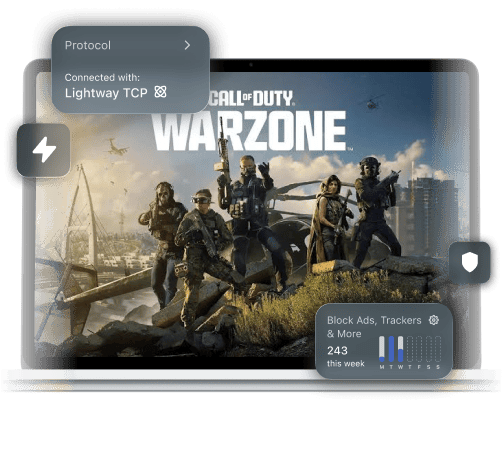
ExpressVPN’s Lightway protocol is designed to keep overhead low. It runs efficiently in the background, without putting extra strain on your connection.

Easily set up the VPN for Warzone on PS5, PC, and Xbox
While gaming consoles don’t support VPN apps directly, there’s a simple way to secure your connection.
Share the connection through a PC hotspot to your PlayStation or Xbox to get a VPN for Warzone without a complex setup. Ask for expert help anytime with ExpressVPN’s 24/7 support.

Shield your login details on public networks
Logging into Warzone on public Wi-Fi can expose your data in transit.
With ExpressVPN, strong encryption protects your data while it travels over shared networks. This also means network owners can’t monitor your activity and block online gaming.
ExpressVPN vs free VPNs: Protect your Activision account
A free VPN can put your Warzone connection and your account at risk
| Critical features | ExpressVPN | Free gaming VPN |
| Privacy and data handling | Industry-leading encryption and an audited no-logs policy | Hidden logging practices or ads, with limited information |
| Server infrastructure | Provides regularly refreshed IP addresses on servers worldwide | Reuses old and blacklisted IP addresses in limited locations |
| Speed and network quality | 10Gbps and 40Gbps servers, Lightway protocol, and unlimited VPN bandwidth | Limited, overcrowded servers with slower speeds, and monthly data caps |
| Leak protection and stability | Built-in Internet Kill Switch, which helps prevent data leaks | A kill switch is uncommon, and protection features are weak |
| Device and app support | Native apps for Android and iOS, covering 10-14 active devices per subscription | One device, with limited features unless you upgrade to a paid tier |
| Customer support | Offers 24/7 expert live chat support and detailed support FAQs | Dedicated support is usually non-existent |
Here’s why happy customers choose ExpressVPN
Gamers all over the world love ExpressVPN
-
#1 Best VPN 2026
Best Gaming VPNExpressVPN is the best Gaming VPN right now, thanks to its impressive speeds, excellent privacy protections and expansive global network of servers.

-
Editor’s Choice Award 2026
ExpressVPN’s expansive network and dedication to staying on the forefront of encryption tech earn it an award.

-
#1 Best VPN for the U.S. 2026
ExpressVPN is the best VPN for the U.S. right now. It has VPN servers in every American state, excellent security, and a simple user interface.

-
The fastest VPN
ExpressVPN is the fastest VPN I’ve found. It shows you the fastest server you can connect to, and a list of alternative servers. Or, you can let it choose for you. It’s affordable and worth it.
Christopher Gilmer


-
Great for travel & access
Does exactly what it's supposed to. Using it while travelling is great, accessing international websites for purchases is great, doesn't lag internet speed too much. Peace of mind and super easy to use.
Sam H.


-
Extremely reliable
ExpressVPN provides extremely reliable service that will keep you and your personal information safe. ExpressVPN is the perfect all around VPN service for your network security needs.
Dirt_Reynolds
-
Protects all devices
Just want to say, I have used ExpressVPN for over 10 years. On my phone, computers, and even on my home router. You guys are the very best!
OneDarkSeed

-
Excellent value
One of the major names in virtual private network (VPN) services, ExpressVPN offers a lot to consumers at face value.
MacHash

-
Post-quantum encryption
Backed by bleeding-edge post-quantum encryption technology, Express has landed a firm spot on our best VPNs list.
Carles Dijous






FAQs
Your Warzone VPN questions answered
Can you get banned for using a VPN in Warzone?
Using a VPN in Warzone won't automatically get you banned. Many players use one for enhanced privacy and security. However, using a VPN to exploit the game, bypass restrictions, or manipulate matchmaking could violate Activision’s terms. Always use a VPN responsibly and in line with terms of service.
What is the best VPN location for Warzone?
The best VPN location is usually a server close to the game’s region or one with low latency and low congestion. Nearby servers tend to offer more stable connections, while connecting to other regions can help access different matchmaking pools.
Does a VPN help with "Packet Burst" on PC?
A VPN can potentially help reduce packet burst in some cases by providing a more stable or less congested route between your PC and the game server. It doesn’t fix all causes, but an optimal routing path may improve connection consistency during gameplay.
How do I use ExpressVPN on my PS5?
To use ExpressVPN as a VPN for PS5 Warzone, install the app on your PC and share the VPN connection with your console. You can do this using a Wi-Fi hotspot or an Ethernet cable. Once your PS5 is connected through your PC, your Warzone traffic runs through the VPN automatically.
How to use a VPN for warzone?
To use ExpressVPN for Warzone, install the app on your PC, connect to a server, then launch the game as normal. If you’re playing on console, share the VPN connection from your PC via hotspot or Ethernet so your Warzone traffic runs through the VPN.
Try ExpressVPN for Warzone
- Maintain speed and security during every match
- Easy setup on PC or console with 24/7 support available