One extension, two ways to stay protected online

Written by
Sonja Raath

Reviewed by
Fangying Ang
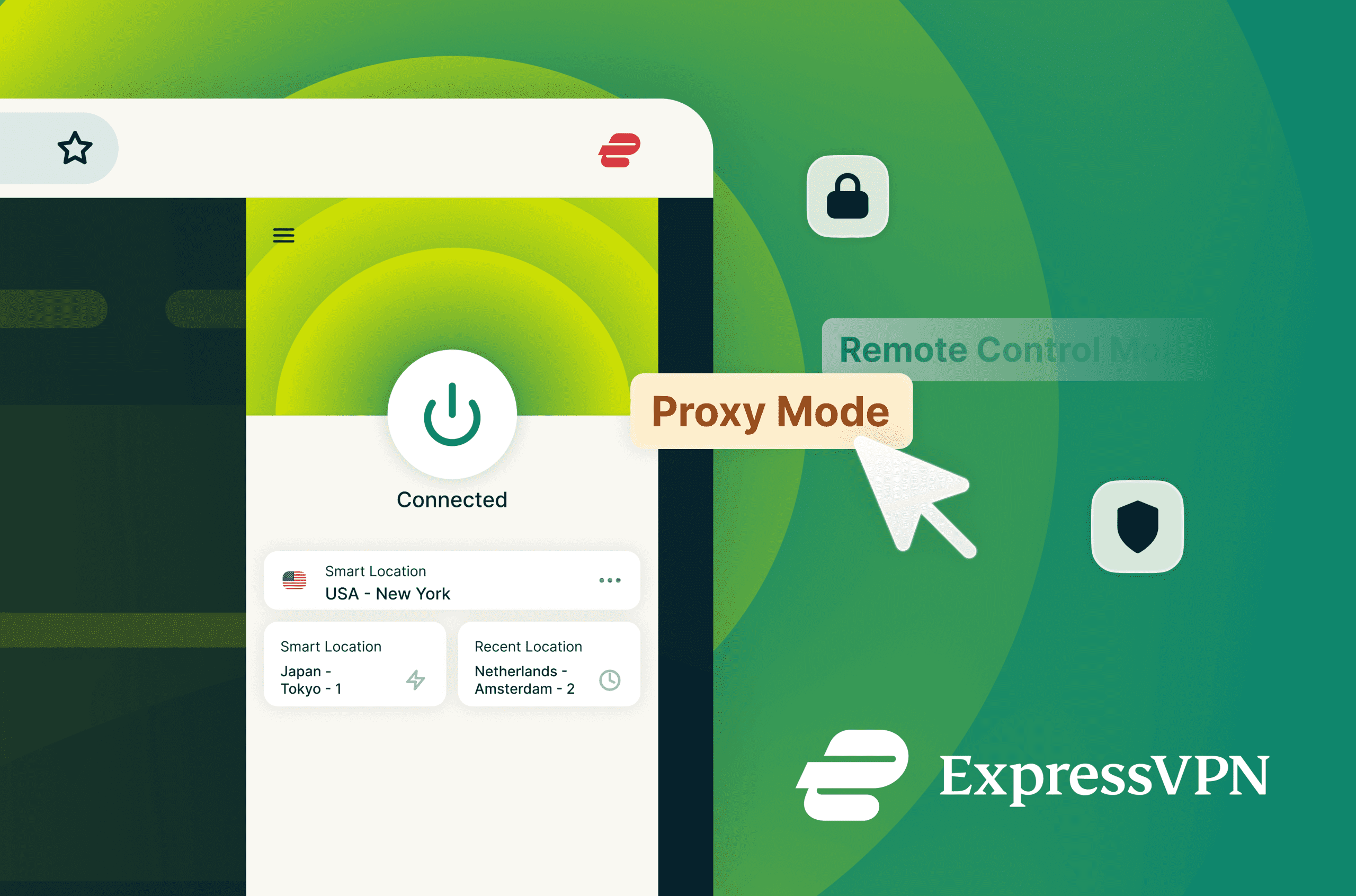
ExpressVPN’s new single browser extension works as both a standalone browser VPN (proxy mode) and a controller for full-device VPN protection
- Lets users switch between browser-only protection and device-wide coverage at any time, depending on how they’re browsing
- Works even when the ExpressVPN desktop app isn’t installed, simplifying browser-only protection
- Supports environments where VPN apps can’t run with browser-level VPN protection
- Adds Smart Routing, allowing site-specific rules so VPN behaviour follows browsing patterns automatically
- Keeps core ExpressVPN protections, including Lightway, WebRTC leak blocking, and HTML5 geolocation spoofing
For years, online privacy tools have forced users to choose between two extremes. You could turn on a full VPN to protect everything on your device, or use a lightweight proxy that only covers activity inside your browser. Each approach solves a different problem, but they rarely overlap—and neither adapts well to how people actually use the internet. That’s why we built something new.
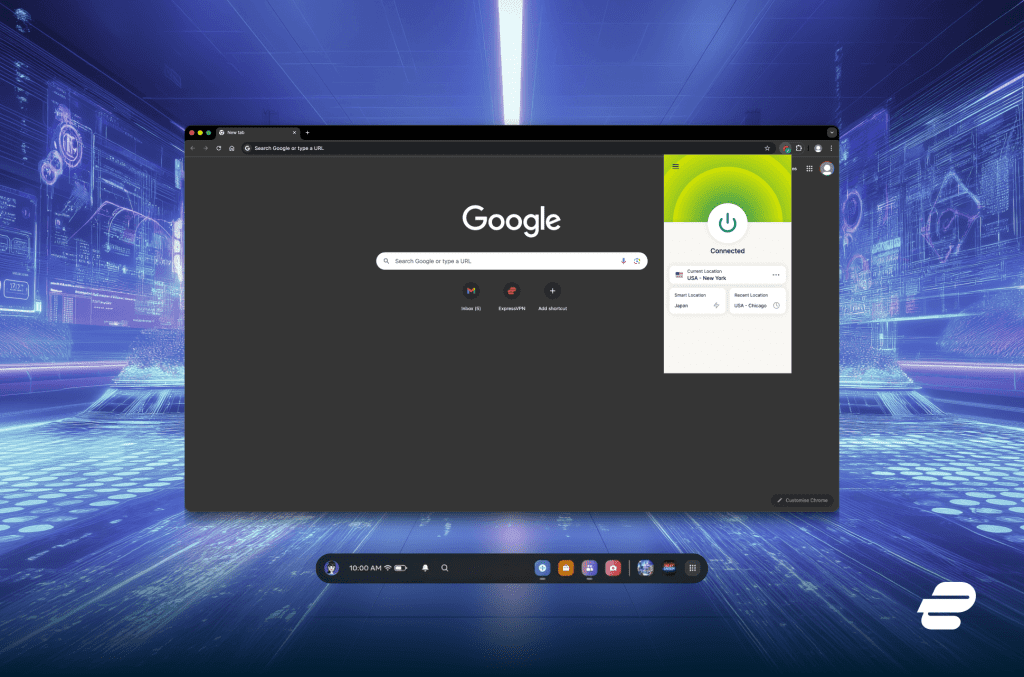
ExpressVPN’s new hybrid browser extension is the first VPN-proxy hybrid solution on the market, combining full VPN protection and browser-only proxy privacy.
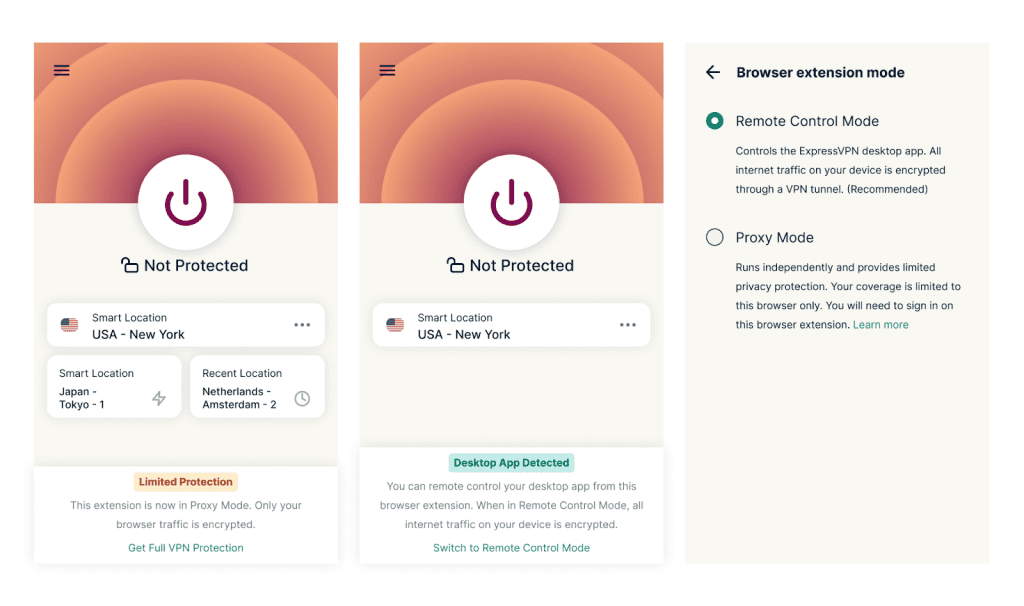 The result is flexibility without compromise. The extension doesn’t assume that one level of protection fits every moment; it adjusts to how people actually use the web.
A browser-first approach to VPN protection
Designing the extension as a standalone proxy fundamentally changes where VPN protection can exist. By operating entirely at the browser level, the hybrid extension can run in environments where traditional VPN apps aren’t typically available. Meta Quest is a notable example: while a full-device ExpressVPN app exists, users will soon get access to this browser extension, allowing users to benefit from browser-level protection and connection customisation, something the app alone doesn’t cover. The extension will soon be available through the Meta App Store, protecting browser traffic inside the Quest browser and allows users to manage their virtual location directly from the headset. It runs within Meta’s supported framework and applies only to browser activity, adding a layer of privacy without altering how the device itself operates. Meta Quest is an early example, but it highlights the broader shift. As more activity moves into browser-based environments, protection that lives at the browser layer becomes increasingly relevant.Control without complexity
Despite its expanded role, the hybrid extension keeps the privacy features ExpressVPN users expect. It includes protection against WebRTC leaks, HTML5 geolocation spoofing, access to a wide range of global server locations, and support for ExpressVPN’s Lightway protocol with post-quantum protections. Performance remains fast and reliable, backed by 10Gbps servers, with both dark and light modes available. What’s different is the level of control this browser-first model enables. Because protection can now exclusively happen directly inside the browser, users can fine-tune how it behaves from site-to-site. That capability comes through Smart Routing, available when the extension is used in proxy mode. Smart Routing allows users to define rules that determine how the VPN connects when visiting specific websites or groups of sites. Rules can be created by entering individual URLs or by selecting a country so that all localised domains are included. Choosing Italy, for example, applies a rule to sites using “.it” domains.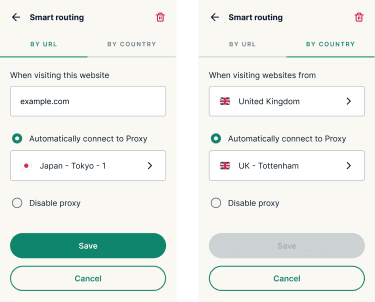 Instead of manually adjusting settings each time browsing habits change, Smart Routing lets protection follow those patterns automatically, based on choices the user defines.
Why this matters now
More of everyday life happens inside the browser than ever before. Work, communication, entertainment, and even immersive experiences increasingly live in browser-based environments rather than standalone apps. By introducing the first VPN-proxy hybrid browser extension in the market, we’re offering a more flexible model that reflects changing, real-world digital habits and puts users back in control of their online privacy. It opens the door to VPN protection on devices that never supported full VPN apps, while also giving users a simpler way to stay protected without installing anything extra. And when browser-level protection isn’t enough, switching to full-device coverage is immediate. The result is a single extension that adapts to context, rather than asking users to adapt to it.Start using the hybrid extension today
You can install the ExpressVPN hybrid VPN browser extension from the Chrome Web Store or Firefox Add-ons library. Meta Quest users will be able to download it from the Meta App Store soon. Full setup guides are available on our support site.Take the first step to protect yourself online. Try ExpressVPN risk-free.
Get ExpressVPN