What is facial recognition, and how does it work?


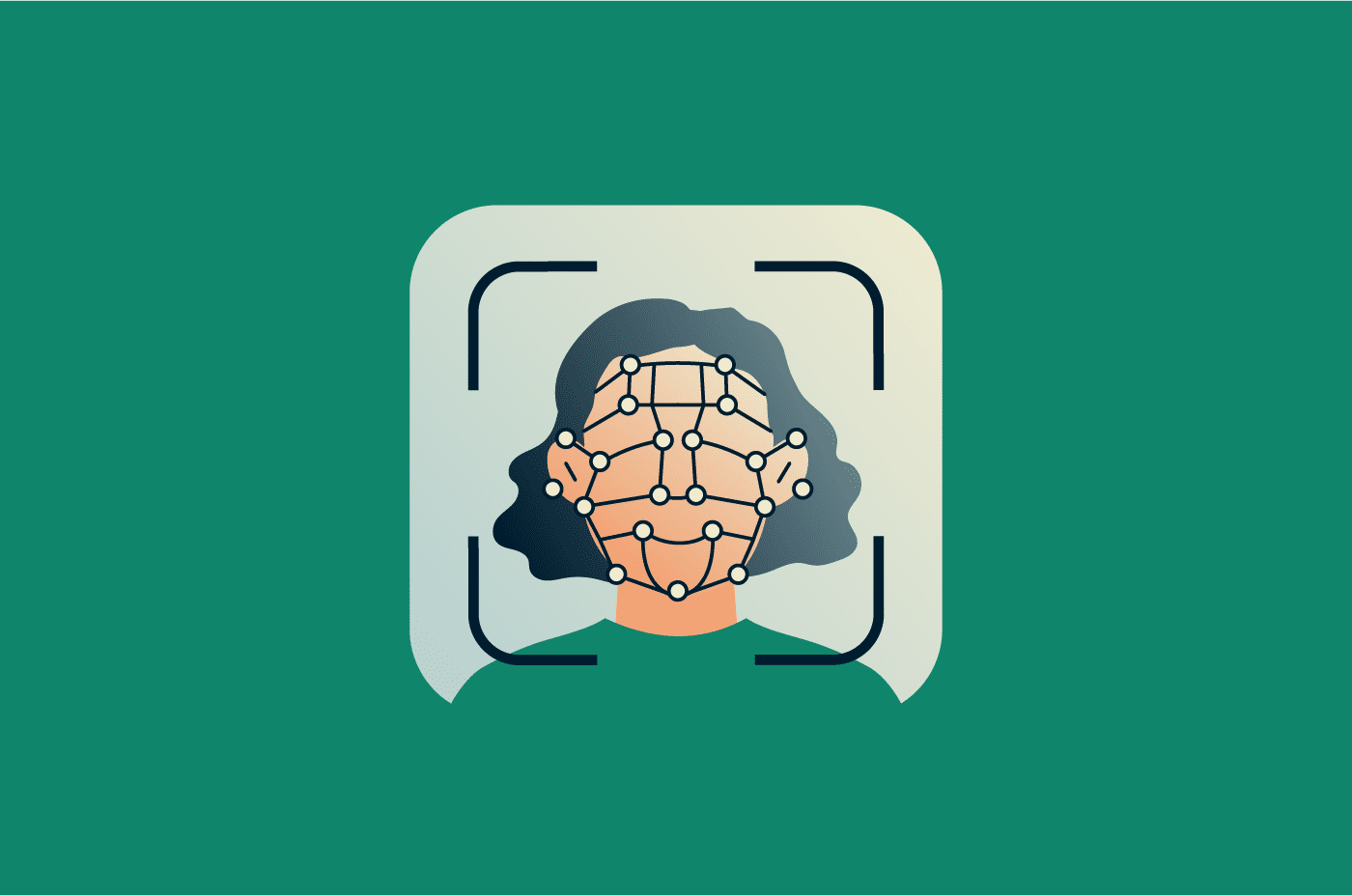
Facial recognition was once a concept associated with science fiction, but it’s now part of everyday life. People use it to unlock phones and laptops, airports rely on it to verify passengers, and law enforcement agencies may use it in public safety contexts (though its use remains controversial and subject to legal restrictions in many regions).
At the same time, rapid advances in the technology have raised privacy and surveillance concerns. If you’re worried about that and want to understand how facial recognition works, where it’s used, and what risks or limitations it may involve, this guide provides a clear overview.
What is facial recognition technology?
Facial recognition technology automatically identifies or verifies a person’s identity using biometric data derived from their facial features. The software captures a person’s facial data and compares it against stored records in a database to check for a match. It can work in real time or analyze existing photos and video footage.
Verification vs. identification
Depending on how it’s implemented, facial recognition software can either verify or identify an individual.
Facial verification uses a one-to-one comparison to confirm a person’s identity. The goal is to check that someone is who they claim to be. A common example is someone using biometric authentication to unlock their phone or sign into an account.
Facial identification uses a one-to-many comparison to determine whether a person’s facial features exist in a database. It checks an unknown face against many stored records to find a match. Examples include law enforcement running an unknown suspect's photo against a mugshot database or airport security scanning faces in a crowd against a watchlist of persons of interest.
How does facial recognition technology work?
Facial recognition works by running a facial image through sequential stages:
Image capture and input quality
Facial recognition software first captures a person’s facial features using a still image or a video frame. This process can be user-initiated, like taking a selfie or looking into a phone camera, or captured passively, such as from security camera footage.
Image quality has a major impact on accuracy, as low-quality images can make it harder for the system to detect facial features reliably. General guidelines include:
- Use bright, sharp images.
- Keep both eyes open and clearly visible.
- Ensure the face is fully visible and not cropped.
- Avoid items that block the face, such as headbands.
- Use color images.
- Keep a neutral facial expression.
Face detection and alignment
Once the system captures an image, it uses algorithms to detect patterns that resemble a human face. The goal is to isolate the face from the background and other objects.
Next, the system standardizes the captured face for processing. The detected face is rotated, cropped from its parent image, and resized to fit the dimensions that the software can process. Some systems apply additional processing steps, such as brightening the image, before passing it forward. This creates a consistent reference for the next stage, feature extraction.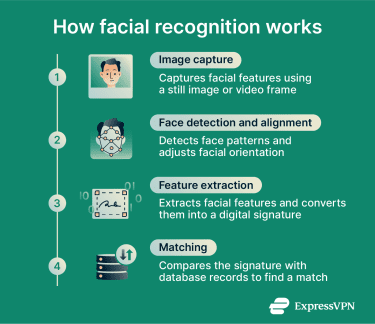
Feature extraction and faceprints
At this stage, the system passes the standardized face image through a neural network, an AI model that analyzes the image in successive layers. It typically starts with basic elements like edges and contrasts and builds up to more complex facial structures like the contours of the jaw or the spacing around the eyes.
The output is an embedding, a unique string of numbers that represents the face in a way the system can measure and compare. The embedding is not a photograph and typically can’t be used to reconstruct the original image. However, because it captures the defining characteristics of a face, it could in principle be used to generate a new image of the same person.
Matching and decision-making
The system then compares the generated template against stored records in a database and uses mathematical models to produce a similarity score, which is a number that expresses how closely the two faces match.
It returns results based on a predefined confidence threshold, which controls how strictly the system determines a match.
Essentially, if the similarity score exceeds the confidence threshold, the system confirms the person’s identity or returns one or more possible matches, depending on how it’s configured. If the score falls below the threshold, the system treats the face as unknown.
The threshold can be adjusted depending on the application. A high-security system might set a tighter threshold to minimize false matches, accepting that some genuine matches will be missed as a result. A lower threshold catches more matches but increases the risk of misidentification.
Where is facial recognition used?
Facial recognition is used across many industries and sectors. Common examples include:
- Border control: Airports may use facial recognition to authenticate passengers, reduce wait times, and flag individuals on watchlists.
- Healthcare: Hospitals and clinics may use face recognition to streamline patient registration and control access to medical records.
- Banking: Banks and ATMs can use facial detection to approve payments, prevent fraud, and simplify account access or onboarding.
- Cybersecurity: Organizations might use facial recognition tools alongside other authentication methods to strengthen account security.
- Retail: Stores might use face detection systems to identify known shoplifters and help protect staff and customers.
- Personal devices: Users often unlock smartphones or sign in to accounts using facial recognition tools.
- Law enforcement: Authorities may use facial recognition software to identify suspects or help locate missing persons. Its use in monitoring public spaces is more controversial and is subject to strict legal limits or ongoing debate in many jurisdictions.
Facial recognition in everyday devices
Facial recognition is now built into the phones and computers that millions of people use every day. However, the implementations differ in the technology they use and the security they offer.
Apple Face ID
Apple's Face ID, available on iPhone and iPad Pro, uses a dedicated TrueDepth camera system that projects thousands of infrared dots onto the user's face to create a precise 3D map. Because it uses depth information rather than a flat photograph, it’s designed to protect against spoofing by photographs through dedicated anti-spoofing neural networks. The face data is processed and stored locally on the device and never transmitted to Apple's servers.
Microsoft Windows Hello
Windows Hello, built into Windows 10 and Windows 11, uses infrared cameras that can distinguish between a photograph and a living person. The infrared imaging produces consistent results across different lighting conditions, which allows it to accommodate subtle changes in appearance over time, including facial hair and makeup. As with Face ID, biometric data is stored locally on the device and never sent to Microsoft's servers.
Google Pixel Face Unlock
Google's approach to Face Unlock has evolved across Pixel generations. The Pixel 4 used a miniature motion-sensing radar chip called Soli combined with dedicated face unlock sensors, with all face data processed on-device and stored in the Titan M security chip. From Pixel 7 onwards, Face Unlock uses advanced machine learning models for face recognition powered by the on-device Tensor chip.
Benefits of facial recognition
In addition to providing accurate identification, facial recognition offers benefits such as convenience, improved security, and flexible scaling. The sections below explain these advantages in more detail.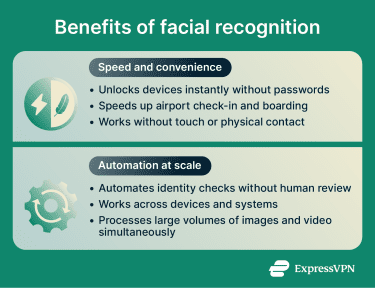
Speed and convenience
Facial recognition can speed up user identification. For example, people can unlock their devices instantly without remembering or typing passwords or using physical tokens. Airports can also speed up passenger processing by using face scans instead of manual document checks.
Face recognition systems also create a seamless user experience by allowing identity verification without physical interaction. For instance, users don’t need to touch a sensor or remove gloves in cold weather, unlike when using fingerprint authentication.
Automation at scale
Machine learning (ML) helps automate facial recognition systems, improving efficiency and reducing the need for manual input. Also, face detection can be deployed at scale and adapted to different environments because it integrates with a wide range of devices, server systems, and security platforms. For example, most smartphones with front-facing cameras include built-in support for face detection.
Facial recognition systems are also designed to scale, allowing them to process large volumes of images and video streams. This supports consistent performance across different deployment sizes, from small setups to large, wide-scale systems.
Risks and limitations of facial recognition
Facial recognition presents a double-edged sword. While it streamlines authentication, it also raises important privacy and security concerns:
Security risks and spoofing
Facial recognition involves collecting and storing large amounts of sensitive biometric data. Organizations that lack strong security controls, such as encryption, strict access management, and employee awareness of phishing threats, may be more exposed to data breaches or data theft. This can put sensitive biometric information at risk if it’s accessed or misused.
Biometric data transmitted from your device to the cloud can also be intercepted in transit. A virtual private network (VPN) like ExpressVPN encrypts traffic between your device and a VPN server, reducing the risk of your data being exposed.
Attackers may attempt to impersonate legitimate users to bypass facial recognition systems and gain access to sensitive data. For example, they may try to mimic authorized users with silicone or latex masks, printed photos, prerecorded videos, or 3D-printed masks.
Privacy concerns related to facial recognition technology
Because facial recognition relies on biometric data, it raises concerns about how facial data is collected, used, and shared, sometimes in ways that users do not understand or anticipate. Facial image datasets can be built from a number of private and public sources, making it difficult for individuals to know when or how their data has been collected.
One such example is the case of Clearview AI. According to a report by the Office of the Information and Privacy Commissioner of British Columbia, it built a database of more than three billion facial images by scraping photographs from social media and other public online sources without consent. Regulators across the EU have found these practices unlawful under data protection laws.
What makes these types of breaches particularly serious is that, unlike a password or account number, a face can’t be changed, so those affected have no way to revoke or protect their data after the fact.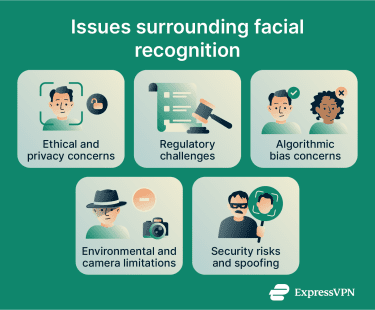
Ethical considerations in implementation
There are also concerns that, as the technology becomes more advanced and widespread, it could affect privacy in public spaces. Face detection tools could be used to track movements and behavior over time, raising surveillance concerns. In some cases, collected facial data may also be used for purposes beyond public safety.
In response, some jurisdictions have introduced measures to address these concerns. These can include strict data retention limits, restrictions on use in high-risk areas or events, and requirements for clear public signage that informs people when facial recognition systems are in use.
Bias and fairness concerns
Face detection systems can show bias if they’re not trained on datasets that reflect the diversity of the wider population, which can lead to lower accuracy for certain demographic groups. Contributing factors may include underrepresentation in training data, design choices in algorithms, or differences in how camera sensors capture a range of skin tones.
These biases don’t just make facial recognition software less reliable but also pose public safety risks. For instance, incorrect identification could lead to wrongful accusations or arrests against innocent individuals.
Regulation implications
Recent years have seen rapid advances and widespread deployment of facial recognition, often outpacing legal frameworks. As a result, many regions are still developing laws to regulate facial recognition, particularly its use by law enforcement and in public spaces, where concerns about surveillance and fundamental rights are most pronounced.
Standards for developing and deploying facial recognition are still evolving. To help protect personal data and prevent misuse, most regulatory frameworks focus on principles such as:
- Requiring explicit consent before collecting facial data.
- Storing biometric data securely and limiting access to authorized personnel.
- Auditing systems regularly to meet minimum accuracy and performance standards.
- Allowing individuals to challenge decisions made using biometric data.
How to use facial recognition more safely
Facial recognition is convenient, but you should take extra steps to strengthen account and device security when using it. The sections below outline how to use it more safely, when you may want to avoid it, and what to do after a potential data breach.
When to avoid using it
If you have concerns about facial recognition accuracy or privacy, consider opting out when alternatives are available. For example, when boarding a plane, you may be able to choose a manual document check instead of a face scan.
Also, if you’re concerned about spoofing risks, consider using other methods to secure sensitive accounts or unlock important devices. Options can include passkeys, hardware security keys, or passwords combined with phishing-resistant multi-factor authentication (MFA).
Device and account protection tips
When using built-in facial recognition for device or account access, follow these best practices to improve overall security:
- Turn on MFA for important accounts.
- Combine facial recognition with strong backup methods, like a passkey.
- Use a secure password manager such as ExpressKeys to protect your backup methods.
- Lock your device when not in use.
- Review app permissions and limit which ones can access your camera and biometric data.
- Don’t access sensitive accounts or apps on shared devices.
- Make sure your device’s operating system and all installed apps are up to date.
- Monitor account activity and set up alerts for suspicious login attempts.
What to do after a data breach
If your biometric data may have been exposed in a breach, the steps you take depend on where it was held. If your device was compromised, disable facial recognition, secure it with a strong passcode, and enable MFA on any accounts that were accessible through it.
If the breach occurred in a cloud database, such as one operated by a bank or an employer, the priority is monitoring and damage control. Your facial data could be used for identity theft, spoofed across other systems, or cross-referenced with other leaked databases, so watch for signs of misuse, consider freezing your credit, and stay alert to phishing attempts using your personal information.
An app like ExpressVPN Identity Defender makes this easier. It monitors the dark web for your personal information, flags suspicious use of your Social Security number, and alerts you to unexpected credit inquiries or new accounts opened in your name. If the worst does happen, it also includes ID Theft insurance of up to $5 million* for eligible recovery costs. Identity Defender is available to U.S. users on select subscriptions.
If you suspect identity misuse or impersonation, you should also contact your local authorities or a relevant consumer protection body for guidance on next steps.
The future of facial recognition technology
The facial recognition landscape continues to evolve quickly, with several key trends emerging:
- Multi-modal biometrics: Combining multiple biometrics, such as facial, fingerprint, and voice recognition, into a single system may become more common.
- Advanced presentation attack detection (PAD): Systems may use more advanced AI and ML algorithms to detect spoofing attempts, such as deepfakes, that try to mimic legitimate users.
- Biometrics and edge computing: Processing data closer to the source allows systems to analyze facial data locally on devices, which can improve performance and support privacy.
- Self-service integration: Facial recognition is increasingly integrated into self-service systems such as ATMs, kiosks, and payment terminals to improve the user experience.
- Face authentication in payments: Financial services can verify user identity with face scans to approve transactions instead of relying on codes or push notifications.
FAQ: Common questions about facial recognition
Can facial recognition be fooled by a picture?
What tricks facial recognition?
Can facial recognition work with a mask?
Can you opt out of facial recognition?
Should you stop using Face ID?
What are the most common applications of facial recognition?
How accurate is facial recognition technology?
What are the long-term implications of widespread facial recognition?
*The insurance is underwritten and administered by American Bankers Insurance Company of Florida, an Assurant company, under group or blanket policies issued to Array US Inc, or its respective affiliates, for the benefit of its Members. Please refer to the actual policies for terms, conditions, and exclusions of coverage. Coverage may not be available in all jurisdictions. Review the Advanced Tier Summary of Benefits and the Pro Tier Summary of Benefits.
Take the first step to protect yourself online. Try ExpressVPN risk-free.
Get ExpressVPN