



Note: This guide is for ExpressVPN for Teams users and administrators who are looking for their VPN activation code.
To find your VPN activation code:
- Sign into your ExpressVPN for Teams account.
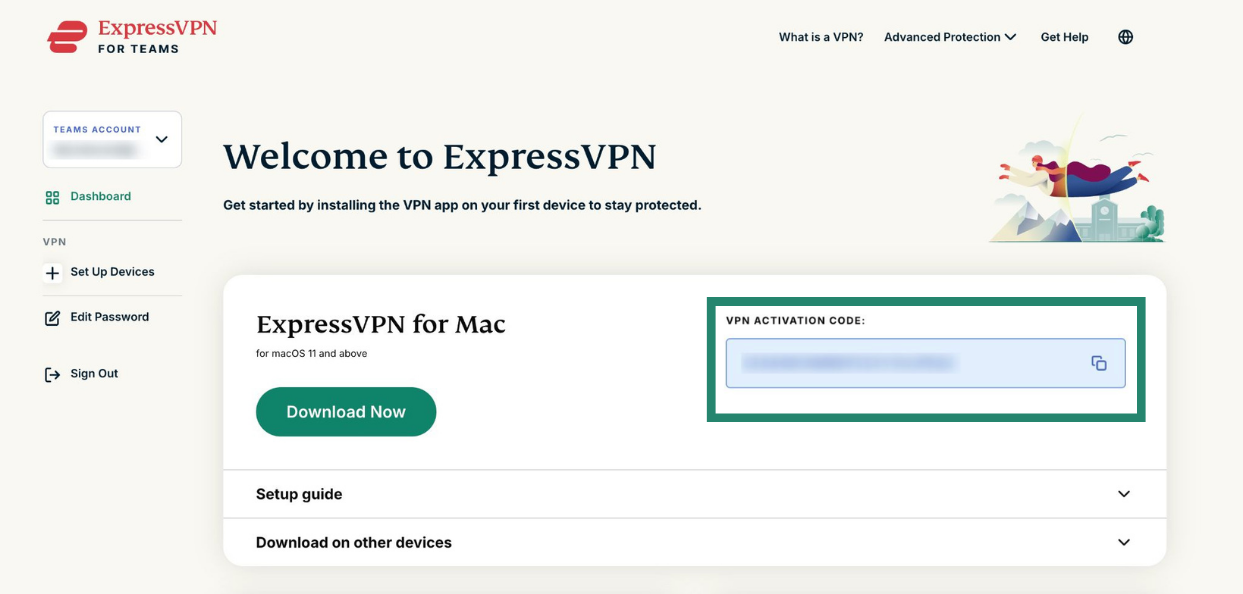
- You will see your VPN ACTIVATION CODE on your account dashboard.


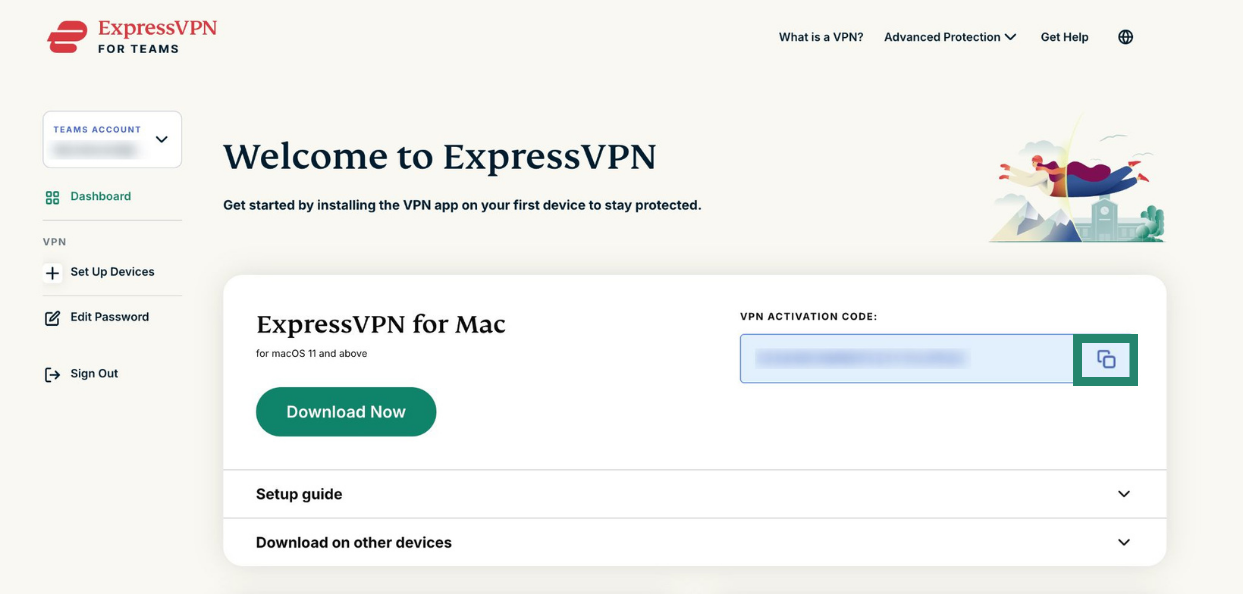
- Click the copy icon to copy your activation code. Keep it handy as you’ll need this when setting up the ExpressVPN app.
You can use the code to activate ExpressVPN on your device. Select your device below and follow the setup instructions to get started:
- ExpressVPN for Android
- ExpressVPN for iOS
- ExpressVPN for Windows
- ExpressVPN for Mac
- ExpressVPN for Linux
Need help? Contact the ExpressVPN Support Team for immediate assistance.