
Expressvpn Glossary
Security software
What is security software?
Security software consists of programs designed to protect systems and data from cyber threats like unauthorized access, data loss, or disruption. Its core purpose is to prevent and respond to malicious activity.
Types of security software
Security software comes in several forms, each designed to tackle a different part of the threat landscape, from blocking malware to protecting network connections and online accounts.
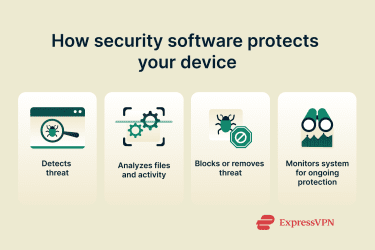
- Antivirus and anti-malware tools: Scan devices for malicious software using signature-based detection and heuristic and behavioral analysis. Once malware is detected, the software removes or quarantines malicious files to prevent further harm.
- Firewalls: Act as a barrier between devices and the internet, monitoring incoming and outgoing traffic to block unauthorized access.
- Password managers: Securely generate and store unique passwords; many password managers also autofill credentials and alert users to weak passwords and data breaches.
- Email and web protection tools: Protect against spam, phishing attempts, infected attachments, malicious links, and other email-based threats.
- Virtual private networks (VPNs): Encrypt internet traffic and mask IP addresses, helping protect users from network-level monitoring and eavesdropping.
- Identity theft protection and monitoring: Monitors for exposed personal data, suspicious account activity, or signs of identity misuse.
- Parental control and content filtering tools: Help manage screen time, restrict access to harmful content, and monitor online activity for kids.
Key features of security software
Most modern security software shares a core set of features that work together to keep devices, data, and online activity protected.
- Real-time threat detection and removal: Continuous, 24/7 monitoring that detects, blocks, and removes malware as soon as it’s detected, preventing infections from spreading.
- Protection against viruses, ransomware, spyware, and phishing: Modern cyberattacks use multiple techniques to compromise devices, and quality security software can reliably detect and block many of these.
- Network and device monitoring: Security software can monitor device behavior and network activity to identify suspicious connections, unusual traffic patterns, or signs of compromise.
- Automatic updates: To reliably defend against emerging threats, security software must continuously update its protocols, signature detection database, and mitigation methods.
- User alerts and warnings: When something suspicious happens (like a blocked connection, a dangerous link, or a compromised password), security software notifies the user so they can take action if needed.
Security risks and vulnerabilities
Here are the key risks associated with security software:
| Risk | Issue |
| Outdated software | Less reliable at detecting new threats |
| Misconfigured settings | Leave gaps in malware protection and increase vulnerability to attacks |
| Free or low-quality security tools | May rely on advertising and data collection, or offer limited protection compared to reputable, well-maintained solutions |
| Overreliance on security tools | Relying solely on security software can create a false sense of safety and lead people to neglect basic security habits like updating devices, using strong passwords, and thinking twice before clicking links or downloading files. |
Why security software matters
Security software is important because it helps to protect devices and networks from cyberattacks, including malware, phishing, malicious websites, and infected downloads. It also safeguards personal and financial information, helping prevent identity theft.
For users of all skill levels, it provides an extra layer of defense that reduces the impact of human error and protects against emerging threats.
Further reading
- Most secure operating systems ranked: Secure data today
- VPN for dummies: Simple no-jargon guide for beginners
- VPN vs. antivirus: Key differences and which one you need
- VPN vs. firewall: Key differences and when to use each



