
Expressvpn Glossary
Data backup

What is a data backup?
A data backup refers to the creation of copies of digital information, which are then often stored in a separate location. The core purpose of a data backup is to add a layer of redundancy to important information. If a dataset is ever lost or corrupted, a backup ensures that the individual or organization still has access to a copy of that data.
How does a data backup work?
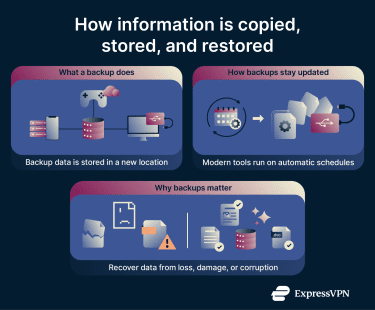 Backups can be stored on physical devices, remote servers, or cloud-based platforms, and they can be created on most devices that create and handle data, including computers, servers, and phones.
Modern backup tools often run on configurable schedules, automatically updating stored copies of data to reflect new or modified files.
Types of data backups
- Full backup: A complete copy of all selected data. Full backups are comprehensive, but they require more storage space and time to complete.
- Incremental backup: Copies only data that has changed since the most recent backup (full or incremental). This saves time and storage, but restoring data requires the last full backup, plus every incremental backup made after it.
- Differential backup: Copies data that has changed since the last full backup. These backups can grow large over time, but restoring data requires only the last full backup and the most recent differential backup.
- Mirror (sync-based) backup: Keeps an exact, up-to-date copy of selected files by syncing changes as they happen. This makes recovery fast, but it also means mistakenly deleted or overwritten files are synced to the backup in real time and may not be recoverable. However, some mirror backup solutions offer versioning, allowing older versions of the backup to be kept which can then be accessed and restored.
Data backup storage options
- Cloud: Data can be replicated on remote cloud servers, which are often managed by a cloud provider. Cloud backups offer offsite storage, automatic updates, and scalable solutions, and can be accessed from anywhere. However, they may require trusting a third party (the cloud provider) and can increase exposure to data breaches if not properly secured.
- Physical: Backups may be stored on physical devices like external drives, USB sticks, or network-attached storage (NAS). These backups offer full control and offline data storage, but require maintenance and can be lost, stolen, or damaged.
- Hybrid: Data can be stored on both local and cloud storage to increase redundancy.
Why are data backups important?
Regular backups prevent permanent data loss due to hardware failure, software issues, human error, or system crashes, allowing data to be recovered if these events occur. Backups also find a place in cybersecurity, as proper backups may limit the impact of attacks involving malware and ransomware.
These benefits are particularly important for organizations, as a well-maintained backup system can support disaster recovery and business continuity. Many organizations also rely on backups to support compliance requirements under data protection laws such as the General Data Protection Regulation (GDPR) or the Health Insurance Portability and Accountability Act (HIPAA).
Security and privacy considerations
To protect backups, data encryption can be used during transfer and storage. Access to backup storage can be secured with strong, unique passwords and multi-factor authentication (MFA).
When transferring backup data across the internet, a virtual private network (VPN) such as ExpressVPN can add an extra layer of protection by encrypting the connection in transit. This helps secure backup traffic on untrusted local networks and limits exposure to network-level threats.



