What is MAC flooding? How the attack works and why it’s a security risk


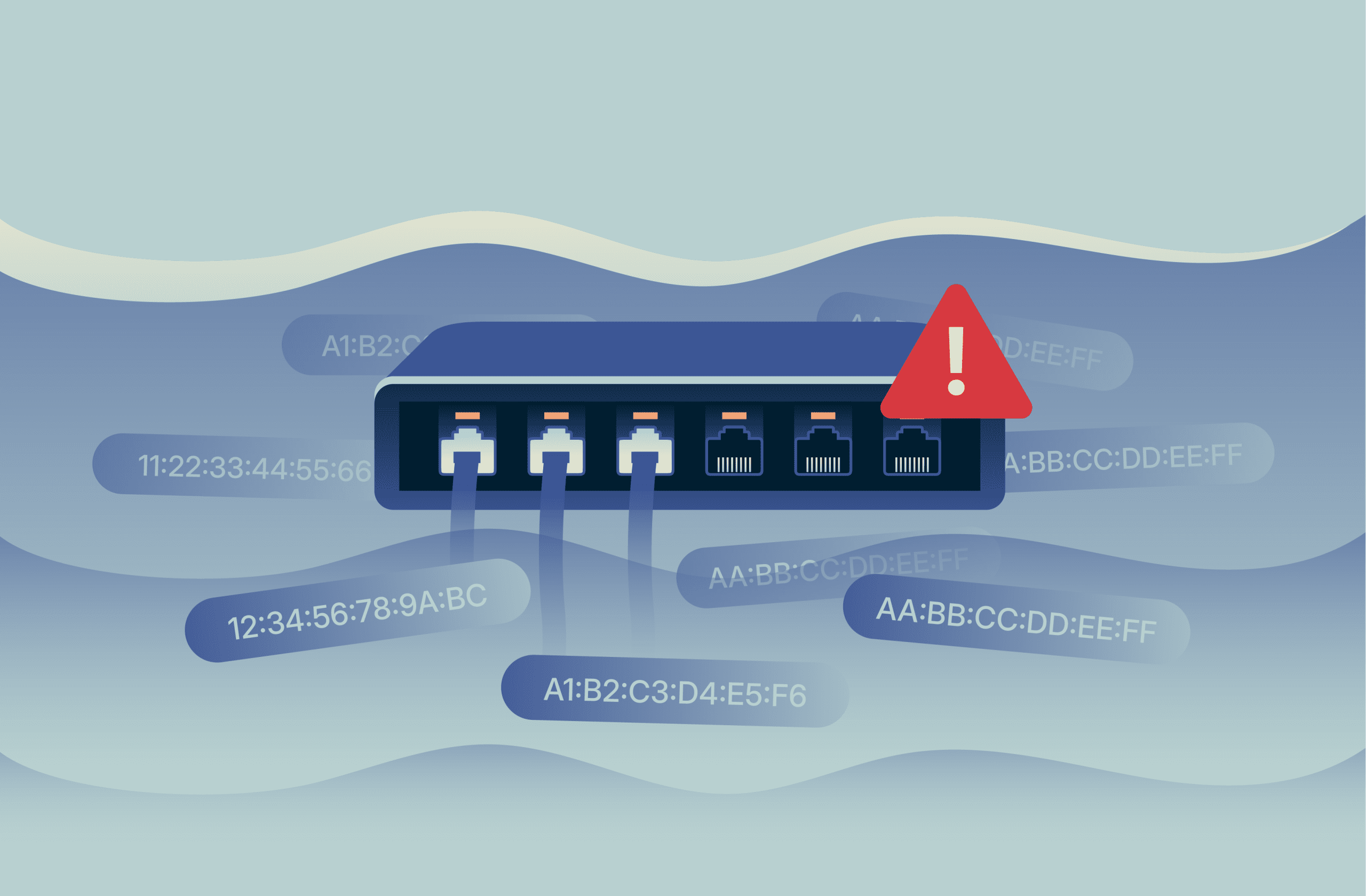
Many local networks use devices called switches to move data between laptops, phones, printers, and servers. Instead of sending every piece of data to every connected device, a switch forwards traffic only to the device it’s meant for. This selective handling is what keeps everyday networks fast and usable.
Media Access Control (MAC) flooding is an attack that interferes with this basic behavior by overwhelming the switch’s ability to keep track of which devices are connected. When that tracking fails, the switch can no longer direct traffic as intended, instead sending it to all connected devices.
This article explains what MAC flooding is, how it affects the way switches forward traffic, why it creates security and reliability risks, and how organizations detect and prevent it.
What is a MAC flooding attack?
A MAC flooding attack targets Ethernet networks and disrupts how a switch controls where traffic is sent between connected devices. It works by overwhelming the switch with a large number of MAC addresses in a short period of time.
The role of MAC addresses in Ethernet networks
A MAC address is a unique identifier linked to a device’s network connection. Each network interface on a device (for example, a Wi-Fi or Ethernet adapter) has its own MAC address.
Ethernet networks use MAC addresses to identify network connections. When devices exchange data on an Ethernet network, that data includes the relevant MAC address so it can be delivered to the right place. Because switches rely on MAC addresses to decide where to send traffic, disrupting this process directly affects how traffic is forwarded.
Related: What is TCP/IP, and how does it work?
How MAC flooding works
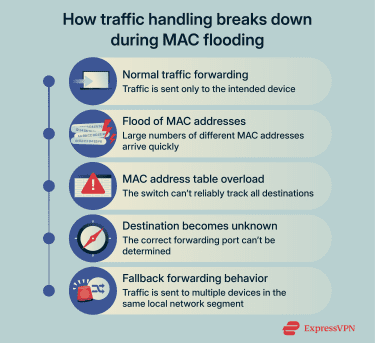
MAC address learning on network switches
When traffic arrives at a switch, it reads the source MAC address and notes which physical port it came from. It then maps the address to that port, allowing it to send future traffic for that device directly to the correct port instead of sending it to multiple ports.
Over time, the switch builds a current map of which MAC addresses are reachable through which ports. The process runs continuously and updates automatically when devices disconnect or reconnect through different ports.
CAM table overflow and Fail Open mode
The MAC address information a switch records is stored in an internal table, commonly called the content-addressable memory (CAM) table. This table has a fixed size, which means it can only hold a limited number of MAC-to-port associations at one time.
During a MAC flooding attack, the attacker sends traffic with a large number of fabricated source MAC addresses. As the CAM table fills with these fake entries, it can no longer accept incoming connections.
To keep the network running, the switch may revert to a mode called “Fail Open.” This allows the switch to act like a hub, sending traffic through all ports to all devices connected to the switch.
Why MAC flooding is a security risk
Traffic interception and data exposure
In a normal switched network, traffic is delivered only to the device it’s intended for. Other devices on the same network don’t receive or see that traffic at all.
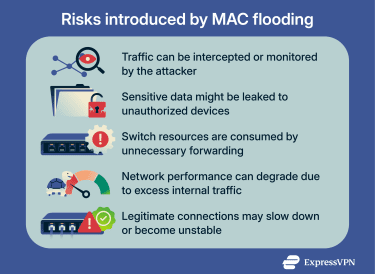
When MAC flooding forces a switch into Fail Open mode, traffic is instead forwarded to multiple devices on the same network segment. This means an attacker who has connected a device to that network can now receive copies of traffic they wouldn't normally be able to access.
If that traffic is encrypted, the attacker can't read its contents. But not all internal network traffic is encrypted. Unsecured services, improperly configured systems, or traffic that wasn't designed with external threats in mind may be readable if intercepted.
MAC flooding doesn't automatically lead to data theft, but it creates the conditions for it. An attacker positioned on the network may be able to steal data, monitor communications, or gather the information needed for further infiltration.
Even when theft or surveillance isn’t the goal, MAC flooding can still result in sensitive data being leaked to unauthorized parties.
Network disruption and performance degradation
MAC flooding can be used to deliberately disrupt network availability, or disruption can occur as a side effect of attempting to intercept traffic. Either way, the impact on network operations is the same.
When a switch floods traffic to multiple ports instead of forwarding it selectively, the volume of internal traffic increases significantly. Devices receive and must process data they don't need. Switch resources are consumed handling redundant forwarding. As this continues, legitimate network communication slows down or fails.
This creates observable problems: connections time out, applications become unresponsive, and devices lose network access intermittently. In some cases, the network becomes unusable.
Beyond performance issues, this kind of disruption creates additional security risks. High traffic volumes can prevent monitoring tools from detecting other attacks. Security systems that depend on network connectivity may fail or operate inconsistently. The disruption itself can serve as cover for additional intrusion attempts that would otherwise be noticed.
Related: What is Domain Name System (DNS) security and why it matters
How MAC flooding is detected
Detection focuses on identifying changes in switching behavior that don’t match normal network activity. These signals are examined when investigating unexplained connectivity or performance issues.
Abnormal MAC address table behavior
When investigating connectivity issues, network administrators can check the switch's MAC address table through its management interface. If thousands of entries are appearing and disappearing within minutes, or if connected devices keep vanishing from the table, this indicates a MAC flooding attack may be in progress.
Unusual traffic patterns on switched networks
Administrators can check their switch's management interface to see traffic levels on each port. Ports that are suddenly handling significantly more data than expected can indicate flooding.
Packet analysis tools can also examine the traffic itself to confirm that data is reaching devices it shouldn't be sent to.
How MAC flooding can be prevented
Preventing MAC flooding is mainly about limiting how many device identities a switch is willing to accept and reducing how much damage abnormal behavior can cause. The aim isn’t to stop every possible attack, but to prevent one device or connection from disrupting normal switching behavior across the network.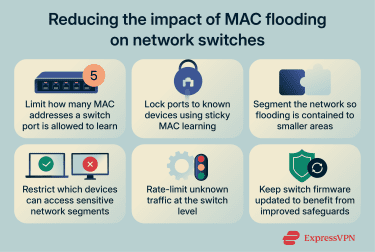
Port security and MAC address limits
One of the most direct ways to prevent MAC flooding is to control how many MAC addresses a switch can learn on a single port.
In most networks, a physical switch port is expected to connect to only one device, or a very small number of devices. Port security features let administrators set a limit. If that limit is exceeded, the switch can block traffic on that port, ignore additional addresses, or trigger an alert.
Some switches also support “sticky” MAC learning. This means the switch remembers the first MAC addresses it sees on a port and treats new or unexpected ones as suspicious. That makes it harder for a device to present thousands of different MAC addresses suddenly.
Network segmentation and access controls
Another defense is reducing how much of the network any one device can affect if something goes wrong.
Network segmentation does this by dividing a network into smaller, separate sections, so devices don’t all share the same traffic space. When MAC flooding happens inside one section, its effects are contained there instead of spreading across the entire network.
Access controls reinforce this separation by limiting which devices can connect to which parts of the network. For example, user devices can be kept separate from servers or infrastructure systems. This reduces the chance that an untrusted or compromised device can reach areas where disruption would have wider consequences.
These methods don’t prevent MAC flooding on their own, but they limit how far the impact can spread and reduce exposure to critical systems.
Switch configuration and maintenance
Many switches include additional settings that reduce the impact of abnormal behavior. For example, they can log or restrict excessive unknown traffic, making abnormal forwarding behavior easier to identify and contain.
Keeping switch firmware up to date is also part of prevention. Vendors often release updates to improve how switches handle resource limits and abnormal traffic patterns. Older firmware may lack protections that are standard in newer versions.
Related: What is network discovery?
FAQ: Common questions about MAC flooding
What is a MAC flooding attack?
A Media Access Control (MAC) flooding attack interferes with how an Ethernet switch keeps track of connected devices. By forcing the switch to handle far more device identities than usual, it disrupts normal traffic handling. This can cause traffic to be forwarded more broadly than intended, increasing exposure inside the network and making communication slower or less reliable.
Why do attackers use MAC flooding?
Attackers use Media Access Control (MAC) flooding to disrupt normal traffic handling on a network or to intercept data. When a switch can no longer track devices reliably, it either degrades network availability or forwards traffic more widely than intended. This wider forwarding allows attackers to capture data they wouldn't normally have access to.
How does MAC flooding affect network performance?
Media Access Control (MAC) flooding can cause a switch to forward traffic less selectively, increasing internal traffic volume. This can lead to higher latency, dropped packets, unstable connections, or temporary loss of access to network services.
How can MAC flooding be prevented?
Media Access Control (MAC) flooding can be prevented by configuring switches to stop abnormal behavior at the point where it starts. This includes limiting how many device identities a port can learn, segmenting the network to contain the impact, and using switch controls to restrict excessive address learning or traffic.
Take the first step to protect yourself online. Try ExpressVPN risk-free.
Get ExpressVPN

















 Support Center
  FAQ
FAQ  VPN Setup Tutorials


