Is ID.me safe? A complete guide to digital identity protection


ID.me, a digital identity-verification service used by government agencies and many private organizations, has come under scrutiny in recent years. Privacy-related and ethical concerns about facial-recognition technology have sparked widespread debate. So, is ID.me really safe? This guide breaks down how the system works, the protections it offers, and the potential risks to help you make informed decisions about your personal information.
What is ID.me?
ID.me is a digital identity-verification platform that creates a secure, reusable way for people to prove who they are online. It creates a verified digital credential for individuals, which they can use across multiple services.
How ID.me works
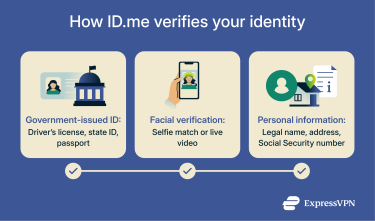
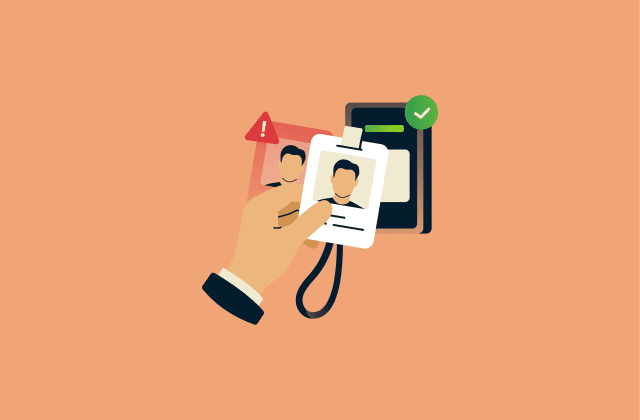
ID.me verifies your identity using a combination of document checks and biometric authentication when required, and live video review when automated verification fails, is declined, or is offered as an alternative to uploading a selfie. The process typically includes:
- Document verification: Users upload a government-issued ID, which ID.me analyzes to confirm it’s authentic.
- Biometric matching (when required): A short video selfie is automatically compared to the photo on the ID to confirm that the person verifying matches the ID.
- Personal information checks: Users provide identifying details, such as date of birth, address, phone number, and identity documents such as a Social Security number (SSN), Individual Taxpayer Identification Number (ITIN), or foreign passport.
When all verification checks align, ID.me links the confirmed identity directly to the user’s account. This verified identity becomes a digital credential, a stored record showing the user has completed ID.me’s identity-proofing requirements. After that, the user signs in with their ID.me account, and ID.me uses this credential to assert their verified identity to participating services.
This often eliminates the need to go through full verification again; however, extra documentation or reverification may be required, for example, if a user changes the information they used to verify their identity (name, address, bank, etc.), if they get flagged by a service, or a service requires periodic updates.
If automated checks fail, users may be required to submit further information, such as bank statements or utility bills. ID.me may use third-party databases and validation sources to verify this personal information.
Is ID.me legitimate?
ID.me is a legitimate digital-identity verification service whose technology is designed to align with federal standards for digital identity. This includes guidelines set by the National Institute of Standards and Technology (NIST), a U.S. federal agency that sets widely recognized technology and security standards.
It’s currently widely used by U.S. government agencies, healthcare providers, and businesses. Here’s a quick overview of what ID.me verification is required for:
- Internal Revenue Service (IRS): Access online accounts, view tax records, obtain an Identity Protection PIN, manage Tax Pro accounts.
- Social Security Administration (SSA): Manage benefits, request replacement Social Security cards, update personal information.
- Department of Veterans Affairs (VA): Apply for benefits and healthcare portals.
- Department of Health & Human Services (HHS): Access online HHS-administered healthcare applications and services.
- State services: Claim unemployment benefits and use other state-run services in participating states.
How secure is ID.me?
ID.me is generally a secure service. It uses several layers of security to protect personal information and ensure only authorized users can access it.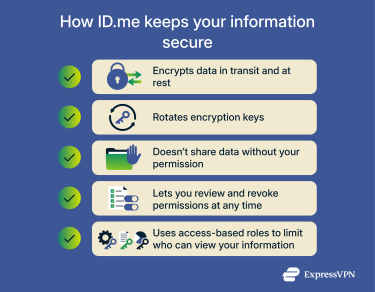
Encryption
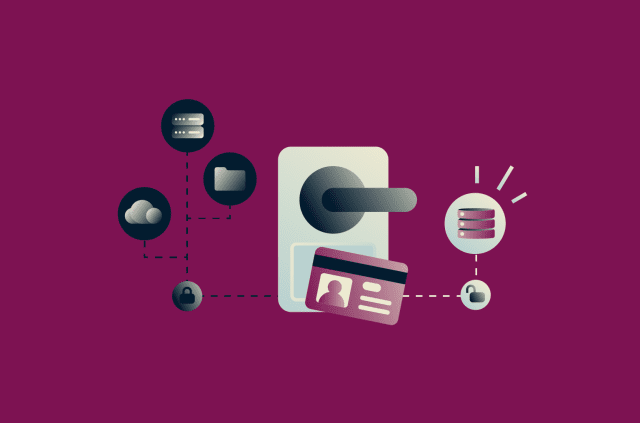
ID.me protects personal information using encryption, which is a process of turning readable text into unreadable strings of data. When data is in transit (being uploaded or moved between systems), encryption prevents anyone from reading it if they intercept the traffic. When data is at rest (stored on ID.me’s servers), encryption ensures that even if someone gained unauthorized access to the storage systems, they wouldn’t be able to view the raw information inside those files.
ID.me uses 256-bit Advanced Encryption Standard (AES), a widely trusted encryption standard. Its implementation is validated under Federal Information Processing Standards (FIPS) guidelines, which means the encryption module has been tested to meet federal security requirements.
One more layer of protection comes from dynamic key rotation. Encryption relies on secret keys, and if a key stays the same for too long, it becomes a single point of failure. Key rotation limits how much data an attacker could access, even in a worst-case scenario.
Data control and retention practices
ID.me gives you control over what gets shared. You must give explicit permission before your information is sent to any third-party service, and you can review and revoke those permissions at any time through your ID.me account. The company also states that it does not sell or rent your personal data, including biometric information.
In terms of how long your information is kept, it depends on the type of data. According to its privacy policy, biometric information, like the video selfie you submit, may be retained for up to 36 months for fraud-prevention or legal compliance, depending on the relying partner and verification use case. You can also ask ID.me to delete your biometric data, although some may be retained if required by law.
Monitoring, audits, and employee access
ID.me doesn’t share many detailed specifics about its internal monitoring, but it does outline its use of active monitoring and undergoes independent audits to prove its security controls work as intended. The company states that it maintains Service Organization Control 2 (SOC 2) Type II compliance and follows International Organization for Standardization (ISO) 27001-based practices, two well-known security standards that require ongoing evaluation of how a company protects sensitive information.
The company does say that it restricts employee access based on job role, so employees are limited to the data their job requires, which reduces the risk of accidental or intentional misuse.
What are the risks of using ID.me?
As with any identity-verification service, ID.me handles sensitive personal and biometric information, which means strong security and privacy protections are critical.
Privacy and oversight concerns
Privacy advocates, lawmakers, and researchers have raised concerns about ID.me’s use of biometric data, oversight of ID.me’s performance, and potential biases in facial-recognition technology.
In 2022, a letter by a coalition of civil rights organizations called for federal and state agencies to stop using ID.me and other facial recognition tools due to concerns about discrimination and lack of transparency. Studies cited in the letter show that facial-recognition systems can have higher misidentification rates for people of color, and there’s little public information on how often verification fails or whether certain groups are disproportionately affected.
In 2025, the Government Accountability Office (GAO) published a report noting that the IRS was relying on ID.me’s reports but had not clearly defined its own measurable goals or documented procedures for routinely evaluating the vendor’s performance, raising concerns about oversight and documentation.
Identity theft and data breaches
Identity verification services store some of the most sensitive pieces of your identity: your government ID, SSN, and, in some cases, biometric data. The amount of information they have access to makes them high-value targets, and if someone gained unauthorized access to your account or the service’s systems, they could potentially use that information to impersonate you.
Phishing and social engineering
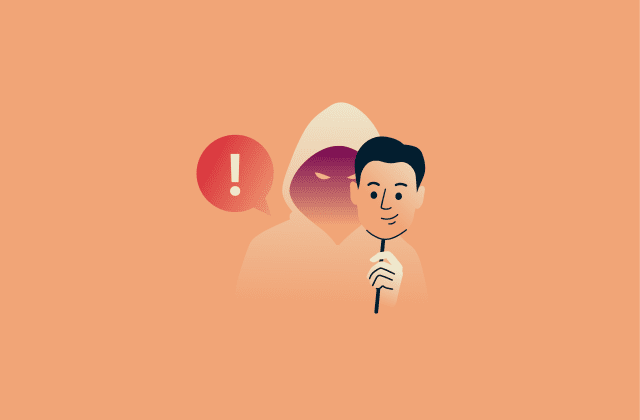
It can be difficult for bad actors to break into a secure system, so sometimes they circumvent technical safeguards by targeting humans instead. These tactics, known as social engineering, rely on tricking users or employees into revealing sensitive information, such as login credentials or personal data.
One commonly reported type of social engineering attack on financial and identity platforms is phishing, where attackers impersonate a legitimate service to steal information. For example, an attacker may target users by creating fake websites that look like official pages, asking them to enter login credentials or verification documents.
How to use ID.me safely
While no online platform can be completely without risk, there are practical steps you can take to reduce the likelihood of identity theft.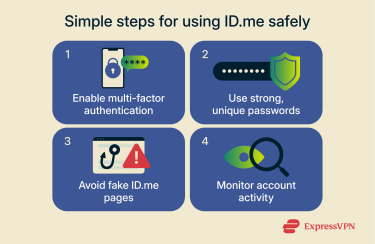
Enable multi-factor authentication (MFA)
MFA adds an extra layer of security to your ID.me account by requiring a second form of verification to log in. This could be a code sent to your phone or generated by an authenticator app. What this means is that unless someone has both your password and your second factor (e.g., your phone), they are far less likely to be able to access your account.
Use strong, unique passwords
Avoid reusing passwords from other accounts because if one account is compromised, attackers could gain access to all accounts that share the same password. You should also create complex passwords that combine letters, numbers, and symbols, making them much harder to guess or crack through brute-force attacks.
A password manager can help you create and store complex passwords securely, allowing you to maintain strong credentials without having to memorize them.
Avoid fake ID.me pages
Because of the phishing and social engineering risks described above, it’s important to know how to identify fake ID.me pages. Here are some tips for recognizing them:
- Check the URL carefully: Make sure you are on the official ID.me website. Watch out for subtle changes like extra letters, misspellings, or a different domain ending (for example, .com vs. .org).
- Verify logos and branding: Scammers often copy official logos, colors, and layouts, but mistakes can slip through. If you notice any inconsistencies on the page, it could be a sign that it’s fake.
- Be cautious with messages that create urgency: Scammers often try to pressure you into acting quickly. For example, a phishing email might claim that your ID.me account will be locked unless you verify it immediately through a provided link, which will send you to a fake ID.me page.
- When in doubt, go directly to the official site: Typing the URL manually into your browser is safer than clicking links in emails.
Monitor account activity
You can check your sign-in history and account activity on ID.me. If you spot an unfamiliar login or unauthorized changes to account details, update your password immediately, enable MFA if you haven’t already, and report the activity to ID.me using its Report Suspicious Activity form. You should do the same if you received a password reset email that you didn't request.
For additional protection, ExpressVPN Pro and Advanced subscribers in the U.S. can access the Identity Defender app. It provides identity monitoring tools that help detect potential misuse of your personal information, including dark web exposures, suspicious credit activity or financial transactions, and certain public record changes.
FAQ: Common questions about ID.me safety
Is ID.me safe for students?
Yes, ID.me is generally secure. Its technology is designed to align with federal standards for digital identity, and it uses strong encryption to protect your data both in transit and at rest.
Can hackers access ID.me accounts?
While no online service is completely risk-free, ID.me is generally a secure platform, so bad actors are far less likely to access ID.me accounts. To make ID.me even safer, you can follow security best practices like enabling multi-factor authentication (MFA) and using strong, unique passwords.
What information does ID.me collect?
According to its privacy policy, ID.me collects a wide range of personal information for identity verification. This can include your name, date of birth, Social Security number (SSN), email address, phone number, mailing address, and in some cases, your biometric data. It may also keep a copy of your government-issued ID.
What should I do if my ID.me account is compromised?
If you suspect your ID.me account has been compromised, immediately change your password, enable multi-factor authentication (MFA), and report the activity to ID.me via its Report Suspicious Activity form. Monitoring your account activity can help detect threats early.
Can I use ID.me without a government-issued ID?
No, a government-issued ID is required for full verification on ID.me. The self-service option uses automated facial recognition to compare your ID to a selfie to confirm your identity. Even fallback methods like live video or alternative document review, if you live outside the U.S., still require government-issued IDs.
How does ID.me protect my personal data?
ID.me protects your personal data using strong 256-bit Advanced Encryption Standard (AES) encryption in transit and at rest, monitoring system access and activity, and limiting employee access through role-based controls.
Take the first step to protect yourself online. Try ExpressVPN risk-free.
Get ExpressVPN











 Support Center
  FAQ
FAQ  VPN Setup Tutorials


