
Expressvpn Glossary
Wireless local area network (WLAN)
What is a wireless local area network?
A wireless local area network (WLAN) is a network that connects devices within a limited geographical area. Rather than cables, WLANs use radio signals. Most modern WLANs are based on the Institute of Electrical and Electronics Engineers (IEEE) 802.11 family of standards, which forms the basis of Wi-Fi technology.
The main purpose of a WLAN is to enable devices such as laptops, phones, tablets, and printers to access shared network resources and exchange data with minimal setup.
How does a wireless local area network work?
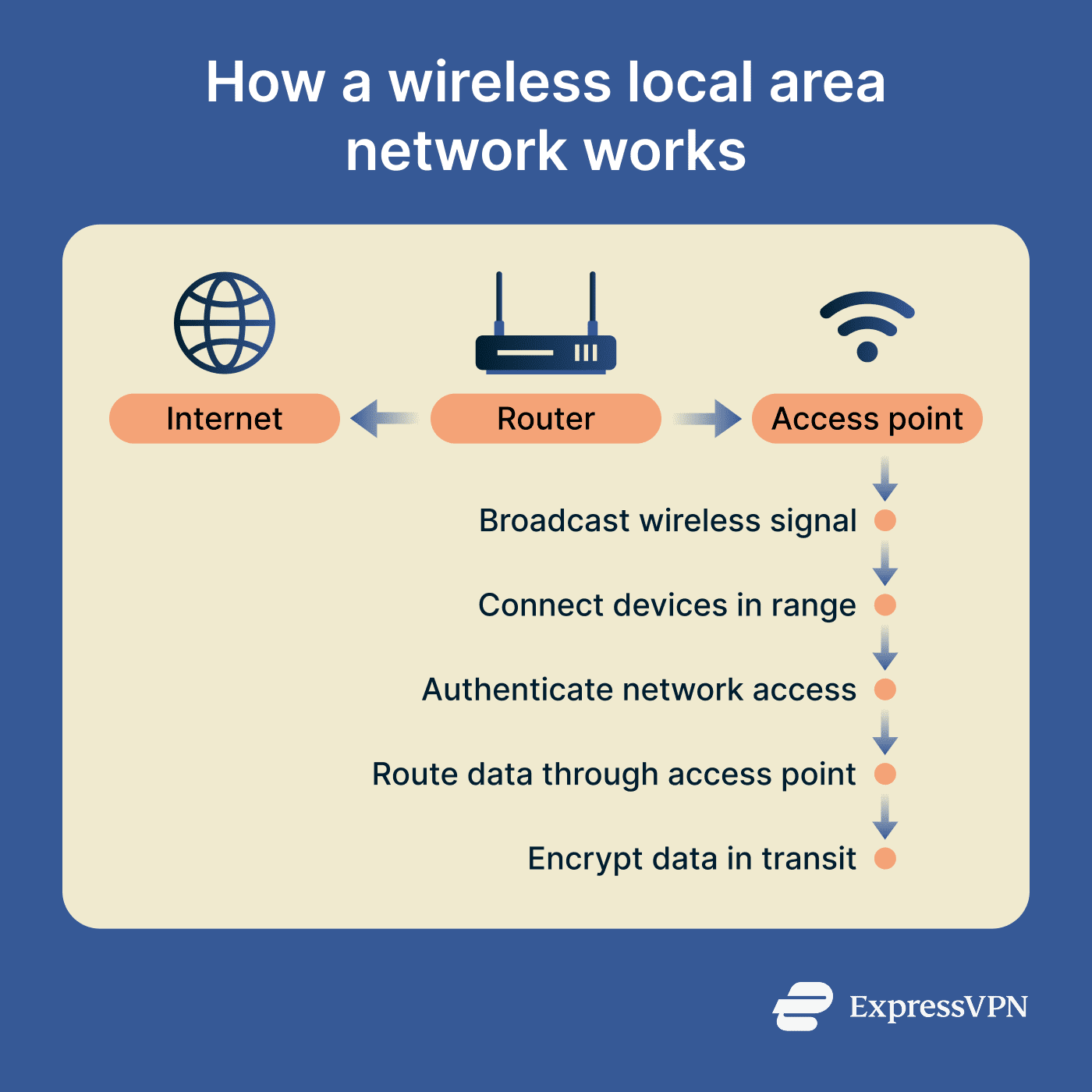
A WLAN primarily consists of access points, which enable wireless communication, and the client devices that connect to the network through them.
Access points are found within devices like wireless routers and dedicated wireless units that send out wireless signals over a specific area. Devices within range can detect available networks and initiate a connection.
Before devices can connect, most WLANs verify their identities to control access. Home and small-office networks often rely on a shared Wi-Fi password, while enterprise WLANs may use 802.1X (which requires a login before access) with Extensible Authentication Protocol (EAP) and a remote authentication dial-in user service (RADIUS) server to verify users or devices before granting access.
Once a device is authenticated and connected, it can send and receive data through the access point. The access point forwards data to other devices within the network or to the internet. For secure connections, encryption protects this data in transit.
Why is a wireless local area network important?
WLANs play an important role in extending network access beyond wired LANs. They make network access more flexible, support scalability, and can help segment access for different users and permission levels.
By reducing the need to run cables to every device, WLANs can make extending network access simpler and more cost-effective, especially in areas where cabling is difficult or expensive.
Each access point can connect multiple devices, helping organizations expand access for users and Internet of Things (IoT) devices without running cables at every endpoint.
WLANs can support segmentation by using multiple service set identifiers (SSIDs), virtual LANs (VLANs), and access controls. For example, organizations can separate employee and guest access and restrict which internal systems each group can access.
Where is it used?
WLANs are used in many common settings, including homes, offices, and public spaces:
- Homes and apartments: To connect personal devices to the internet and local network resources.
- Offices and coworking spaces: To provide access to internal networks, shared files, and tools across company devices.
- Schools, campuses, and libraries: To give students and staff access to online resources, learning platforms, and institutional portals.
- Airports, hotels, and cafés: To offer public hotspots for guest internet access, including an alternative to mobile roaming when traveling.
Risks and privacy concerns
Wireless networks improve access and flexibility but can introduce security risks if they’re misconfigured or lack proper controls.
Because signals extend beyond physical boundaries, nearby devices can detect the network and attempt to connect without being on-site. Weak passwords or outdated encryption increase the risk of unauthorized access, allowing attackers to misuse shared resources or potentially monitor exposed traffic.
Misconfigured networks can expose sensitive traffic, enabling data interception and man-in-the-middle (MITM) attacks. This is an especially big risk if encryption and network separation are lacking. Unsecured devices can allow unauthorized access or help attackers to move between connected systems.
Devices that automatically reconnect to known network names are at risk of connecting to malicious "evil twin" access points that mimic trusted networks. This can expose traffic or credentials if other protections are missing.
Further reading
- The ultimate guide to wireless access points
- How to set up a secure Wi-Fi guest network
- What is a Wi-Fi VPN and why you should use one
- How to stay secure when using public Wi-Fi
- How to tell if someone hacked your router







