
Expressvpn Glossary
Network bridge
What is a network bridge?
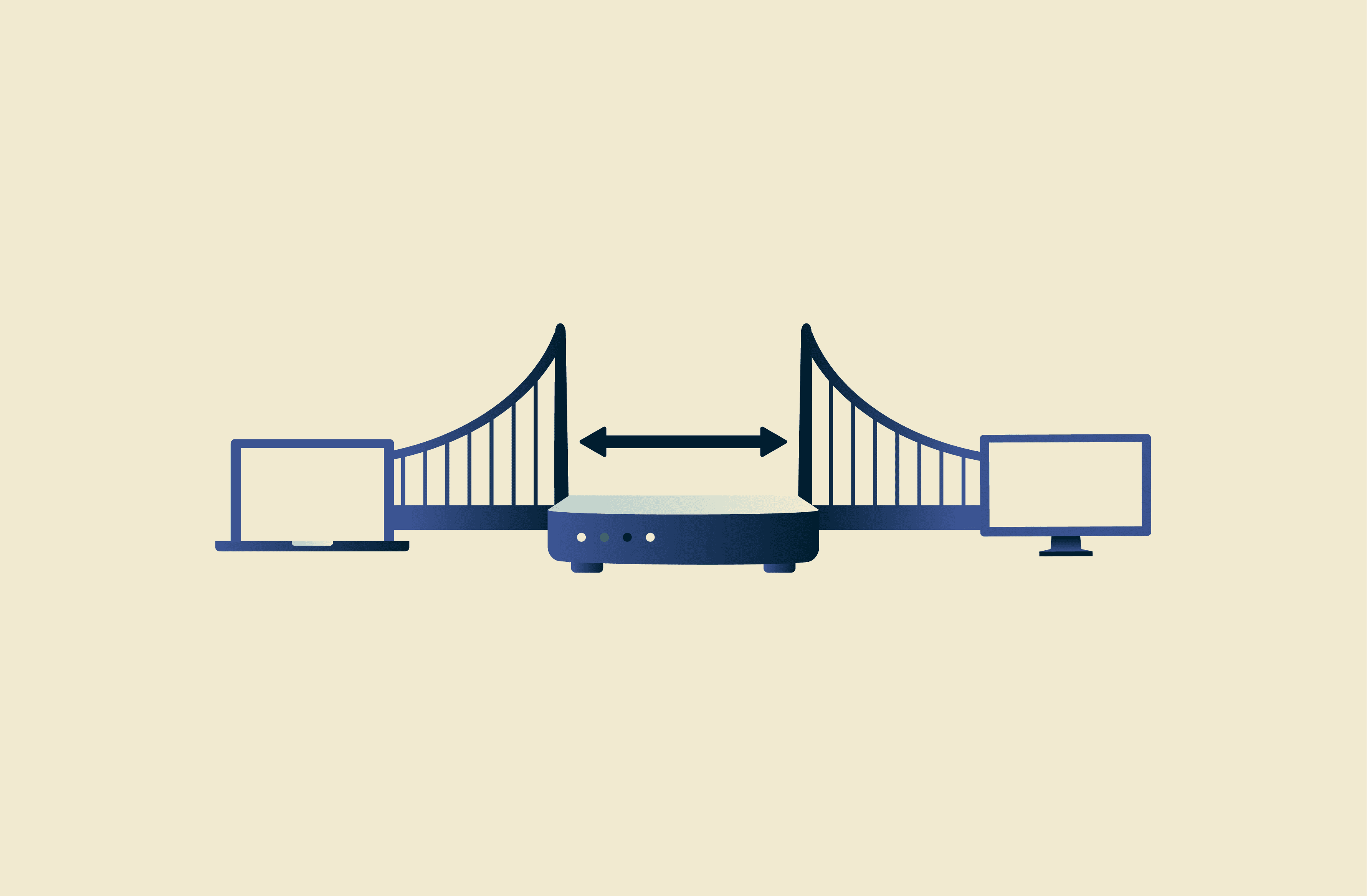
A network bridge is a piece of hardware, software, or firmware that links two or more physically separated network segments. It allows devices on those segments to communicate with each other as part of the same network.
How a network bridge works
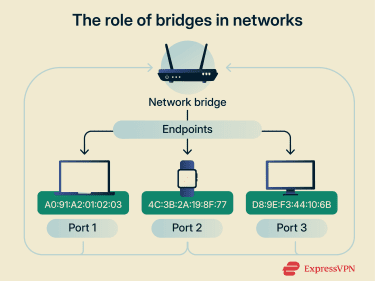 Network bridges connect network segments that may be separated by distance, physical barriers, or different types of transmission media (like Ethernet and Wi-Fi). They can help extend or join local area network (LAN) segments.
They can take the form of a physical device, often built into equipment such as a wireless access point (WAP), or a software component. Operating on the data link layer (Layer 2), a network bridge forwards traffic between endpoints using Media Access Control (MAC) addresses. Endpoints can refer to devices such as computers, phones, and other networked devices.
As the bridge receives traffic, it records the source MAC addresses and the associated ports within a table. If it doesn’t yet know which port a destination MAC address is on, it forwards the frame to other ports; once it has learned the destination’s port, it forwards frames only to that port.
Types of network bridges
Network bridges come in several forms, varying in terms of primary use and other factors. These include:
- Transparent bridge: A bridge that is effectively invisible to other devices on the network. These can filter and forward traffic without requiring changes to end devices.
- Wireless bridge: Any network bridge that connects network segments via a wireless connection medium. They're commonly used to extend local networks between areas where running cables is impractical (for example, in large buildings or outdoor spaces).
- Multiport bridge: Bridges that combine more than two network segments into a single broadcast domain. In some contexts, the term "network switch" is used interchangeably with multiport bridge.
- Translational bridge: Operates between network segments using different transmission media. It translates frames between media so traffic can pass between segments.
Network bridge vs. network switch
A network switch is essentially an evolution of a network bridge. Compared to traditional two-port bridges, switches are designed to handle more ports more efficiently. Both work mainly on the data link layer and learn MAC addresses to forward and filter traffic across multiple network segments.
The main differences usually concern scale and performance. Switches are generally built for larger networks with more connected devices and higher traffic. To accommodate the increased traffic more efficiently, they also tend to have more advanced routing and optimization capabilities.
| Network bridge | Network switch | |
|---|---|---|
| Primary role | Connects two parts of a local network | Connects many devices within a local network |
| Open Systems Interconnection (OSI) layer | Layer 2 (data link layer) | Primarily Layer 2 (some also support Layer 3) |
| Performance | Limited, not optimized for high traffic | High-performance, hardware-accelerated |
| Typical form | Software or simple hardware | Typically dedicated hardware |
| Common features | Basic MAC forwarding | Virtual local area networks (VLANs), Spanning Tree Protocol (STP), and Quality of Service (QoS) |
Limitations of bridges
Drawbacks of network bridges include:
- Slower performance than switches: Added latency can occur, especially in software-based bridges or when traffic can't be offloaded efficiently.
- Not ideal for large or complex networks: Network bridges can become harder to manage and more prone to congestion or wide-impact faults.
- Limited traffic control: Because a bridge operates only at Layer 2, it primarily forwards and filters traffic based on frame/MAC information rather than IP routing.
- Misconfiguration risk: Loops and outages can occur if a network bridge is not set up properly.
Common use cases
The role of a bridge is to couple different parts of a local area network and forward traffic between them. Some of the reasons or applications for network bridges are:
- Translating between transmission media, such as wired and wireless segments.
- Expanding LANs without replacing infrastructure.
- Extending home networks for gaming or streaming devices.
- Connecting virtual machines with physical networks.
- Linking separate LAN segments, even when each segment uses switches.
- Integrating legacy infrastructure with newer networks.
- Configuring a PC as a bridge to connect network segments.
Further reading
- What is bridge mode on a router? How it works and when to use it
- The ultimate guide to wireless access points
- VPN passthrough: Do you need it, and how does it actually work?



