 Celebrate with up to 80% off
ISP throttling protection: Maintain a fast internet connection with ExpressVPN
Avoid content-based ISP throttling with trustworthy encrypted protection
- Enhanced privacy and security for streaming, gaming, and browsing
- Improved stability with fast Lightway protocol and no bandwidth limits
- Simple setup across all your devices and 24/7 live chat support
30-day money-back guarantee for first-time users

What ISP throttling is and why it happens
There’s a few reasons your internet provider may reduce your speeds

Network congestion and peak usage
Fed up with slow internet in the evenings? When lots of people in your area are online at once, the ISP network gets crowded. Your internet provider may slow some connections to keep things stable for everyone. If streaming or gaming always drags at peak hours but feels fine at other times, congestion is a likely culprit.

Data caps and bandwidth limits
Are your speeds slowing down even though your connection seems fine? Many plans have data caps or “fair use” limits, and once you hit them your provider can slow down your connection. HD streaming, large downloads, or using multiple devices can mean you hit these limits quickly, causing throttling or interruptions.

Heavy usage or high-demand services
Your connection might slow to a crawl when you stream, game, or download huge files. Some providers target these high-demand activities and slow them down while leaving lighter tasks, like browsing, mostly untouched. That’s why one app might constantly buffer while others feel normal. This is commonly known as content-based throttling.

Traffic prioritization by providers
ISPs can prioritise certain types of traffic—like voice calls or system updates—to keep them reliable during busy periods. In some cases, they may also prioritise content from providers that pay for better delivery. When that happens, everyday activities like browsing or streaming can end up feeling slower. This is another form of content-based prioritization (also called content-based throttling).
How to get ISP throttling protection with ExpressVPN
Set up ExpressVPN in minutes and add a layer of protection against targeted throttling
-
![Download Laptop 3]()
Step 1
Download and install the ExpressVPN appSign up for ExpressVPN
risk-free* and download the app on your device.
-
![Get A Private Ip Address@2x 11]()
Step 2
Choose a server and connect securely
Select from 113 server locations, or tap Connect for instant protection.
-
![Stable Internet@2x]()
Step 3
Avoid ISP monitoring to get the speeds you pay for
Surf, stream, and play with confidence, backed by a secure connection.



Why use ISP throttling protection
Help reduce interruptions to your online accounts with a VPN

Internet providers may slow your speeds based on your activity
Have you noticed games lagging or videos pause, even when other apps seem fine? Your internet provider may slow down high-bandwidth activities (like downloads) to help manage the network load.
This content-based throttling helps keep the overall network stable, but it can make your connection uneven. So browsing might stay quick, but your games stutter and streams struggle.

Throttling can disrupt streaming, gaming, and video calls
Interruptions can ruin an experience. The frozen screen during the key scene, missing the crucial shot in a game, or a call that glitches when you’re trying to connect with loved ones.
The good news? This type of content-based throttling, where certain apps or activities get slowed down, is something you can avoid with an ISP throttling VPN.
How ExpressVPN helps prevent content-based throttling
With ExpressVPN, your internet traffic is encrypted and your IP address is hidden. That means your ISP can’t see what you’re doing online and won’t be able to throttle your connection based on your activity.*
The result? You experience more consistent speeds during peak hours and when using apps that would normally get lower ISP speed prioritization. Plus stronger privacy and security every time you go online.
*ExpressVPN can help with content-based throttling, but it can’t prevent slowdowns caused by data caps, overall network congestion, or throttling that applies to all traffic.
How to tell if your ISP is throttling you
It’s easy to check whether your ISP is throttling your connection
-
![10gbps Servers@2x 9]()
Test your internet speed
Use a speed-testing site or app to check your connection at different times of day, or even on different days. If speeds drop noticeably during peak hours, like evenings, it could be throttling. Compare the results to the speeds promised in your internet plan.
-
![Streaming@2x 15]()
Compare your speed with a VPN
Connect to a VPN and run the tests again. If your speeds improve significantly, your ISP may be throttling your traffic. Using a VPN hides your activity with encryption, so your provider can’t slow certain types of traffic, even at peak hours.


Managing content-based ISP throttling with ExpressVPN
How to stop ISP throttling with ExpressVPN’s targeted features

Masks your online activity from content-based throttling
ExpressVPN encrypts your connection, while obfuscated servers mask your VPN traffic as regular data. This prevents providers from targeting your traffic and applying content-based throttling, so you maintain the fastest VPN speeds for streaming and downloading.
Private DNS servers strengthen this protection. By keeping your DNS requests inside ExpressVPN’s encrypted ecosystem instead of passing them through third-party systems, it reduces exposure points that could leak your activity to your ISP.

Helps support improved connectivity during peak usage
When networks get crowded, certain activities feel the slowdown first. With Lightway’s efficient design and our 40Gbps servers, your connection still feels responsive, even during the evening or weekend surge.
It won’t solve every type of congestion, but it can dial back the activity-based throttling that hits streaming or gaming. That means more stable, predictable connections during those busy hours when demand spikes.
Works across wi-fi, mobile data, and public networks
Throttling isn’t limited to your home connection. Mobile carriers and public hotspots can slow certain types of traffic as well. ExpressVPN protects you across all of them, encrypting your connection whether you’re on home Wi-Fi, mobile data, or a café network.
Setup is quick, and with support for up to 14 devices at once, you can keep your phone, laptop, console, and more protected whatever network you connect to.
Supported devices and compatibility
Get the same protection and performance across your devices
-
![Available on Windows and Mac ExpressVPN runs reliably on both Windows and Mac, with an interface that keeps things simple. You can connect in a few...]()
-
![Available on Android and iOS Our Android and iOS apps give you quick, on-the-go protection with a single tap. Connect in confidence for streaming, ...]()
-
![Available on Linux ExpressVPN’s fully featured Linux GUI is both intuitive and customizable. It delivers the same privacy and dependability as ot...]()
Available on Linux
ExpressVPN’s fully featured Linux GUI is both intuitive and customizable. It delivers the same privacy and dependability as other platforms, giving Linux users flexible, consistent protection without added complexity.


ExpressVPN reliability and trust
Built on a foundation of transparency and advanced protection

Independently audited no-logs policy
ExpressVPN follows a strict no-logs policy verified by independent auditors such as KPMG. These audits confirm that no user activity or connection data is ever recorded, giving you peace of mind that your online activity stays private.
With advanced protection features, ExpressVPN adds robust layers of protection against trackers, prying eyes, and hackers that collect and monitor your online activity.
Advanced encryption backed by TrustedServer
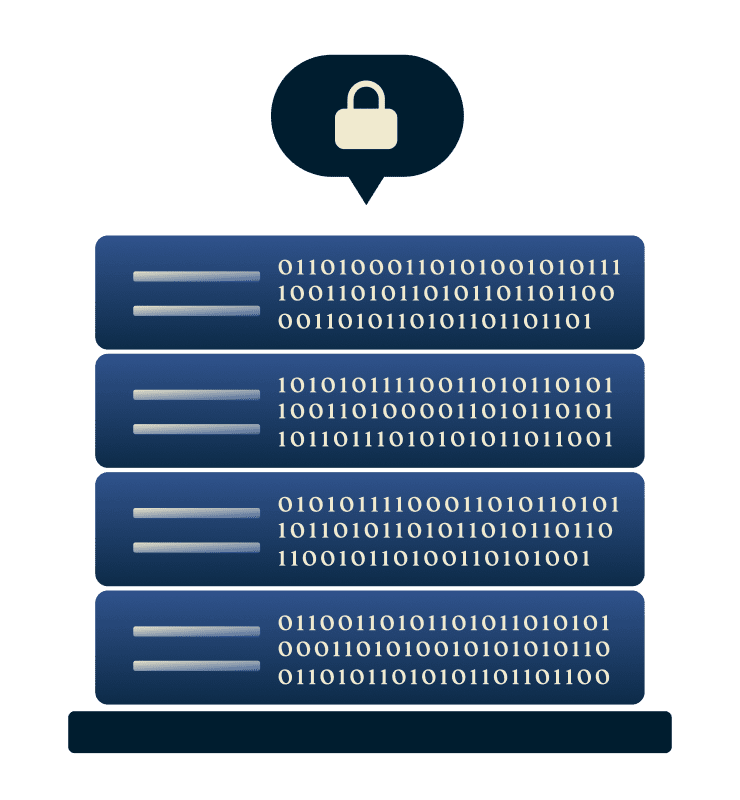
ExpressVPN uses 256-bit AES encryption and RAM-only TrustedServer technology to protect your data. Because our servers can’t store information, your activity remains private even in the unlikely event of a breach.
Our Trust Center demonstrates our commitment to transparency and reliability, giving you confidence in every connection. And if you ever need help, our support team is available 24/7.

Built-in speed and security with the Lightway protocol
Our custom Lightway protocol is engineered to balance speed and security. It’s lightweight design supports fast connection times without sacrificing performance. That means you can keep your online activity private as well as reliably stable.
If your ISP throttles the WireGuard protocol, you can switch to Lightway or OpenVPN in just a few seconds within the app. This helps you maintain a secure, reliable connection for everything you do online.
What people are saying about ExpressVPN
Trusted by happy customers for its speed, security, and simplicity
I have ExpressVPN on all my devices - phone, laptop, tablet, AppleTV, etc., and absolutely love it.


* A sample of reviews from our most satisfied customers
Got an account with @expressvpn yesterday. Great decision for traveling out of the country!
@D_Geiger

* A sample of reviews from our most satisfied customers
With its consistent performance and reliable security, ExpressVPN is the best VPN out there.

* We sometimes pay expert sites for customer referrals
FAQ
Find out more about how to stop ISP throttling based on activity
What is ISP throttling?
ISP throttling is when your provider intentionally slows your connection. Content-based throttling is when the throttling happens based on what you’re doing online, such as streaming or gaming. ExpressVPN helps prevent this by encrypting your traffic, making it harder for providers to identify specific activities and apply these targeted slowdowns.
How do I know if my internet is being throttled?
Check if your internet is being throttled by testing your speeds using an online speed test tool or simply searching "what is my internet speed". If you notice a significant increase compared to testing when you're connected to a VPN, it's possible your ISP is throttling your speeds.
Is ISP throttling legal?
Yes, it's legal for providers in many regions to manage traffic with throttling on their networks. Using a VPN can help you avoid content-based throttling, giving you a more consistent experience regardless of what you’re doing online.
Does throttling affect mobile data?
Mobile carriers can throttle data just like home broadband providers, especially during congestion or after you hit usage limits. ExpressVPN works across mobile networks and encrypts your traffic, helping reduce activity-based slowdowns.
Can free VPNs prevent ISP throttling?
Free VPNs often lack strong encryption, reliable servers, and the high-bandwidth networks needed to reduce throttling. ExpressVPN's global server network includes 40Gbps servers in many locations, along with the fast Lightway protocol for more consistent speeds and enhanced security.
Try ExpressVPN risk-free and stop ISP throttling
Stream and game with confidence and avoid activity-based throttling
All new subscribers can try ExpressVPN with a 30-day money-back guarantee* so you can experience the privacy, reliability, and ease of use that sets ExpressVPN apart.
*Users who purchased their subscriptions through the Apple App Store (iTunes) or the Google Play Store do not have access to the ExpressVPN 30-day money-back guarantee. Instead, users can request refunds through the App Store or Play Store, at Apple’s or Google’s discretion.