ExpressVPN Partners with Meta Quest, and Introduces Industry-First Hybrid VPN Browser Extension

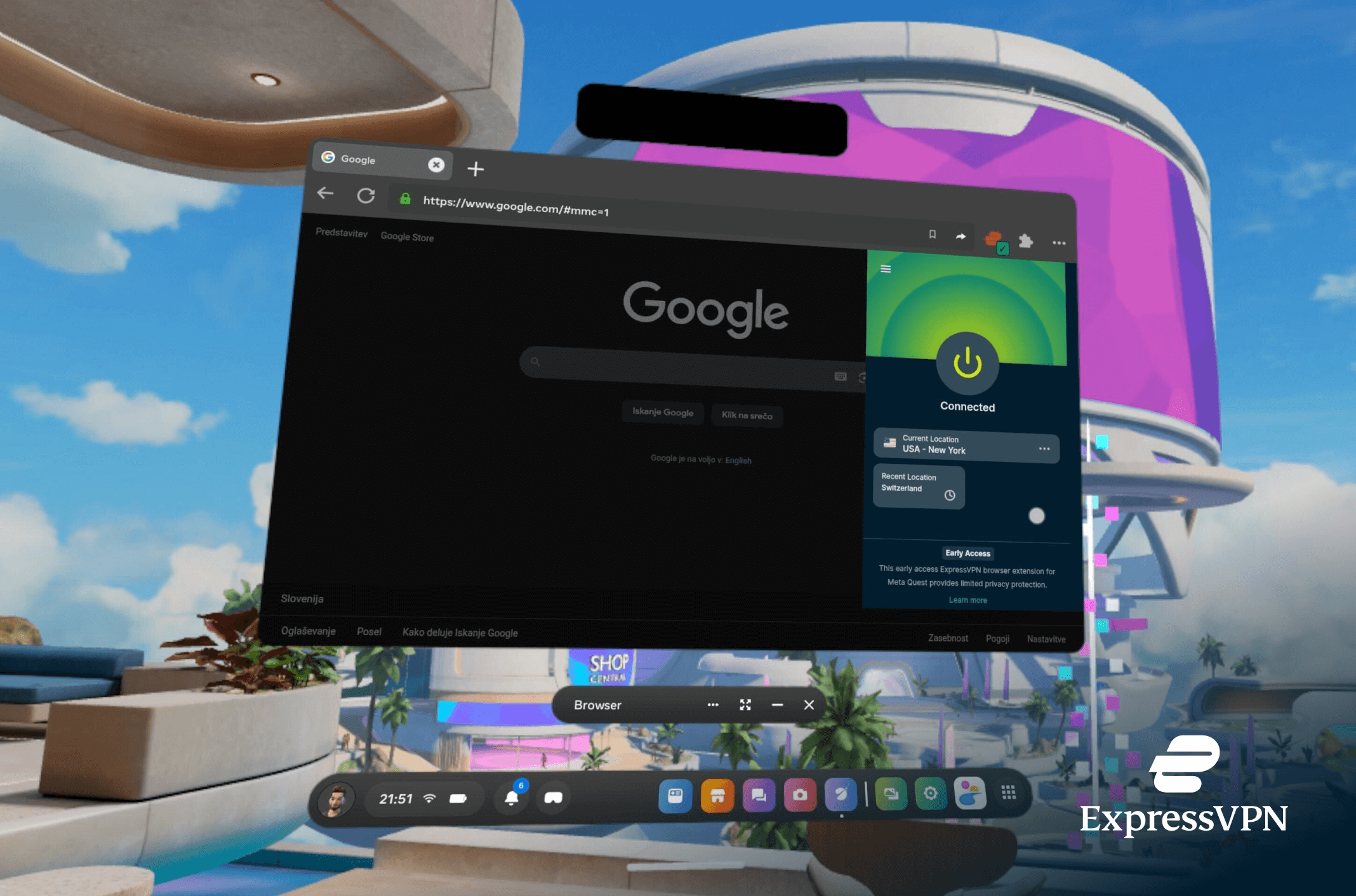
- ExpressVPN becomes one of the first VPNs to deliver privacy in VR through dedicated app for Meta Quest
- ExpressVPN introduces a new hybrid browser extension that lets users choose browser-only or full-device protection—unlocking VPN support on new platforms, with Meta Quest users set to get access soon
- Within the new industry-first browser, Smart Routing allows users to assign different VPN locations to individual websites, making it easier to access content from multiple regions or maintain separate privacy settings in a single browsing session.
BRITISH VIRGIN ISLANDS, 19th February 2026 – ExpressVPN today announced a partnership with Meta Quest, bringing its privacy and security tools to the headset via a dedicated app. Meta Quest users can download the ExpressVPN application from the Meta App Store today, enabling full-device VPN protection directly on the headset.
ExpressVPN also announced its new hybrid browser extension, a first-of-its-kind VPN-proxy solution that combines two modes of protection in a single tool. Users can run it independently to protect browser traffic even when no VPN app is installed or connect it to the ExpressVPN app for full-device coverage. This VPN-proxy hybrid approach is a first in the industry, which typically offers only browser-level support. Users can also connect different websites to different VPN locations using Smart Routing, and choose which apps use the VPN through split tunneling—giving them more control and flexibility.
The hybrid browser extension retains the privacy features ExpressVPN users expect, including HTML5 geolocation control, WebRTC leak protection, access to a wide range of server locations, and support for ExpressVPN’s Lightway protocol. When used in proxy mode, users can fine-tune how protection behaves across different sites through Smart Routing, allowing rules to be set based on specific websites or regions.
The hybrid extension is being rolled out across ExpressVPN’s browser products more broadly, reflecting how people increasingly use the internet across a mix of devices, platforms, and browser-based environments—without assuming that one level of protection fits every situation. You can install the ExpressVPN hybrid VPN browser extension from the Chrome Web Store or Firefox Add-ons library.
On Meta Quest, the extension will soon be available to users and is designed to protect browser traffic only, providing privacy without affecting the rest of the device. While Meta Quest is an early example, it highlights the value of browser-level protection in environments that typically don’t support traditional VPN apps.
Shay Peretz, Group Chief Operating Officer at ExpressVPN comments: “Most VPNs make you choose: either a simple browser proxy or a full-device app. Our new hybrid browser extension does both in a single tool. You can protect just your browser when you want something lightweight, or switch to full-device coverage with a click. We’re excited to launch this first-of-its-kind extension in the industry”.
ENDS
About ExpressVPN
Since 2009, ExpressVPN has empowered millions of users to take control of their internet experience. The company's award-winning consumer VPN service is backed by its open-source VPN protocol, Lightway, delivering user privacy in just a few clicks. ExpressVPN’s Keys password manager, Aircove router range, and Identity Defender tools make digital privacy and security easy and accessible for all. ExpressVPN's products have been extensively vetted by third-party experts, including PwC, Cure53, KPMG, and others.
Registered in the British Virgin Islands, ExpressVPN has been part of Kape Technologies since 2021. To learn more about ExpressVPN’s industry-leading privacy and security solutions, visit www.expressvpn.com.
About Meta Quest
Meta Quest is a line of virtual reality headsets with augmented reality capabilities developed by Reality Labs, a division of Meta.
Contact
ExpressVPN press team
Take the first step to protect yourself online. Try ExpressVPN risk-free.
Get ExpressVPN