
Expressvpn Glossary
Directory traversal attack

What is a directory traversal attack?
A directory traversal attack (also known as path traversal, dot-dot-slash attack, directory climbing, or backtracking) is a web security vulnerability that may allow an attacker to access files or directories outside the location an application is intended to expose.
How does a directory traversal attack work?
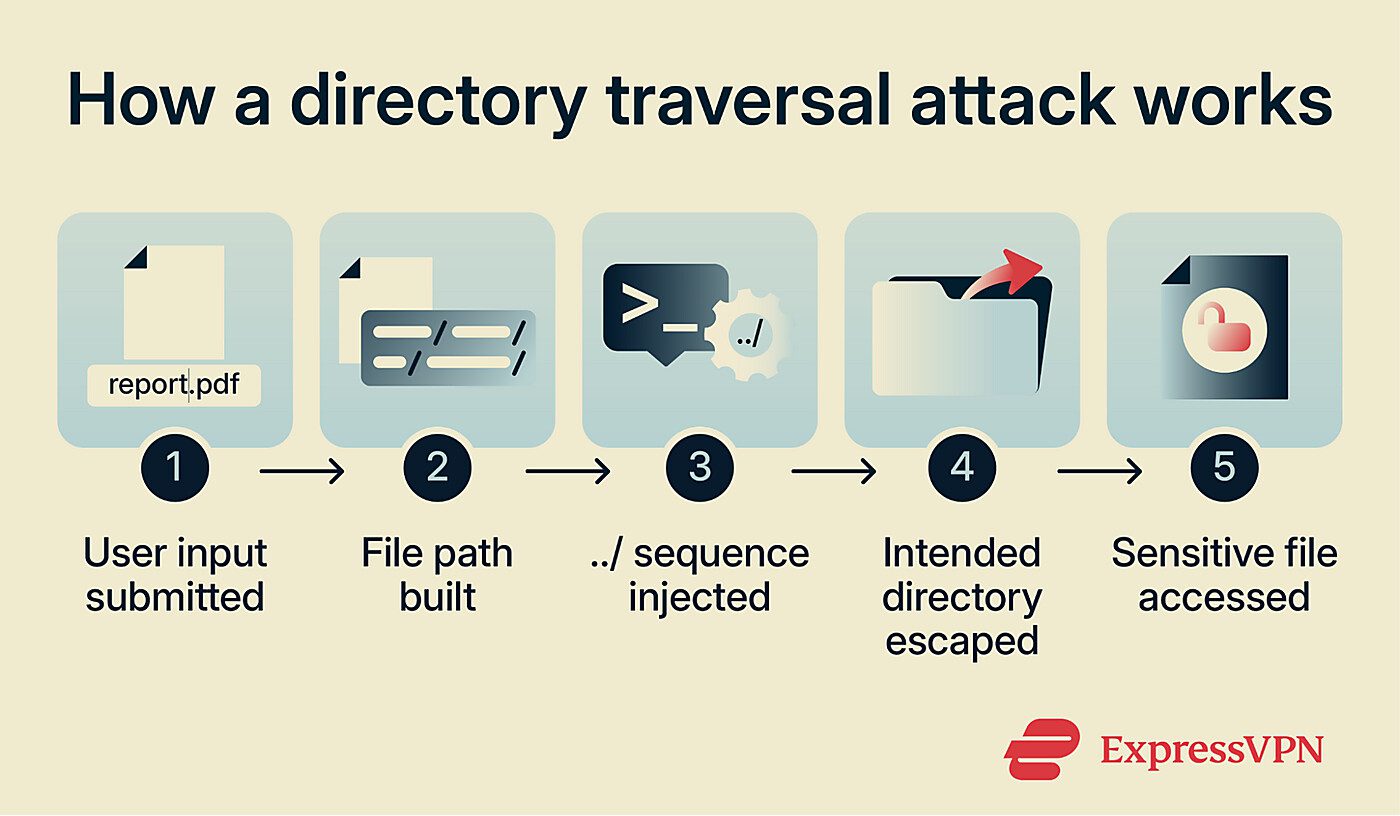
A directory traversal attack works by manipulating file paths constructed from user-controlled input. If the application doesn't properly validate or sanitize this input, the attacker can modify the path to reference unintended locations on the server.
This is typically done using traversal sequences such as ../, which move up one directory level. Repeating these sequences allows the attacker to escape the intended directory and access other parts of the file system.
Impact of a directory traversal attack
A successful directory traversal attack can expose application source code, configuration files, system files, logs, and other internal resources. In some cases, it may also allow writing to arbitrary files on the server, potentially enabling modification of application data or behavior and leading to full system compromise.
This access can also help attackers map the server's directory structure, supporting later stages of an attack.
Common attack surfaces
Directory traversal vulnerabilities typically appear in features that handle file paths or dynamically load local resources. Common examples include:
- File download features: Parameters specifying download filenames can be altered to retrieve unintended files.
- Image or document viewers: Applications that load media from user-supplied paths may allow access outside the intended directory.
- Template rendering: Server-side features that render pages using templating languages, such as Hypertext PreProcessor (PHP), Jinja, or Handlebars, can be exploited if an attacker can control which file is loaded as a template. Because these languages can execute code, supplying an attacker-controlled file (such as an uploaded file or a log file containing injected content) can escalate directory traversal to code execution.
- Content management systems (CMSs) and plugin environments: CMSs and third-party plugins often perform file operations, increasing the likelihood of improper path handling.
Risks and privacy concerns
Directory traversal can lead to serious security and privacy consequences when exposed files contain sensitive information:
- Credential and key disclosure: Configuration or system files may contain passwords, API keys, or authentication tokens.
- User data exposure: Personal or account-related information stored in accessible files may be retrieved.
- Internal structure leakage: Exposed directory paths, source code, or configuration details can give attackers insight into the system’s organization, aiding further exploitation.
- Compliance violations: Unauthorized access to regulated or sensitive data may breach data protection requirements.
- Arbitrary code execution: Directory traversal can enable indirect server-side template injection (SSTI), allowing attackers to execute arbitrary code on the server.
How to prevent a directory traversal attack?
The primary defenses against directory traversal include avoiding the use of user-supplied input in file system calls, validating input against an allowlist of permitted values, canonicalizing file paths and verifying they remain within the intended base directory, and applying the principle of least privilege to limit what the application can access on the file system.
Further reading
- Cybersecurity vulnerabilities explained
- What is SQL injection? How it works and how to prevent it
- What is cross-site scripting (XSS) and how it works
- How to identify and mitigate attack vectors in cybersecurity
- Why software security audits matter
FAQ
What is the difference between directory traversal and file inclusion?
Can directory traversal attacks lead to remote code execution?
For example, in a Hypertext PreProcessor (PHP) application, if an attacker can write a file outside a directory designated for static content and into one where PHP files are executed server-side, they may be able to run arbitrary code by requesting the file in a browser. Exposed information from read access, such as credentials or internal paths, can also support remote code execution through other weaknesses.







