
Expressvpn Glossary
Data feed
What is a data feed?
A data feed is a mechanism for delivering structured data from one system to another in a continuous or regularly updated stream. It allows applications, platforms, and services to receive up-to-date information without manually retrieving it.
How does a data feed work?
A data feed operates through one of two models: publish-subscribe, where the source automatically sends data to an intermediary that delivers it to the receiving systems when data changes, or request-response, where the receiving system asks for data at set intervals.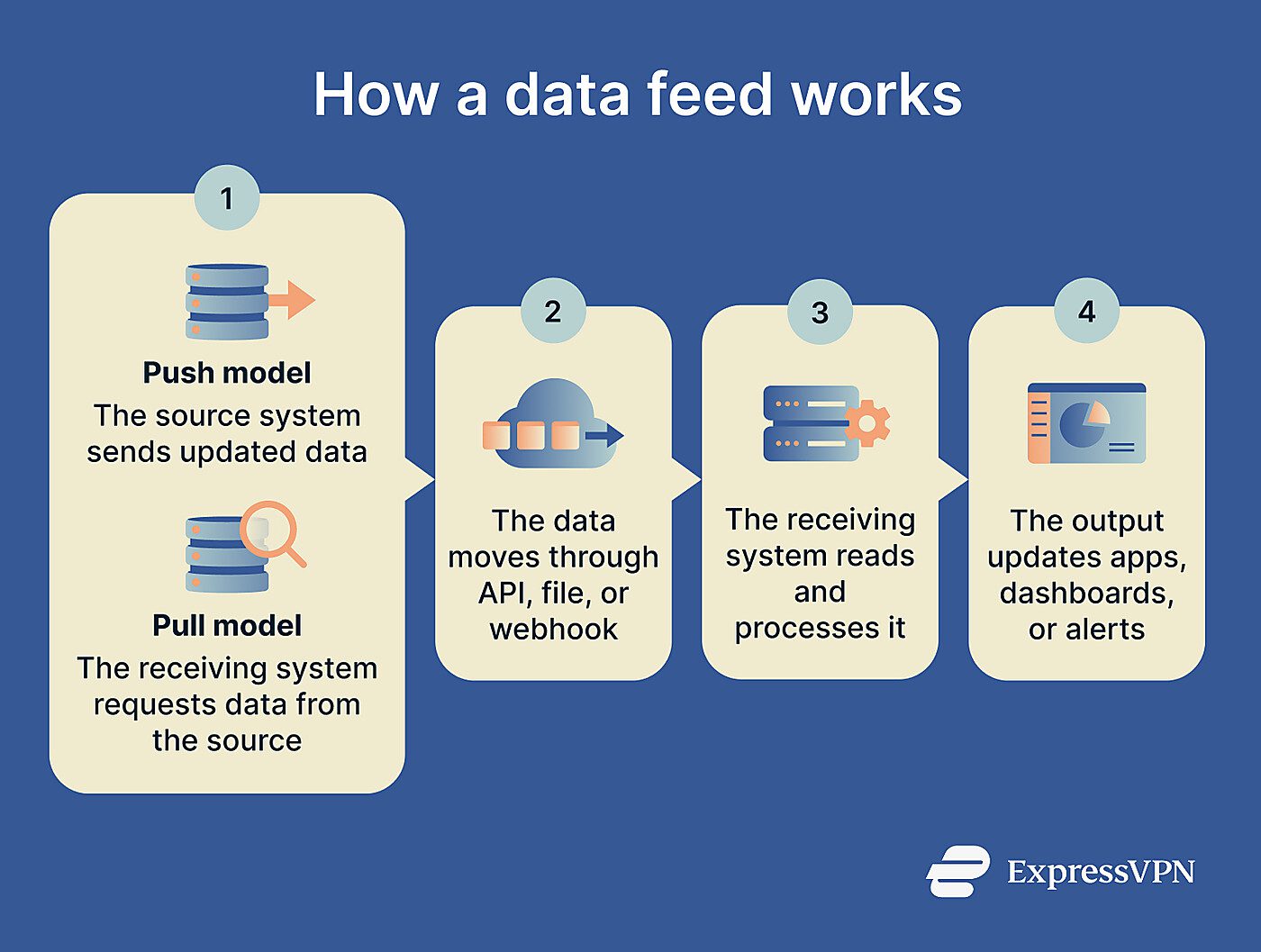
A data provider generates or aggregates information and packages it in a structured format, such as XML, JSON, or CSV. The receiving system then consumes this data either by polling the source (periodically checking for new data) or by receiving automatic pushes, usually via a webhook, when new data is available.
The data is typically parsed, meaning each value is mapped to the correct field, and integrated into the receiving system's database or interface for display or further processing.
Data feed use cases
Data feeds are commonly categorized by the kind of content they carry and the systems they connect:
- E-commerce data feeds: Share product details, like titles, descriptions, prices, availability, and images, across shopping channels.
- Content syndication feeds: Publish updates from sites and blogs in formats that allow feed readers and other services to retrieve new content automatically.
- Event and integration feeds: Send structured event data between services via APIs or webhooks, keeping connected systems in sync as activity occurs.
- Financial feeds: Deliver live market data, stock prices, and trading signals to financial platforms and automated systems.
- Threat intelligence feeds: Share structured data about cyber threats between security systems and organizations.
Security and privacy concerns
Data feeds introduce several security and privacy considerations, particularly when they carry sensitive or regulated information.
- Inaccurate or manipulated data can lead to incorrect outputs, flawed decisions, or corrupted records.
- Lack of authentication or access controls can expose sensitive data to unauthorized systems or users.
- Unencrypted data can be intercepted or tampered with in transit.
- Non-compliant use of a feed can result in fines, legal action, or loss of access.
- Consuming feeds from external providers introduces dependency on their data quality and security practices.
Further reading
- What is big data security and privacy?
- Data scraping: What it is and how it works
- Data harvesting: What it is and how to stay protected







