- Official VPN Partner

- 2026 Best VPN for Gaming*

How to change region in League of Legends and Wild Rift
Choose between 170+ locations across 105 countries when you want to climb with your squad at home and abroad
*ExpressVPN helps support expert review sites through an affiliate program that compensates them for referrals.
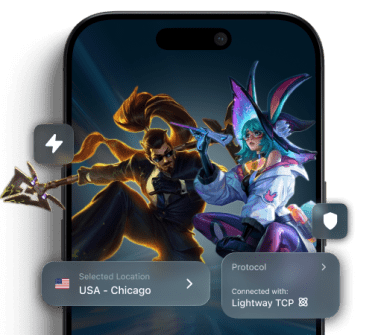









Understanding your Riot Games region of residence
RoR determines your game server, matchmaking, and more

What is your region of residence (RoR)?
Your RoR is the region your Riot account is officially assigned to when you first create it. This determines your server cluster or shard, matchmaking pools, store content, and more.
You can’t switch regions with your existing account by changing your IP address in either League of Legends or Wild Rift.

Americas vs global infrastructure
In League of Legends, you choose a regional server such as NA or EUW. In Wild Rift, you’re either assigned to the Americas or a global grouping covering Europe and Asia.
Once your account is assigned to a region or shard, it can’t be easily transferred to another.
How to change regions in League of Legends and Wild Rift
There are 2 methods depending on the game
-
Method 1:

Free method
This method is applicable to both League of Legends and Wild Rift
-
Method 2:

Paid method
This method is only applicable to League of Legends
Method 1
Create a new account
-

-

-

Step 3:
Create a new Riot account
Go to the LoL website and create an account for the new region.
-

Step 4:
Play League of Legends
Boot up the game normally but with enhanced privacy.
Customer support available 24/7 via live chat and email
Method 2
Transfer an existing account
-
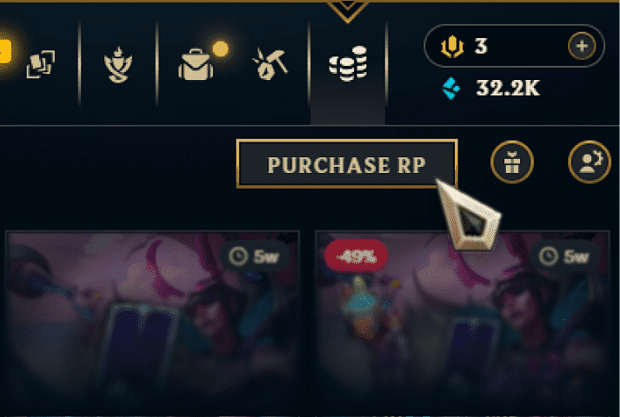
Step 1:
Open the LoL client
Click the store button on the homepage and select ‘Purchase RP’.
-
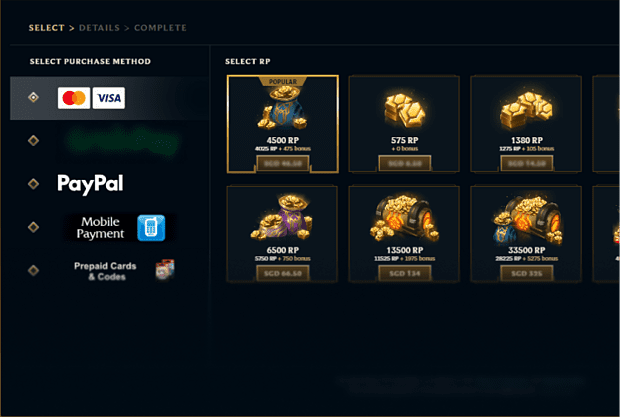
Step 2:
Purchase RP
Get at least 2,600 RP (~ USD 20) and enter your payment details.
-
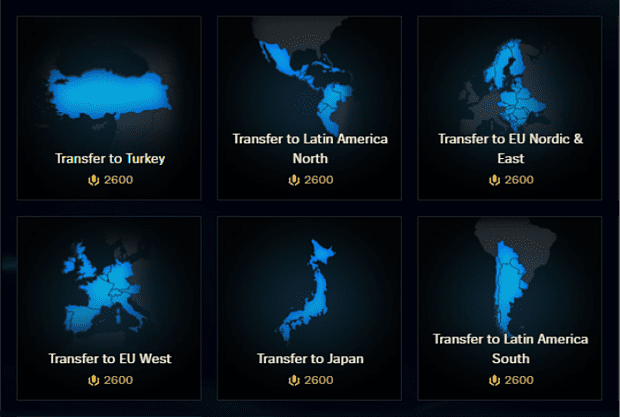
Step 3:
Select a new region
Go back to main store, open your account, and select a new LoL server region.
-
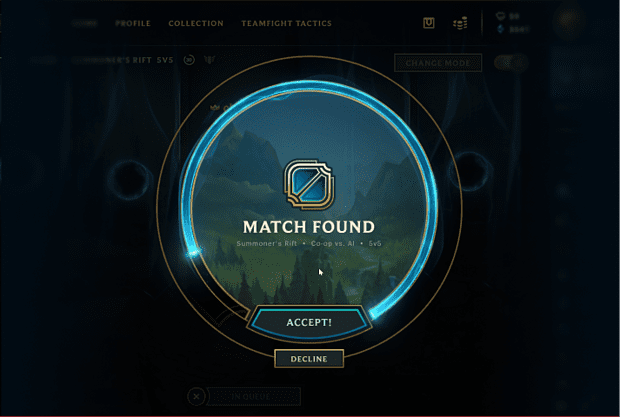
Step 4:
Play in a new region
You can now play LoL in a new region with the same account.
Account transfers have a 90-day cooldown period so you’ll have to wait 90 days before you’re able to make another transfer at 2,600 RP.
Why Use a VPN for League of Legends and Wild Rift?
ExpressVPN protects your connection and maintains its speeds

Lower latency to regional shards
Riot Games routes regional traffic through key hubs, and if your ISP routes traffic inefficiently to those destinations, it can cause higher ping and lag spikes.
With servers in 170+ locations worldwide, ExpressVPN can offer a more direct route to Riot's servers than your ISP's default path. This is especially useful if you're traveling far from your home shard.

Protection against DDoS and drop-hacking
A losing player may attempt to force you out of the game through DDoS attacks or other tactics, using your IP address.
ExpressVPN masks your real IP address and routes your traffic through secure VPN servers for gaming, making it harder for anyone to identify and target your network during competitive play.

Avoid ISP throttling during major seasonal patches
Some ISPs apply content-based throttling, selectively slowing specific types of traffic they identify, including gaming and downloads.
With ExpressVPN’s encryption, ISPs can’t identify your gaming traffic, only that you’re using a VPN. This can be especially useful when downloading large patches or playing on multiple devices at once.
Free VPNs vs. ExpressVPN: Protecting your Riot ID
Find out how to change region in LoL with the right VPN
-
Why free VPNs often trigger "Abnormal Activity" flags
Riot’s security and anti-cheat systems monitor suspicious activity. Free VPN servers are often overcrowded with thousands of users sharing a single IP address. This can sometimes look like unusual behavior or account sharing and trigger an Abnormal Activity flag.
ExpressVPN operates a large network of servers with regularly refreshed IP addresses. Since fewer users share each IP and they’re often replaced, you’re less likely to get flagged.
-

Unlimited bandwidth for high-speed game updates
Lol and Wild Rift receive frequent patches, balance updates, and seasonal content drops that involve downloading gigabytes of data. Many free VPNs impose strict bandwidth limits or throttle speeds after a small amount of data usage.
ExpressVPN’s unlimited bandwidth and fast VPN servers let you download game patches, updates, and new content without caps.
Why players trust the best gaming VPN for League of Legends
Reviews from our most satisfied customers
-
#1 Best VPN 2026
Best Gaming VPNExpressVPN is the best Gaming VPN right now, thanks to its impressive speeds, excellent privacy protections and expansive global network of servers.

-
Editor’s Choice Award 2026
ExpressVPN’s expansive network and dedication to staying on the forefront of encryption tech earn it an award.

-
#1 Best VPN for the U.S. 2026
ExpressVPN is the best VPN for the U.S. right now. It has VPN servers in every American state, excellent security, and a simple user interface.

-
The fastest VPN
ExpressVPN is the fastest VPN I’ve found. It shows you the fastest server you can connect to, and a list of alternative servers. Or, you can let it choose for you. It’s affordable and worth it.
Christopher Gilmer


-
Great for travel & access
Does exactly what it's supposed to. Using it while travelling is great, accessing international websites for purchases is great, doesn't lag internet speed too much. Peace of mind and super easy to use.
Sam H.


-
Extremely reliable
ExpressVPN provides extremely reliable service that will keep you and your personal information safe. ExpressVPN is the perfect all around VPN service for your network security needs.
Dirt_Reynolds
-
Protects all devices
Just want to say, I have used ExpressVPN for over 10 years. On my phone, computers, and even on my home router. You guys are the very best!
OneDarkSeed

-
Excellent value
One of the major names in virtual private network (VPN) services, ExpressVPN offers a lot to consumers at face value.
MacHash

-
Post-quantum encryption
Backed by bleeding-edge post-quantum encryption technology, Express has landed a firm spot on our best VPNs list.
Carles Dijous






FAQs: How to change region in League of Legends
Get your answers and sign up for ExpressVPN
Will I keep my skins and champions if I change regions?
It depends on the method. If you transfer your account with Riot Points, your skins, champions, and most content move with you, though your rank resets. If you create a new account in another region, nothing carries over because it’s a completely separate Riot account.
Why can't I gift skins to my friends in another region?
Gifting only works within the same server region. Riot restricts cross-region gifting to prevent pricing abuse and maintain regional store systems, so both players must be on the same server (for example NA-to-NA or EUW-to-EUW).
Can I change my region back to my original one?
Yes. If you’ve created a new account in another region, simply log back into your original account to switch back. If you used Riot Points to transfer your account, you can switch back after 90 days. However, you’ll need to purchase another region transfer, and standard transfer restrictions may apply.
Why is my ping high even after changing regions?
If the new game server is too far away or your ISP routes traffic inefficiently, your connection may still have high latency. Ping depends on network distance and routing, not just the region your account belongs to.
Does changing my region affect Teamfight Tactics (TFT)?
Yes. Teamfight Tactics shares the same account and server system as League of Legends, so transferring your region moves your TFT profile as well. Your cosmetics and most account data transfer, but ranked progress and matchmaking are tied to the new region.
How to change LoL regions with the full benefits of ExpressVPN
- Change regions with over 170 locations to choose from
- Use the app’s built-in server speed test to find the best option
- Reach out to our 24/7 customer support for expert troubleshooting