






Follow the steps below to reset your ExpressKeys recovery code. You should reset your recovery code if you have lost it or believe it may have been compromised. To reset your recovery code, you will need your vault password.
You can reset your recovery code using the ExpressKeys app for Android, iOS, and macOS, or the ExpressKeys browser extension.
Jump to…
ExpressKeys for Android, iOS, and the browser extension
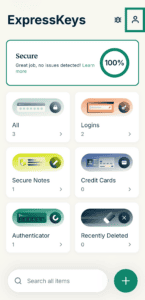
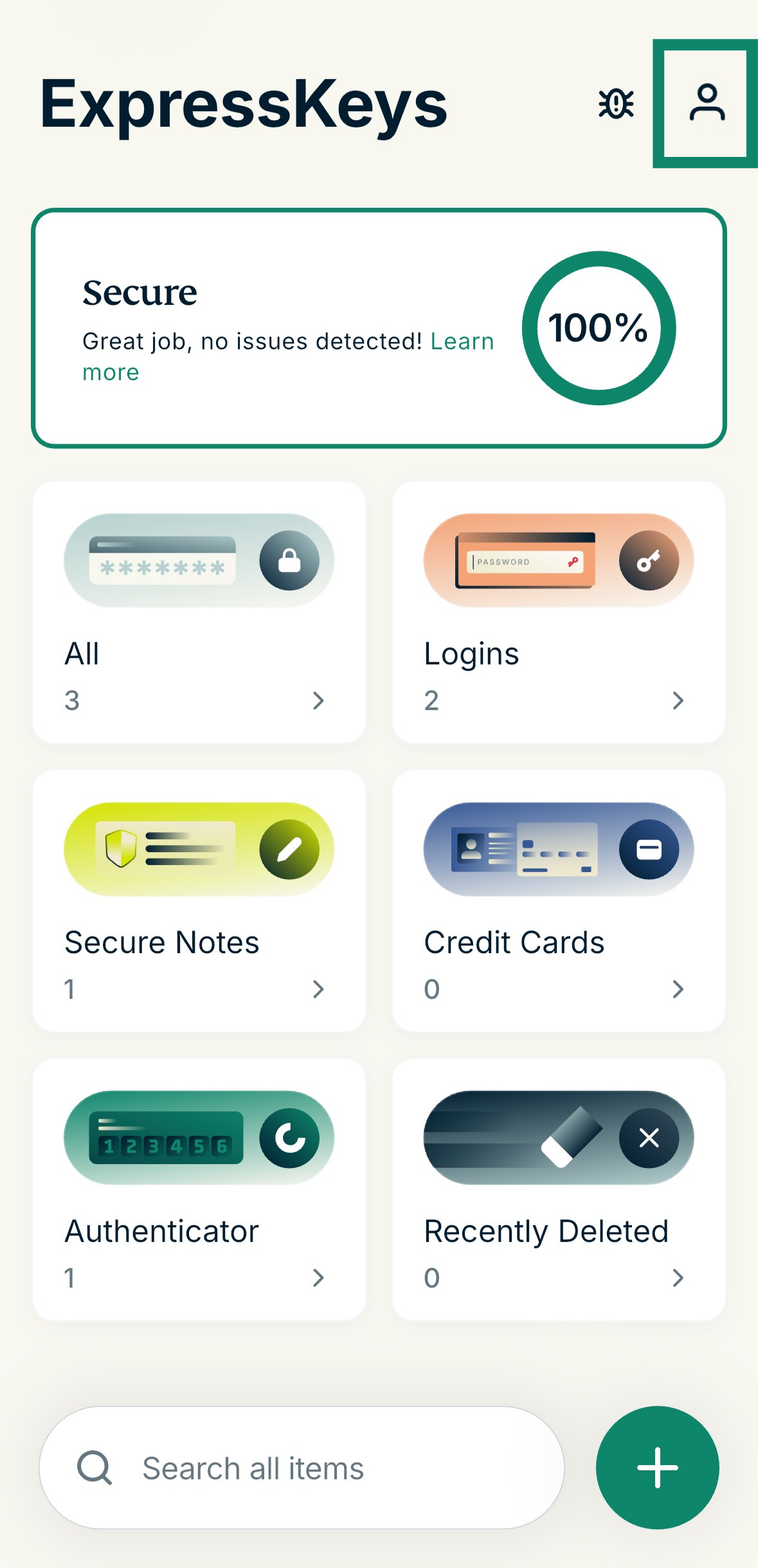
- Open ExpressKeys and select the profile icon

 .
.

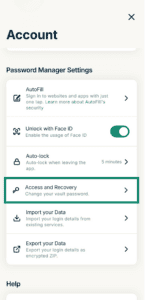
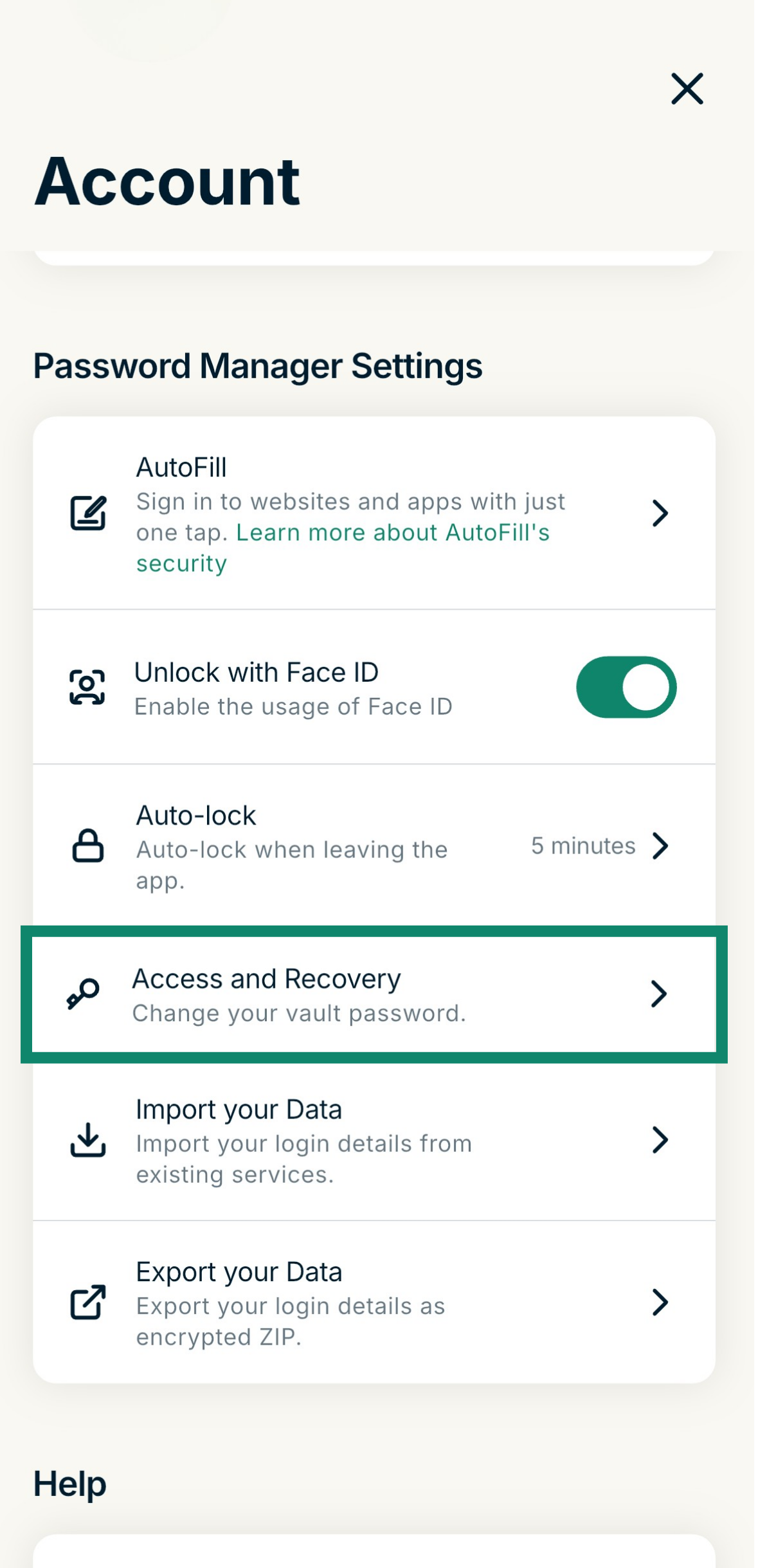
- Select Access and Recovery.
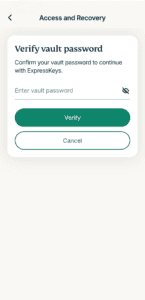
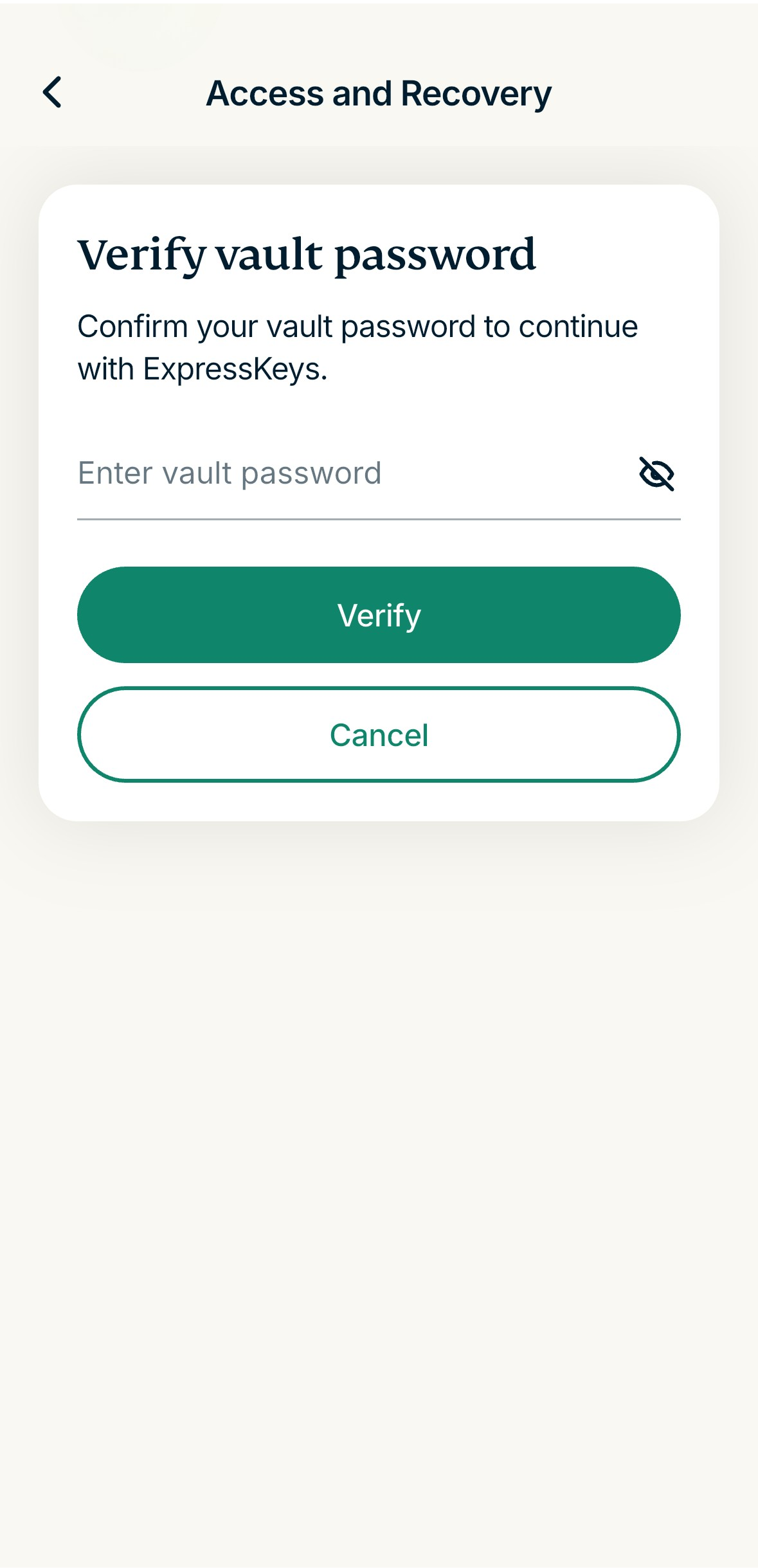
- Enter your vault password, then select Verify.
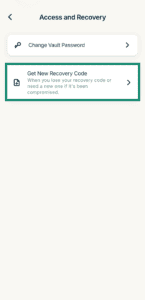
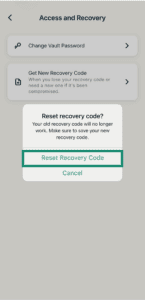
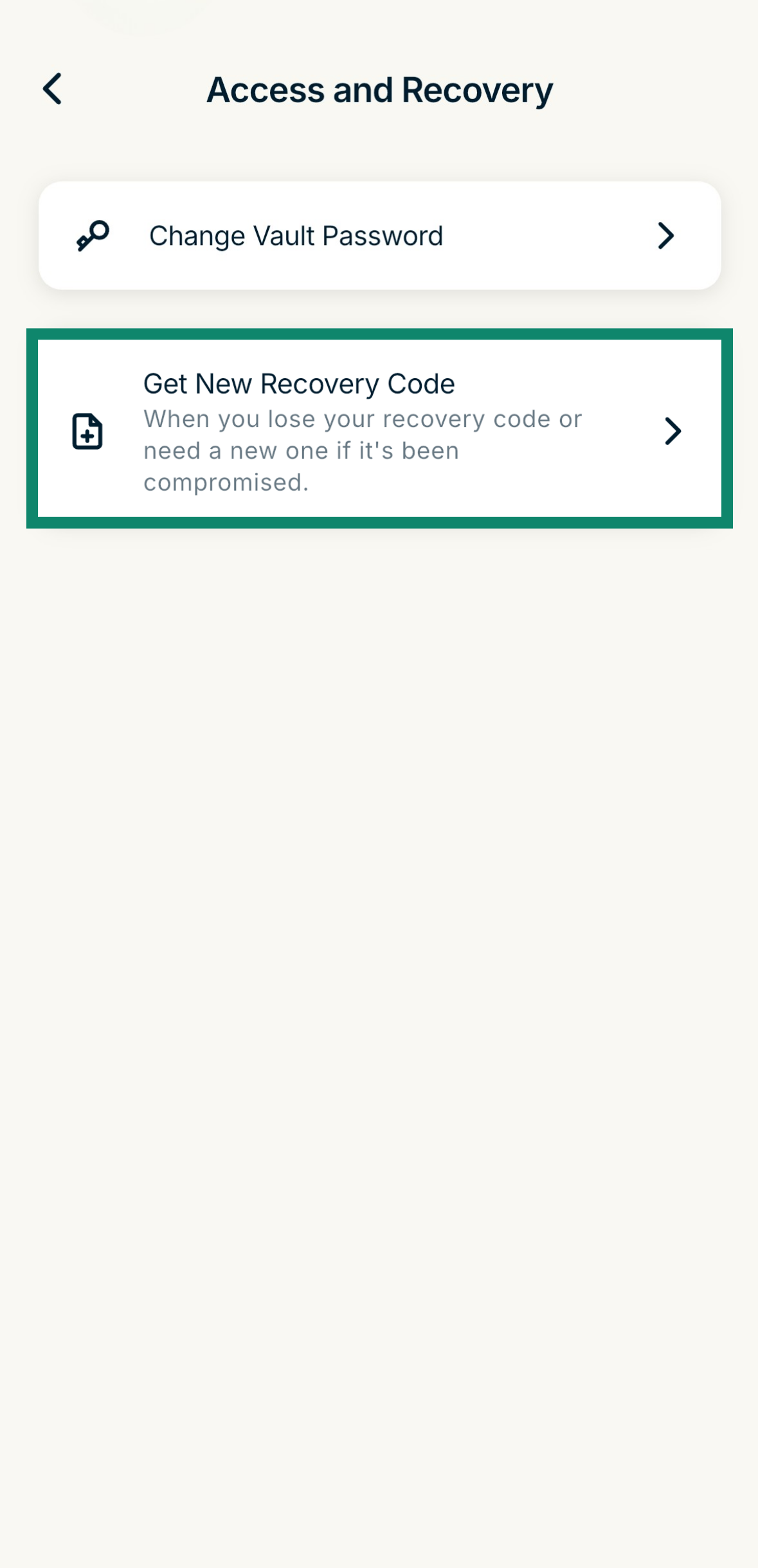
- Select Get New Recovery Code.
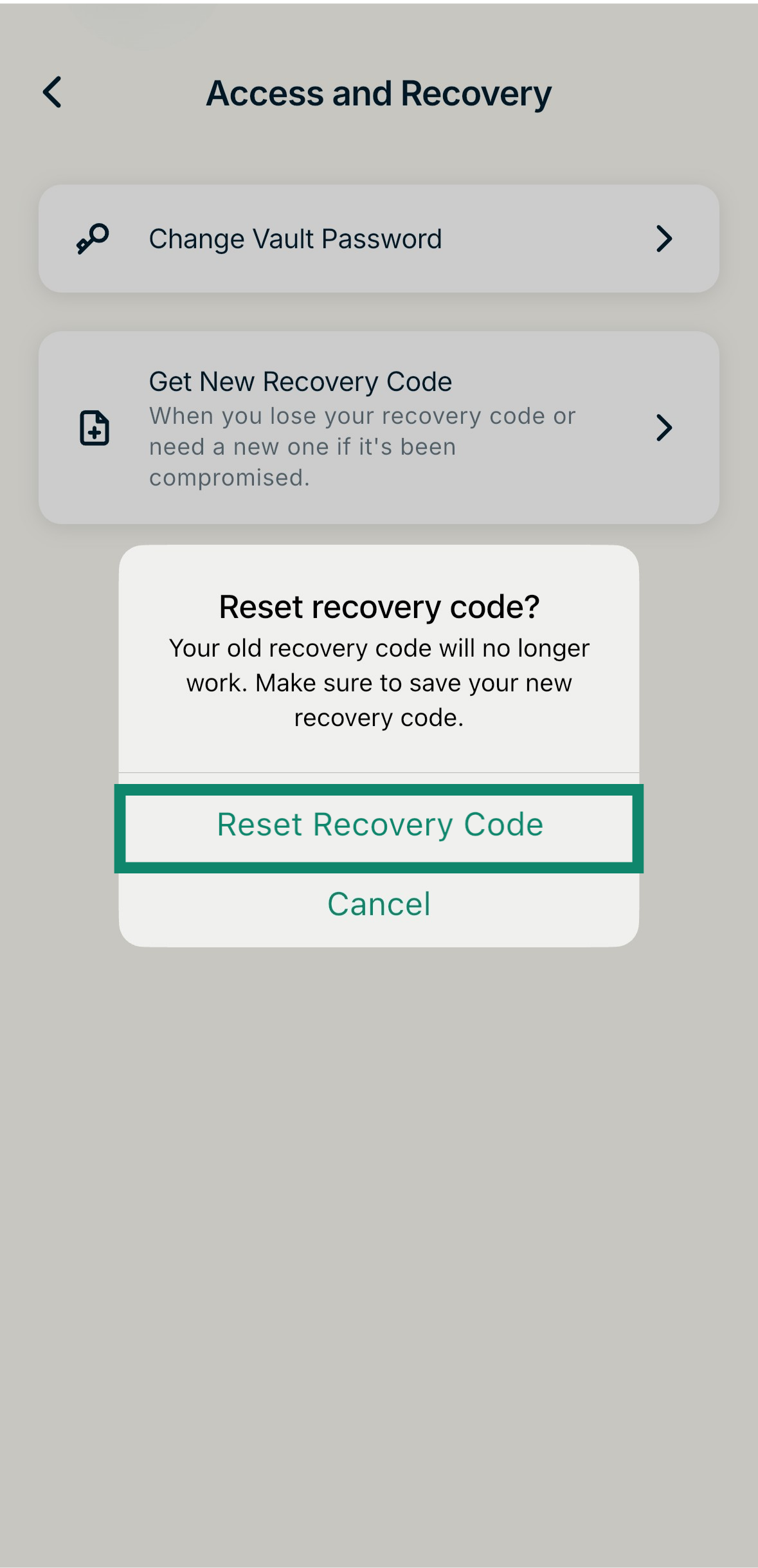
- Select Reset Recovery Code to confirm.
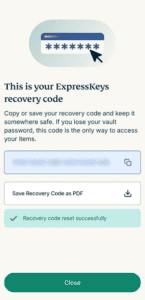
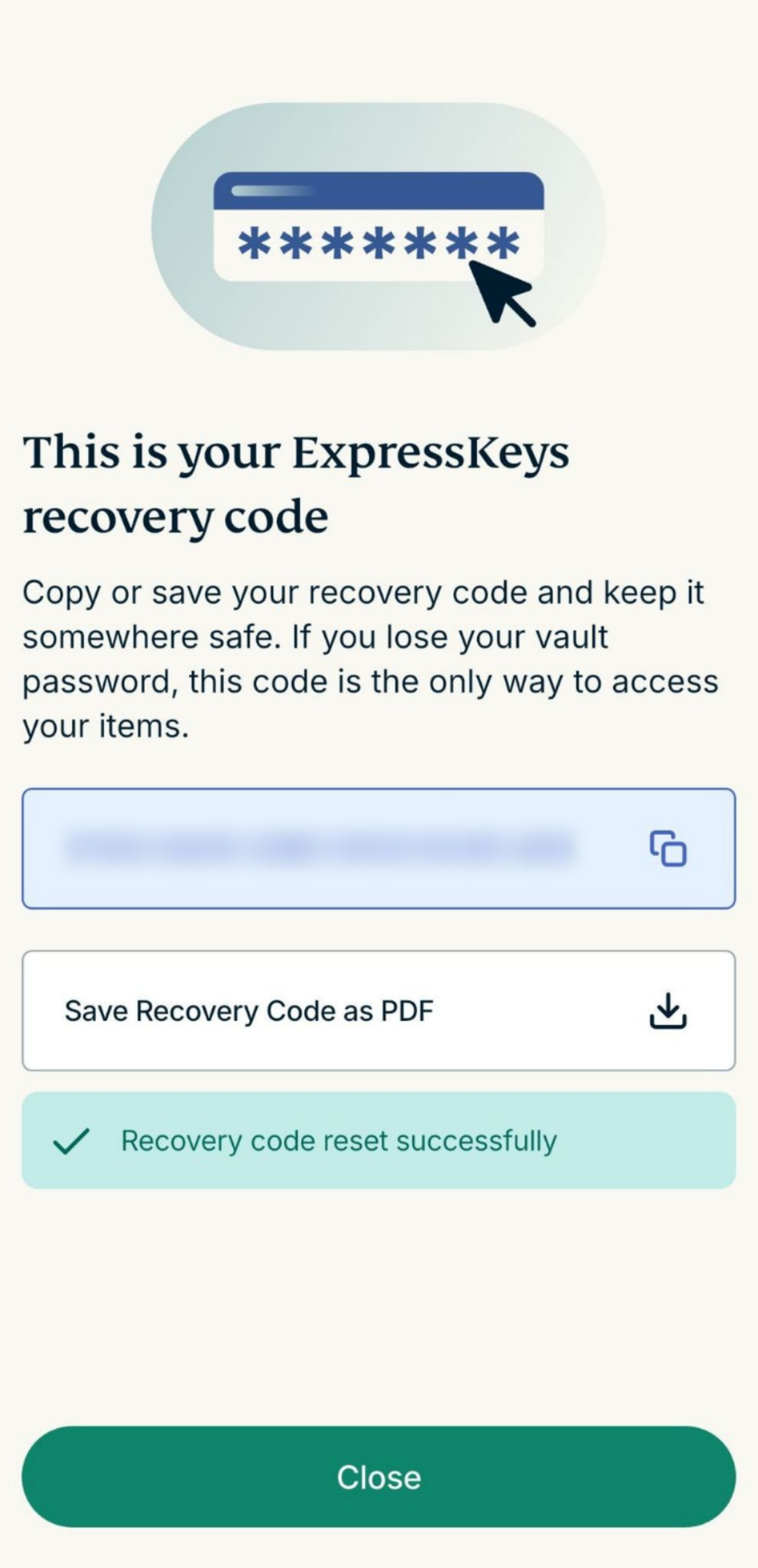
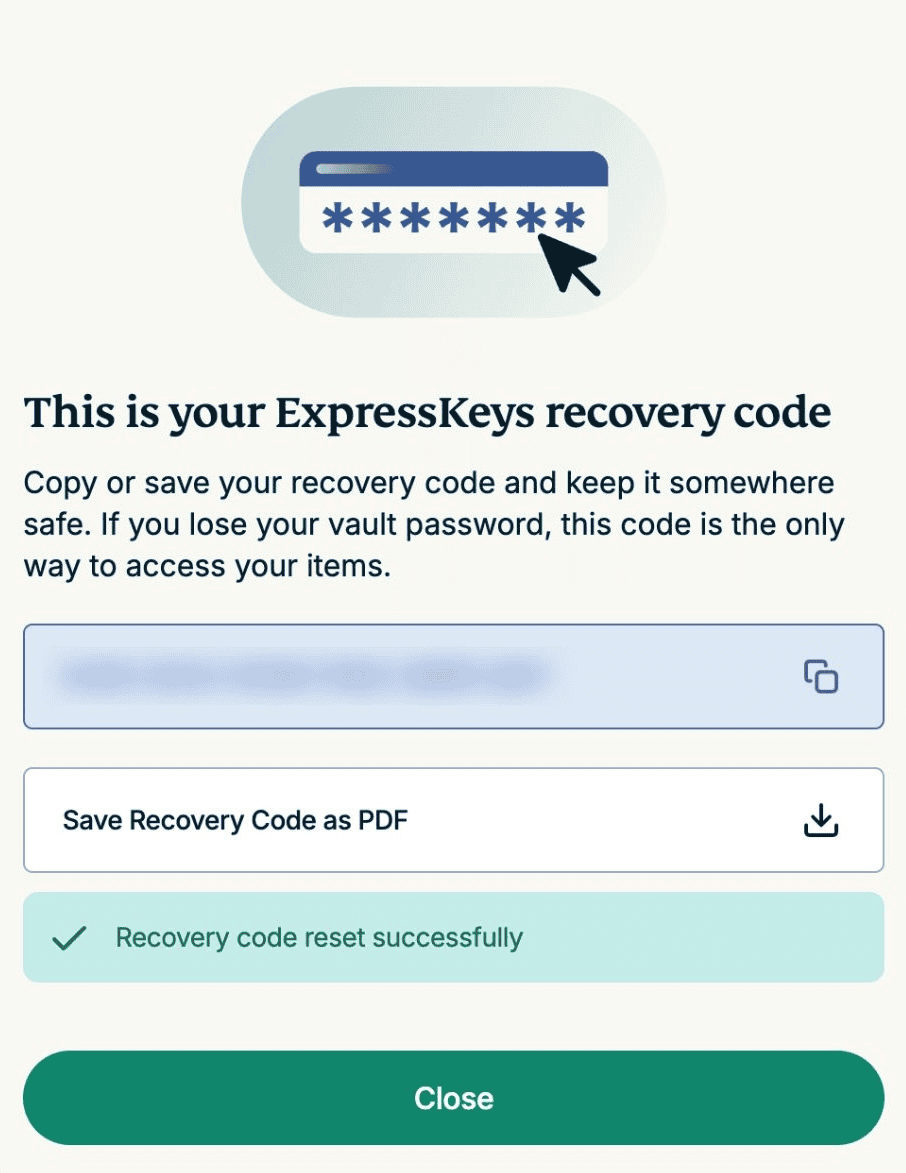
- Save your new recovery code and store it in a safe place. You can copy and paste it into a note or a document or download it as a PDF file. When done, select Close.
Need help? Contact the ExpressVPN Support Team for immediate assistance.
ExpressKeys for macOS
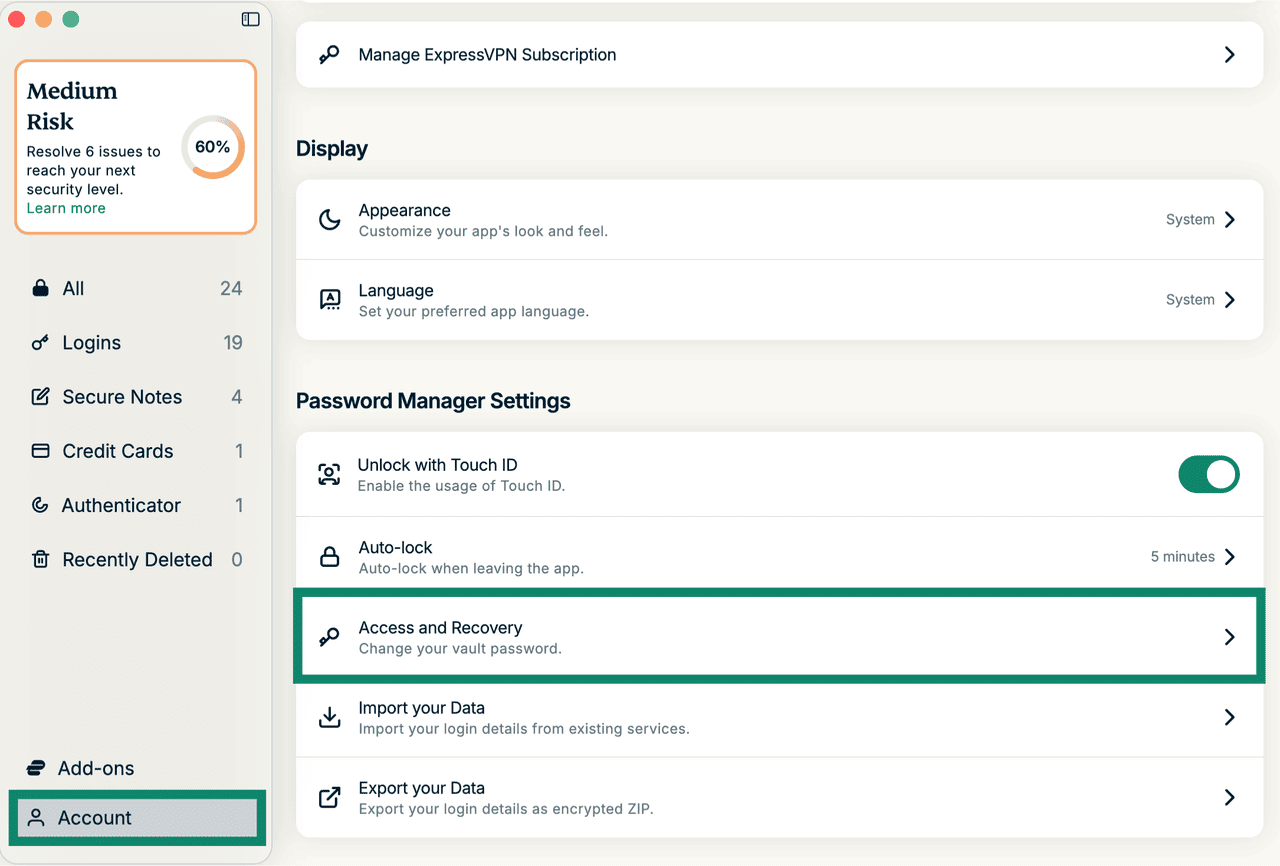
- In the ExpressKeys app, select Account > Access and Recovery.


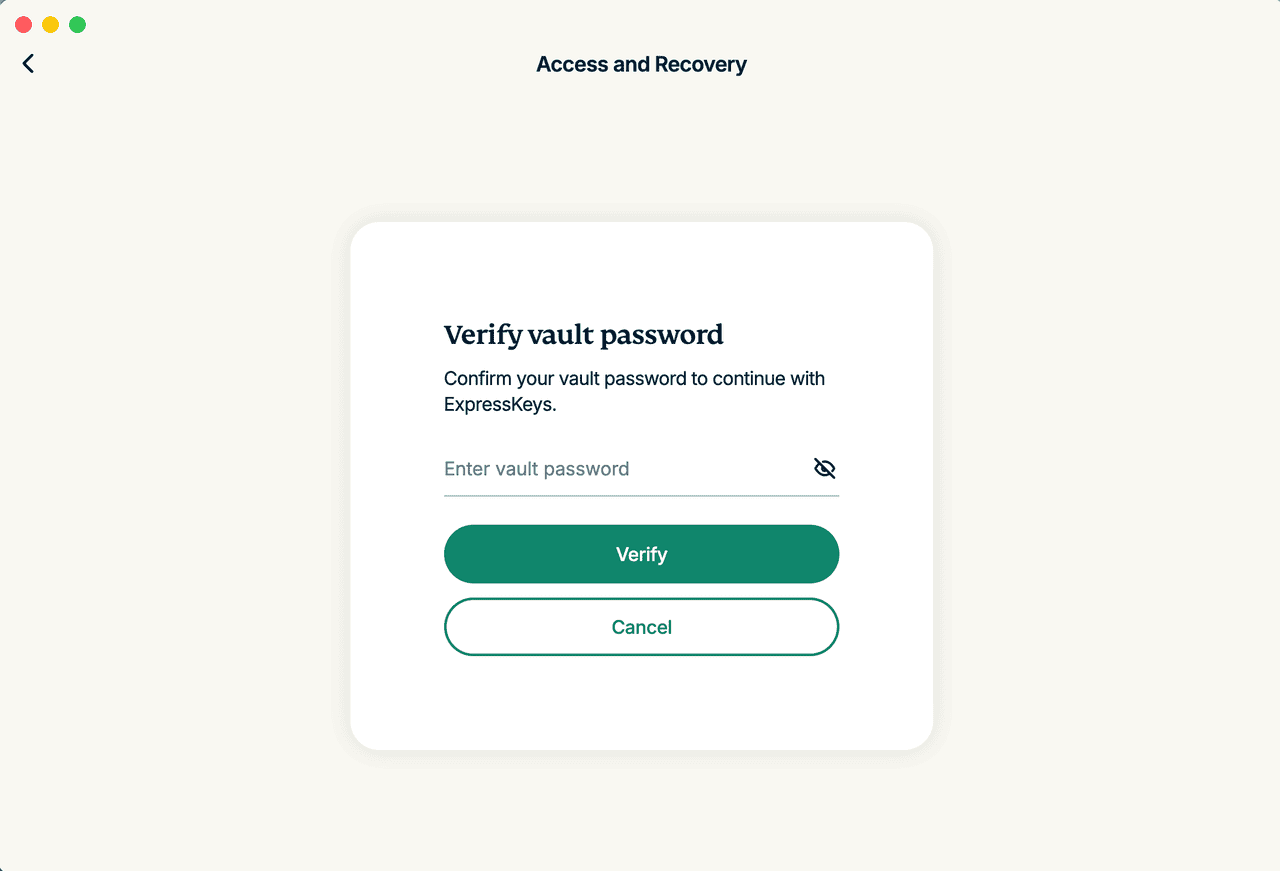
- Enter your vault password and click Verify.


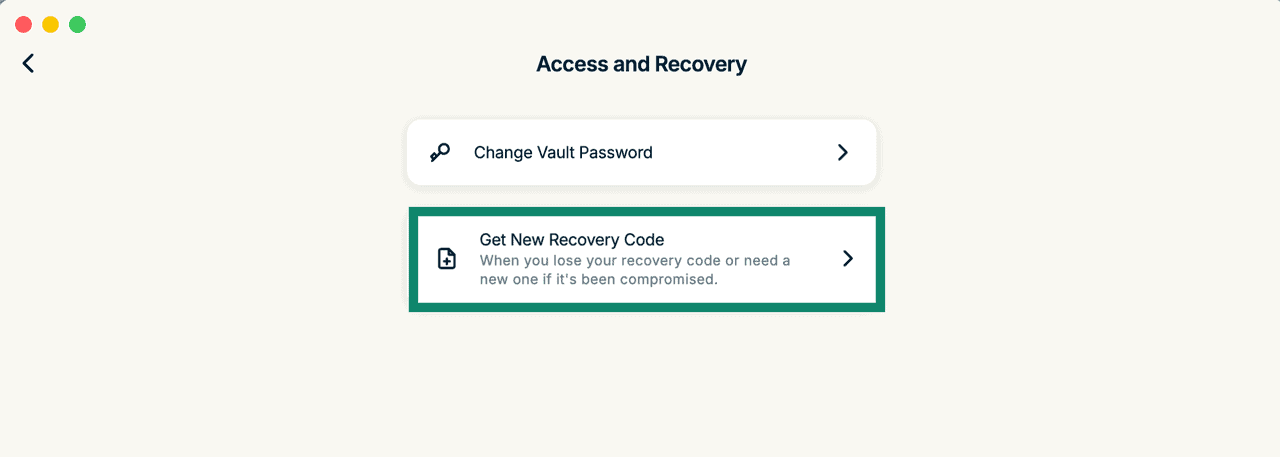
- Select Get New Recovery Code.


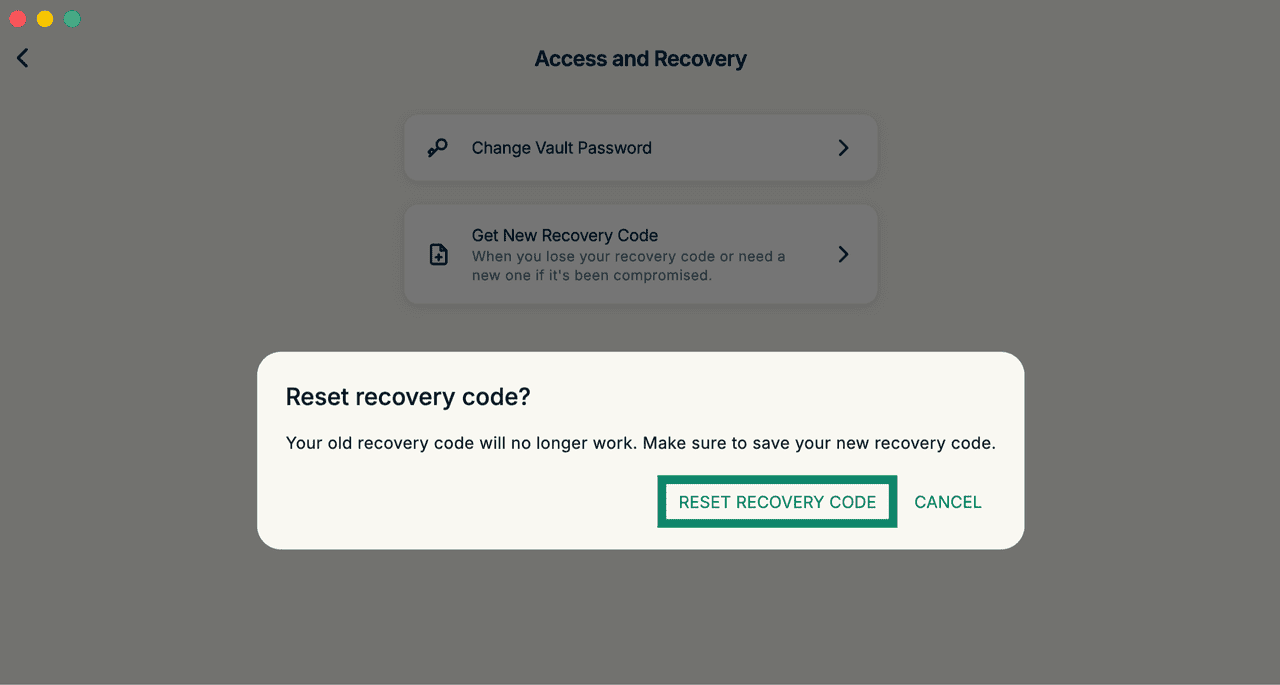
- Select RESET RECOVERY CODE in the pop-up.


- Save your new recovery code and store it in a safe place. You can copy and paste it into a note or a document or download it as a PDF file. When done, click Close.


Need help? Contact the ExpressVPN Support Team for immediate assistance.