
Advanced Protection now works with more VPN protocols



ExpressVPN users can now keep Advanced Protection on more VPN protocol options, including OpenVPN and WireGuard.
Protocols give you options, whether you need maximum compatibility, a way around a restrictive network, or simply prefer one over another. Choosing one shouldn't mean giving up the privacy and security features that help keep you protected online.
Whether you let ExpressVPN choose the best protocol automatically or you select one yourself, you can now enjoy the same built-in protections without compromise.
Advanced Protection protocol support at a glance
- Compatibility: Advanced Protection now works across all major VPN protocol options available in the ExpressVPN app.
- Expanded protocol support: Now includes OpenVPN UDP, OpenVPN TCP, and WireGuard.
- Same protections: Block trackers, malicious sites, ads, and adult sites while your VPN is connected.
- Broad availability: The update is available across ExpressVPN apps, including iOS, Android, Windows, macOS, Linux, Apple TV, and Android-based TV.
- What you need: The latest version of the ExpressVPN app.
Switch protocols without switching off your protections
Advanced Protection helps block trackers, malicious sites, ads, and adult sites while the VPN is connected. Previously, switching away from Automatic or Lightway meant those protections had to be turned off. Now, they stay with you across all major protocol options available in the ExpressVPN app.
The exact protocol options vary by platform, but Advanced Protection now works with more of the choices users see in the ExpressVPN app, including:
- Automatic
- Lightway UDP
- Lightway TCP
- OpenVPN UDP
- OpenVPN TCP
- WireGuard
For most people, Automatic is still the easiest option. But if you prefer switching protocols for troubleshooting, compatibility with certain networks, or simply personal preference, you no longer have to choose between your preferred connection and Advanced Protection.
What Advanced Protection includes
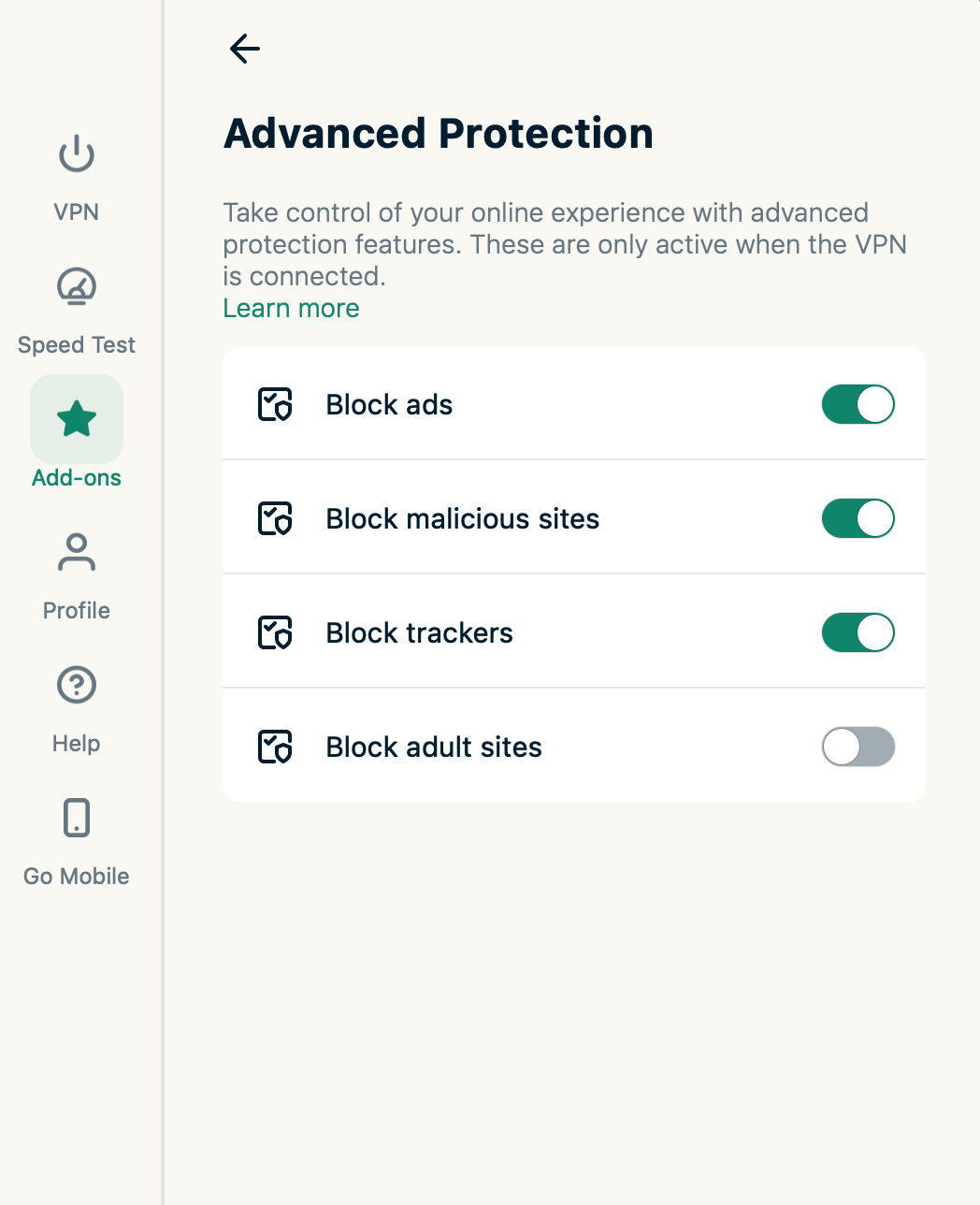
Advanced Protection brings together several settings that help reduce common online risks while the VPN is connected. Users can block trackers, malicious sites, many intrusive display ads, and adult sites.
These settings can be managed individually from the Add-ons tab in the ExpressVPN app.
Get the update
Advanced Protection with full protocol support is available in the latest version of the ExpressVPN app. Open your app store and update to the newest version, or download the latest ExpressVPN apps here.
Once you're updated, head to Add-ons to turn on the protections you want, then connect with whichever protocol suits you. They'll stay on either way.
Read more: What is Advanced Protection?