
Expressvpn Glossary
DNS load balancing

What is DNS load balancing?
The Domain Name System (DNS) translates human-readable domain names into IP addresses that computers use to identify each other on a network. It acts as a directory that allows devices to locate and connect to websites and services.
DNS load balancing is a method of distributing incoming traffic across multiple servers by returning different IP addresses in response to DNS queries. It allows a single domain name to point to several servers, helping spread requests, improve performance, and increase service availability.
How does DNS load balancing work?
DNS load balancing works by associating a single domain name (like www.expressvpn.com) with multiple IP addresses. When a DNS query is made, the DNS server returns one or more of these addresses, allowing traffic to be distributed across multiple servers.
A typical process involves:
- Multiple IP addresses: A domain is mapped to several IP addresses, each corresponding to a different server.
- DNS query: A DNS resolver requests the IP address for that domain.
- DNS response: The DNS server response depends on the load-balancing approach:
- Server-side: Selects the best IP address and returns only that one, directing the client to a specific server.
- Client-side: Returns multiple IP addresses, allowing the client to choose which server to connect to.
- Hybrid: Returns a subset of available IP addresses (not all of them), and the client selects one from that list. This lets the DNS server filter out unhealthy or overloaded servers while still giving the client flexibility in the final selection.
- Traffic distribution: Over many queries, traffic is spread across the available servers based on how responses are selected and used.
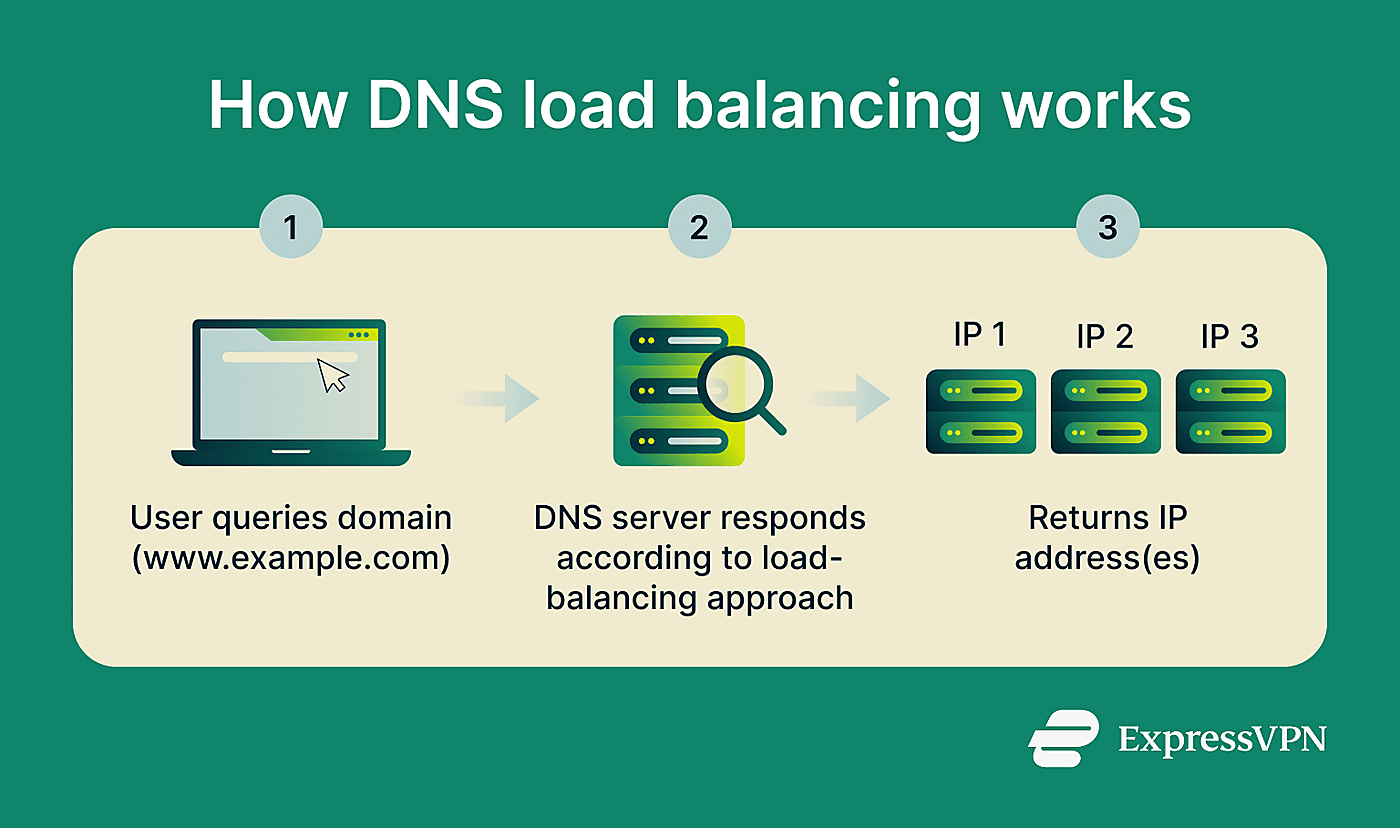
In simple configurations, the DNS server rotates responses across the set of available IP addresses (round-robin DNS).
More advanced approaches include GeoDNS, which returns IP addresses based on geographic location, and weighted routing, which assigns different proportions of traffic to servers based on their capacity or priority.
Why is DNS load balancing important?
DNS server load balancing improves the reliability and performance of online services by spreading traffic across multiple servers.
Key benefits include:
- Higher availability: Traffic can be distributed away from servers that are offline or unavailable, reducing service interruptions.
- Improved performance: GeoDNS routing can improve response times for geographically distributed users by directing them to closer servers.
- Scalability: A single domain can serve traffic across many servers simultaneously, supporting large request volumes. Additional servers can easily be added.
- Strengthens security: Load balancing using DNS can help distribute traffic across multiple servers, potentially reducing the impact of traffic spikes or some denial-of-service (DoS) attacks, which aim to overwhelm a server with requests.
Where is it used?
Load balancing DNS is used by global websites and web apps, Software-as-a-Service (SaaS) platforms, APIs, and content delivery networks (CDNs).
It’s also used in multi-region cloud deployments and disaster recovery environments. Large localized networks (like data centers) also use it to distribute traffic across servers and support scalability.
Limitations and risks
Misconfigured DNS load balancing can lead to security and privacy concerns for organizations, such as:
- No real-time health checks: Basic DNS load balancing doesn’t verify whether a server is online or overloaded and may continue directing users to failed servers.
- Time-to-live (TTL) constraints: DNS records are cached (stored) for a duration set by the TTL value. A high TTL improves performance and reduces server load. A low TTL increases query volume and hence server load.
- Configuration errors: Incorrect DNS records or configuration errors can lead to downtime or misrouted traffic.
Further reading
- Types of DNS servers: Everything you need to know
- Managed DNS: Your complete guide to implementation
- What is DNS TTL? Best practices for privacy and performance
- DNS record types explained: A complete guide for privacy
- DNS cache: What it is, and how to clear it







