



Need a VPN for your router?
Get ExpressVPN Now
Love ExpressVPN? Want a free month?
Refer a Friend NowThis guide will show you how to use MediaStreamer on a router running ExpressVPN.
MediaStreamer is a DNS service designed to improve your streaming experience. MediaStreamer is not a VPN and does not offer the privacy and security benefits of a VPN. You cannot change locations using MediaStreamer.
To use MediaStreamer, make sure to:
- Set up ExpressVPN on your router
- Connect your devices to the router
Jump to…
Use MediaStreamer on a router running ExpressVPN (v2 onwards)
Use MediaStreamer on a router running ExpressVPN (v1)
Use MediaStreamer on a router running ExpressVPN (v2 onwards)
- Sign in to your router running ExpressVPN.
- Select the device group you want to use MediaStreamer for (for example, the “Streaming” group) by swiping right.
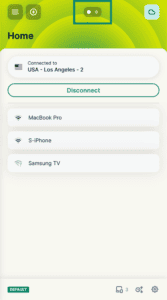

- Tap the current location at the top of the group to open the location picker.
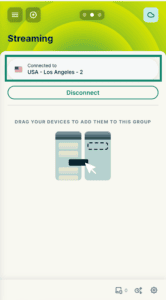

- Select the Others tab.
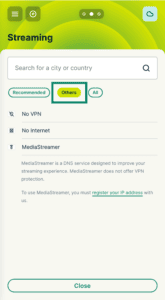

- Select MediaStreamer.
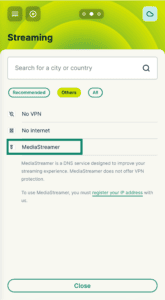
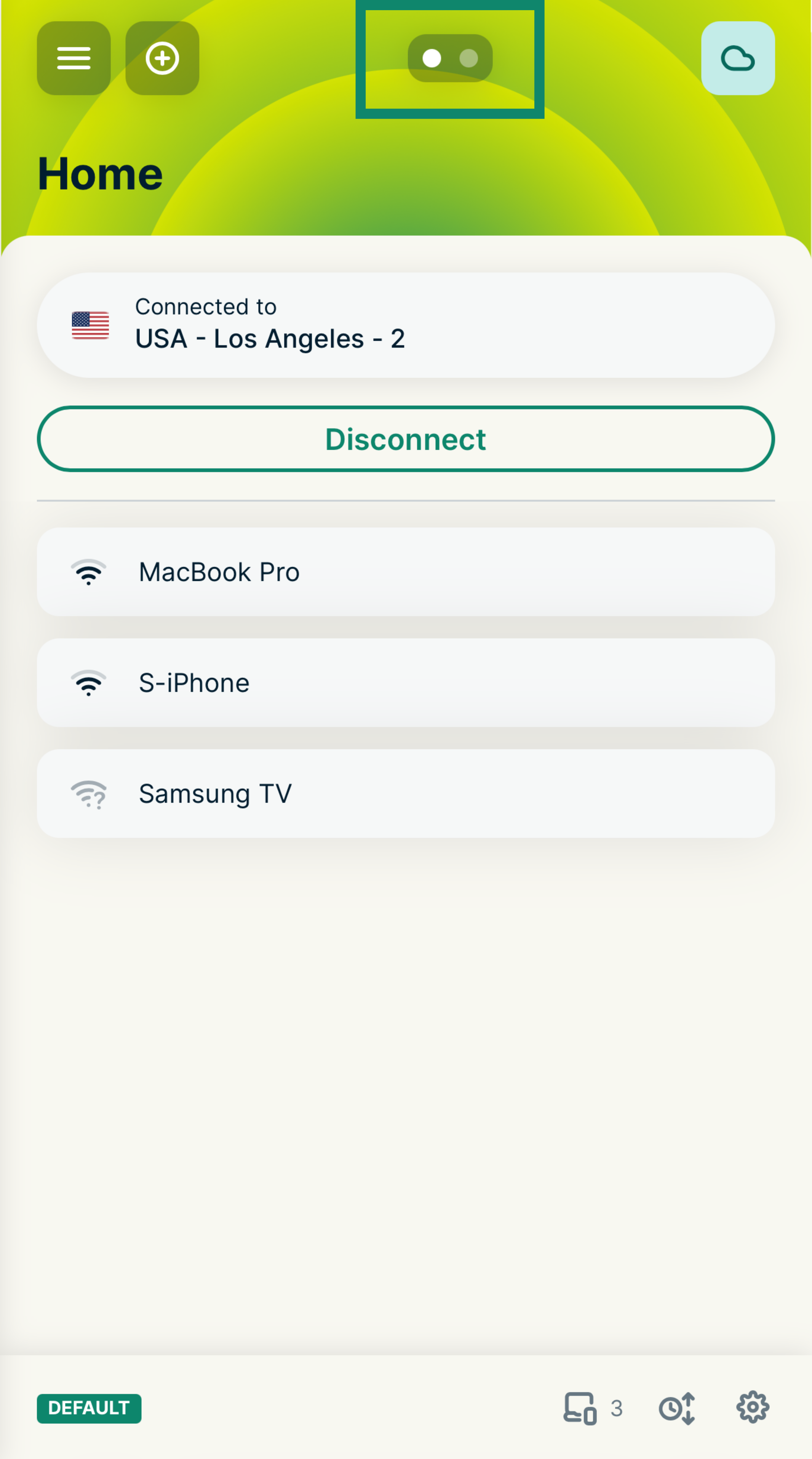
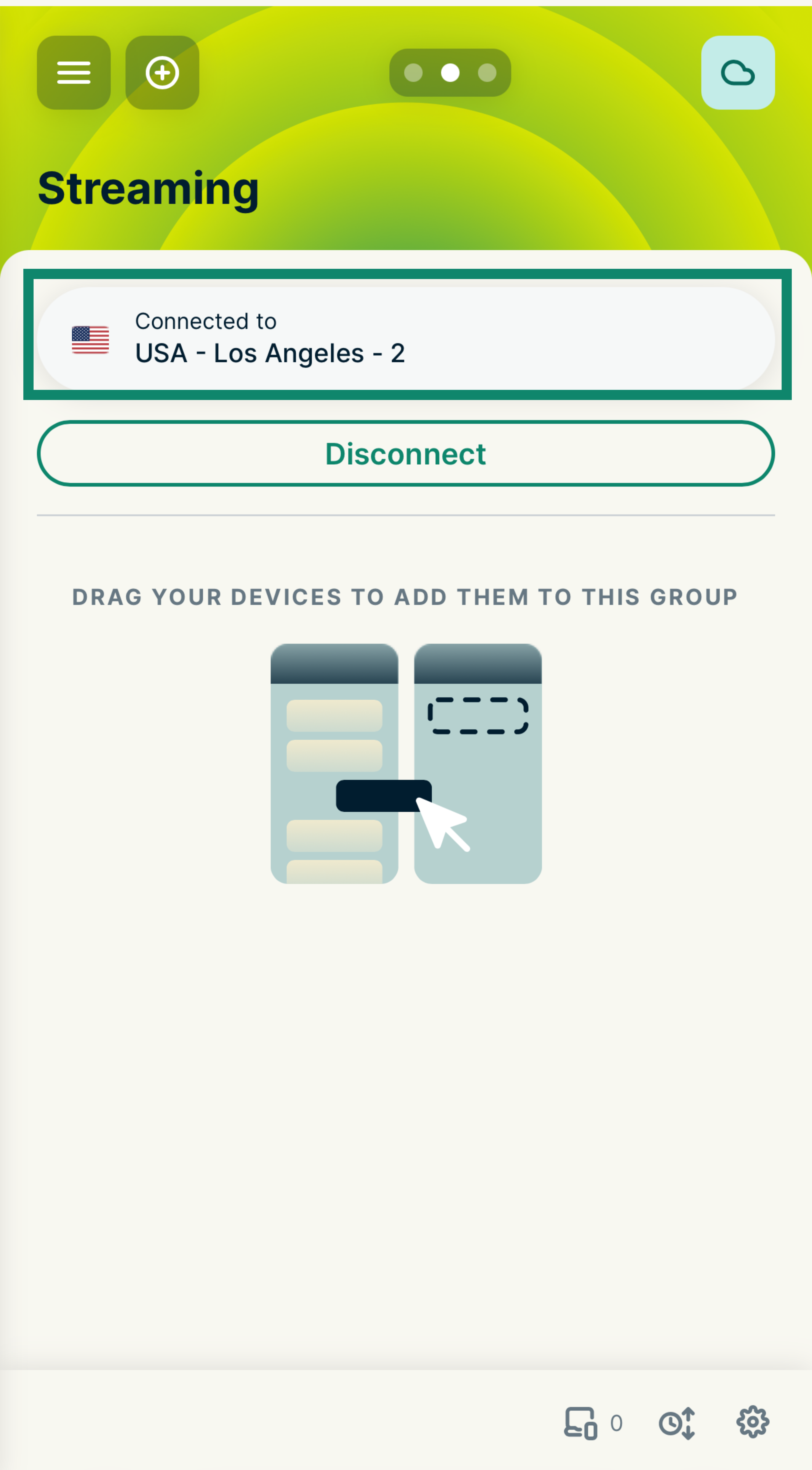
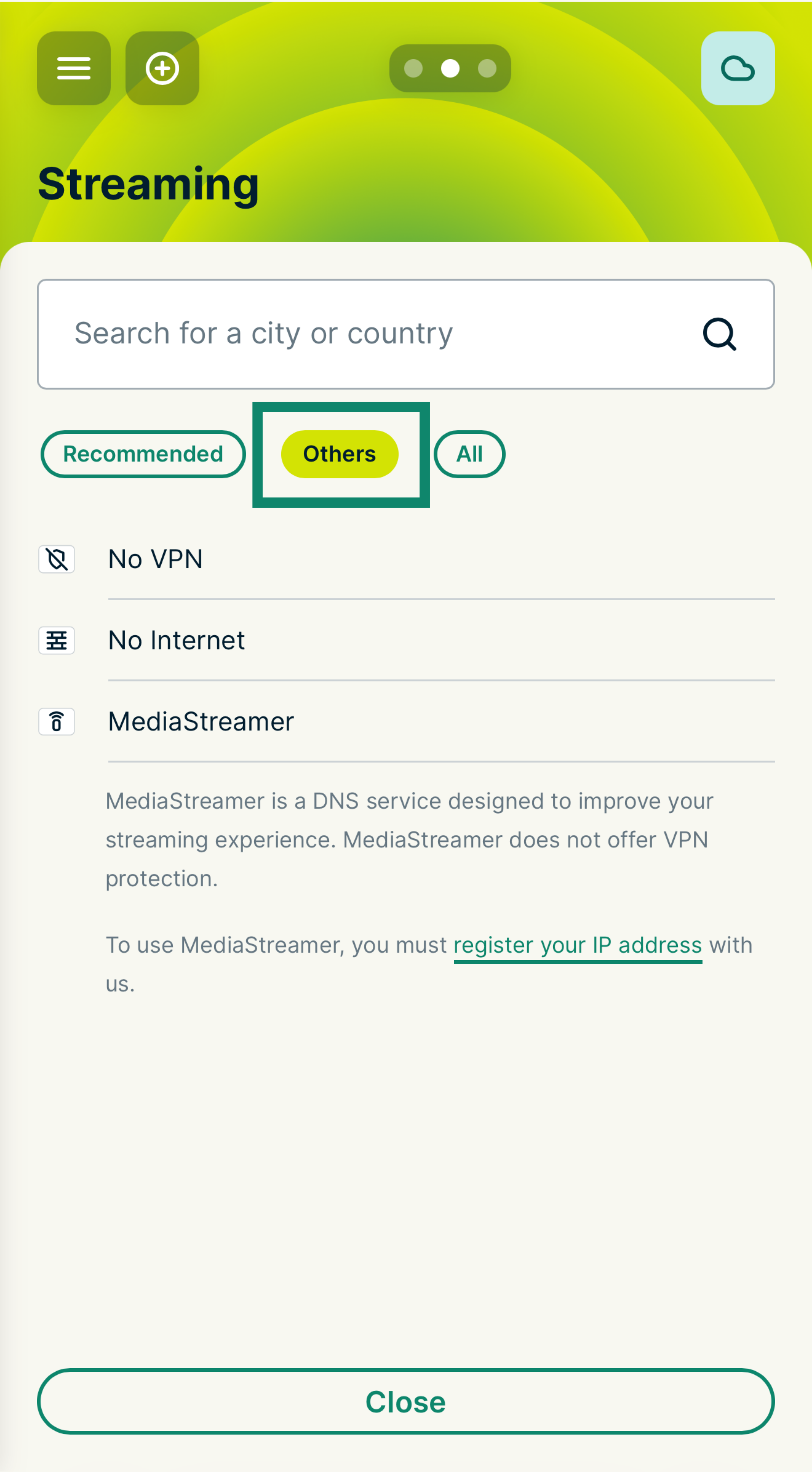
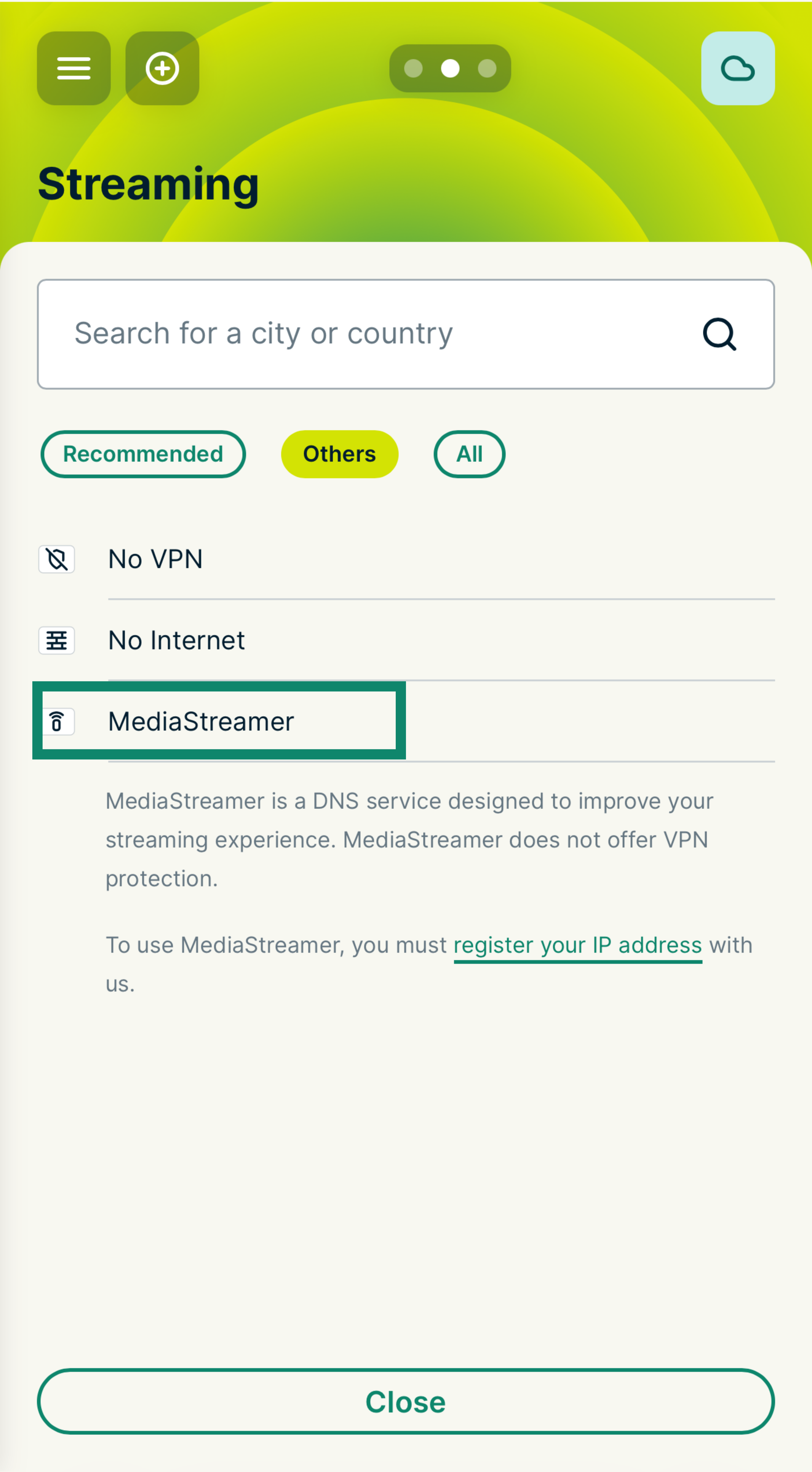
You are now using MediaStreamer for that device group. To connect devices, simply drag and drop them into this group.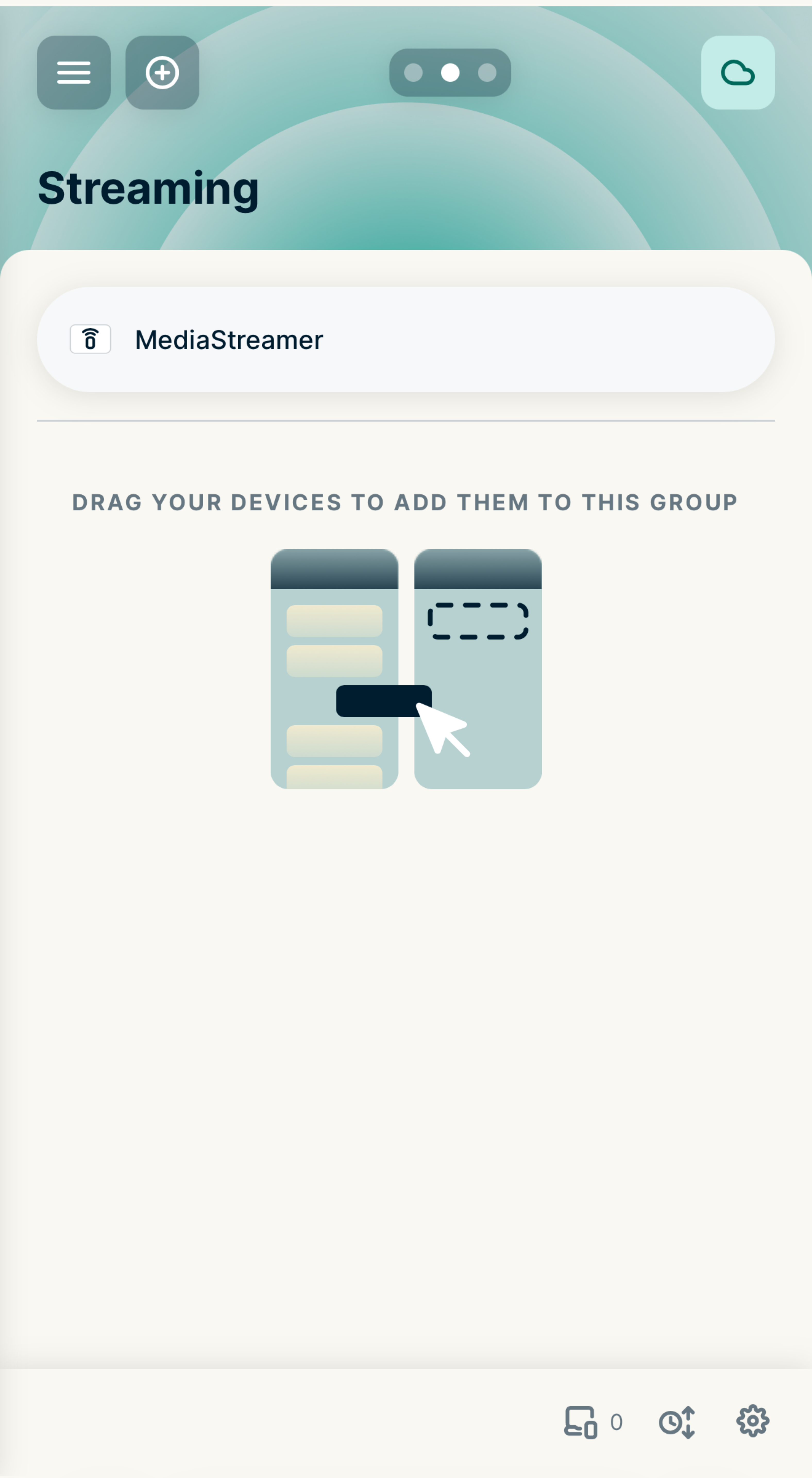
Note: You will need to register your IP address with ExpressVPN before MediaStreamer will work.
Need help? Contact the ExpressVPN Support Team for immediate assistance.
Use MediaStreamer on a router running ExpressVPN (v1)
- Sign in to your router running ExpressVPN.
- Select VPN > Manage Devices.
- Under Settings, select Let me select which devices should be protected.
- Select the devices you want to use MediaStreamer on. You may need to register your IP address with ExpressVPN.
Need help? Contact the ExpressVPN Support Team for immediate assistance.