
Pobierz najlepszy VPN na iPhona'a i iPada w 2026
Bezpiecznie przeglądaj, streamuj i graj na iOS dzięki niezależnie kontrolowanym serwerom ExpressVPN bez logów
- Odblokuj szybkie, niezawodne połączenia VPN dzięki protokołowi Lightway
- Przesyłaj strumieniowo preferowane treści przez szybkie serwery 40 Gb/s
- Uzyskaj łatwe połączenie jednym dotknięciem na dowolnym urządzeniu z systemem iOS
Rozpocznij próbę bez ryzyka Pobierz VPN dla iOS
30-dniowa gwarancja zwrotu pieniędzy dla korzystających z usługi po raz pierwszy
Dlaczego warto korzystać z VPN na urządzeniach z systemem iOS?
Chroń swoją prywatność i zachowaj bezpieczeństwo w dowolnej sieci dzięki VPN na iOS

Korzystaj z publicznej sieci Wi-Fi bez obaw
Możliwe, że piszesz do rodziny i znajomych na iPhonie lub sprawdzasz e-maile w lokalnej kawiarni, ale publiczne Wi-Fi może narazić Twoje dane na niebezpieczeństwo.
Najlepszy VPN na iOS zabezpiecza połączenie za pomocą solidnego szyfrowania i funkcji prywatności, chroniąc ruch przed szpiegami. Natomiast dzięki funkcji wyłącznika awaryjnego VPN blokuje cały ruch internetowy w przypadku zerwania połączenia, chroniąc Twoje dane do czasu ponownego połączenia VPN.
Bezpieczny dostęp do kont podczas podróży
Niezależnie od tego, czy jesteś cyfrowym nomadą, podróżujesz służbowo, czy dla przyjemności, często potrzebujesz dostępu do kont w swoim kraju, takich jak portale bankowe, rządowe lub służbowe.
Dzięki VPN dla iOS możesz zabezpieczyć swój adres IP i powstrzymać strony internetowe przed śledzeniem Twojej prawdziwej lokalizacji. W połączeniu z szyfrowanym połączeniem zapewnia to prywatność Twojej aktywności i zapewnia bezpieczny, spójny dostęp do Twoich kont, gdziekolwiek jesteś.

Ogranicz ekspozycję na trackery reklamowe i gromadzenie danych
Czy kiedykolwiek podczas zakupów online zauważyłeś, że te same reklamy towarzyszą Ci wszędzie? To są Twoje dane, które są śledzone i generują przychody.
Podczas gdy iOS zapewnia pewną ochronę przed śledzeniem w Safari, VPN dla iOS dodaje ochronę całego systemu. Niektóre VPN na iOS są również wyposażone w blokery reklam, które uniemożliwiają ładowanie większości reklam graficznych we wszystkich aplikacjach — nie tylko w przeglądarce.
Jak skonfigurować ExpressVPN na iPhonie lub iPadzie
Uzyskaj bezpieczne i prywatne połączenia VPN na iOS w 3 prostych krokach
-
![Pick Subscription Plan@2x]()
Krok 1
Zarejestruj się w ExpressVPN
Wybierz opcję subskrypcji i zarejestruj się bez ryzyka dzięki naszej 30-dniowej gwarancji zwrotu pieniędzy.*
-
![Add A Dedicated Ip]()
Krok 2
Pobierz aplikację ExpressVPN na iOSPobierz aplikację na iOS
na swoje urządzenie i zaloguj się. ExpressVPN jest również dostępny dla systemów Android, Windows, macOS i innych.
-
![Get A Private Ip Address@2x]()
Krok 3
Połącz się jednym dotknięciem z VPN na iOS
Wybierz lokalizację wybranego serwera ExpressVPN. Połącz się i rozpocznij przeglądanie z najlepszym VPN dla iOS.


Wideo: Jak pobrać ExpressVPN na iOS
Obejrzyj nasz przewodnik wideo krok po kroku i uzyskaj ExpressVPN na iOS jednym kliknięciem

Czego oczekiwać od VPN na iOS
Kluczowe funkcje VPN dla iOS zapewniają bezpieczeństwo, szybkość i łatwe połączenie
Projektowane z myślą o bezpieczeństwie
Najlepszy VPN na iOS chroni Twoje dane i prywatność na każdym kroku. Zaawansowane 256-bitowe szyfrowanie AES ExpressVPN uniemożliwia stronom trzecim, takim jak dostawcy usług internetowych i administratorzy sieci Wi-Fi, dowiedzenie się, co robisz online.
W połączeniu z wbudowanymi funkcjami bezpieczeństwa, które pomagają blokować znane trackery i złośliwe witryny, zapewniają prywatne i bezpieczne przeglądanie na wszystkich urządzeniach z systemem iOS.

Niezawodne, szybkie połączenia
Dla użytkowników iOS niezawodny VPN powinien zapewniać niezmiennie szybkie połączenia do przeglądania i streamingu ulubionych lokalnych i międzynarodowych programów za pośrednictwem konta lub gier online.
Lightway to protokół VPN ExpressVPN zoptymalizowany pod kątem urządzeń mobilnych. Łączymy to z szybkimi serwerami w wielu lokalizacjach, a nieograniczona przepustowość zapewnia stałą wydajność — nawet podczas przełączania się między siecią Wi-Fi a sieciami komórkowymi.
Łatwy w użyciu interfejs mobilny
Czy kiedykolwiek miałeś problemy z niezgrabnymi aplikacjami lub mylącymi ustawieniami na iPhonie lub iPadzie? Przyjazna dla użytkownika aplikacja VPN na iOS sprawia, że zachowanie bezpieczeństwa jest proste i bezstresowe.
Dzięki przejrzystemu i intuicyjnemu interfejsowi, połączeniu jednym kliknięciem, łatwemu wyborowi serwera i automatycznemu ponownemu połączeniu podczas zmiany sieci, ExpressVPN pozwala chronić dane i przeglądać strony prywatnie za pomocą jednego kliknięcia.
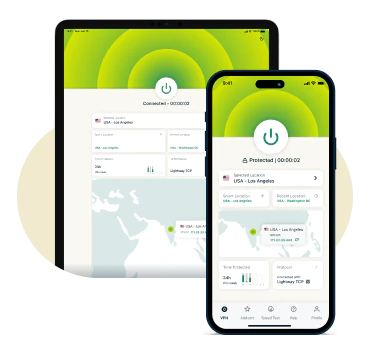
Kompatybilność ze wszystkimi głównymi urządzeniami
Wysokiej jakości VPN dla iOS jest w pełni kompatybilny z iPhone'ami i iPadami, oferując zoptymalizowaną wydajność, bezpieczne połączenia i łatwą instalację za pośrednictwem App Store.
Dzięki ExpressVPN możesz jednocześnie zabezpieczyć do 14 urządzeń jednocześnie w ramach jednej subskrypcji, chroniąc cały ekosystem Apple i inne używane urządzenia.
Funkcje ExpressVPN dla iOS
Zaawansowane narzędzia i funkcje bezpieczeństwa zapewniające najwyższą ochronę VPN na iOS
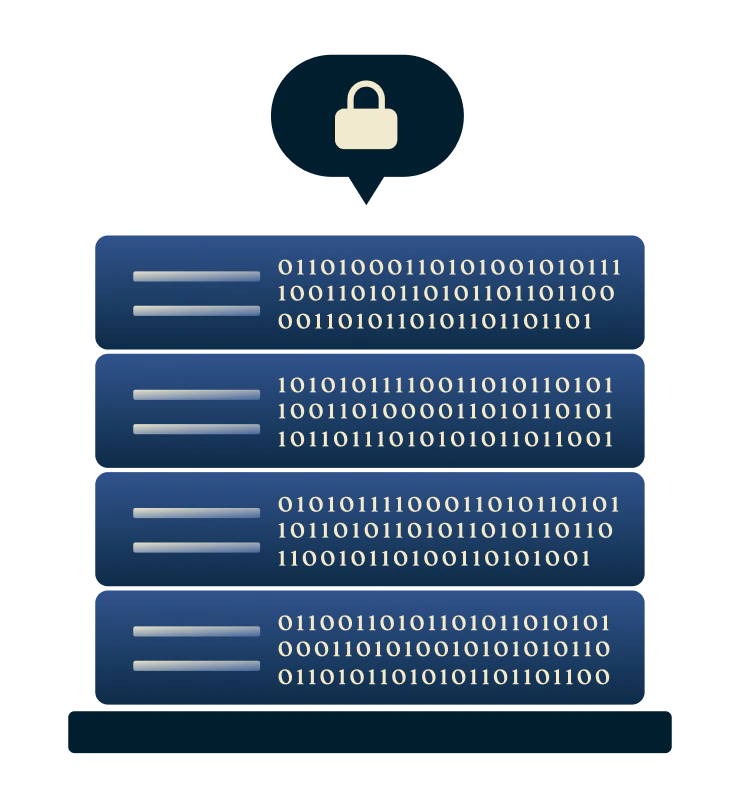
Zwiększona prywatność dzięki serwerom tylko z pamięcią RAM
Technologia ExpressVPN TrustedServer uruchamia wszystkie serwery na pamięci ulotnej (RAM) zamiast na dyskach twardych, co oznacza, że dane nie są trwale przechowywane. Każdy serwer automatycznie czyści się przy każdym ponownym uruchomieniu.
Wiele niezależnie przeprowadzanych audytów weryfikuje naszą politykę braku logów i infrastrukturę serwerów zapewniają, że Twoja aktywność przeglądania iOS, adres IP i dane połączenia nigdy nie są gromadzone ani przechowywane.
Dodatkowa ochrona zawarta w menedżerze haseł
Ile razy zdarzyło Ci się zapomnieć hasła lub mieć trudności z zapamiętaniem wielu loginów? Menedżer haseł ExpressVPN rozwiązuje ten problem.
Szyfrowanie o zerowej wiedzy oznacza, że tylko Ty możesz odblokować swój skarbiec. Bezpiecznie przechowuj hasła, karty i notatki, twórz silne loginy i wykrywaj ujawnione dane uwierzytelniające.

Ochrona przed wyciekiem i zaawansowane zabezpieczenia
Wycieki DNS i IPv6 mogą ujawnić Twoją aktywność przeglądania, nawet podczas korzystania z VPN, ujawniając odwiedzane strony internetowe pomimo szyfrowania.
Prywatny DNS ExpressVPN na każdym serwerze utrzymuje prywatność Twojej aktywności, obsługując żądania DNS wewnętrznie, a nie za pośrednictwem usług stron trzecich. Pomaga to uniknąć rejestrowania danych przez dostawców usług internetowych i operatorów DNS, ponieważ uniemożliwia im śledzenie odwiedzanych stron internetowych.

Przeglądaj, streamuj i graj bez obaw
Masz dość destrukcyjnego buforowania podczas streamingu na iPhonie lub iPadzie? Niektórzy dostawcy usług internetowych mogą celowo spowalniać niektóre rodzaje ruchu wymagającego dużej przepustowości. Dzięki silnemu szyfrowaniu ExpressVPN dla iOS może pomóc chronić Twoją aktywność, nawet przed dostawcą usług internetowych.
Twój dostawca usług internetowych widzi, że jesteś online, ale nie widzi, co robisz, co zapobiega ograniczaniu przepustowości w oparciu o zawartość i przywraca stałą prędkość. Ponadto wbudowane maskowanie ukrywa ruch VPN jako regularną aktywność w sieci, zmniejszając ryzyko zakłóceń.
Kompatybilność ze wszystkimi urządzeniami z systemem iOS
Jeden VPN, wiele urządzeń, optymalny zasięg
-
![Ipad And Iphone@2x]()
iPhone i iPad (wsparcie dla najnowszej wersji iOS)
Pobierz ExpressVPN na iPhone'a lub iPada (iOS 15.0 lub nowszy). Połącz się jednym dotknięciem, wybieraj spośród szybkich serwerów w 113 krajach i zachowaj ochronę dzięki wyłącznikowi awaryjnemu i automatycznemu ponownemu połączeniu — nawet podczas przełączania sieci.
Użytkownicy korzystający z aplikacji po raz pierwszy mogą pobrać aplikację ExpressVPN dla systemu iOS ze sklepu App Store i skorzystać z bezpłatnej trzydniowej wersji próbnej.
-
![All Devices Protected2x]()
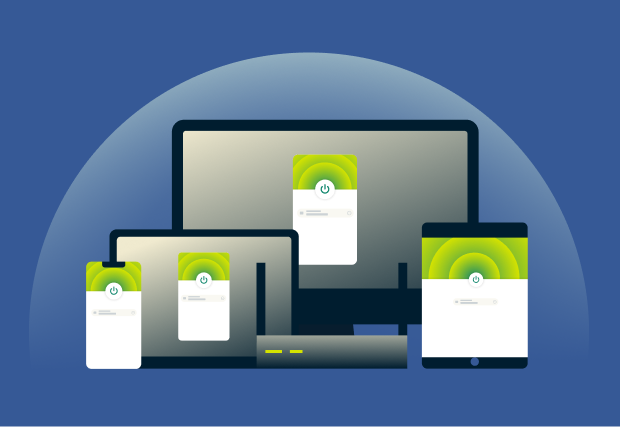
Używaj z innymi urządzeniami Apple i urządzeniami innymi niż Apple
Oprócz iPhone'a i iPada ExpressVPN może zabezpieczyć inne urządzenia Apple, takie jak Mac i Apple TV, a także Windows, telefony i tablety z systemem Android oraz obsługiwane telewizory Smart TV.
Możesz nawet zabezpieczyć każde urządzenie w domu za pomocą naszego routera Aircove, który jest dostarczany z wbudowanym ExpressVPN*. Liczy się jako tylko jedno aktywne połączenie w Twojej subskrypcji.

Dlaczego warto wybrać ExpressVPN dla iOS?
Niezależnie zweryfikowany VPN dla systemu iOS, cieszący się zaufaniem na całym świecie
-
![Niezależny audyt pod kątem przejrzystości ExpressVPN ściśle przestrzega polityki braku logów, dzięki czemu Twoja aktywność online nigdy ni...]()
Niezależny audyt pod kątem przejrzystości
ExpressVPN ściśle przestrzega polityki braku logów, dzięki czemu Twoja aktywność online nigdy nie jest rejestrowana.
Wiodące firmy, w tym KPMG i PwC potwierdzają te zabezpieczenia w niezależnych audytach, gwarantując, że nawet ExpressVPN nie może uzyskać dostępu do Twoich danych osobowych.
-
![Pomoc na czacie na żywo w trybie 24/7 Nasz zespół wsparcia jest dostępny w trybie 24/7 w wielu językach za pośrednictwem czatu na żywo lub p...]()
Pomoc na czacie na żywo w trybie 24/7
Nasz zespół wsparcia jest dostępny w trybie 24/7 w wielu językach za pośrednictwem czatu na żywo lub poczty elektronicznej.
Niezależnie od tego, czy potrzebujesz pomocy w konfiguracji, rozwiązywaniu problemów, czy masz ogólne pytania dotyczące VPN, eksperci zawsze są gotowi Ci pomóc.
-
![Chronione 30-dniową gwarancją zwrotu pieniędzy Chcesz wypróbować ExpressVPN bez ryzyka? Nasza 30-dniowa gwarancja zwrotu pieniędzy dotyczy no...]()
Chronione 30-dniową gwarancją zwrotu pieniędzy
Chcesz wypróbować ExpressVPN bez ryzyka? Nasza 30-dniowa gwarancja zwrotu pieniędzy dotyczy nowych klientów, którzy subskrybują bezpośrednio przez naszą stronę internetową lub aplikację.
Zakupy dokonane za pośrednictwem App Store są zarządzane przez Apple, a wszelkie zwroty kosztów są realizowane według ich uznania.



*Użytkownicy, którzy wykupili subskrypcje za pośrednictwem Apple App Store (iTunes) lub Google Play Store, nie mają dostępu do 30-dniowej gwarancji zwrotu pieniędzy ExpressVPN. Zamiast tego użytkownicy mogą zażądać zwrotu pieniędzy za pośrednictwem App Store lub Play Store, według uznania Apple lub Google.
Opinie użytkowników na temat ExpressVPN
Zobacz, dlaczego nasi klienci ufają ExpressVPN
Mam ExpressVPN na wszystkich moich urządzeniach — telefonie, laptopie, tablecie, AppleTV itp. - i absolutnie go uwielbiam.


* Przykładowe opinie od naszych najbardziej zadowolonych klientów
Wczoraj założyłem konto w @expressvpn. Świetna decyzja na wyjazd z kraju!
@D_Geiger

* Przykładowe opinie od naszych najbardziej zadowolonych klientów
Dzięki stałej wydajności i niezawodnemu bezpieczeństwu ExpressVPN jest najlepszą dostępną siecią VPN.

* Czasami płacimy eksperckim stronom za polecenia klientów
Często zadawane pytania: O VPN dla iOS
Odpowiedzi na najczęstsze pytania dotyczące VPN na iOS
Czy iOS ma wbudowaną usługę VPN?
System iOS ma wbudowaną funkcję VPN, ale jest to klient połączeń — nie zapewnia dostępu do usługi VPN, więc nadal trzeba wykupić abonament. Najprostszym sposobem na szyfrowanie całego ruchu w urządzeniu i łączenie się z serwerami na całym świecie jest zainstalowanie zaufanej aplikacji VPN, takiej jak ExpressVPN, która zajmie się konfiguracją i zabezpieczy połączenia w aplikacjach i przeglądarkach.
Który VPN jest najlepszy dla iOS?
ExpressVPN to najlepszy VPN na iOS, oferujący szybkie serwery 10 Gb/s i 40 Gb/s w 113 krajach, anonimowe adresy IP i zweryfikowaną politykę braku logów. Dzięki nieograniczonej przepustowości, 256-bitowemu szyfrowaniu AES i 30-dniowej gwarancji zwrotu pieniędzy dla nowych użytkowników, zwiększa prywatność i bezpieczeństwo online na maksymalnie 14 urządzeniach jednocześnie.
Jak włączyć VPN na iPhonie?
To łatwe! Zasubskrybuj ExpressVPN na naszej stronie internetowej, aby skorzystać z 30-dniowej gwarancji zwrotu pieniędzy dla nowych klientów, a następnie pobierz aplikację na iOS ze sklepu App Store. Otwórz aplikację i kliknij „Wł.”, aby zaszyfrować połączenie i cieszyć się bezpiecznym, prywatnym dostępem do Internetu na iPhonie lub iPadzie.
Który protokół VPN jest najlepszy dla iOS?
Aplikacja ExpressVPN na iOS automatycznie wybiera Lightway — nasz zastrzeżony protokół VPN zaprojektowany od podstaw dla wyjątkowej prędkości, bezpieczeństwa i niezawodności. Nieustannie udoskonalany i aktualizowany Lightway zawiera zaawansowane szyfrowanie zaprojektowane w celu ochrony danych nawet w obliczu pojawiających się zagrożeń związanych z komputerami kwantowymi.
Wypróbuj ExpressVPN bez ryzyka na iPhone'ie i iPadzie
Subskrybenci korzystający z naszych usług po raz pierwszy mogą wypróbować wszystkie nasze funkcje premium bez ryzyka dzięki 30-dniowej gwarancji zwrotu pieniędzy.*
*Użytkownicy, którzy wykupili subskrypcje za pośrednictwem Apple App Store (iTunes) lub Google Play Store, nie mają dostępu do 30-dniowej gwarancji zwrotu pieniędzy ExpressVPN. Zamiast tego użytkownicy mogą zażądać zwrotu pieniędzy za pośrednictwem App Store lub Play Store, według uznania Apple lub Google.







