Protect your personal data with Identity Defender


Identity Defender is ExpressVPN’s identity protection service, built around five core tools. ID Alerts and Credit Scanner watch for signs of identity misuse, from personal details exposed on the dark web to suspicious changes in your credit. Data Removal asks data brokers and people-search sites to remove your details, reducing where your information appears online. Caller Identification flags or blocks suspected spam and scam calls. And, if identity theft does happen, ID Theft Insurance* reimburses eligible losses.
The service is available to U.S. subscribers on Advanced and Express Pro plans. You can access it through the standalone Identity Defender app for iOS and Android or the ExpressVPN+ dashboard in a web browser.
Data Removal
ExpressVPN’s Data Removal searches data broker and people-search sites for your personal information, such as your name, home address, and phone number. When it finds a match, it sends a removal or opt-out request to that site on your behalf. It then keeps scanning the same sites, and if your information reappears, it sends a new request.
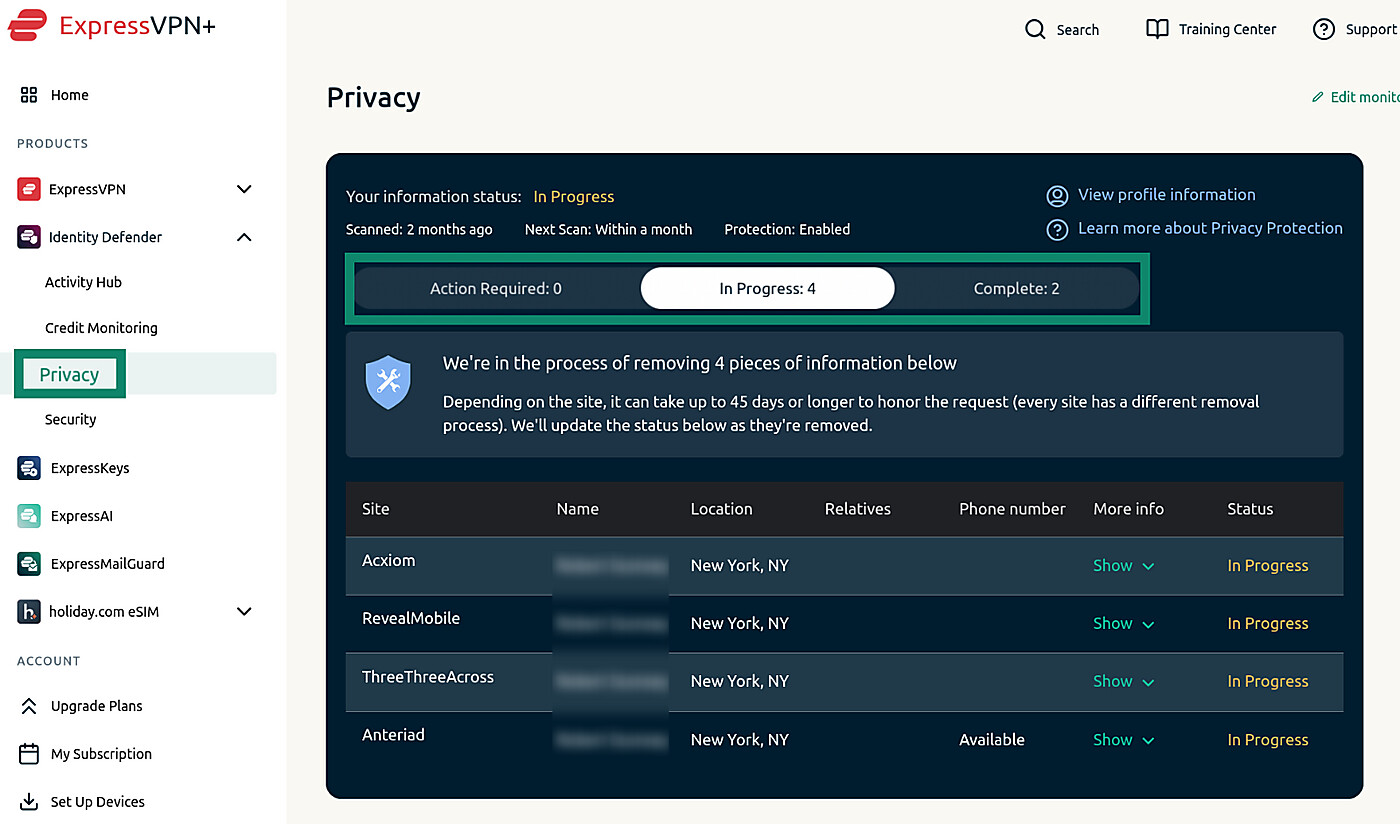
You can follow each request in the Privacy tab of the Identity Defender app or the ExpressVPN+ dashboard. Results are sorted into three groups:
- Action Required: Sites that list your information but don’t accept requests from third-party services. Identity Defender provides links and step-by-step instructions for requesting removal yourself.
- In Progress: Sites that have received a removal request but haven’t completed it yet. Depending on the site, this can take up to 45 days or longer.
- Complete: Sites that have removed your information, with the date of the next scan.
Without an ExpressVPN subscription, you can run a free exposure scan to see a preview of where your personal information is exposed. Removing it requires an Advanced or Express Pro plan.
ID Alerts
ID Alerts monitors your personal information and certain records for signs of exposure or suspicious activity. When it detects a potential issue, it sends an alert in the Identity Defender app and by email, with details and recommended next steps. Read our guide to find out how to review alerts in Identity Defender.
The monitoring types depend on your subscription. The Advanced plan includes the following features:
- Social Security number (SSN) monitoring: Alerts you when your SSN is used for loans, payments, employment, or similar activities.
- Dark web monitoring: Searches dark web sites for exposed personal information, like email addresses, SSNs, and bank or card details.
- Change of address monitoring: Flags address changes that could indicate unauthorized mail redirection.
Express Pro includes the Advanced monitoring features, plus:
- Home title monitoring: Checks property records for changes that could indicate unauthorized activity involving your home.
- Auto title monitoring: Watches vehicle title records for changes that could indicate ownership fraud.
- Court records monitoring: Checks public court and judicial records for activity linked to your identity.
- Neighborhood Watch: Alerts you when registered sex offenders move into an area you choose to monitor.
- High-risk transaction monitoring: Flags unusually large or suspicious transactions involving financial accounts you've connected.
- 401(k) alerts: Monitors connected retirement accounts for potentially unauthorized withdrawals, access attempts, and account changes.
ID Alerts helps you identify potential problems so you can investigate them, but it doesn't prevent the activity it reports.
Credit Scanner
Credit Scanner lets you monitor your credit activity through Identity Defender. It shows your Experian credit score, the factors affecting it with recommended actions, and alerts about activity that could change your credit, such as new accounts or credit inquiries.
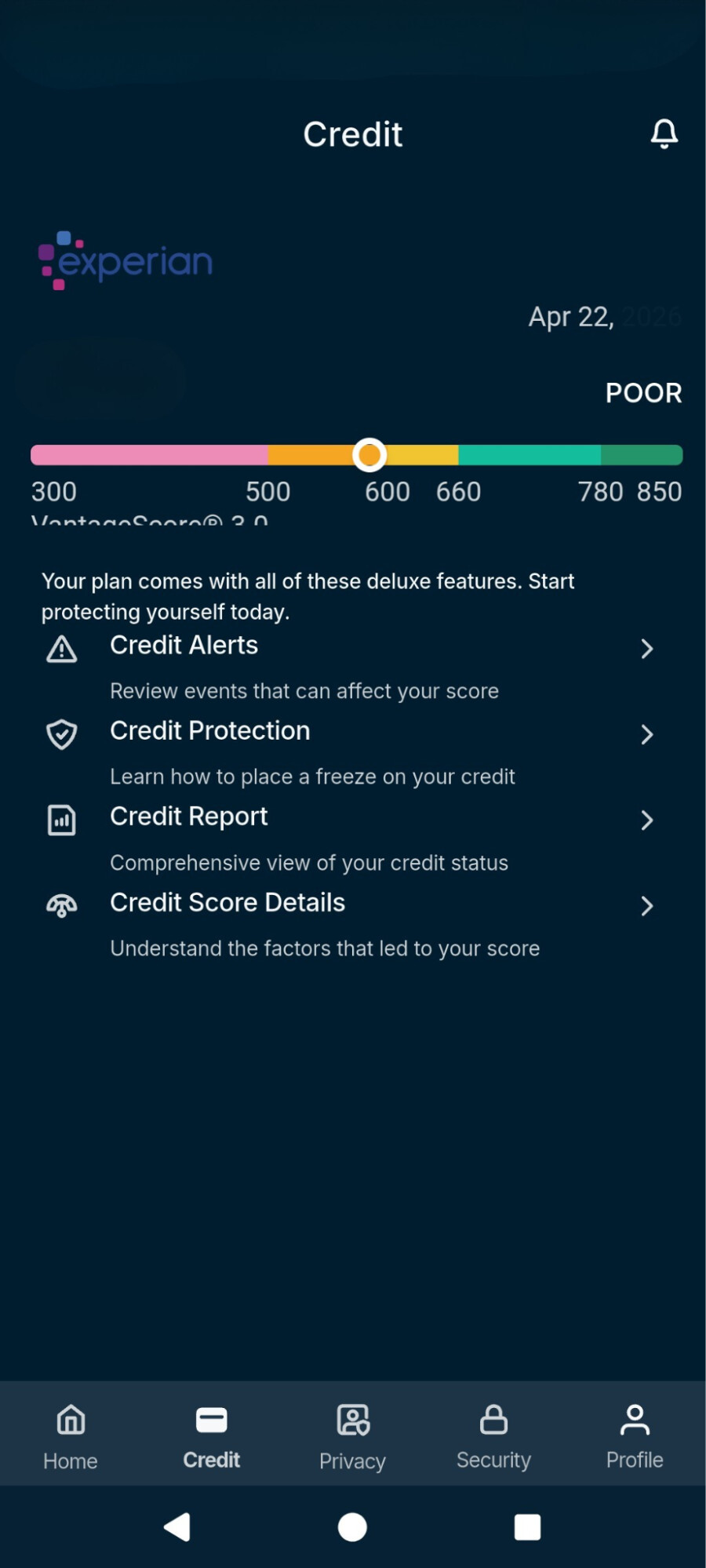
You can also access monthly credit reports that list information like accounts, balances, payments, and address history. The Credit Protection section lists contact details for the three credit bureaus, so you can request a credit freeze. A freeze stops creditors from approving any new credit account in your name, whether the application is fraudulent or legitimate.
To activate Credit Scanner, you need to provide your SSN and phone number so credit reporting agencies can verify your identity. You may also need to answer questions about your credit history or enter a verification code.
ID Theft Insurance*
Identity Defender includes ID Theft Insurance* to reimburse eligible expenses and stolen funds after someone fraudulently uses your identity. Coverage depends on your subscription:
- Advanced: Up to $3 million in coverage.
- Express Pro: Up to $5 million in coverage.
Eligible expenses may include legal fees, lost wages, the cost of replacing ID documents, and other costs involved in recovering from identity theft.
Both plans also cover certain stolen funds through two benefits, each with a limit of up to $1 million:
- Cash Recovery: Funds taken from personal accounts such as checking, savings, money market, and credit card accounts.
- Investment & Health Savings Accounts Cash Recovery: Funds taken from accounts such as individual retirement accounts (IRAs), 401(k)s, health savings accounts (HSAs), and brokerage accounts.
Both amounts are part of the overall coverage limit, not in addition to it. To claim stolen funds, you must first seek reimbursement from your bank or account provider, report the loss within 90 days of discovering it, and provide documentation from the financial institution confirming the money was fraudulently removed and can’t be recovered.
The policies don’t cover identity fraud discovered before coverage began, losses that occur while the subscription isn’t active and paid, or losses caused by fraudulent, dishonest, or criminal acts by the subscriber, an immediate family member, or anyone acting with them.
Alongside the insurance, Identity Defender includes identity restoration services, which provide step-by-step guidance and access to a U.S.-based call center to help restore your identity. You can find both, along with your policy and Summary of Benefits, in the ID Theft Insurance tab under Security in the ExpressVPN+ dashboard.
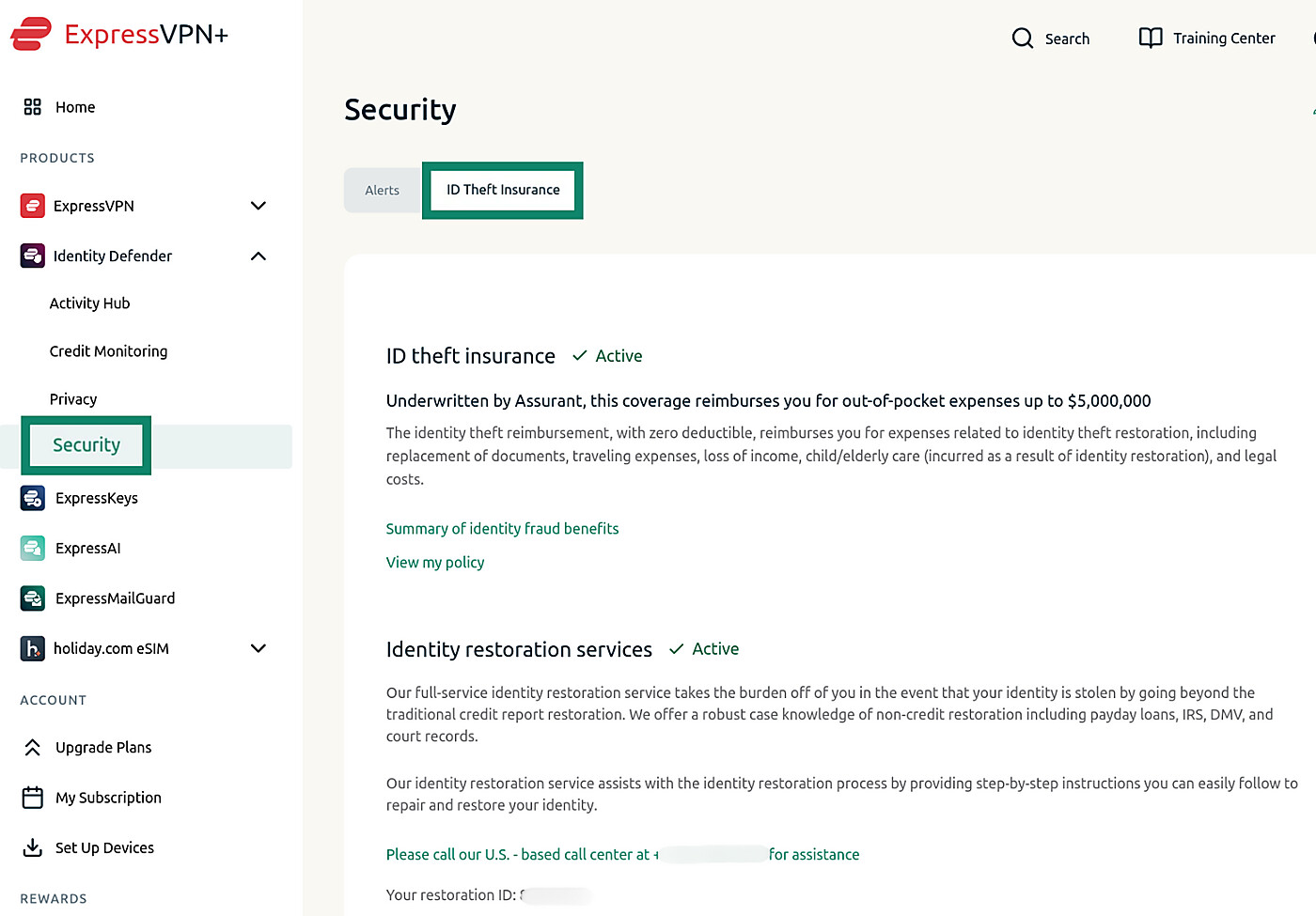
ID Theft Insurance* reimburses qualifying losses after identity theft occurs. It doesn’t stop identity theft or guarantee reimbursement for every loss.
Caller Identification
Caller Identification is available to U.S. Express Pro subscribers in the Identity Defender app for Android and iOS. It checks incoming calls for suspected spam and scams, but what it can do depends on your device.
On iOS, Caller Identification warns you about suspicious callers before you answer. To use it, you must allow Identity Defender to identify calls through your iPhone’s built-in call identification settings. The app takes you there when you turn on the feature.
On Android, you must set Identity Defender as your phone’s default caller ID and spam app. You can then choose from three protection levels:
- Warn me about spam and scams: Labels suspicious calls but lets them ring.
- Block reported spam and scams: Silences reported spam and scam calls but lets other suspicious calls ring with a warning.
- Block all suspected spam and scams: Blocks calls that the service suspects are spam or scams, including numbers that haven’t been widely reported. This setting may occasionally block a call you wanted to receive.
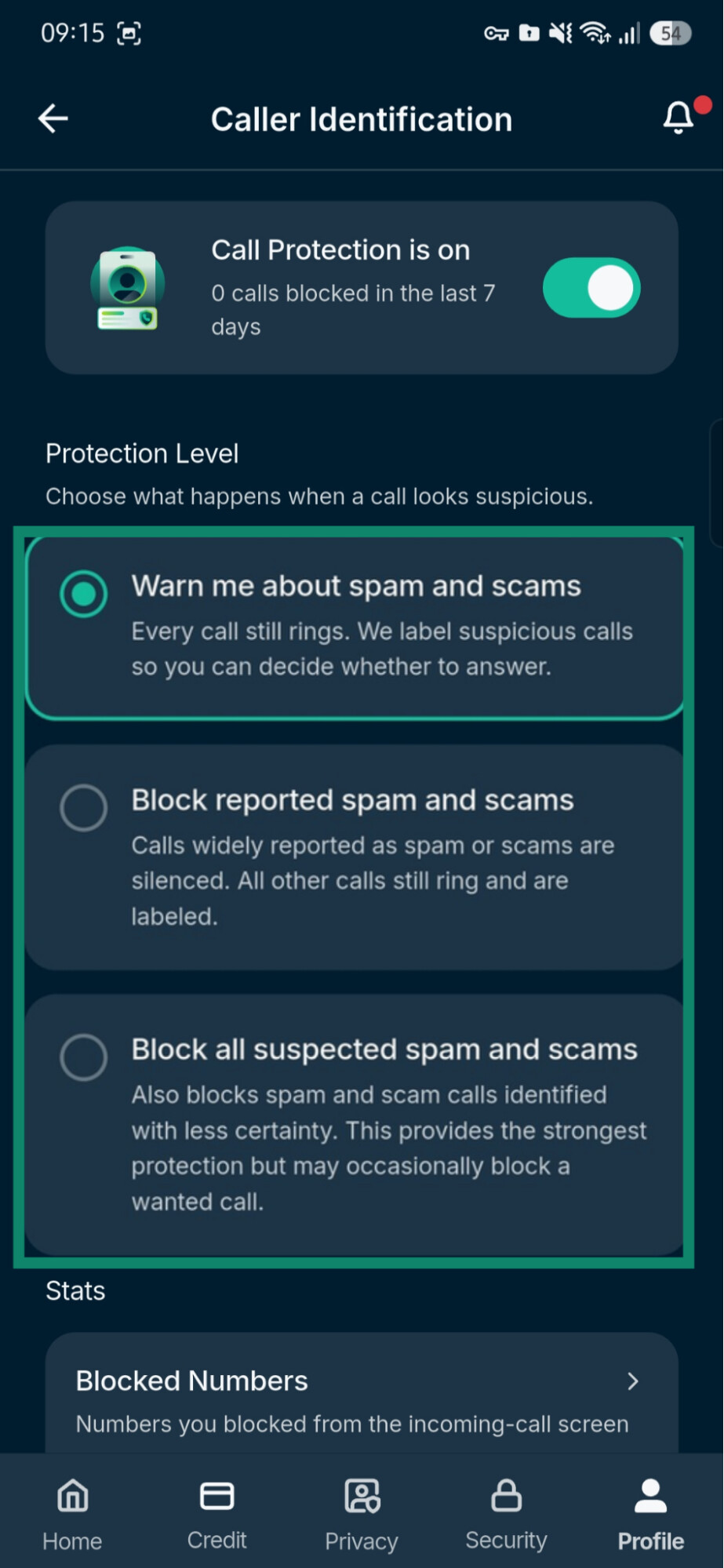
On Android, you can also allow access to your contacts to help prevent Identity Defender from flagging calls from people you know and review or unblock numbers it has blocked.
On both platforms, Caller Identification only covers calls through your mobile network. It doesn’t screen calls made through apps like WhatsApp, Signal, or Telegram.
How to get Identity Defender
- Subscribe to Advanced or Express Pro. Express Pro can also be bought inside the Identity Defender app.
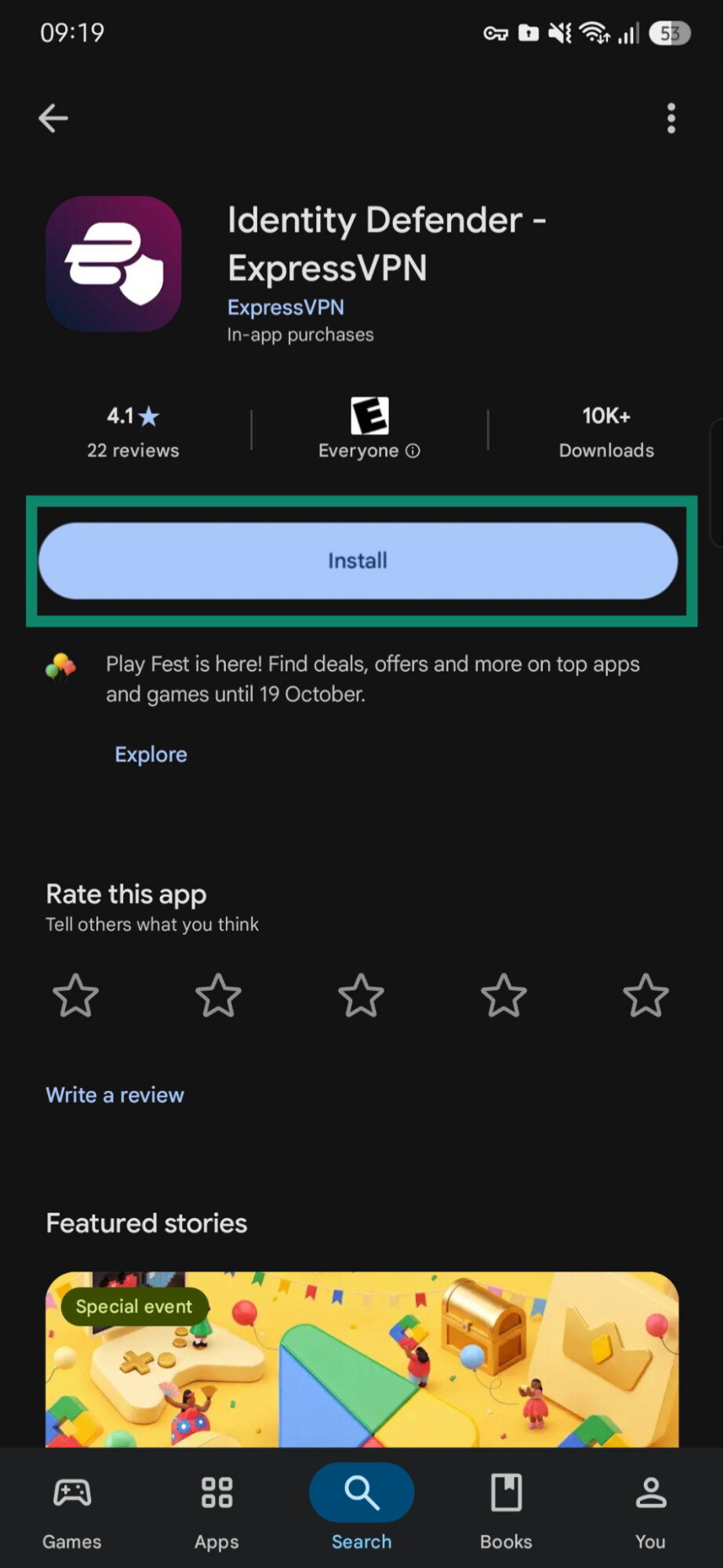
- Download the Identity Defender app from the App Store or Google Play, or open the ExpressVPN+ dashboard in your browser.
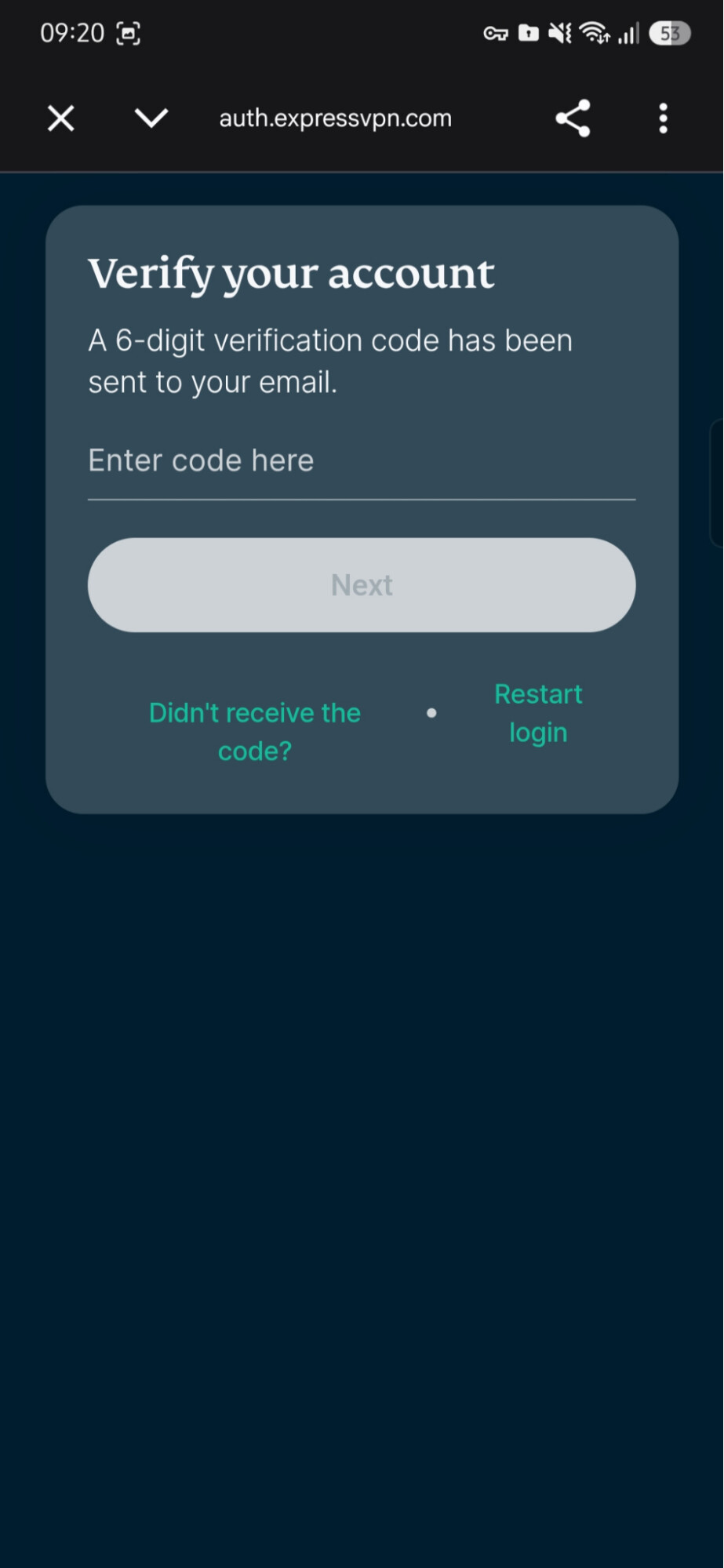
- Sign in with your ExpressVPN account credentials. In the mobile app, you’ll also need to enter a verification code that ExpressVPN emails you.
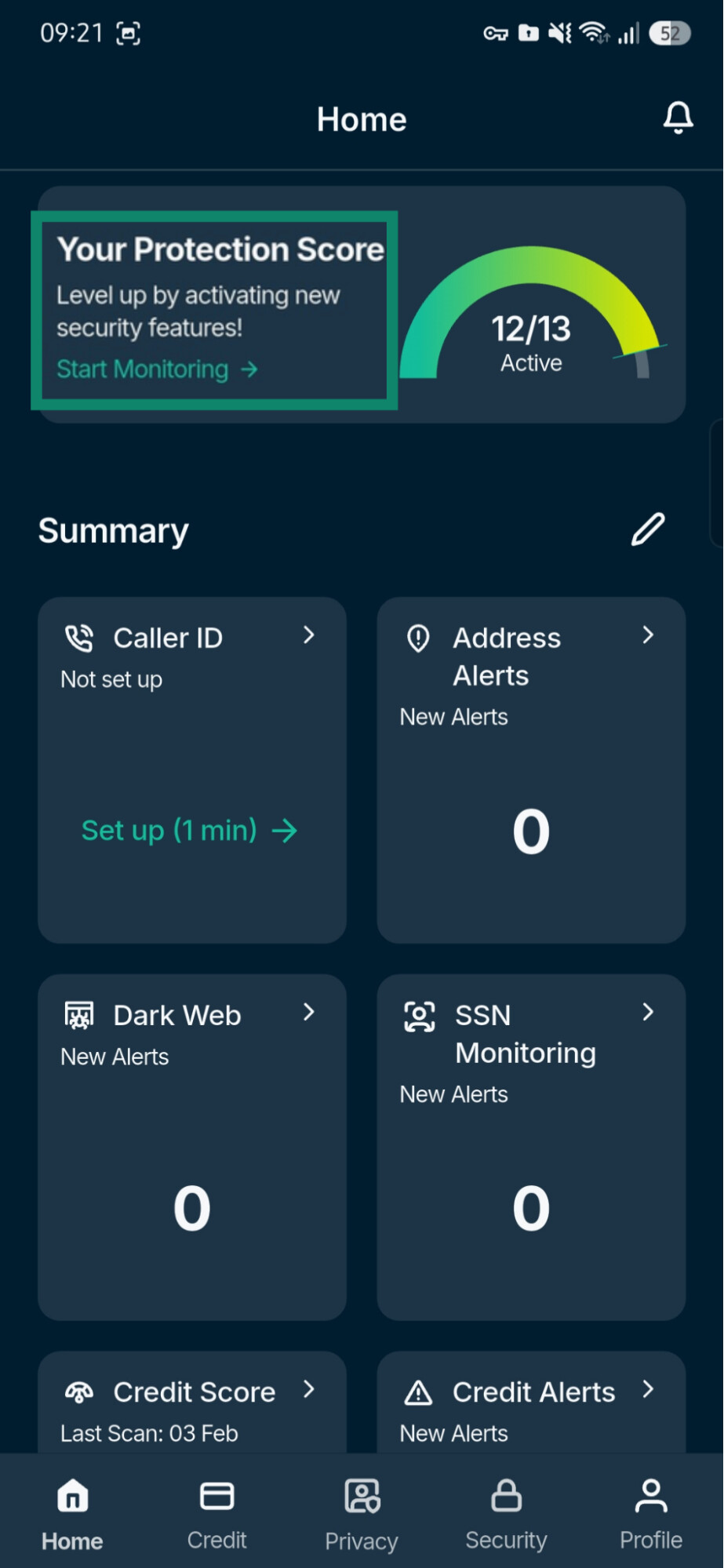
- Set up the tools you want to use. In the app, tap Set Up on any tool on the home screen. In the dashboard, select Identity Defender, then fill in the General personal information section in Activity Hub. You don’t have to activate every tool, and some, such as Credit Scanner, need more information than others.
For step-by-step instructions on each tool, see the Support guides for:
Protect your personal data with Identity Defender
ExpressVPN’s Identity Defender monitors your personal information for signs of misuse, requests its removal from data broker and people-search sites, and includes ID Theft Insurance* for U.S. subscribers on Advanced and Express Pro plans.
Try it risk-free with a 30-day money-back guarantee for new users.
FAQ
Will Identity Defender be available outside the U.S.?
Can existing ExpressVPN subscribers use Identity Defender or only new ones?
Does Identity Defender prevent identity theft?
Is it safe to give Identity Defender a Social Security number?
*The insurance is underwritten and administered by American Bankers Insurance Company of Florida, an Assurant company, under group or blanket policies issued to Array US Inc, or its respective affiliates, for the benefit of its Members. Please refer to the actual policies for terms, conditions, and exclusions of coverage. Coverage may not be available in all jurisdictions. Review the Advanced Tier Summary of Benefits and the Pro Tier Summary of Benefits.