Virtual server vs. physical server: Key differences explained


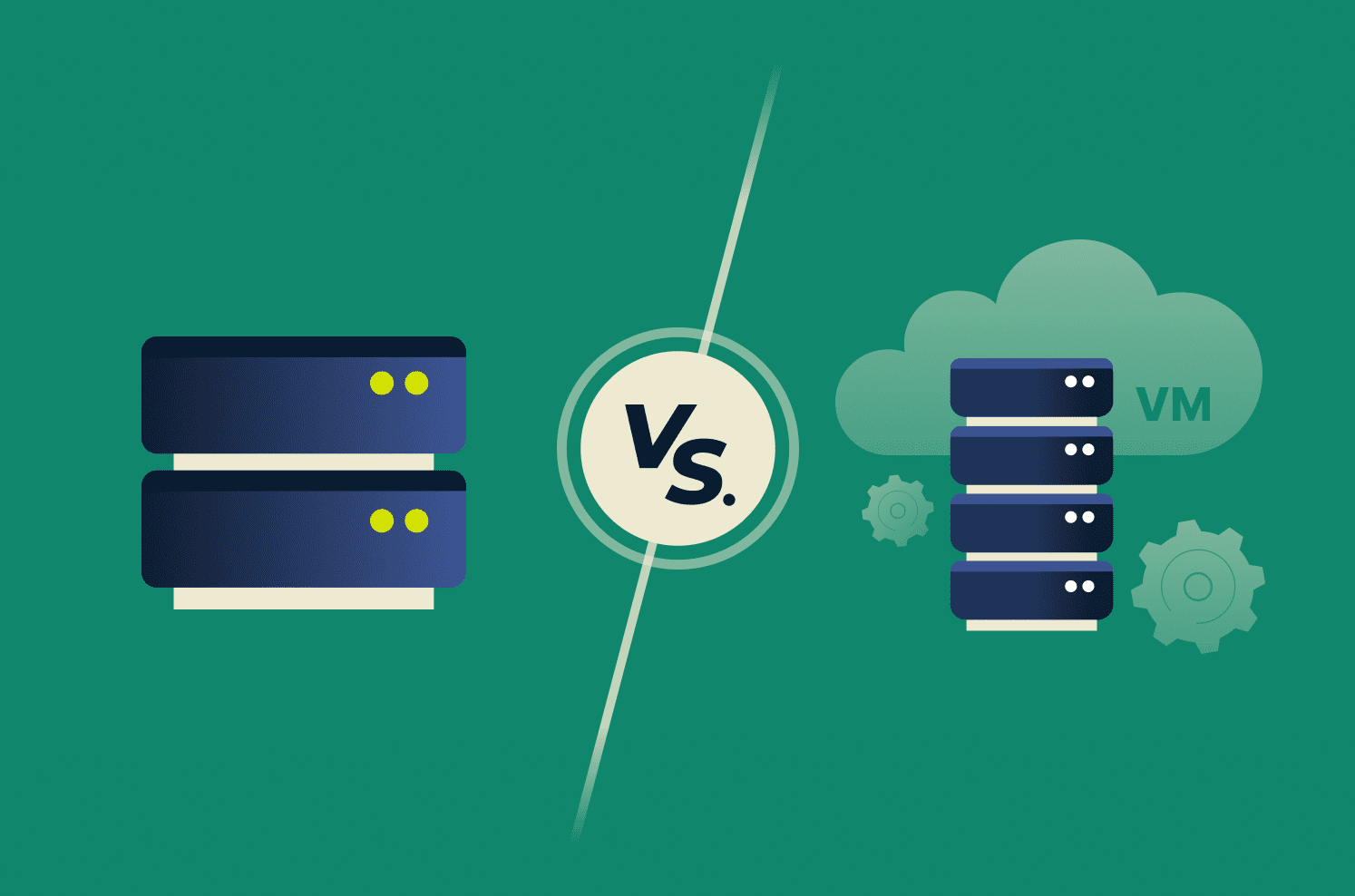
The server setup you choose affects reliability, scalability, and cost. Virtual and physical servers solve different problems, so it’s worth understanding the trade-offs before you commit.
In this guide, we’ll explain how each one works, cover their pros and cons, and help you choose based on performance, cost, security, control, and scalability.
What is a virtual server?
A virtual server is created using software called a hypervisor, which virtualizes a physical server’s resources (CPU, memory, storage) into isolated environments. Each environment runs as an independent server, allowing one physical machine to host multiple virtual servers simultaneously.
Virtual servers are also often called virtual machines (VMs) or virtual private servers (VPS). A VM has its own OS, apps, and data, so it works like a standalone server despite sharing hardware with other VMs. The hypervisor manages and allocates physical resources to each VM, improving hardware utilization and making it easier to scale workloads.
Hypervisors are installed either directly on hardware (Type 1, such as VMware ESXi) or on top of an existing OS (Type 2, like VirtualBox). Modern CPUs include hardware-assisted virtualization extensions that often reduce overhead, so many VM workloads can run close to native speed, although overhead can still be noticeable, especially in input/output (I/O) and resource-contention scenarios.
Virtual servers are common in cloud computing and enterprise data centers because they’re fast to deploy, easy to scale, and let multiple services run on the same hardware. They’re also standard for testing, development, and disaster recovery since VMs can be cloned, migrated between hosts, and rolled back or restored from snapshots (often in minutes, depending on the environment).
What is a physical server?
A physical server is a standalone machine that runs on its own hardware. In many setups, it runs an OS directly on bare metal, though it can also serve as a host for virtualization if a hypervisor is installed.
Since resources aren't shared, physical servers can offer more predictable performance and full hardware access. This gives you direct control over firmware settings, driver configurations, and hardware-specific optimizations.
Physical servers are common for workloads that require consistent performance at scale, GPU-intensive applications that require direct hardware access, legacy systems that are difficult to virtualize, or environments that require single-tenant hardware for isolation and compliance.
Virtual vs. physical server architecture
Architecture is the biggest difference. Virtual servers run on a physical host through a hypervisor (and can be moved between hosts in clustered environments), while physical servers typically run an OS directly on bare metal in a single-tenant setup
Understanding this layout makes it easier to evaluate trade-offs among performance, isolation, flexibility, and control.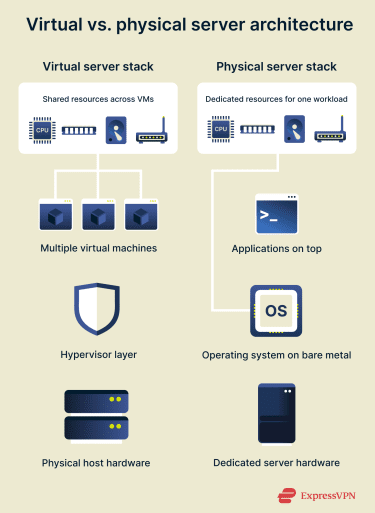
Virtual machines and hypervisors
A hypervisor creates multiple VMs by presenting each with virtual CPU, memory, storage, and network resources. It then mediates access to physical hardware and schedules resource use to manage contention between VMs.
It also enforces isolation between VMs and allocates resources based on configuration (and, in some environments, demand or priority).
This architecture enables fast provisioning, easier backups, and workload migration between hosts without manual rebuilds.
Bare metal servers explained
Physical servers have a simpler architecture. The OS runs directly on the hardware, and applications run on that OS. There’s no hypervisor layer, so the OS can use all of the machine’s CPU, memory, storage, and network resources without sharing them with other tenants or VMs.
Direct access to resources matters for workloads that require consistent performance, low latency, or specialized hardware/accelerators. Examples include AI model training, video transcoding services, and scientific computing.
The trade-off is flexibility. Scaling usually involves adding or upgrading hardware, and recovery takes longer than redeploying a VM to another host. That’s why many teams use both, keeping physical servers for performance-critical workloads and virtual servers for flexibility and resource efficiency.
Key differences between virtual and physical servers
The differences between physical and virtual servers matter for real infrastructure decisions.
Performance and resource efficiency
A physical server offers more predictable performance because CPU, memory, storage, and network resources are dedicated to a single workload. This can improve latency and throughput consistency.
Virtual servers deliver near-native performance for many workloads, but overhead varies by workload and configuration. Since the hypervisor mediates and schedules access to shared resources, performance can be more variable under heavy load.
The upside is resource efficiency. Because multiple virtual servers run on a single host, hardware resources can be used more efficiently.
Cost, scalability, and flexibility
Virtual servers offer clear advantages in setup speed and flexibility, with faster provisioning and easier resizing or retirement.
Costs also scale more smoothly in many virtualized and cloud models because you’re not paying upfront for hardware that you might not use at peak capacity. Physical servers make financial sense for steady, high-volume workloads that require all a machine’s resources.
Security and isolation
Both models offer strong security with different trade-offs.
Virtual servers rely on the hypervisor for isolation. Multiple VMs sharing a host amplify the impact of hypervisor vulnerabilities, making regular patching and hardening critical.
Physical servers provide stronger isolation in single-tenant deployment, and many cloud providers offer dedicated hosts or instances for compliance-driven workloads.
Control and customization
Physical servers provide you with deeper hardware control: firmware tuning, hardware selection, and niche configurations that may be constrained in virtualized environments.
Virtual servers trade some low-level control for easier management. You can clone environments, standardize builds, and move workloads between hosts without rebuilding, reducing operational friction.
Teams typically choose a server type based on whether they prioritize hardware control or operational agility.
Pros and cons at a glance
Virtual servers
| Pros | Cons |
| Better resource utilization by running multiple VMs/workloads on a single host. | Performance can vary if hosts are overloaded or resources are overcommitted. |
| Faster provisioning and scaling. Instances can be created, resized, or removed quickly. | More components to manage (hypervisor, virtual networking, templates, tooling). |
| Often lowers infrastructure costs through consolidation, plus savings on space and operations. | Licensing can be complicated. |
| Easier backups and recovery using VM snapshots and image-based restores. | Less direct hardware control, which can limit niche configurations or specialized tuning. |
Physical servers
| Pros | Cons |
| Predictable performance with dedicated resources in a single tenant setup. | Scaling is more complex and slower. |
| Strong isolation in single-tenant deployments. | Often higher costs (hardware, space, power, maintenance). |
| Greater control and customization at the hardware and firmware level. | Hardware failures and lifecycle maintenance require more hands-on work. |
| Simpler stack with fewer layers between the OS and hardware. | Upgrades and maintenance can involve downtime. |
Which server should you choose?
The right choice depends on your current workloads and what you might need to change later. Start by deciding where you can’t compromise: performance, scalability, or strict isolation.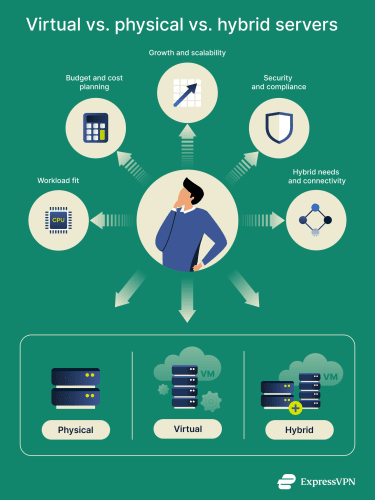
If your workload regularly requires high CPU, memory, or I/O usage and steady latency, a single-tenant bare metal is often a strong fit, especially when minimizing contention is the priority. If you’re running many smaller services that don’t need an entire machine, virtual servers are usually the more practical choice.
Keep an eye on host capacity, because resource contention (including overcommitment) can introduce variability under load. When demand can spike, pairing scaling with guardrails like rate limits can protect stability during surges.
In terms of budget, virtualization often pays off through consolidation and faster provisioning. However, physical servers can be more cost-effective when one workload consistently consumes most of a machine or when licensing is simpler on dedicated hardware.
For security and compliance, dedicated/single-tenant hardware can be the simplest path when physical isolation is required. Virtual environments can still meet strong security standards, but they rely on consistent configuration, monitoring, and timely hypervisor patching and hardening.
If the trade-offs still aren’t clear, a small pilot can help: test representative workloads on both a VM setup and a bare-metal option (lab, staging, or short-term cloud), then compare performance, operational effort, and recovery workflows before committing.
When is hybrid infrastructure the best choice?
A hybrid setup makes sense when different workloads have distinct needs, and forcing everything into a single model would create unnecessary trade-offs.
You might keep certain systems on physical servers for consistent performance, specialized hardware, or simpler licensing, while running other services as VMs because they're easier to provision, scale, and manage.
It can also be a safer path for gradual modernization. You can virtualize new services first and migrate legacy systems over time, rather than taking an "all at once" approach.
It's also useful when some workloads need to stay close to specific data stores or latency-sensitive systems, while other parts of the environment benefit more from flexible, virtualized capacity.
The main downside is operational complexity. Hybrid environments stay reliable when you apply consistent standards across both sides, especially for access control, patching, backups, monitoring, and change management.
FAQ: Common questions about virtual servers vs. physical servers
Are virtual servers more cost-effective than physical servers?
Often, yes, especially when you need to run multiple services or environments. Virtual servers consolidate workloads onto fewer machines, which can reduce hardware spend and lower overhead such as power, cooling, and rack space.
That said, cost-effectiveness depends on your setup. If you only need one server for one steady workload, the added licensing, storage, and management layers that often come with virtualization may outweigh the benefit.
Do physical servers perform better under heavy loads?
Often, especially for sustained, latency-sensitive workloads. Bare-metal servers avoid virtualization overhead and reduce variability from shared-host contention. Virtual servers can still run close to native speed when properly sized, but overcommitment or competing virtual machines (VMs) can introduce variability under load.
Can you migrate from a physical server to a virtual server?
Yes. Physical-to-virtual migration (P2V) is common and typically works by converting the physical server’s disks to a virtual disk format, then booting that image as a virtual machine (VM) under a hypervisor.
After migration, you’ll need to remove hardware-specific drivers and vendor management agents, install the VM's guest tools/integration drivers, and confirm networking, storage, and licensing/activation behave as expected in the virtual environment.
Are virtual servers secure enough for sensitive data?
Yes, they can be, as long as the virtualization layer and controls are properly managed. Hypervisors isolate virtual machines (VMs) from each other, and that isolation is a core reason virtual environments work at scale.
The trade-off is that you’re relying on the hypervisor and its configuration. If patching, access controls, or segmentation aren’t maintained, the risk can increase, especially because a hypervisor compromise can affect multiple VMs on the same host.
Either way, protecting sensitive data on servers comes down to the basics: strong access control, encryption, and consistent monitoring and patching.
Take the first step to protect yourself online. Try ExpressVPN risk-free.
Get ExpressVPN


















 Support Center
  FAQ
FAQ  VPN Setup Tutorials


