How to spot and report an Amazon phishing email


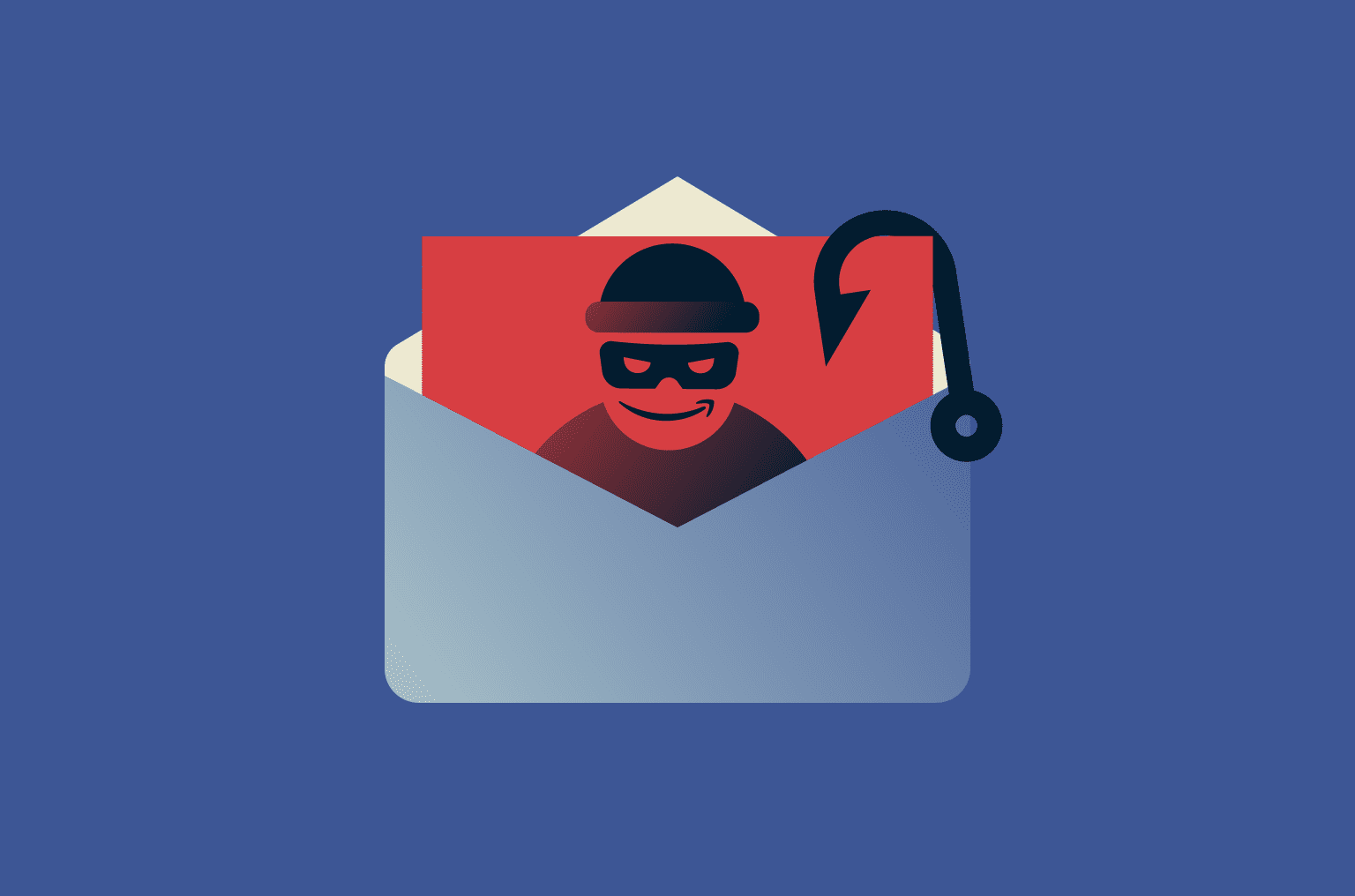
Phishing emails pretending to be from Amazon have become so convincing that even cautious shoppers can be deceived. These messages often copy Amazon’s branding, tone, and layout and may reference recent orders, delivery issues, or account activity to create a sense of urgency.
Knowing what to look for makes these scams much easier to spot. This guide explains how Amazon phishing emails operate, the most common warning signs, and what to do if you receive or interact with one.
What is an Amazon phishing email?
An Amazon phishing email is a fake message that purports to be from Amazon but actually comes from scammers. This type of Amazon scam often comes in the form of an alert about an unexpected purchase, an upcoming delivery, or problems with your account.
The goal is to pressure you into clicking a link or opening an attachment that leads to a fake website or prompts you to share sensitive information, such as login credentials or payment details.
Why are Amazon users targeted?
Amazon is a frequent target for phishing because of its massive global user base. With millions of people shopping on Amazon, a scam that successfully tricks even a small percentage of users can affect a large number of victims.
Scammers also time their attacks around moments when Amazon communication feels expected, such as after an order, during subscription renewals, or around major sales events. In those contexts, a fraudulent message may not immediately stand out unless the recipient knows what to look for.
How do scammers use your data?
Some phishing emails rely on publicly available information or data previously exposed through breaches on unrelated services. This can make messages feel more personalized or believable.
If you click a phishing link or respond to one of these emails, scammers may capture information you enter, such as your Amazon login details or payment information. That access can then be used to make unauthorized purchases, change account settings, or attempt fraud elsewhere.
In some cases, phishing messages also link to malicious websites or files that can compromise your device. The impact varies, but it may include broader data exposure beyond just your Amazon account.
Common types of Amazon phishing emails
Scammers use a variety of deceptive techniques in emails to make them look convincing and prompt recipients to act quickly. These messages often create a sense of urgency or offer attractive incentives to trick people into revealing sensitive information.
Prime membership renewal scam
These emails claim that a Prime membership payment failed or is about to renew. The message urges the recipient to click a link to update billing details or renew their subscription. That link leads to a fake Amazon login page designed to steal credentials or payment information.
Gift card scam
In this scam, the sender claims that money is owed or an issue must be resolved urgently, then asks the recipient to pay using gift cards. Once a gift card code is shared, the funds are effectively unrecoverable.
Amazon does not request payment through gift cards via email. Legitimate gift card transactions only happen during checkout on Amazon’s official website or app.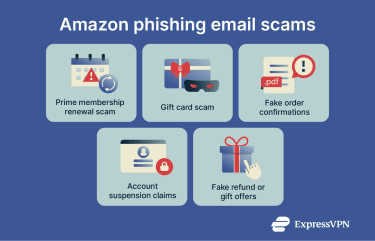
Fake order confirmations
These emails appear to be billing notices for subscriptions or expensive purchases the recipient doesn’t recognize. They often include a fake invoice attachment or order ID and encourage the recipient to click a link or call a number to dispute the charge.
Following those instructions typically leads to attempts to steal login credentials or payment details.
Account suspension claims
Targets receive an email that claims their Amazon account will be suspended or deleted unless they verify their personal information. This type of message uses urgency to prompt a target to take action without proper evaluation.
While Amazon may send legitimate account notifications by email, it does not ask you to provide passwords, full payment details, or sensitive personal information through email links or attachments. Messages that request this type of information are a strong indicator of a phishing attempt.
Fake refund or gift offers
Refund scams promise money back for a recent purchase, often claiming the item was defective or recalled. Gift offer scams promise free products or coupons. In both cases, clicking the link leads to phishing sites that collect personal or financial information.
Key signs of an Amazon phishing email
Phishing emails aim to look legitimate, but they often contain subtle warning signs. Learning to recognize these patterns can help you identify scams before any damage is done.
Unusual sender address
Always check the sender’s actual email address, not just the display name. Scam emails often use addresses that resemble Amazon’s domain but include extra characters, misspellings, or unusual domain names.
That said, even a realistic-looking sender address isn’t definitive proof of authenticity. Some attacks use email spoofing, which alters the “from” information in an email so it looks legitimate. This doesn’t mean they’ve hacked Amazon’s systems. Instead, they’re taking advantage of weaknesses in email authentication that allow sender details to be falsified.
Most email providers now use security standards to detect spoofing, but these systems aren’t perfect. Some spoofed emails still get through, especially if they closely resemble normal traffic or avoid obvious red flags. That’s why checking the content, links, and requests in an email is just as important as checking the sender address.
Urgent calls to action
Phishing emails often push immediate action by warning of account suspension, unauthorized charges, or security issues. Extreme urgency, deadlines, or threatening language are strong indicators of a scam.
Amazon will almost certainly never use panic-driven language like “this is your final warning” or threaten instant account closure through an email. Messages that demand immediate action, create panic, or push deadlines usually signal a scam.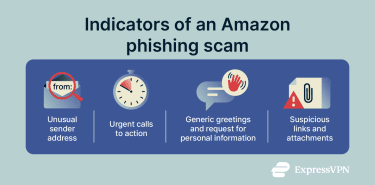
Generic greetings and requests for personal information
Fake emails often use greetings like “Dear Customer” instead of your real name because they don’t have access to your account details. Also, if an email says it needs confirmation of information like a name or home address, the message is likely a scam. Amazon already has this information and does not ask for personal details via email.
Suspicious attachments or links
Be cautious of emails that ask you to open an attachment or click a link to verify information, update an account, or download a receipt. Phishing emails often hide malicious links or files that can steal your data or install malware.
Instead of clicking, hover over links to check the actual URL that the link points to (you should see this at the bottom left corner of your screen). If it doesn’t match the official Amazon domain or looks suspicious, do not click it.
Even if the link seems safe, open it in a new tab and see if you get any alerts. If you click a link and the page asks you to log into an account that normally logs in automatically, that's likely a scam.
Below is an example of an Amazon phishing email with common phishing email red flags highlighted, including a misspelled address (“amaz0n” instead of “amazon”), a generic greeting, and repeated requests to take urgent action:
What to do if you receive a suspicious email
If an email seems suspicious, don’t rush. Scammers rely on quick reactions, so taking a moment to pause and verify can prevent mistakes.
How to verify legitimate emails
To verify whether an email is legitimate, go directly to your account instead of clicking any links in the message. Open a new browser tab and log into Amazon manually to check if the notice matches what you see there. If the email doesn’t appear in Message Center, treat it as a phishing attempt.
If you are still unsure, contact Amazon’s official support using the contact options listed in your Amazon account help pages. Don’t use any contact information provided within the suspicious email. Amazon can confirm whether a message truly came from the company.
Protecting your account immediately
Acting quickly can limit the damage if your account is targeted. If you think you may have interacted with a phishing email:
- Change your Amazon password right away.
- Enable two-factor authentication (2FA) if it isn’t already on.
- Report the email to Amazon and then delete it from your inbox.
- Review recent orders and payment settings for unfamiliar activity, and contact Amazon support if needed.
How to report an Amazon phishing email (step by step)
When you receive an email that you believe is a phishing attempt impersonating Amazon, the goal is to submit it in a way that Amazon’s security teams can analyze it and then remove it from your inbox so it doesn’t cause further risk. Simply forwarding the message incorrectly can strip out key information that helps Amazon investigate.
1. Don’t click anything in the suspicious message
First, do not click any links, open attachments, call any phone numbers, or reply to the message. Scammers can use these actions to gather more information or infect your device.
2. Forward the email as an attachment
There are two recommended ways to report a phishing email, and the more complete one is to send it as an attachment rather than simply forwarding it inline. Forwarding an email normally (inline) can change the header information and remove details like routing history, which security analysts use to trace the source and blocking information. Sending it as an attachment preserves the full headers and original content, which are crucial for investigation.
Here’s how to do it in major email platforms:
On Gmail (web)
- Open Gmail and click the checkbox next to the suspected phishing message.
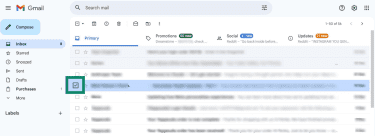
- Click the three dots (More) menu at the top and choose Forward as attachment.

- A new message will open with the suspicious email attached.

On Outlook (desktop)
Select the message in your inbox and go to Home > three dots (More options) > Forward as Attachment. (If you don’t see it, right-click the message and choose Forward as Attachment.)
On Apple Mail (Mac)
- Right-click the message in the list and select Forward as Attachment.
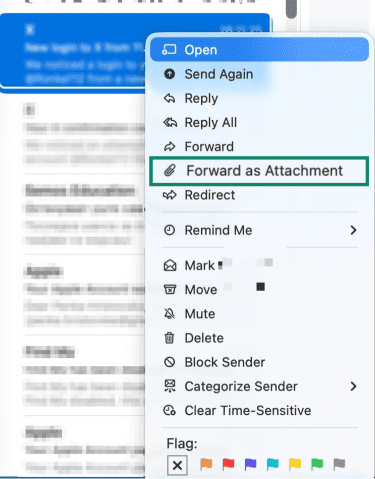
- A new message will open with the suspicious email attached.
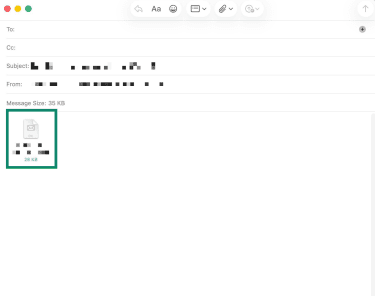
3. Send the email to Amazon’s official phishing reporting addresses
Amazon publishes two dedicated email addresses for reporting phishing and spoofing:
- reportascam@amazon.com: Amazon’s general scam reporting address where you should send the phishing message as an attachment if possible. This is Amazon’s official customer scam reporting channel.
- stop-spoofing@amazon.com: A secondary address Amazon provides specifically for spoofed or impersonation messages.
To report a phishing email, attach the original suspicious message and send it to both addresses: that increases the likelihood it goes into the right security queue.
Example email fields:
- To: reportascam@amazon.com, stop-spoofing@amazon.com
- Subject: Suspected phishing email [subject line of phishing message]
- Attachments: The original phishing email file
You don’t need to write anything fancy; a simple note saying “Here is the suspicious email I received” is sufficient. Amazon doesn’t typically reply to these reports, but they do use them to improve filters and investigate patterns.
4. Additional reporting (outside Amazon)
Reporting to Amazon helps them block future scams and refine filters, but external reporting helps law enforcement and consumer protection agencies see broader patterns.
Here are two common places to report phishing scams outside Amazon:
Federal Trade Commission (FTC)
You can report phishing and related scams at the U.S. government’s fraud reporting portal. This doesn’t replace reporting to Amazon but adds the incident to national fraud tracking systems.
Your email service provider
Most email services (Gmail, Outlook, Yahoo, Apple iCloud, etc.) have a “Report phishing” button. Using this trains their spam filters and protects other users.
Local cybersecurity or consumer agencies
If you’re outside the U.S., your government or consumer protection agency may also accept phishing reports; for example, the UK’s Action Fraud or Australia’s Scamwatch.
How to avoid future phishing scams
Reducing phishing risk involves both securing your Amazon account and improving everyday online habits.
Enable 2FA
Turn on 2FA so signing in requires a second verification step. This makes unauthorized access far more difficult, even if someone obtains your password.
Use a strong, unique password
A strong password is usually a mix of letters, numbers, and symbols, and it should differ from anything you use on other sites. That way, a breach on a different service won’t put your Amazon account at risk.
That said, it can be difficult to remember a complex password. A password manager can help you generate and store secure passwords without needing to remember them all.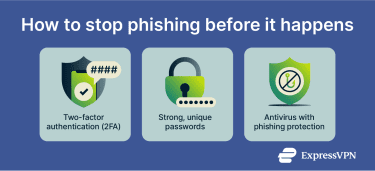
Security tools to detect phishing
Use tools that help spot and block phishing before it reaches you:
- Email spam and phishing filters help catch suspicious messages before they hit your inbox.
- Up-to-date security software (antivirus/antimalware) can warn you about malicious links and sites.
- Browser protections block known phishing sites and alert you when a link looks unsafe.
- Tools like ExpressVPN’s Threat Manager can automatically block known phishing domains, reducing the risk if you click a bad link by mistake.
These online scam prevention tools aren’t 100% efficient, but they add valuable checkpoints that reduce your exposure.
FAQ: Common questions about Amazon phishing scams
How do I know if an email from Amazon is real?
The safest way to confirm legitimacy is to avoid using links in emails altogether and instead sign in to Amazon directly to check your Message Center or account alerts.
What happens if I click on a phishing link?
Clicking a phishing link can expose your login or personal information to scammers. If you do click one, do not enter any information, close the link, and change your Amazon password and any accounts using the same password. Run a malware scan on your device and monitor accounts for unauthorized activity. Report the phishing attempt to Amazon and relevant authorities.
What tools can help identify scam emails?
Tools that help filter or detect phishing before it reaches you include your email’s built‑in spam and phishing filter, antivirus/antimalware software, and browser security features that warn about unsafe sites. These tools don’t stop every scam, but they can reduce your exposure.
Can VPNs help protect you from Amazon phishing emails?
A virtual private network (VPN) encrypts your connection on public or unsecured networks so attackers on the same Wi‑Fi cannot easily intercept your data. While a VPN does not directly detect or block phishing emails, it protects your login details and personal data when you access Amazon over risky networks.
Take the first step to protect yourself online. Try ExpressVPN risk-free.
Get ExpressVPN