How to protect your email with ExpressVPN


ExpressVPN's privacy and security tools help protect your email and the many other accounts linked to it by securing your login credentials, keeping your real email address private, and encrypting your internet traffic.
Other security measures, such as filtering spam and phishing messages out of your inbox, are your email provider’s responsibility.
Protect your email connection on public Wi-Fi with ExpressVPN
When you check your email on free public Wi-Fi, someone monitoring the network can see which mail service you contact and other connection details, even when your email provider encrypts the traffic between your device and their services.
Once connected, ExpressVPN encrypts your traffic before it reaches the Wi-Fi network, preventing anyone from inspecting it and seeing which sites you visit. All that’s visible is one encrypted stream to an ExpressVPN server, plus its timing and size.
Even your Domain Name System (DNS) lookups, where your device asks for a website’s address, travel inside the encrypted tunnel to ExpressVPN’s private DNS servers.
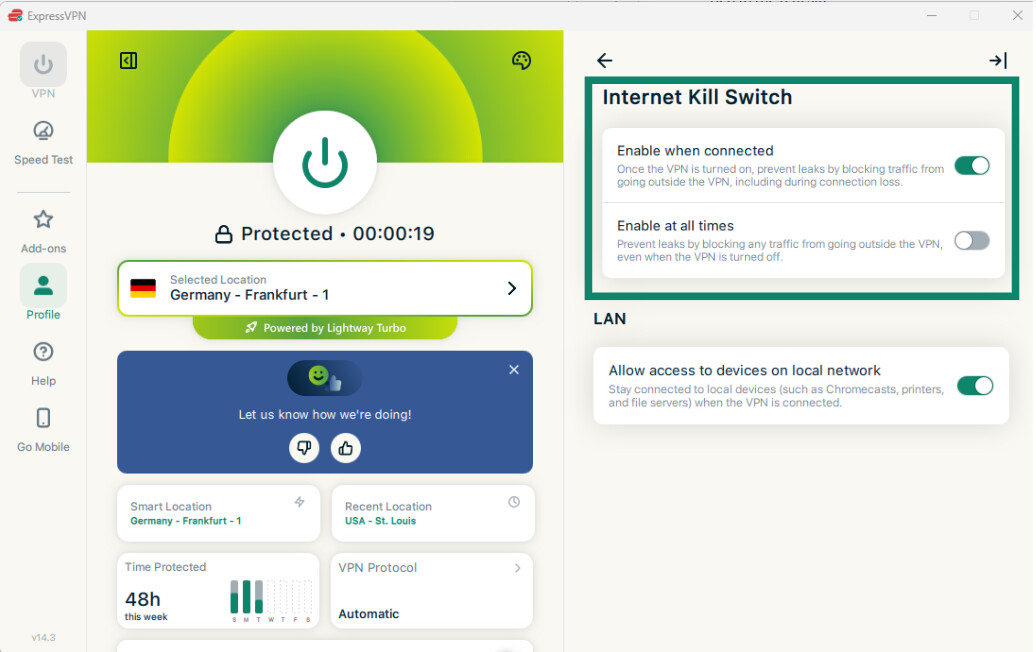
If the Wi-Fi drops and the VPN disconnects unexpectedly, ExpressVPN's Internet Kill Switch blocks your internet traffic until it reconnects, so your data doesn’t fall back to the open network. It’s on by default on desktop, Android, and iOS, and it doesn’t block traffic if you disconnect the VPN yourself. Find full details in our Internet Kill Switch guide.
Secure your email login with ExpressKeys
Your inbox is where you often get password reset links for most of your other accounts, so your email password is one of the most important to protect. ExpressKeys, ExpressVPN’s password manager, generates a long, random password for your email account and stores it in an encrypted vault that only you can open.
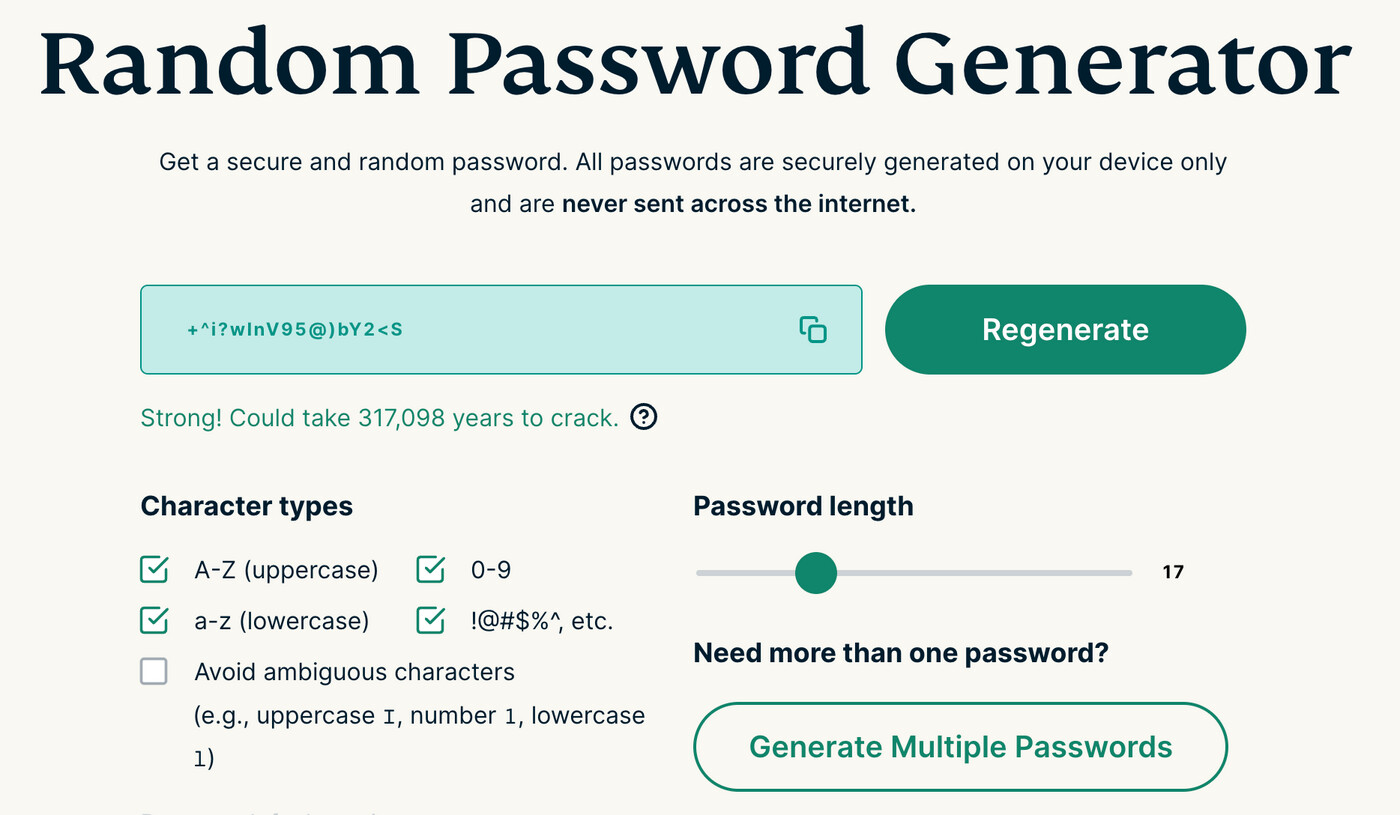
It’s included with the Advanced and Express Pro plans, or you can subscribe separately through the ExpressKeys app. It’s also available as a browser extension. If you’re not ready to commit just yet, try ExpressVPN’s free Password Generator, but storing the password safely is up to you.
ExpressKeys also helps protect the rest of your email sign-in:
- Two-factor authentication (2FA) codes: The built-in authenticator generates codes in the app, so they don’t rely on text messages tied to your phone number. These codes change every 30 seconds.
- Passkeys: These use your device's authentication method, such as a fingerprint or PIN. ExpressKeys can create and store passkeys for email providers that support them.
- Password Health: Flags passwords that are weak, reused, or leaked, and logins without 2FA, giving you a fix-first list that starts with your email.
For more information on generating strong passwords and how to get started, see our ExpressKeys support guides.
ExpressKeys also provides a useful safeguard against phishing: its autofill feature only works on the original website associated with the login.
Keep your real email address private with ExpressMailGuard
Your email address often doubles as your username on many sites, so each one that has it holds half of your login. A breach at any of them can also put your address on spam and phishing lists. ExpressMailGuard lets you create an email alias for each site. Mail sent to that alias arrives in your usual inbox, and you can reply or write from the alias, so the site never learns your real address.
If an alias starts attracting spam or appears in a breach, you can turn it off or delete it without affecting your primary email address. Plus-addressing, like alex+shopping@example.com, can’t do this, because deleting the tag reveals the real address. Aliases only help with new sign-ups, so accounts already registered under your real address keep it until you update them.
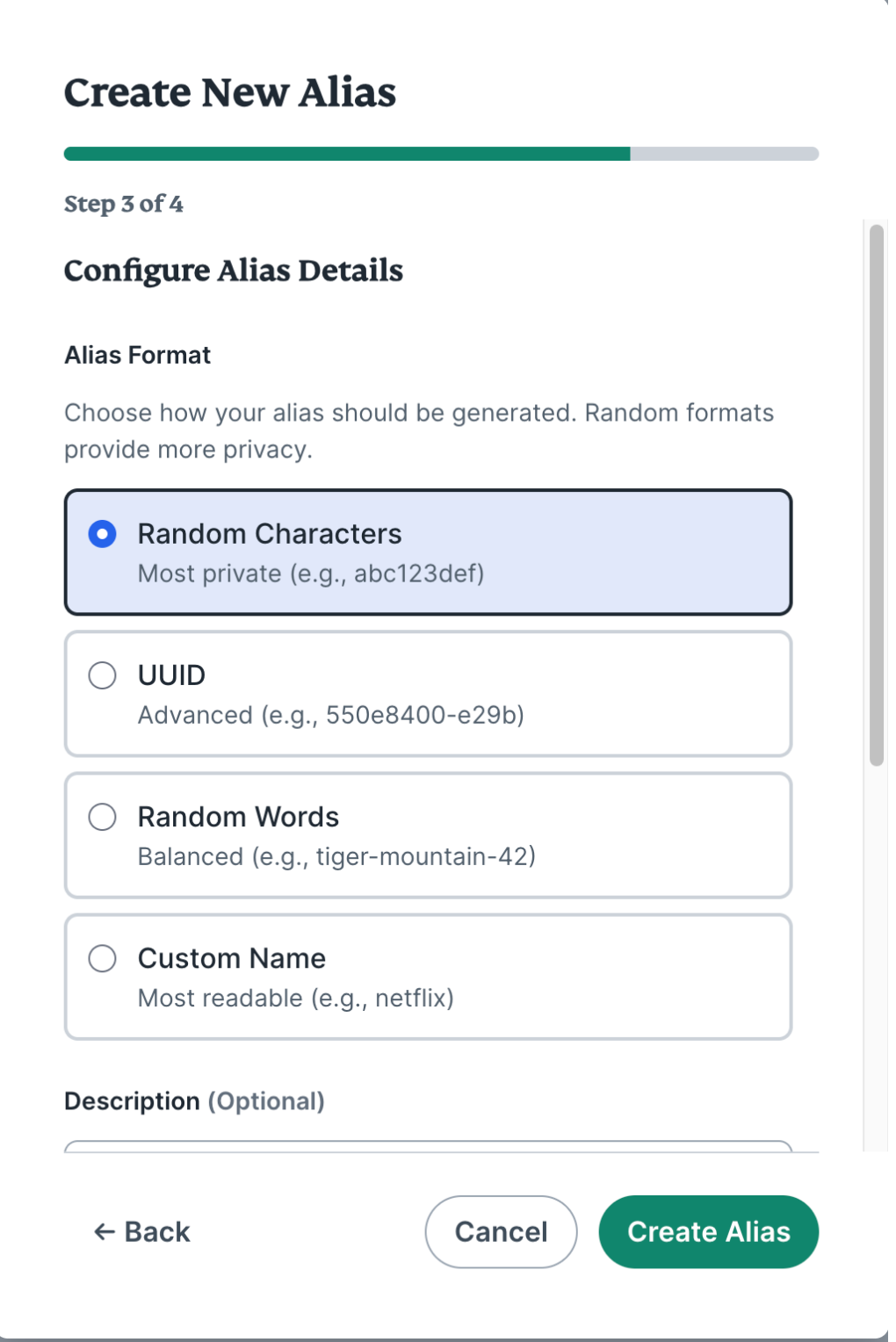
Every ExpressVPN plan comes with ExpressMailGuard. You can create unlimited aliases under a dedicated subdomain. Limits on shared aliases, forwarded bandwidth, and daily sending depend on your plan and are listed in the ExpressMailGuard FAQ. Our getting started guide contains everything you need to create your first alias.
Block known phishing and malware sites with Advanced Protection
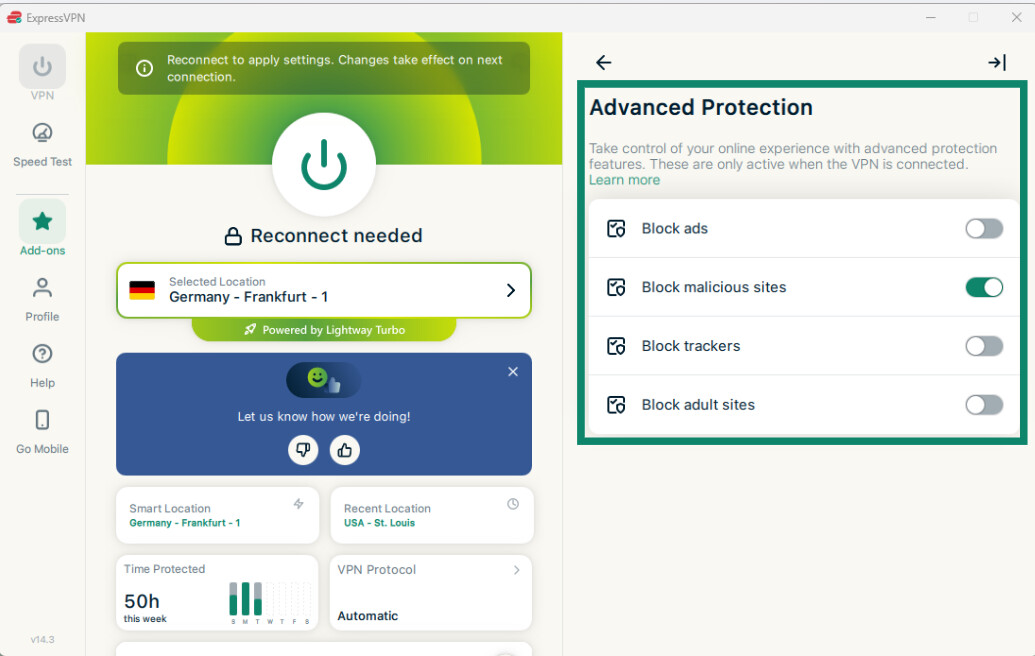
A phishing email only works if you reach the page it links to. An Advanced Protection setting on every ExpressVPN plan blocks malicious sites by preventing your device from connecting to known phishing and malware domains, including links opened from texts and other apps, not just your emails.
It doesn’t catch every scam. It relies on a regularly updated list of known malicious domains, so a brand-new phishing page can still load, and it doesn’t scan your inbox or the contents of your mail.
See our Advanced Protection guide for setup instructions and more feature details.
Want to make your inbox harder to break into?
ExpressKeys gives your email a unique password and 2FA codes, ExpressMailGuard keeps your real address off the sites you sign up for, and ExpressVPN encrypts your connection on public Wi-Fi.
Secure your email with ExpressVPN
ExpressKeys is included with Advanced and Express Pro. Try any plan risk-free with our 30-day money-back guarantee for new users.
How ExpressVPN handles your email data
Each part of the suite handles different data:
-
ExpressKeys: Your data is encrypted and decrypted on your device, and no one at ExpressVPN can see what’s stored in it without your vault password. Password Health assesses your saved passwords locally and uses privacy-preserving checks against known data breaches. Your actual passwords never leave your device.
-
ExpressMailGuard: It receives mail sent to your alias, forwards it to your primary inbox, and deletes its copy. If you turn on failed-delivery storage, it keeps undelivered messages for up to seven days. Because it needs somewhere to send your mail, it does know your real address, so an alias keeps you private from the sites you sign up to, not from ExpressVPN.
-
The VPN: ExpressVPN doesn’t record which mail service you connect to or what you send.
What ExpressVPN can’t protect
ExpressVPN protects how you sign in, which addresses you share, and the connection your email travels over. It doesn’t cover everything:
- Message contents: ExpressVPN encrypts the route between your device and its server, not the message. Providers usually protect mail in transit with Transport Layer Security (TLS), where the receiving server supports it. Only end-to-end encryption makes a message readable by just you and the recipient.
- Your inbox: ExpressVPN doesn’t filter spam or phishing emails or scan your messages. Your email provider does that.
- Fake sign-in pages: Entering a password or one-time code on a convincing copy of your provider’s sign-in page goes to the scammer who set it up. Passkeys are much harder to steal this way because they work only on the real site.
- Addresses already shared: An email alias doesn’t change a real address a site already has on file.