How to check if someone is using your identity with ExpressVPN Identity Defender


You can check whether someone is using your identity with ExpressVPN Identity Defender, which monitors your personal information and alerts you to signs of misuse. It is a set of identity protection tools available to U.S. users on ExpressVPN’s Advanced and Express Pro plans.
Identity Defender works through its own app for iOS and Android or the ExpressVPN+ dashboard in a browser. It can’t detect every type of identity theft, but it can alert you to several early warning signs.
How to check for identity theft with ExpressVPN Identity Defender
To get started, subscribe to an ExpressVPN plan that includes Identity Defender. Then sign into the Identity Defender app with your ExpressVPN account and confirm your identity with your first and last name, date of birth, home address, and email address. Identity Defender starts monitoring this information right away. Some features need more details, such as your Social Security number (SSN) or financial account information.
Check out our guides on getting Identity Defender and setting it up for more details.
Here’s what each feature checks for and which plans include it:
|
Identity-related activity
|
Identity Defender tool
|
Advanced
|
Express Pro
|
|---|---|---|---|
| Credit activity and accounts opened in your name | Credit Scanner, SSN Monitoring | ✅ | ✅ |
| Changes to your address, property, or public records | Change of Address Alerts | ✅ | ✅ |
| Home Title Monitoring, Auto Title Monitoring, Courts Record Monitoring | ❌ | ✅ | |
| Unauthorized activity in financial accounts | High Risk Transaction Monitoring, 401(k) alerts | ❌ | ✅ |
| Exposure of your personal information | Dark Web Monitoring | ✅ | ✅ |
Check for credit or accounts opened in your name
Credit Scanner shows new accounts and credit inquiries in your credit file, and SSN Monitoring (one of the ID Alerts tools) alerts you when your SSN is used for loans, payments, employment, or similar activities.
To check your credit activity:
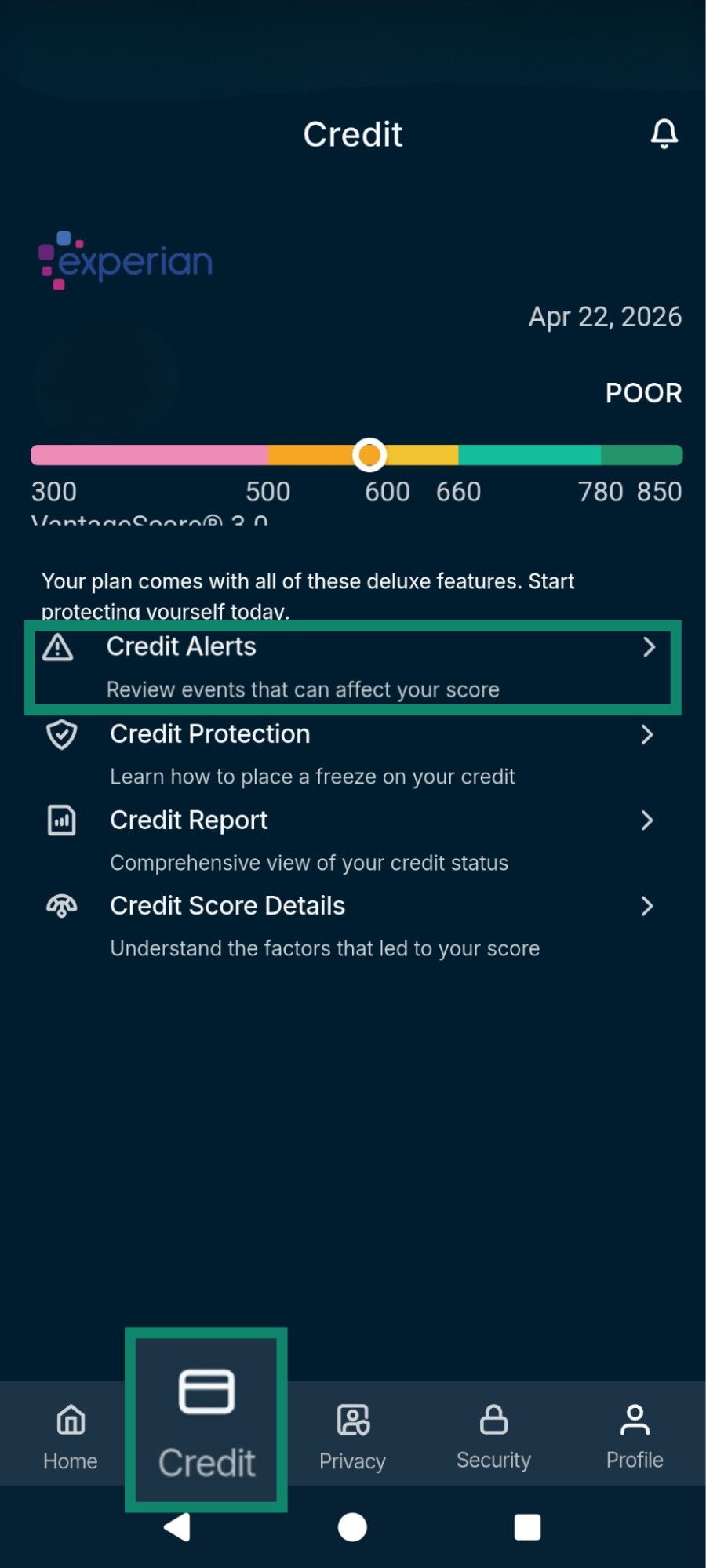
- In the Identity Defender app, go to the Credit tab and select Credit Alerts. Look for credit inquiries or new accounts you don’t recognize.
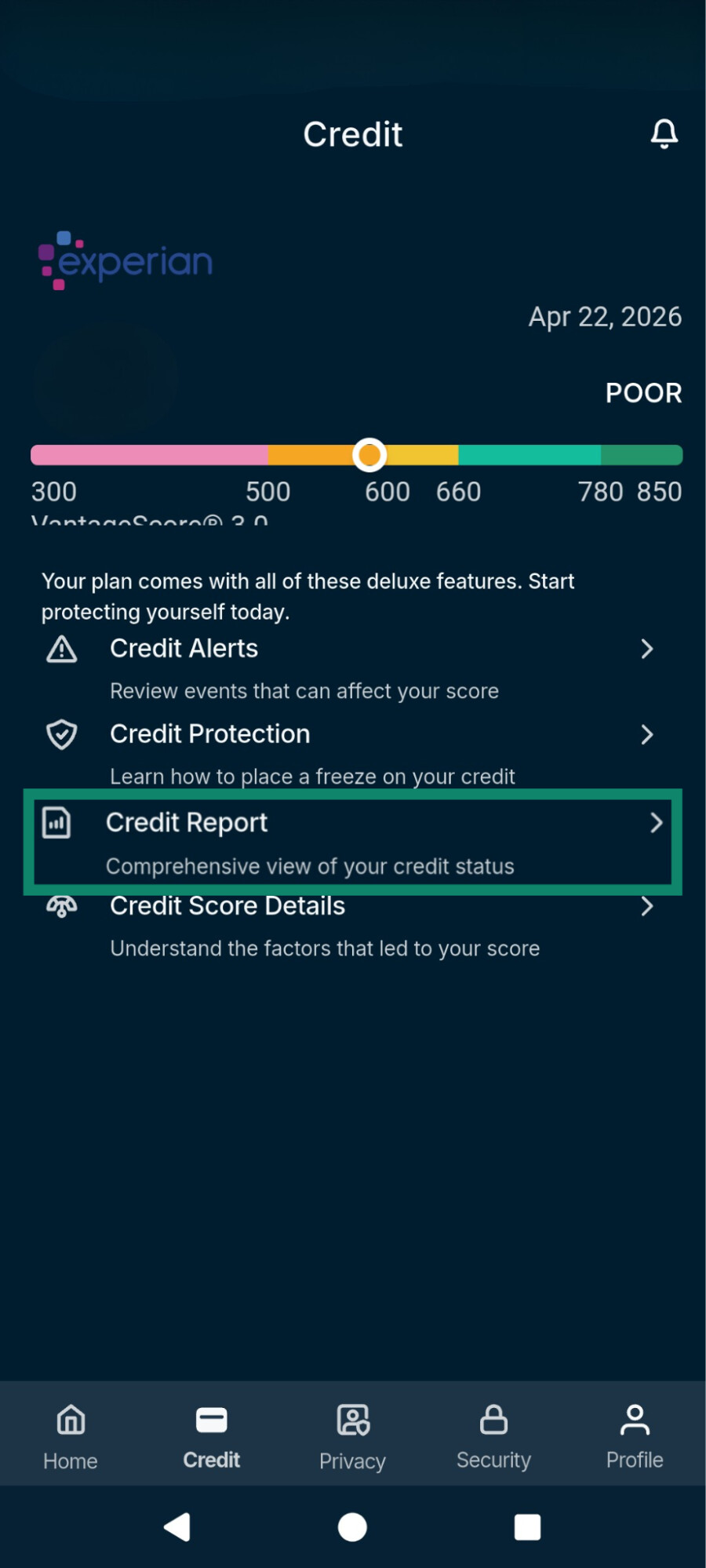
- Select Credit Report and review your monthly report for unfamiliar accounts, credit inquiries, addresses, balances, or payment activity.
Credit Scanner shows Experian credit data only, so accounts or inquiries reported only to Equifax or TransUnion won’t appear there.
To check for SSN use:
- Tap the Security tab and wait for the scan to finish.
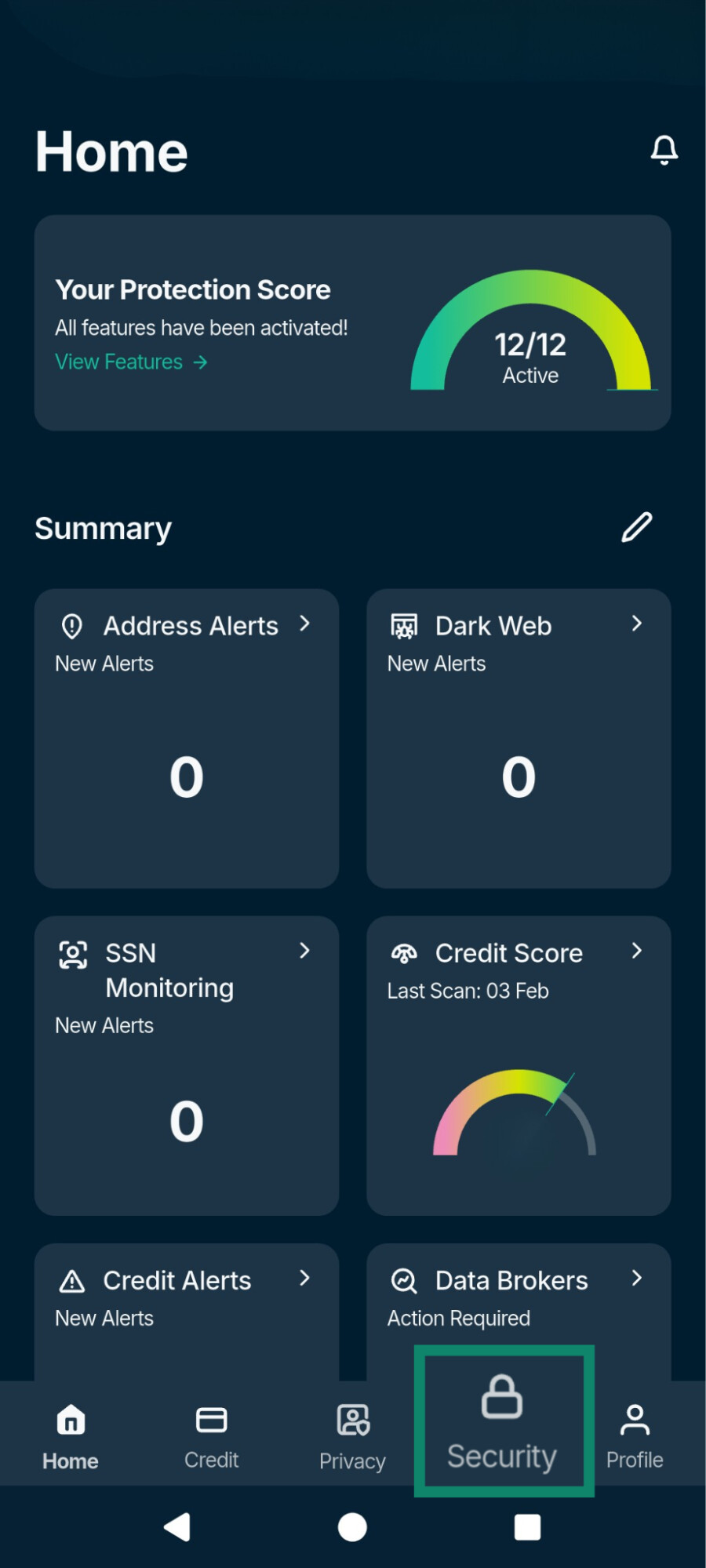
- Tap Dashboard at the top to open a dropdown menu.
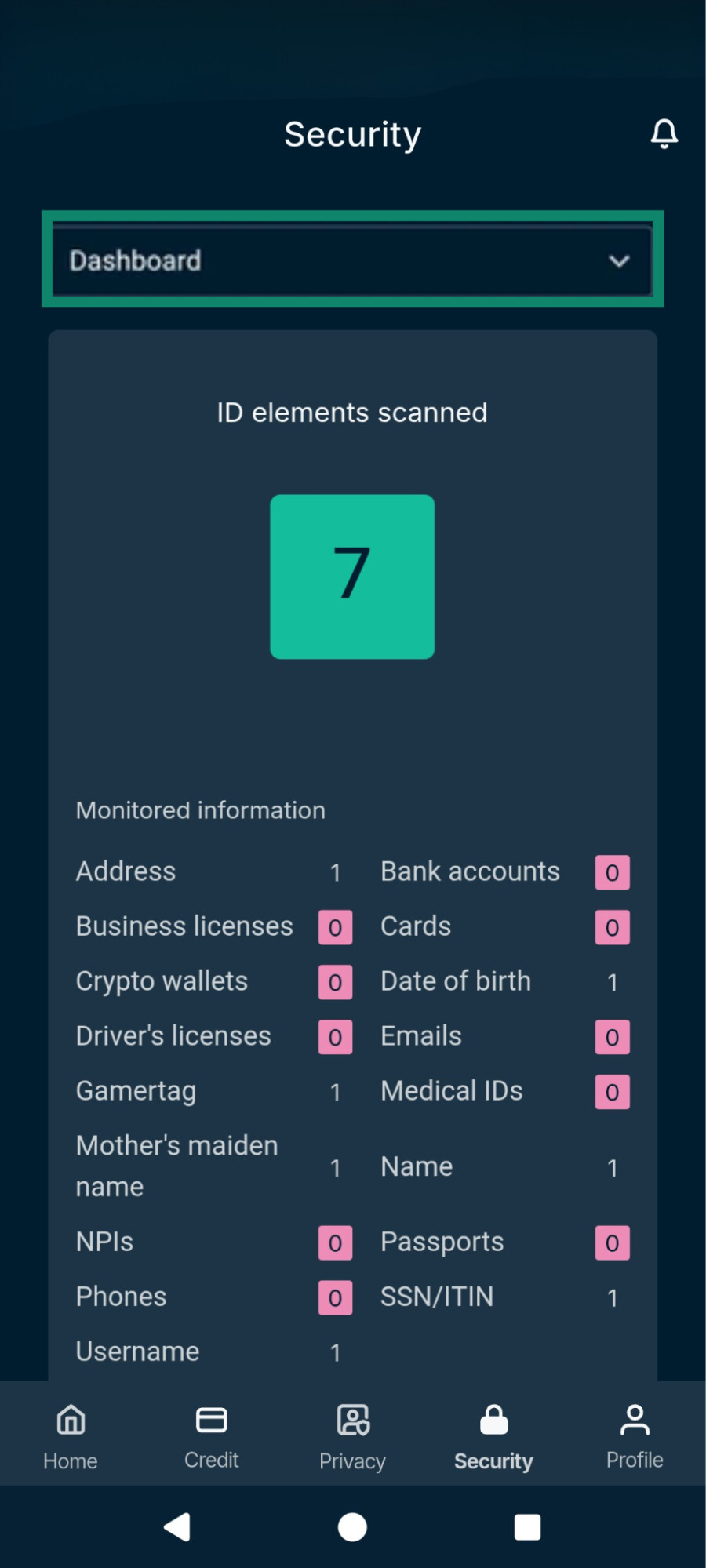
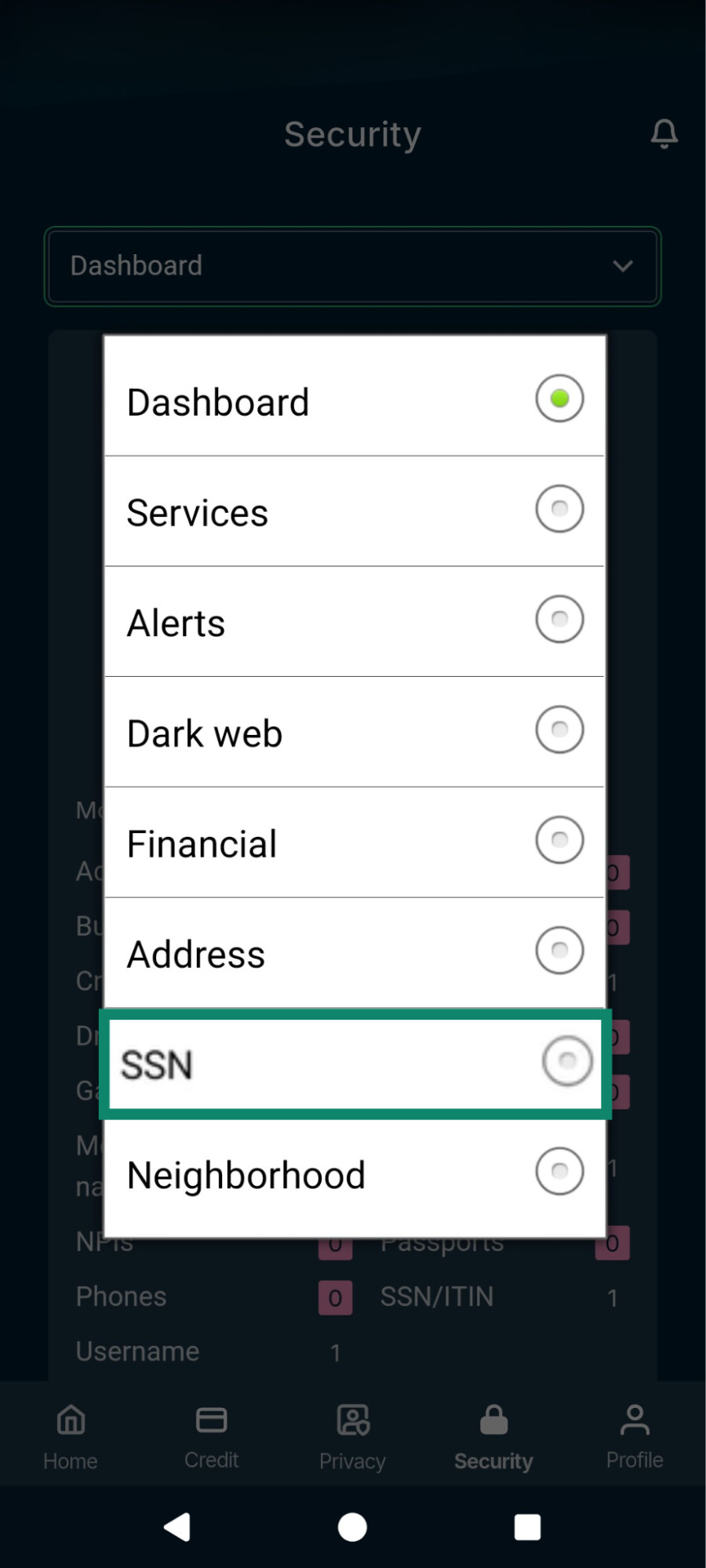
- Select SSN and review the active alerts for SSN uses you don’t recognize, such as loan applications or payments you didn’t authorize.

Note: Check out our guides that explain in more detail how to use Credit Scanner and ID Alerts.
Check for changes to your address, property, or public records
Change of Address Monitoring tracks your home address and any other addresses you add. On Express Pro, Home Title, Auto Title, and Courts Record Monitoring also watch property, vehicle, and court records linked to your identity.
In the Security tab, select the relevant category (e.g. Address for Change of Address Alerts) and review any active alerts for:
- Address changes you didn’t request.
- Changes to your home title or property records you didn’t make.
- Changes to your vehicle title records you didn’t make.
- Court or judicial records you don’t recognize.
Check for unauthorized activity in your financial accounts
High-Risk Transaction Monitoring and 401(k) Alerts only cover financial accounts you’ve connected. In the Security tab, tap Financial and review any active alerts for:
- Unusually large or suspicious transactions you didn’t make.
- Withdrawals, access attempts, or account changes in your 401(k) that you don’t recognize.
Check whether your personal data has been exposed
Dark Web Monitoring scans the dark web for your personal data, such as email addresses, passwords, financial details, and identity documents. It covers the details you entered during setup and any others you add, and its alerts appear in the Dark web list in the Security tab.
The dark web is a part of the internet that standard browsers can’t access, and it’s often used to trade stolen personal information. Personal data usually ends up there after a data breach at a company that holds it or through phishing or malware. A dark web alert means your data has been exposed, not necessarily that someone has used it.
What to do if Identity Defender flags suspicious activity
An alert means Identity Defender found activity or exposed data linked to your details. It doesn’t confirm identity theft on its own, so start by checking whether you recognize the activity.
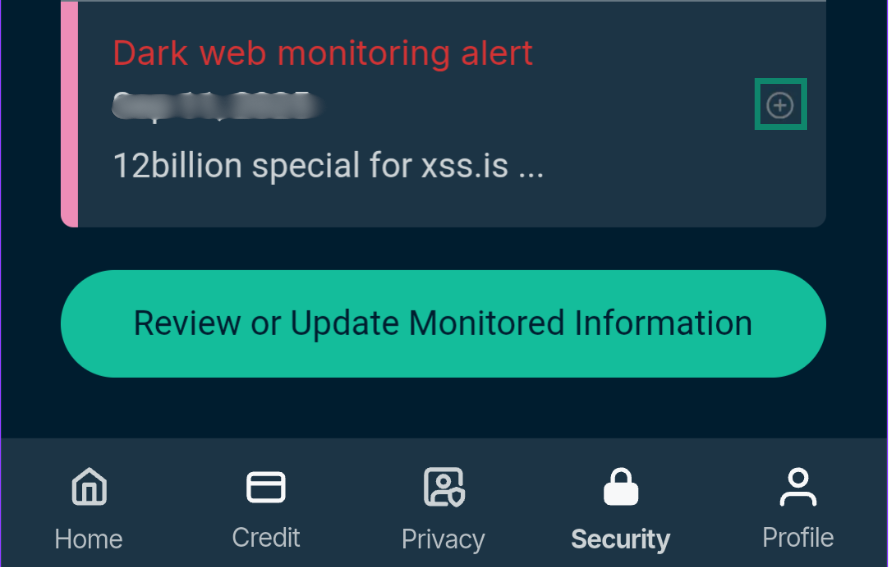
To see more details about an alert, tap the plus sign next to it. If the activity was yours, such as a credit application you made, you don’t need to do anything.
If you find credit activity you don’t recognize, open the Credit tab and select Credit Protection.
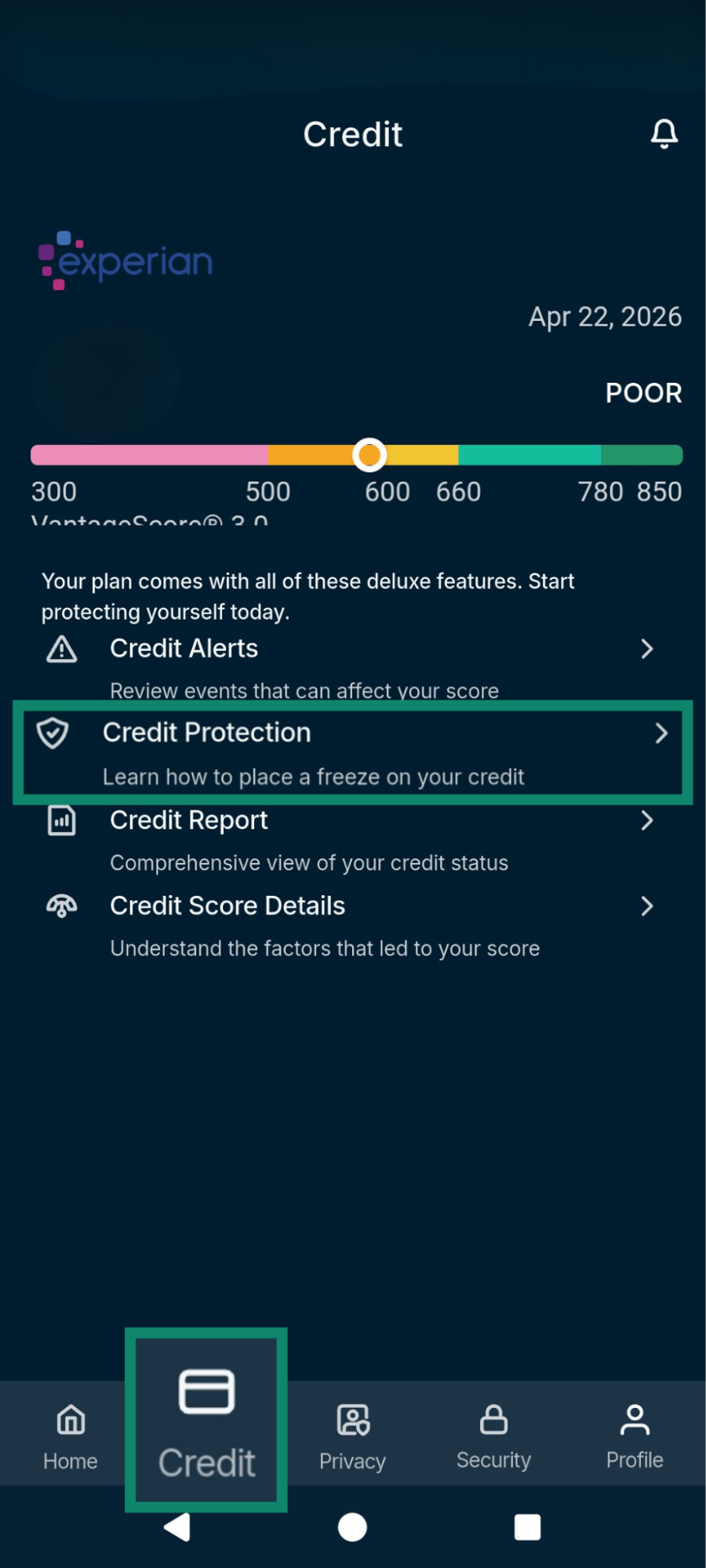
It shows how to contact the three major U.S. credit bureaus (Experian, TransUnion, and Equifax) to request a credit freeze. A credit freeze restricts access to your credit report, making it harder for someone to open new credit accounts in your name. You'll need to temporarily lift the freeze when applying for credit yourself.
If you confirm that someone has used your identity:
- Change the passwords on affected accounts and turn on two-factor authentication (2FA). ExpressKeys, the password manager included with Advanced and Express Pro, can store your new passwords and generate 2FA codes.
- Keep copies of alerts, statements, emails, letters, and other records related to the fraud.
- Report the identity theft to the Federal Trade Commission (FTC) at IdentityTheft.gov and to the organizations involved, such as your bank or the creditor.
Identity Defender also includes ID Theft Insurance*, with coverage of up to $3 million on Advanced and up to $5 million on Express Pro, along with full-service restoration support. Eligible benefits include Cash Recovery of up to $1 million for stolen funds from accounts such as a 401(k), health savings account (HSA), checking, or savings account, subject to the policy's terms and limits.
Worried someone might be using your identity?
Get alerts that help you identify potential identity theft and take action sooner.
Monitor your identity with ExpressVPN
Identity Defender is available to eligible U.S. users with ExpressVPN Advanced and Express Pro plans.
What Identity Defender can’t do
Identity Defender alerts you to signs of misuse in the sources it monitors, but it can’t:
- Detect every type of identity theft: It doesn’t monitor tax filings or medical claims, so it may not catch tax refund fraud or someone using your health insurance.
- Remove exposed data from the dark web: Dark Web Monitoring alerts you when your information is found there, but it can’t remove it.
- Stop misuse: Alerts show activity involving your details, but they don’t prevent someone from using information they already have.
FAQ
Can someone steal my identity without affecting my credit?
Can Identity Defender detect someone using my Social Security number?
What should I do if I suspect identity theft but haven't received any alerts?
What happens to the personal information I give Identity Defender?
Can Identity Defender remove my personal information from the internet?
*The insurance is underwritten and administered by American Bankers Insurance Company of Florida, an Assurant company, under group or blanket policies issued to Array US Inc. or its respective affiliates, for the benefit of its Members. Please refer to the actual policies for terms, conditions, and exclusions of coverage. Coverage may not be available in all jurisdictions. Review the Advanced Tier Summary of Benefits and the Express Pro Tier Summary of Benefits.