Doxxing and how ExpressVPN can help protect you


ExpressVPN limits the information available to potential doxxers.
Its tools can mask your real IP address, help remove your information from data broker sites, block known phishing and malicious links, protect your accounts with unique passwords, and limit how often your email address gets exposed. It can’t, however, stop someone from finding information you’ve posted publicly or digging through public records.
How ExpressVPN helps protect you from doxxing
No single tool can prevent doxxing completely since personal information can come from many places, but ExpressVPN’s products can help protect some of the data that could be used to build a detailed profile of you.
Hide your IP address
Your public IP address can reveal information about your internet connection and approximate location. If a doxxer combines those clues with other information about you, they may be able to narrow down your identity or whereabouts.
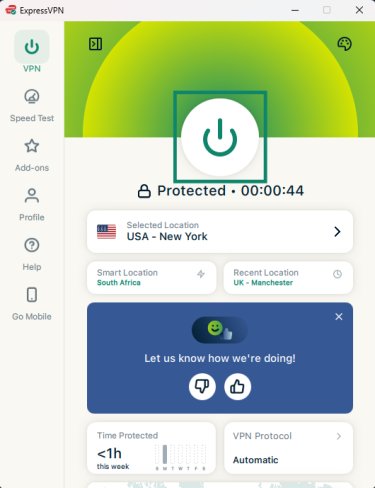
ExpressVPN routes your internet traffic through a VPN server, so websites and online services you connect to see the server’s IP address rather than your real public IP address. It also uses shared IP addresses, making a VPN IP less directly associated with any one person.
How to use it: Open the ExpressVPN app, choose a location, and click to connect. See our step-by-step tutorials for the full setup guide for your device.
Remove your information from data broker sites
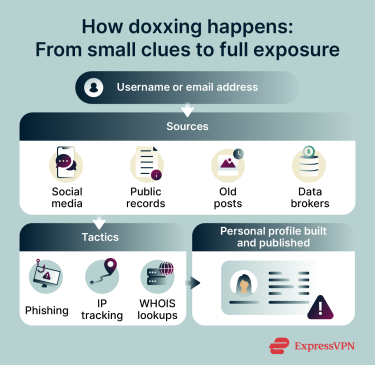
Data brokers and people-search sites package your name, address, phone number, and other details into listings a doxxer can look up or buy, often linking pieces of your profile that were previously separate.
For U.S. users on Advanced and Express Pro plans, Identity Defender’s Data Removal feature scans supported data broker and people-search sites for your personal information and submits removal requests on your behalf. It continues scanning after removal and can send another request if your information reappears.
How to use it: Open the Identity Defender app, tap the Privacy tab, enter your information, and agree to the Privacy Policy to start a scan. You can find the full setup process in our Data Removal guide.
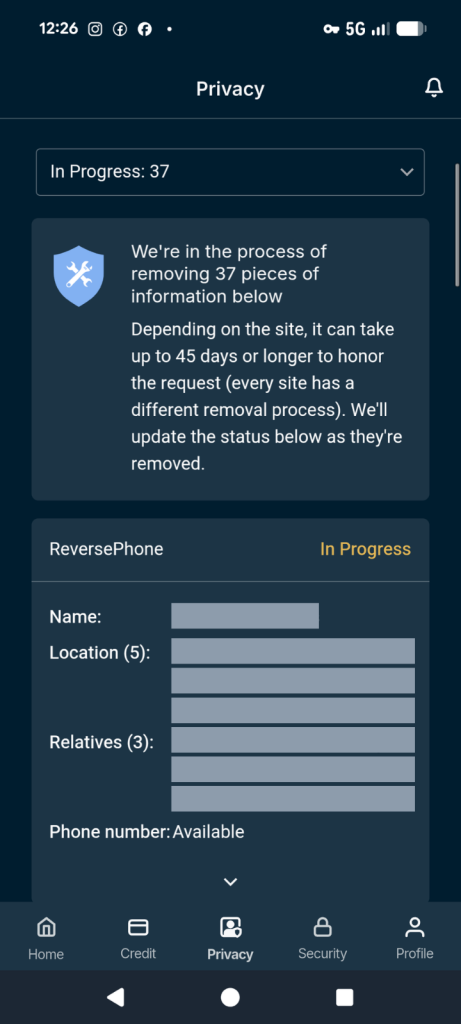
Data Removal doesn’t erase official public records or remove information from every website. Some sites may also require you to complete removal requests yourself.
Block connections to known phishing and malicious sites
Some doxxers try to trick you into handing over information yourself, with a fake login page or a message impersonating a trusted contact. ExpressVPN’s Block malicious sites feature (included in all subscription plans) checks connections against regularly updated blocklists of known malicious domains and blocks matching sites before they load.
How to use it: Enable the feature in ExpressVPN’s app by going to Add-ons > Advanced Protection, then toggle on Block malicious sites. The exact steps vary by device.
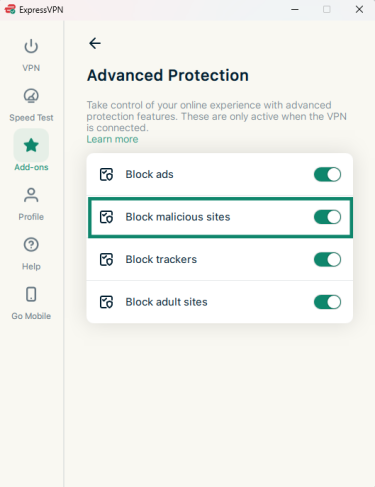
The feature relies on known domains, so it can’t catch every phishing page, particularly newly created or targeted ones. Treat unexpected links and requests for personal information with caution, even with this turned on.
Separate your online identities
Reusing the same email address across unrelated accounts can make them easier to connect. If that address appears in a breach, public profile, or other exposed data, someone may be able to find other accounts associated with it.
ExpressMailGuard lets you create email aliases that forward messages to your primary inbox without revealing your real email address to the services you sign up for. You can use a different alias for each account and deactivate an alias that starts receiving unwanted messages without changing your main email address.
How to use it: In ExpressMailGuard, click Alias, choose a shared or dedicated subdomain alias, and select Create Alias. See our getting started guide to set up your first one.
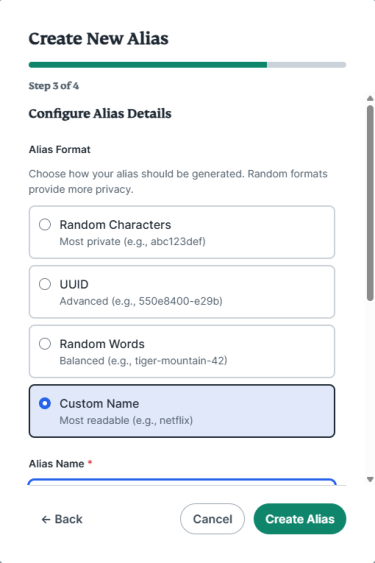
Every plan includes unlimited aliases on your own subdomain, plus a set number of random aliases on shared domains: 10 on Basic, rising to 50 on Advanced and unlimited on Express Pro.
An alias limits exposure of your real email address, but it doesn't make an account anonymous or prevent someone from linking accounts through other identifying information.
Get notified if your information turns up online
You don’t have to wait until you stumble across exposed information yourself. For eligible U.S. users, ExpressVPN’s ID Alerts feature notifies you when monitored personal information appears on dark websites and flags potentially unauthorized address changes, among other supported activity. These alerts don’t confirm that you’ve been doxxed, but they're worth a closer look.
Make it harder for doxxers to find your information
ExpressVPN helps protect your IP address and email privacy while offering tools to remove your personal information from data broker sites.
Reduce your digital exposure with ExpressVPN
Try ExpressVPN with a 30-day money-back guarantee for new users.
FAQ
Does ExpressVPN prevent doxxing?
ExpressVPN can’t prevent doxxing on its own. Its VPN can mask your real IP address, while other ExpressVPN tools can help reduce information available through supported data brokers, limit exposure of your primary email address, and block connections to known malicious sites. It can't remove all public information or prevent identification through other sources.
Can someone find my address from my IP address?
An IP address generally can’t reveal your precise home address by itself, but it can provide approximate location and network information. Someone could combine those clues with other information to narrow down your identity or whereabouts. ExpressVPN masks your real public IP address from the websites and online services you connect to through the VPN, but it doesn’t hide location information you share in other ways, such as through a device’s location services.
How can I make myself harder to dox?
You can make yourself harder to dox by reducing the amount of personal information available online and making your accounts more difficult to connect. ExpressVPN can help: ExpressMailGuard keeps your primary email address private, ExpressKeys helps secure online accounts with unique passwords, and for eligible users, Identity Defender can reduce exposure through data brokers.
Is Identity Defender available outside the U.S.?
No, Identity Defender, including its Data Removal tool, is currently available only to eligible U.S. users on the Advanced and Express Pro plans. Users elsewhere can still use ExpressVPN to mask their IP address, ExpressMailGuard for email aliases, ExpressKeys for passwords, and Advanced Protection to block malicious sites.