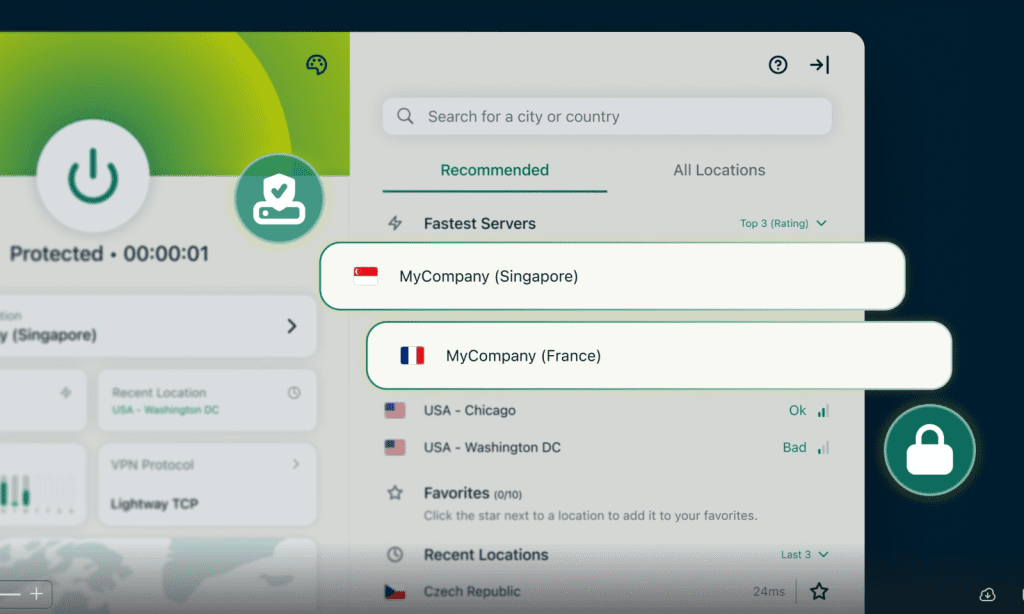
What ExpressVPN looks like when teams start using it


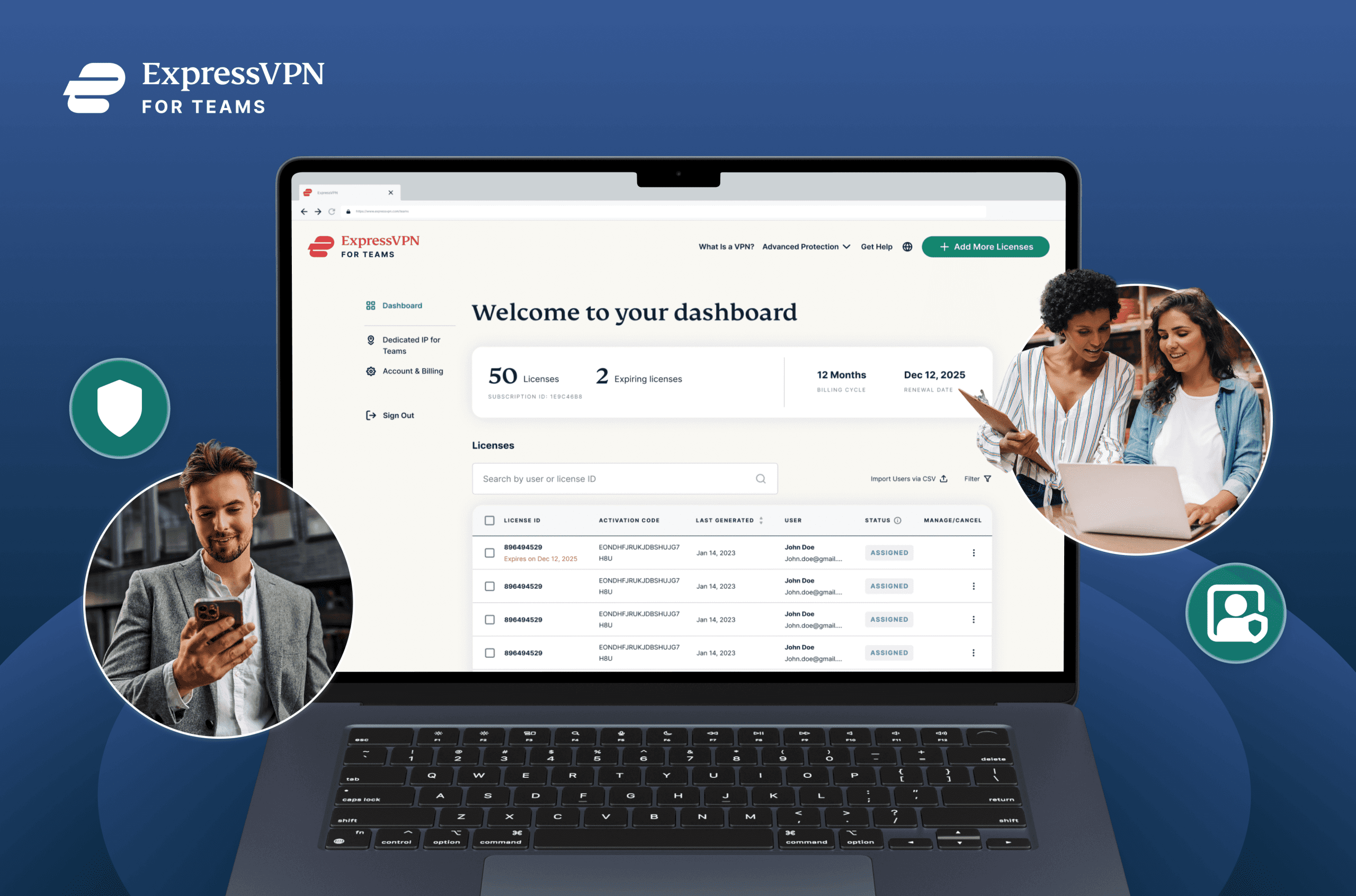
ExpressVPN for Teams is an upgrade to ExpressVPN’s previous volume licensing, aimed at small and growing teams. It introduces centralized admin controls, so access and licenses can be managed in one place.
- Teams can add or remove users easily as people join, leave, or change roles
- Pricing is more flexible, letting teams pay for what they need now and benefit from volume discounts (up to 50%) as they grow
- Dedicated IP for Teams is available for groups that need consistent IP addresses and simpler whitelisting
- This is an initial release, with more features and integrations planned over time
VPNs are straightforward when they belong to one person. They can get messy the moment they belong to a team.
At first, a workaround is simple: buy a few individual licenses and move on. Then the team grows. Employees join and leave. Contractors need temporary access. Someone needs to be set up safely from a hotel Wi-Fi network. Renewals spread across inboxes, and eventually, what was supposed to be a productivity tool becomes one more thing to track, clean up, and re-explain.
ExpressVPN for Teams is our upgraded experience for groups who want to manage ExpressVPN together. If you’ve used our Volume Licensing program before, this release is a step forward: better self-serve controls for admins, with more improvements to come. After a beta period, ExpressVPN for Teams is now available more broadly.
This release focuses on improving how teams manage access today, with additional features planned as ExpressVPN for Teams continues to evolve..
One place to manage access
As teams scale, the first thing that usually gets complicated is administration.
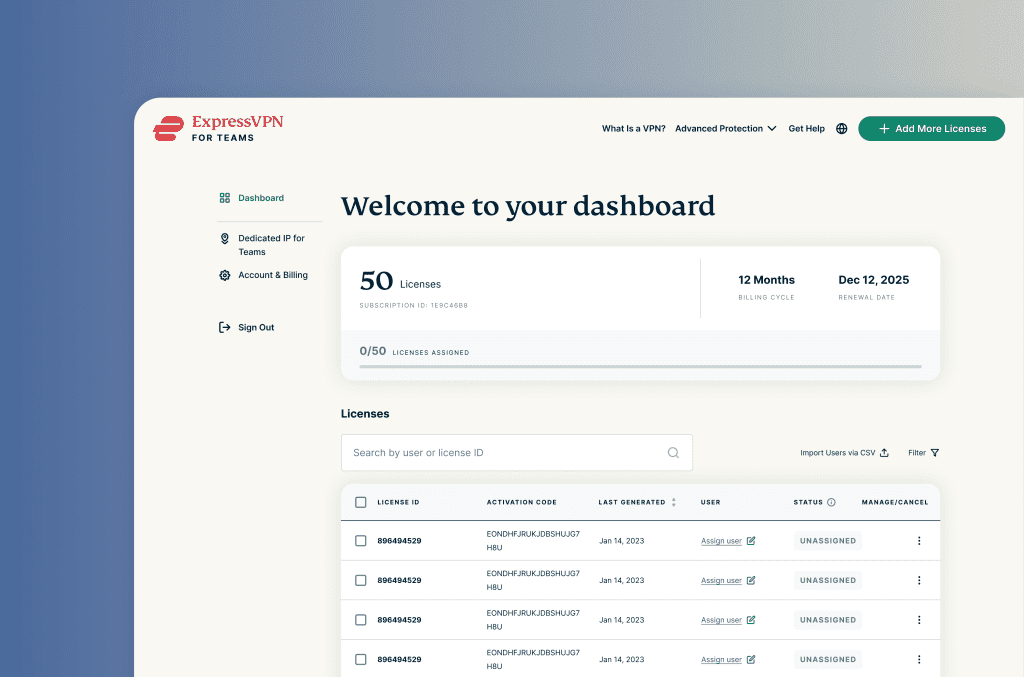
ExpressVPN for Teams brings license management into a single admin dashboard. From there, admins can assign access, reclaim seats, track renewals, and add licenses without juggling individual accounts. Bulk uploads speed up onboarding when multiple people need access simultaneously.
Teams can start with as few as five licenses and add more when they need them. There’s no pressure to overbuy or plan far ahead. Access and cost remain tied to the team as it currently exists, not to what it might look like later. This keeps pricing aligned with how the team actually changes over time.
Employees don’t interact with the dashboard; instead, they use the ExpressVPN apps. The dashboard exists so admins can keep access current without VPN management becoming ongoing busywork.
Once access is easier to manage, the next question becomes where that protection actually applies.

Keeping protection consistent as work moves around
Work no longer occurs on a single predictable network. Team members move between home offices, coworking spaces, client sites, and public Wi-Fi while traveling. Often, they move between all of them in the same week.
ExpressVPN for Teams secures connections across those environments through the apps employees already use. From their perspective, nothing changes. They connect as usual and get on with their work. Protection stays consistent even as networks change.
Some teams also need more predictability for specific services. In those cases, Dedicated IP for Teams can provide a fixed IP address, making it easier to whitelist services or give a group shared access where needed. Teams on a one- or two-year plan can ask about availability during checkout or via chat.
At that point, the VPN fades into the background, which is usually where teams want it.
Built on the same ExpressVPN foundations
Under the hood, ExpressVPN for Teams runs on the same technology used across ExpressVPN’s consumer products. That includes AES-256 encryption, TrustedServer technology, and secure protocols such as Lightway, WireGuard, and OpenVPN, all covered by the same strict no-logs policy.
Setup is automated, so teams can get started quickly without additional configuration or ongoing support. We want to make strong protection easier to keep consistent once it’s in place.

How teams use it day to day
For many organizations, the value is immediate and unremarkable in the best possible way. Employees stay protected as they move between networks. Admins keep access tidy as the organization changes.
But VPN access also becomes a practical tool. Product and marketing teams can test websites or apps across regions without standing up local infrastructure. Regional launches can be previewed, localised experiences reviewed, and insights gathered in a more controlled way. These workflows tend to surface naturally once access is centralized and easy to manage.
Getting started
Setting up ExpressVPN for Teams is simple and only takes a few minutes:
- Create your account and choose the number of licenses you need.
- Assign licenses using the user’s email addresses.
- Your team sets up their account with the app, and that’s it! They can stay connected and protected with a single click.
From there, admins can manage licenses, track renewals, and add seats when needed.
Learn more about simple, powerful VPN security built for modern teams
Get ExpressVPN for Teams30-DAY MONEY-BACK GUARANTEE for new users