How to monitor the dark web for your Social Security number


You can monitor the dark web for your Social Security number (SSN) with ID Alerts, part of ExpressVPN's Identity Defender. After you add your SSN, ID Alerts regularly scans the dark web and notifies you if your number appears there or is being used.
Identity Defender is available in the U.S. with ExpressVPN's Advanced and Express Pro plans. It can tell you when your SSN has been exposed or used, but it can't remove an SSN that's already on the dark web.
How Identity Defender monitors your SSN
Regular browsers can't open dark web sites, which require special software such as the Tor Browser. But even with Tor, there's no reliable way to search the dark web for an SSN yourself. Dark web search engines cover only some sites, and stolen SSNs are usually sold in marketplace listings, forums that require an account, or large leaked files that can't be searched from the outside. Searching for an SSN on these sites would also mean entering it on pages where stolen data is bought and sold.
ID Alerts solves this issue with two types of monitoring:
- Dark Web Monitoring: Regularly scans dark web sources for your SSN and other personal information you add to your identity profile. You can add up to 3 SSNs per account.
- SSN Monitoring: Alerts you when someone uses your SSN for a loan, payment, employment, or similar activity. An alert doesn't always mean fraud: if you recently applied for credit or a job yourself, it may be about that.
Set up SSN monitoring in Identity Defender
Get Identity Defender
You can set up Identity Defender in the mobile app for iOS and Android.
- Download Identity Defender from the App Store or Google Play.
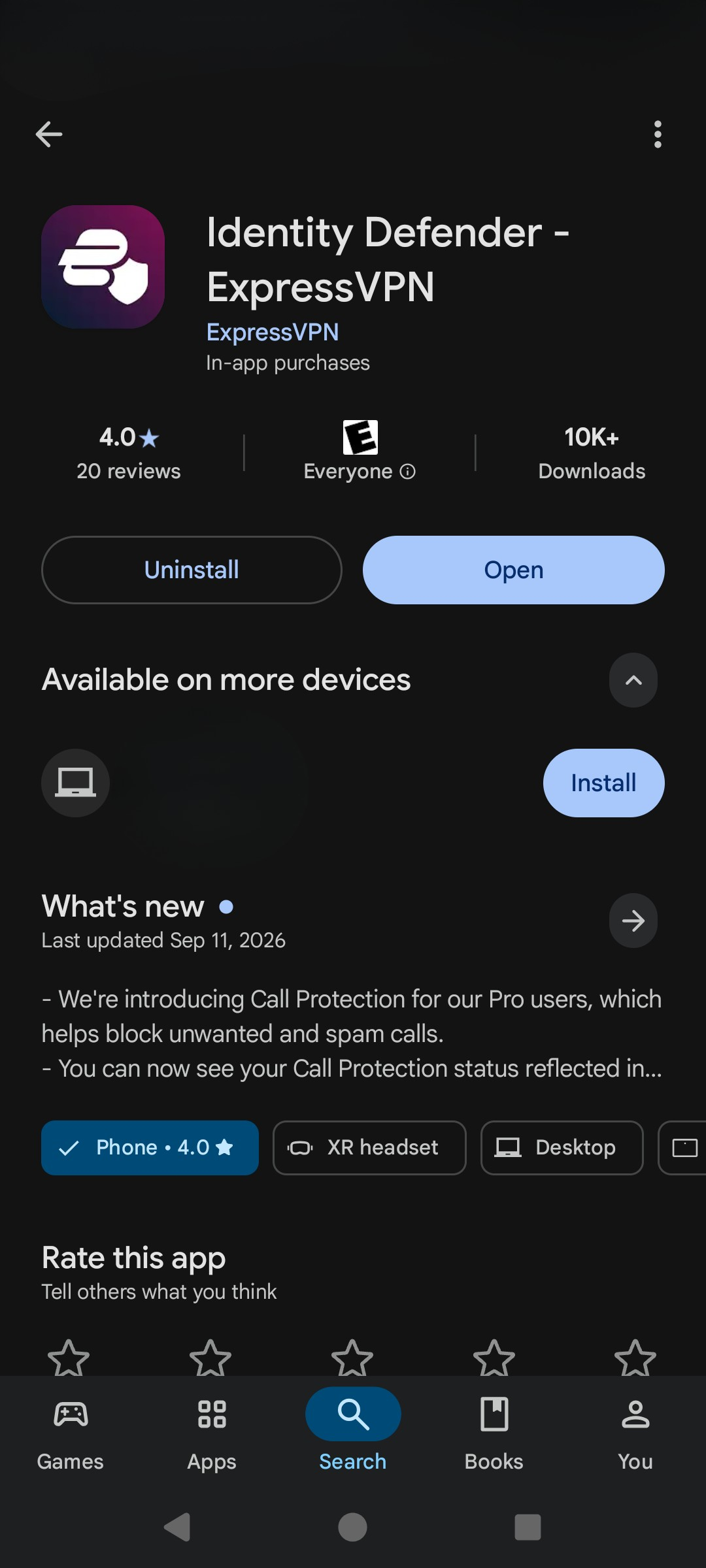
- From here, you have two options. If you already have an account, open the app, tap Sign In, and enter your account email and password. If you are a new ExpressVPN user, you need to get an Advanced or Express Pro subscription first. This guide assumes you already have an account; for detailed setup instructions, check how to download and install ExpressVPN.
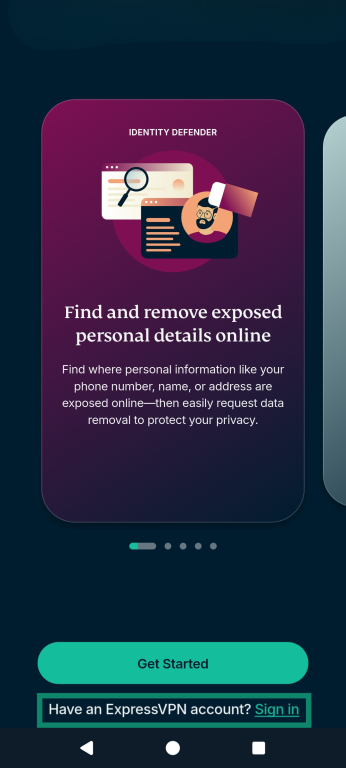
- Enter the verification code sent to your email.
- Once you’re logged in, follow the app’s prompts to verify your identity and tap Continue. This basic info includes details such as your name, address, and date of birth. Entering these will begin your dark web monitoring and allow you to begin receiving ID alerts.
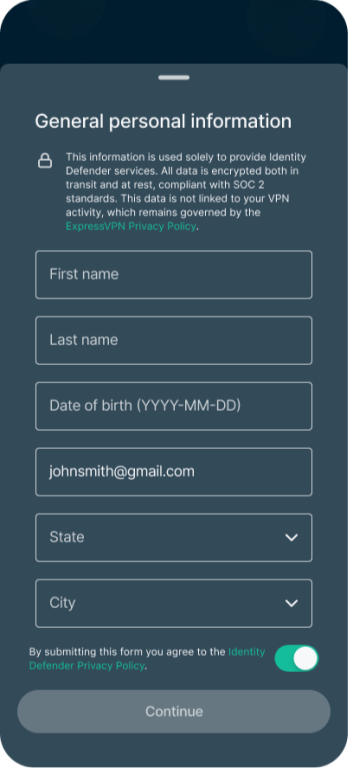
You can also set up Identity Defender through the ExpressVPN+ dashboard in a web browser. Check out the full How to set up Identity Defender guide for more details.
Add your SSN to ID Alerts
- In the app, tap Security, then you’ll see your monitored information on the Dashboard.
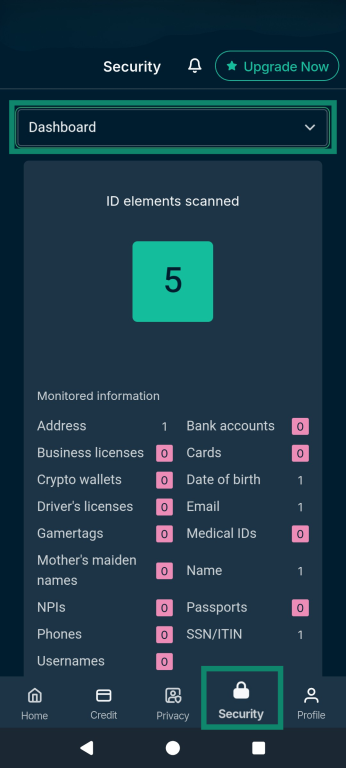
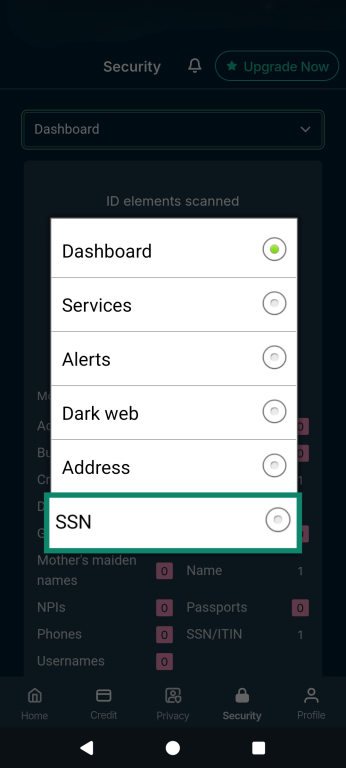
- Use the dropdown menu (underneath the bell icon at the top) to open a list of monitoring services, then find and choose the SSN tab.
- Tap Add, enter your SSN, and tap Add again to monitor it.
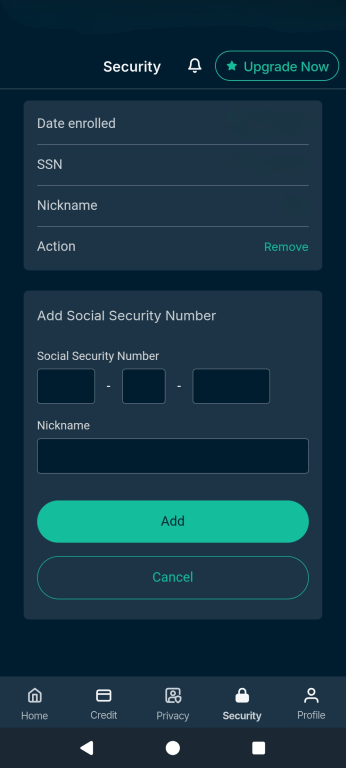
For the full app instructions, see how to use ID Alerts.
Turn on Credit Scanner
An unfamiliar account or credit inquiry can be a sign that someone has used your personal information to benefit from your credit. Credit Scanner shows your Experian credit score, alerts you to changes such as new accounts or inquiries, and provides monthly credit reports.
- In the Identity Defender app, tap the Credit tab.
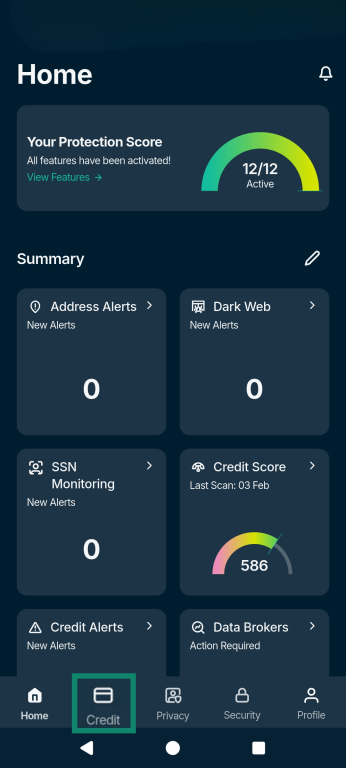
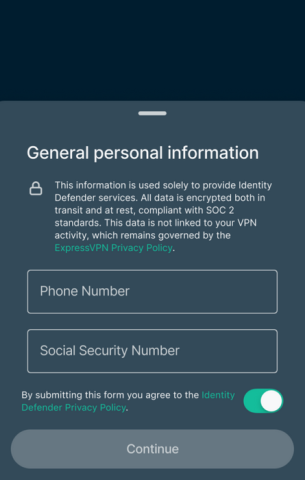
- Follow the prompts to enter your personal information. Credit Scanner requires your SSN and phone number, even if you have already set up another Identity Defender service.
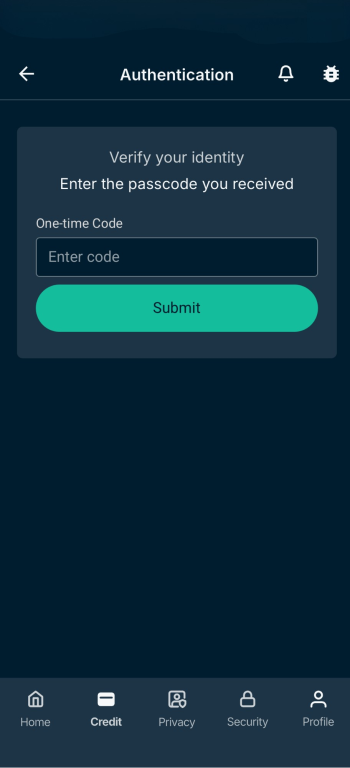
- If prompted, enter the code sent to your phone or answer the questions about your credit history.
See the Credit Scanner Support guide for the full instructions.
What an Identity Defender SSN alert means
An SSN alert means Identity Defender found either exposed personal information or activity associated with your number. It doesn’t, by itself, mean someone has stolen your identity. Check the alert details to see what triggered it.
Review the alert in Identity Defender
A Dark Web Monitoring alert means the SSN is exposed, while an SSN Monitoring alert means it's being used. An activity alert alone doesn’t establish that someone else used your SSN. To review alerts:
- In the Identity Defender app, open Security and tap the bell icon at the top.
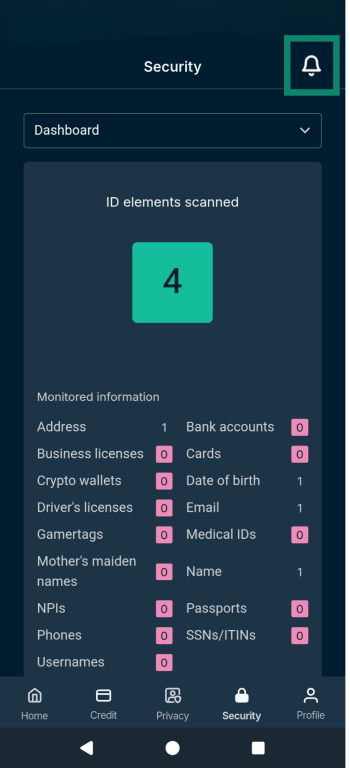
- Select Identity and choose the alert in question. Tap the ⊕ icon on an alert to see the details.
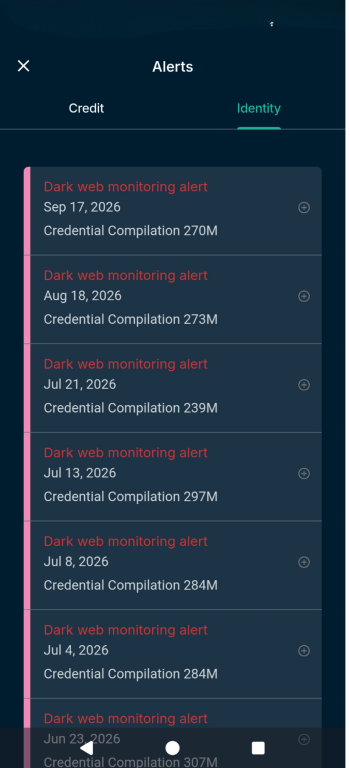
The alert details include:
- The date the data was discovered.
- The alert type and breach type.
- The exposure level.
- Which of your monitored details matched.
- The source name, meaning where the data was found.
- A description of the breach.
- Recommended next steps.
If the alert is about activity, such as a credit application, check whether it was something you did yourself. If it was, you don't need to do anything. If you don't recognize the activity, or if the alert shows your SSN on the dark web, follow the recommended next steps in the alert.
Check your credit activity in Credit Scanner
If the alert suggests someone may be using your SSN, check Credit Scanner for accounts or credit inquiries you don't recognize. That's where credit opened in your name would show up.
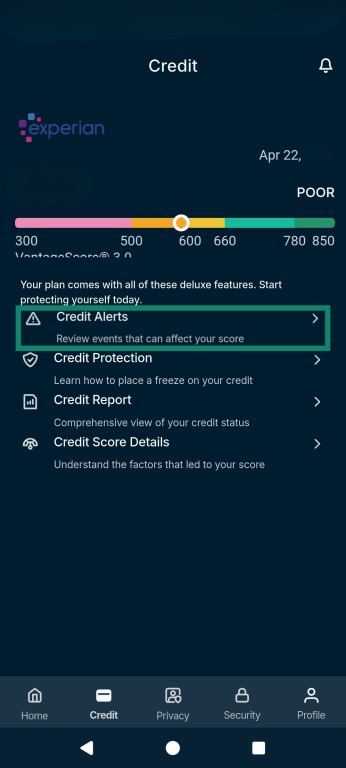
- Tap Credit at the bottom of the app.
- Select Credit Alerts to see recent changes, such as new accounts or inquiries.
- Tap Credit Report to review the accounts and inquiries shown there.
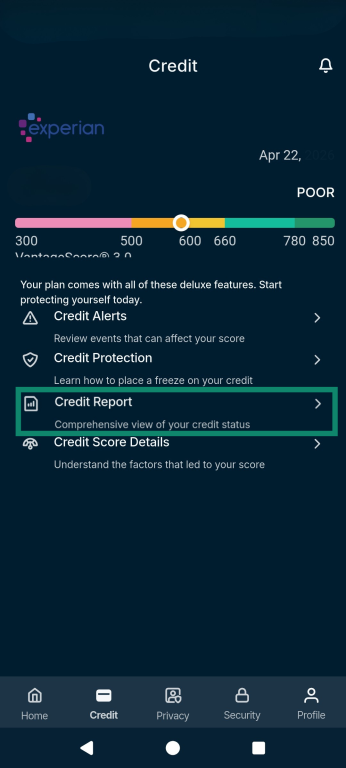
If you find something you don't recognize, the Credit Protection screen explains how to contact each of the three credit bureaus to request a credit freeze. A credit freeze restricts access to your credit report, making it harder for identity thieves to open new credit accounts in your name. It can also affect your own credit applications until you temporarily lift it. You must request the freeze from each bureau separately.

Note: Credit Scanner shows your Experian credit data only, so accounts or inquiries reported only to Equifax or TransUnion won't appear there.
How ExpressVPN can help protect your SSN online
Many SSNs are exposed through data breaches at organizations that store them, such as banks, insurers, healthcare providers, and law or accounting firms. According to the 2025 Data Breach Report by the Identity Theft Resource Center (ITRC), a U.S. nonprofit organization that helps victims of identity theft and tracks data breaches, there were 2,236 reported compromises involving SSNs in 2025. ExpressVPN can't prevent a breach at an organization that holds your information.
But breaches often lead to phishing. In the same ITRC report, more than half of surveyed consumers who received a data breach notice reported an increase in phishing or scam attempts afterward.
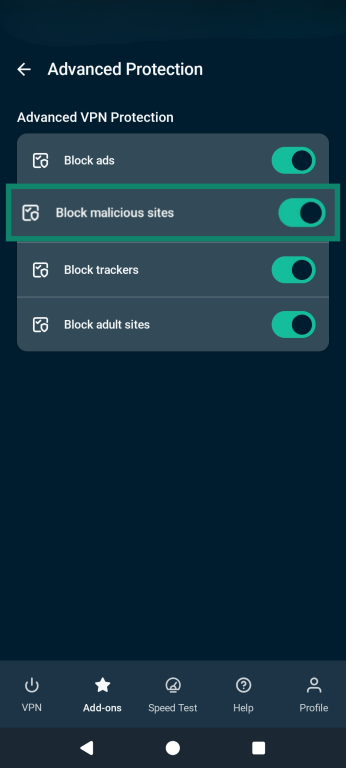
This is where ExpressVPN can help. With Block malicious sites turned on, the app blocks connections to domains on its list of known phishing and malicious sites, so a listed fake page won't load.
New or unlisted phishing sites can still load, so check the web address before entering your SSN anywhere. If a request came through an unexpected message, go to the organization's website directly instead of using the link.
To find the setting on iOS or Android:
- Open the app and tap Add-ons. The feature works while the VPN is connected.
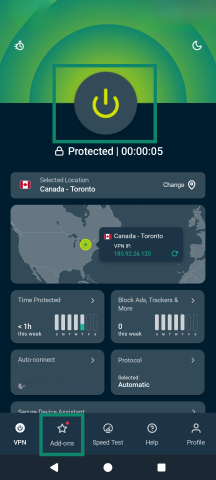
- Tap Advanced Protection and turn on Block malicious sites.
Note: On iOS, choose a protocol other than IKEv2, since Advanced Protection isn’t available with it.
What Identity Defender can't do
It’s important to understand the limitations of Identity Defender. It can’t:
- Remove an exposed SSN: Dark web monitoring can find exposed information, but it can’t remove an SSN already posted on a dark web site.
- Stop SSN misuse: Alerts can draw your attention to activity involving your number. Monitoring doesn’t prevent someone from attempting to use information they already have.
- Freeze your credit: Credit Scanner provides bureau contact information, but you place a freeze with the credit bureaus themselves.
- Serve users outside the U.S.: Identity Defender is currently available only to eligible U.S. users.
How Identity Defender handles your SSN
Identity Defender needs your SSN to monitor it. During setup, it also asks for details such as your name, date of birth, and home address, which it uses to confirm your identity and run its monitoring tools. Here's what happens to that information:
- It's encrypted: Identity Defender data is encrypted both in transit and at rest, compliant with SOC 2 standards.
- It is not linked to your VPN use: The Identity Defender Privacy Policy states that no VPN data is shared with or linked to Identity Defender.
- Credit Scanner shares some of it with credit bureaus: If you use Credit Scanner, your SSN, phone number, email address, and postal address are sent to credit reporting agencies to verify your identity. Information exchanged with those agencies isn't visible to or stored by ExpressVPN.
- It's stored in the U.S.: You can request access to your data, or its deletion, by emailing ExpressVPN's Data Protection Officer at dpo@expressvpn.com.
Get ExpressVPN’s Identity Defender
FAQ
How long does a stolen SSN stay on the dark web?
A stolen SSN can stay on the dark web indefinitely, and there's no reliable way to remove it once it's posted. Stolen data is often repackaged and recirculated years after the original breach.
Does a dark web alert mean my SSN was just leaked?
A dark web alert about your SSN doesn't necessarily mean it was just leaked. It means your SSN was found on the dark web, but it may come from a recent breach or an older one that has resurfaced. Check the details in the alert for more context about where it was found.
Can I find out which breach exposed my SSN?
Finding out which breach exposed your SSN is sometimes possible, but not always. Stolen data is often traded or combined with data from other breaches, which can make the source hard to trace.
Is dark web monitoring worth it if my SSN has already been exposed?
Dark web monitoring can still be useful after an SSN has been exposed, because the same SSN can turn up again in new breaches or data collections. Dark Web Monitoring in ExpressVPN’s Identity Defender alerts you each time it's found. ID Alerts also includes SSN Monitoring, which warns you if your SSN is used for things like loans, payments, or employment.
How can I tell if an SSN alert is real and not a scam?
To check whether an Identity Defender SSN alert is real, open the Identity Defender app yourself instead of following a link in an email or text. If the alert is listed there, it's genuine, and you can tap it to see what was flagged.