How to keep your mobile hotspot secure with ExpressVPN


A mobile hotspot lets you share your phone’s internet connection with other devices, but those connections still need protection. ExpressVPN encrypts internet traffic on your phone and any devices connected to its hotspot, as long as each has the VPN app installed and connected.
Secure your hotspot against unauthorized access
ExpressKeys, our password manager, can help you secure your hotspot by generating and storing a strong, unique password in an encrypted vault.
Long, complex passwords can be frustrating to enter, so use your phone's built-in hotspot-sharing options, where available. ExpressKeys is included with Advanced and Express Pro plans or available as a standalone purchase.
Encrypt your internet connection
When a laptop or tablet connects to a mobile hotspot, its internet traffic travels through the phone's cellular connection. The mobile carrier can still see some connection information and may be able to identify visited websites.
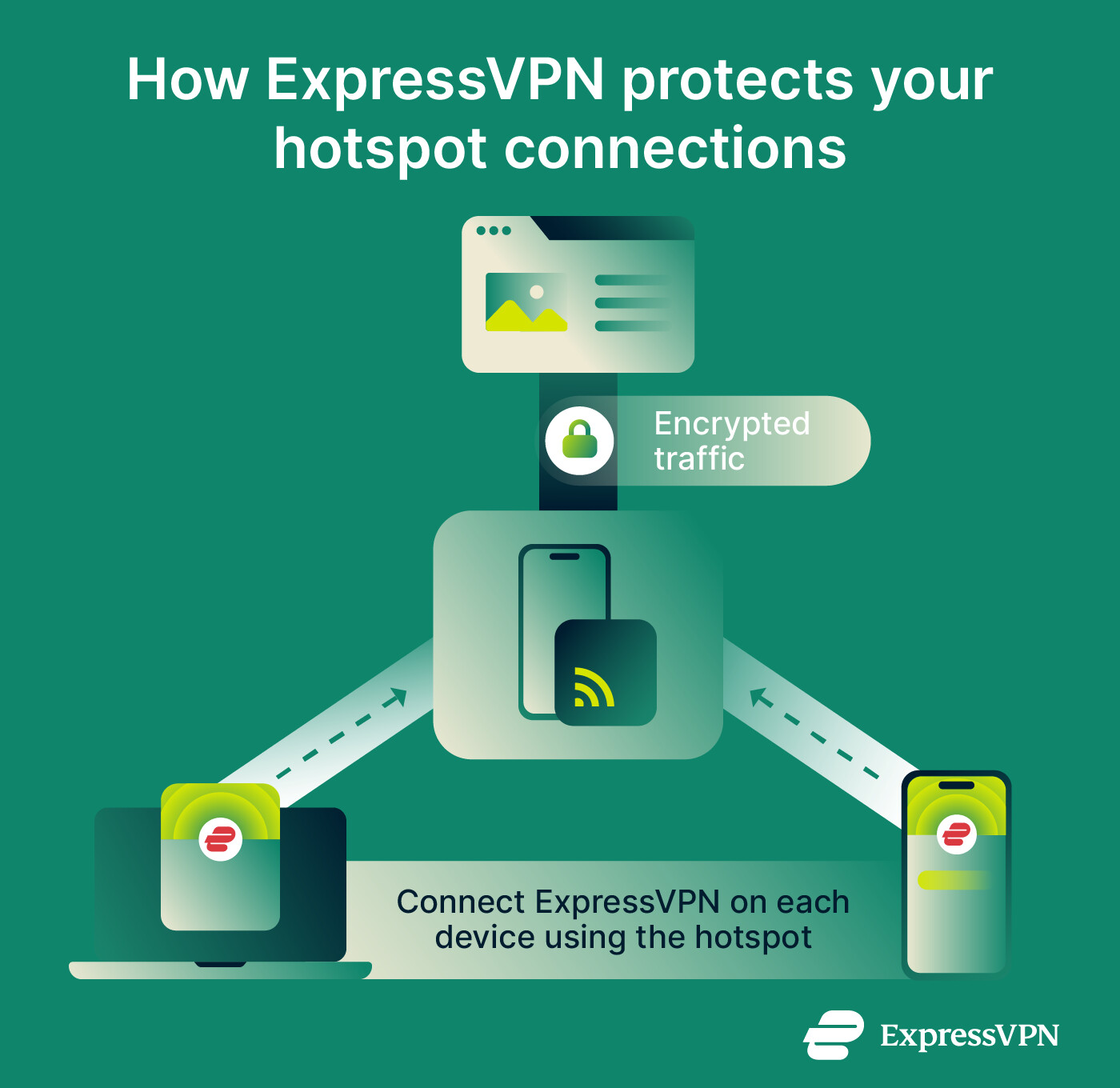
ExpressVPN encrypts internet traffic on the device running the app and routes it through secure VPN servers, helping keep that activity private from your mobile carrier.
Installing ExpressVPN on your phone doesn't automatically protect devices connected to its hotspot, so you'll need to install and connect it on each device you want to protect. You can connect up to 14 devices, depending on your subscription.
Block malicious websites and unwanted trackers
When using a mobile hotspot, ExpressVPN offers additional protection against online threats on devices where its security features are enabled.
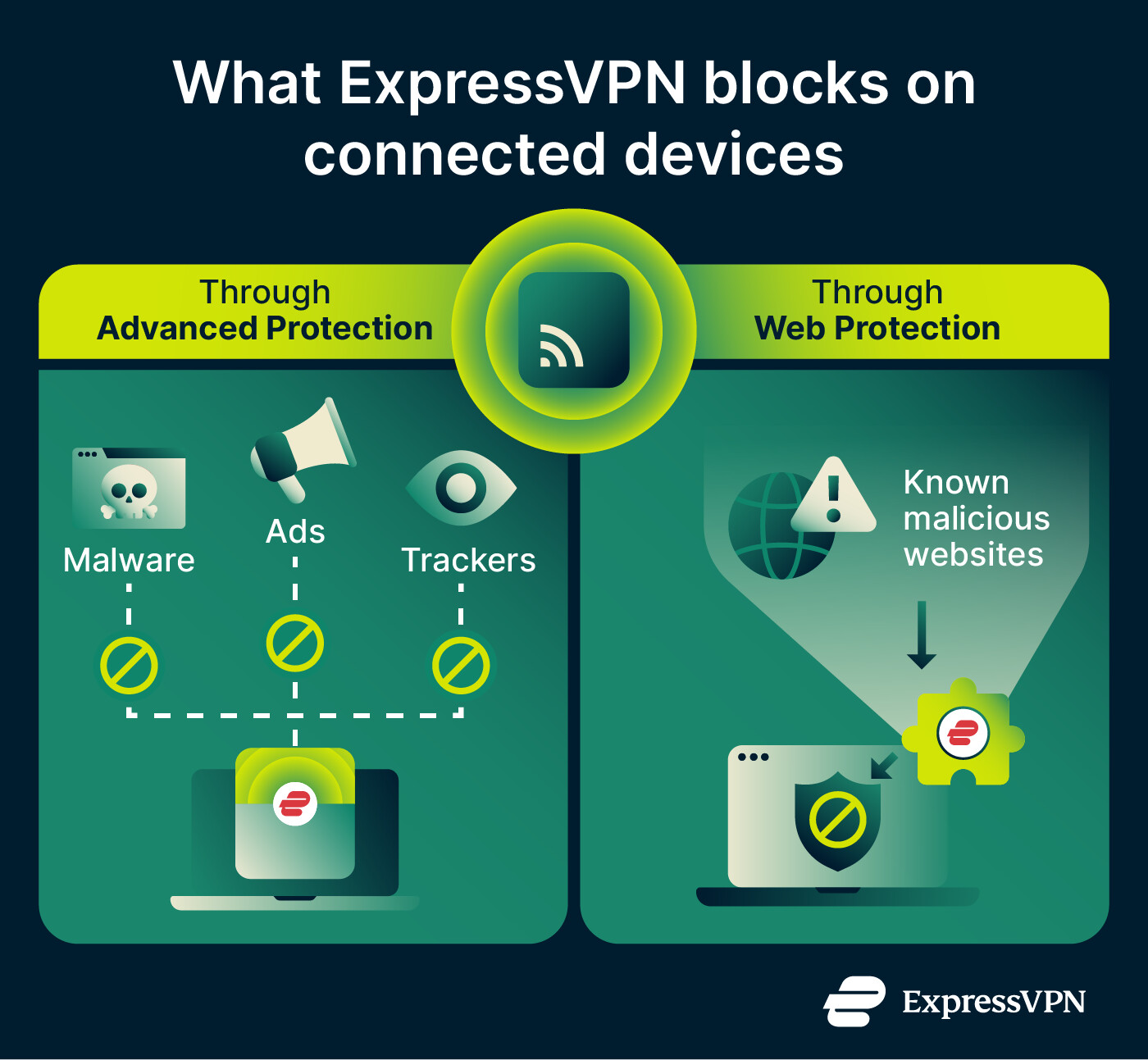
When connected to the VPN, Advanced Protection blocks connections to known malicious websites and includes an ad blocker that blocks many display ads and a tracker blocker that blocks known tracking domains.
Web Protection, available through the ExpressVPN browser extension, blocks known malicious, phishing, and scam websites in supported browsers, even if the VPN is switched off.
Enable these features on each device you want to protect while using a hotspot, and keep in mind that neither can block every new or unknown threat.
How to use ExpressVPN with a mobile hotspot
Follow these steps to protect your internet traffic when using a mobile hotspot, whether you're sharing your phone's connection or connecting to someone else's.
-
Download and install ExpressVPN on the device you want to protect. See our setup tutorials for instructions.
-
Connect the device to the mobile hotspot through its Wi-Fi settings.
-
Open ExpressVPN and connect to a VPN server.
You can use ExpressVPN’s free IP address checker to confirm that your public IP address corresponds to the VPN connection. You can also run our DNS leak test to check whether your Domain Name System (DNS) requests are reaching ExpressVPN's secure DNS servers.
ExpressVPN's Internet Kill Switch also helps prevent traffic leaks if your VPN disconnects while using a hotspot. It blocks internet traffic on the affected device until the VPN reconnects and is enabled by default in supported apps. See our Internet Kill Switch guide for platform-specific details.

Note: On iOS, the Advanced Kill Switch may interfere with Personal Hotspot functionality. If you experience problems, switch to the Standard Kill Switch.
Want to keep your internet traffic private when using a mobile hotspot?
ExpressVPN encrypts your internet traffic on each device running the app, helping protect your privacy whether you're sharing a hotspot or connecting to someone else's.
Try it risk-free with a 30-day money-back guarantee for new users.