
ดาวน์โหลด VPN iPhone และ iPad ที่ดีที่สุดในปี 2026
ท่องเว็บ สตรีม และเล่นเกมอย่างปลอดภัยบน iOS ด้วยเซิร์ฟเวอร์ที่ไม่บันทึกข้อมูลซึ่งผ่านการตรวจสอบอย่างอิสระมาแล้วของ ExpressVPN
- ใช้โปรโตคอล Lightway เพื่อปลดล็อกการเชื่อมต่อ VPN ที่เร็วและเชื่อถือได้
- สตรีมเนื้อหาที่คุณชื่นชอบบนเซิร์ฟเวอร์ความเร็วสูง 40Gbps
- รับการเชื่อมต่อได้อย่างง่ายดายบนทุกอุปกรณ์ iOS ด้วยการแตะเพียงครั้งเดียว
เริ่มการทดลองใช้ฟรีอย่างไม่มีความเสี่ยง ดาวน์โหลด VPN iOS
รับประกันคืนเงินภายใน 30 วันสำหรับผู้ใช้งานใหม่
ทำไมต้องใช้ VPN บนอุปกรณ์ iOS?
ปกป้องความเป็นส่วนตัวและใช้งานอย่างปลอดภัยได้บนทุกเครือข่ายด้วย VPN iOS

ใช้ Wi-Fi สาธารณะได้อย่างสบายใจ
คุณอาจจะกำลังส่งข้อความหาคนในครอบครัวหรือเพื่อนบน iPhone ของคุณ หรืออาจจะกำลังอ่านอีเมลที่ร้านกาแฟท้องถิ่น แต่ Wi-Fi สาธารณะอาจทำให้ข้อมูลของคุณตกอยู่ในความเสี่ยง
VPN iOS ที่ดีที่สุดจะช่วยปกป้องการเชื่อมต่อของคุณด้วยการเข้ารหัสและคุณสมบัติความเป็นส่วนตัวที่แข็งแกร่งซึ่งจะช่วยปกป้องทราฟฟิคของคุณจากคนสอดแนม คุณสมบัติคิลสวิตช์จะช่วยให้ VPN บล็อกทราฟฟิคอินเทอร์เน็ตทั้งหมด ถ้าการเชื่อมต่อของคุณขาดหาย นี่ก็เพื่อเป็นการปกป้องข้อมูลของคุณจนกว่าที่ VPN จะกลับมาเชื่อมต่อใหม่อีกครั้ง
เข้าถึงบัญชีต่าง ๆ ของคุณได้อย่างปลอดภัยในขณะเดินทาง
ไม่ว่าคุณจะเป็นผู้เร่ร่อนดิจิทัลหรือจะเดินทางเพื่อไปทำงานหรือหาความบันเทิง คุณก็มักจะต้องเข้าถึงบัญชีจากประเทศบ้านเกิดอยู่บ่อยครั้ง ไม่ว่าจะเป็น บัญชีธนาคาร, บัญชีของรัฐ หรือพอร์ทัลสำหรับทำงาน
ด้วย VPN iOS คุณจะสามารถปกป้องที่อยู่ IP ของคุณ และป้องกันไม่ให้เว็บไซต์มาติดตามตำแหน่งจริงของคุณได้ ผสมผสานกับการเชื่อมต่อที่ถูกเข้ารหัส สิ่งนี้จะช่วยรักษาความเป็นส่วนตัวให้กิจกรรมของคุณ และช่วยให้มั่นใจว่าคุณจะสามารถเข้าถึงบัญชีของคุณได้อย่างปลอดภัยและมีความสม่ำเสมอไม่ว่าคุณจะอยู่ที่ใดก็ตาม

ลดตัวติดตามด้านโฆษณาและการเก็บข้อมูล
คุณเคยกำลังซื้อของออนไลน์และก็สังเกตเห็นว่ามีโฆษณาตามคุณไปทุกที่เลยบ้างไหม? นั่นมันเกิดขึ้นเพราะว่าข้อมูลของคุณถูกติดตามและถูกนำไปใช้สร้างรายได้
ในขณะที่ iOS จะมีการป้องกันการติดตามอยู่แล้วบางส่วนใน Safari แต่ VPN iOS จะช่วยเพิ่มการป้องกันที่ครอบคลุมสำหรับทั้งระบบ VPN iOS บางรายนั้นยังมาพร้อมกับตัวบล็อกโฆษณาซึ่งจะหยุดโฆษณาแบบดิสเพลย์ส่วนใหญ่ไม่ให้โหลดในแอปต่าง ๆ ของคุณด้วย ไม่ใช่เพียงแค่บนเบราว์เซอร์
วิธีตั้งค่า ExpressVPN บน iPhone หรือ iPad
รับการเชื่อมต่อ VPN iOS ที่ปลอดภัยและเป็นส่วนตัวได้ใน 3 ขั้นตอนง่าย ๆ
-
![Pick Subscription Plan@2x]()
ขั้นตอนที่ 1
สมัครใช้งาน ExpressVPN
เลือกขั้นการสมัครสมาชิกและสมัครใช้งานได้อย่างไม่ต้องเป็นกังวลด้วยการรับประกันคืนเงินภายใน 30 วัน*
-
![Add A Dedicated Ip]()
ขั้นตอนที่ 2
ดาวน์โหลดแอป ExpressVPN สำหรับ iOSดาวน์โหลดแอป iOS
และเข้าสู่ระบบ ExpressVPN นั้นมีเปิดให้ใช้งานบน Android, Windows, macOS และอีกมากมาย
-
![Get A Private Ip Address@2x]()
ขั้นตอนที่ 3
เชื่อมต่อ VPN iOS ด้วยการแตะเพียงครั้งเดียว
เลือกตำแหน่งเซิร์ฟเวอร์ของ ExpressVPN ที่คุณต้องการ เชื่อมต่อและเริ่มท่องเว็บด้วย VPN iOS ที่ดีที่สุดได้เลย


ดู : วิธีการดาวน์โหลด ExpressVPN บน iOS
ดูวิดีโอสอนแบบทีละขั้นตอนและรับ ExpressVPN สำหรับ iOS ได้ด้วยการคลิกเพียงไม่กี่ครั้ง

สิ่งที่ควรมองหาใน VPN iOS
คุณสมบัติหลักของ VPN iOS ที่จะช่วยปกป้องคุณ ให้ความเร็วสูง และเชื่อมต่อได้อย่างง่ายดาย
การออกแบบที่เน้นความปลอดภัยเป็นอันดับแรก
VPN iOS ที่ดีที่สุดจะปกป้องข้อมูลและความเป็นส่วนตัวของคุณอยู่เสมอ ExpressVPN มีการเข้ารหัส AES 256 บิตขั้นสูงที่จะช่วยป้องกันไม่ให้บุคคลที่สามอย่าง ISP และแอดมิน Wi-FI สามารถรู้ได้ว่าคุณกำลังทำอะไรบนโลกออนไลน์
ผสมผสานไปกับคุณสมบัติความปลอดภัยภายในตัวที่จะช่วยบล็อกตัวติดตามและเว็บไซต์อันตรายที่รู้จัก คุณจึงจะสามารถท่องเว็บบนทุกอุปกรณ์ iOS ของคุณได้อย่างปลอดภัยและเป็นส่วนตัว

การเชื่อมต่อความเร็วสูงที่เชื่อถือได้
สำหรับผู้ใช้งาน iOS นั้น VPN ที่เชื่อถือได้ควรจะมีความเร็วการเชื่อมต่อที่เสถียรสำหรับการท่องเว็บ การสตรีมดูเนื้อหาทั้งในและต่างประเทศด้วยบัญชีของคุณ หรือสำหรับการเล่นเกมออนไลน์
Lightway เป็นโปรโตคอล VPN ที่ปรับแต่งพิเศษสำหรับมือถือของ ExpressVPN พวกเราใช้งานสิ่งนี้ร่วมกับเซิร์ฟเวอร์ความเร็วสูงในหลายแห่งและแบนด์วิดท์ที่ไม่จำกัดเพื่อช่วยให้มั่นใจว่าคุณจะได้รับประสิทธิภาพที่มีความสม่ำเสมอ แม้ว่าจะเป็นในขณะที่คุณเปลี่ยนการใช้งานระหว่าง Wi-Fi กับเครือข่ายมือถือก็ตาม
อินเทอร์เฟซมือถือที่ใช้งานง่าย
เคยต้องรู้สึกวุ่นวายกับแอปที่ดูรกหรือการตั้งค่าที่ดูสับสนบน iPhone หรือ iPad ของคุณหรือไม่? แอป VPN iOS ที่เป็นมิตรต่อผู้ใช้งานจะทำให้การรักษาความปลอดภัยกลายเป็นเรื่องง่ายและไม่ชวนปวดหัว
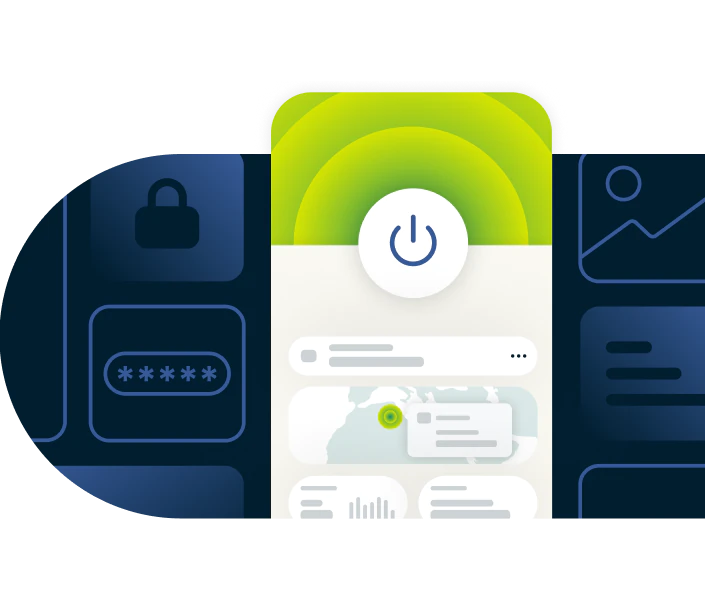
ด้วยอินเทอร์เฟซที่ดูสะอาดและใช้งานง่าย การเชื่อมต่อแบบแตะเพียงครั้งเดียว การเลือกเซิร์ฟเวอร์ที่ง่าย และการเชื่อมต่อใหม่โดยอัตโนมัติตอนที่เปลี่ยนเครือข่าย ExpressVPN จะทำให้คุณสามารถปกป้องข้อมูลของคุณและท่องเว็บอย่างเป็นส่วนตัวได้ภายในคลิกเดียว
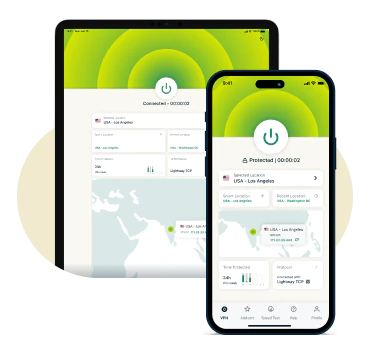
ใช้งานเข้ากันได้กับอุปกรณ์หลักทั้งหมด
VPN iOS คุณภาพสูงนั้นจะต้องใช้งานเข้ากันได้กับ iPhone และ iPad อย่างเต็มรูปแบบ โดยจะต้องมีประสิทธิภาพที่ปรับแต่งมาให้เข้ากับมันโดยเฉพาะ ต้องมีการเชื่อมต่อที่ปลอดภัย และการติดตั้งที่ง่ายผ่านทาง App Store
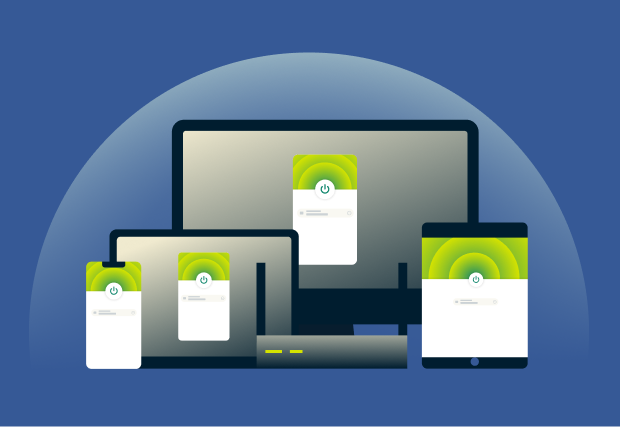
ด้วย ExpresssVPN คุณจะสามารถปกป้องอุปกรณ์พร้อมกันได้สูงสุด 14 เครื่องภายใต้การสมัครสมาชิกบัญชีเดียว ทำให้คุณสามารถปกป้อง Apple ecosystem และอุปกรณ์อื่น ๆ ที่คุณใช้งานได้พร้อมกันทั้งหมด
คุณสมบัติ ExpressVPN สำหรับ iOS
เครื่องมือขั้นสูงและคุณสมบัติความปลอดภัยสำหรับการป้องกันจาก VPN iOS ที่ดีที่สุด
ความเป็นส่วนตัวที่ดีกว่าด้วยเซิร์ฟเวอร์แบบ RAM-only
ExpressVPN มีเทคโนโลยี TrustedServer ที่ขับเคลื่อนเซิร์ฟเวอร์ทั้งหมดบนหน่วยความจำชั่วคราว (RAM) แทนที่จะเป็นฮาร์ดไดรฟ์ ซึ่งหมายความว่าข้อมูลจะไม่ถูกเก็บไว้เป็นการถาวร ทุกเซิร์ฟเวอร์จะล้างข้อมูลโดยอัตโนมัติในการรีบูตแต่ละครั้ง
การตรวจสอบอย่างอิสระได้ช่วยยืนยันนโยบายการไม่บันทึกข้อมูลและโครงสร้างพื้นฐานด้านเซิร์ฟเวอร์ของเราแล้ว นี่เป็นการช่วยให้มั่นใจได้ว่ากิจกรรมการท่องเว็บบน iOS, ที่อยู่ IP และข้อมูลการเชื่อมต่อของคุณจะไม่ถูกเก็บรวบรวมหรือบันทึกเอาไว้
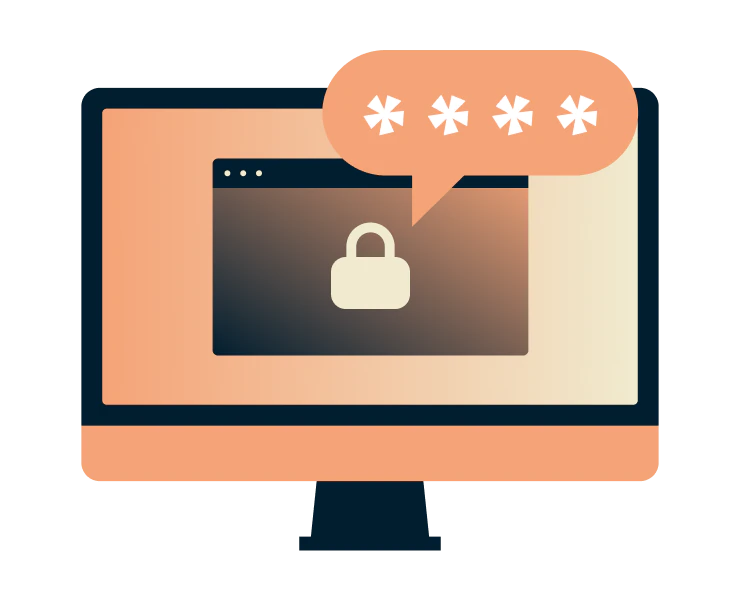
การปกป้องเพิ่มเติมนั้นจะรวมถึงตัวจัดการรหัสผ่าน
คุณเคยลืมรหัสผ่านมาแล้วกี่ครั้ง แล้วเคยหรือไม่ที่รู้สึกลำบากในการต้องจำรหัสผ่านหลายรหัส? ExpressVPN มีตัวจัดการรหัสผ่านไว้ช่วยแก้ปัญหาเรื่องนี้
การเข้ารหัสแบบ zero-knowledge หมายความว่าจะมีเพียงแค่คุณเท่านั้นที่ปลดล็อกห้องนิรภัยของคุณได้ จัดเก็บรหัสผ่าน บัตร และบันทึกต่าง ๆ อย่างปลอดภัย สร้างรหัสผ่านที่แข็งแกร่งและค้นพบข้อมูลที่รั่วไหล

การป้องกันการรั่วไหลและการรักษาความปลอดภัยขั้นสูง
การรั่วไหลของ DNS และ IPv6 จะสามารถเปิดเผยกิจกรรมการท่องเว็บของคุณได้ แม้ว่าคุณจะใช้ VPN แล้วก็ตาม นี่จะเป็นการเปิดเผยเว็บไซต์ที่คุณเข้าชมถึงแม้ว่าจะมีการเข้ารหัสแล้ว
ExpressVPN มี Private DNS สำหรับทุกเซิร์ฟเวอร์เพื่อช่วยรักษาความเป็นส่วนตัวให้กิจกรรมของคุณด้วยการจัดการกับ DNS request ภายในแทนที่จะผ่านบริการของบุคคลที่สาม นี่จะช่วยหลีกเลี่ยงการบันทึกข้อมูลโดย ISP และผู้ให้บริการ DNS เนื่องจากมันป้องกันพวกเขาจากการติดตามเว็บไซต์ที่คุณเข้าชม

ท่องเว็บ สตรีม และเล่นเกมได้อย่างมั่นใจ
คุณรู้สึกเหนื่อยหน่ายกับการบัฟเฟอร์ที่กวนใจในขณะสตรีมมิ่งบน iPhone หรือ iPad หรือไม่? ISP บางรายจงใจลดความเร็วของทราฟฟิคบางประเภทที่ใช้งานแบนด์วิดท์เยอะ ExpressVPN สำหรับ iOS สามารถช่วยปกป้องกิจกรรมของคุณได้ด้วยการเข้ารหัสที่แข็งแกร่ง ซึ่งรวมถึงการปกป้องคุณจาก ISP ด้วย
ISP ของคุณสามารถดูได้ว่าคุณกำลังออนไลน์ แต่จะไม่สามารถดูได้ว่าคุณกำลังทำอะไร นี่จะเป็นการป้องกันการจำกัดความเร็วที่อ้างอิงตามเนื้อหา และกู้คืนความเร็วที่สม่ำเสมอให้กับคุณ นอกจากนี้การทำ obfuscation ภายในตัวจะช่วยปิดบังทราฟฟิค VPN ให้ดูเหมือนเป็นกิจกรรมบนเว็บไซต์ทั่วไป นี่เป็นการลดความเสี่ยงของการแทรกแซงได้
ใช้งานเข้ากันได้กับอุปกรณ์ iOS ทั้งหมด
VPN เดียวรองรับหลายอุปกรณ์
-
![Ipad And Iphone@2x]()
iPhone และ iPad (รองรับ iOS ล่าสุด)
รับ ExpressVPN บน iPhone หรือ iPad ของคุณ (iOS 15 ขึ้นไป) เชื่อมต่อด้วยการแตะเพียงครั้งเดียว เลือกจากเซิร์ฟเวอร์ความเร็วสูงภายใน 113 ประเทศ และรับการป้องกันจากคิลสวิตช์และการเชื่อมต่อใหม่โดยอัตโนมัติ แม้ว่าจะเป็นในขณะกำลังเปลี่ยนเครือข่าย
ผู้ใช้งานใหม่สามารถดาวน์โหลดแอป ExpressVPN สำหรับ iOS ได้จาก App Store เพื่อทดลองใช้ฟรีเป็นเวลาสามวัน
-
![All Devices Protected2x]()
ใช้กับอุปกรณ์อื่น ๆ ของ Apple และทั้งของที่ไม่ใช่
นอกจาก iPhone และ iPad แล้วนั้น ExpressVPN ยังสามารถปกป้องอุปกรณ์อื่น ๆ ของ Apple ได้ด้วย อย่างเช่น Mac และ Apple TV รวมถึงโทรศัพท์กับแท็บเล็ตของ Windows, Android และสมาร์ททีวีรุ่นที่รองรับ
คุณยังสามารถปกป้องอุปกรณ์ทุกเครื่องที่บ้านของคุณได้ด้วยการใช้เราเตอร์ Aircove ของเราซึ่งมี ExpressVPN ติดมาภายในตัว* มันจะนับเป็นเพียงแค่หนึ่งการเชื่อมต่อจากการสมัครสมาชิกของคุณเท่านั้น

ทำไมถึงควรเลือก ExpressVPN สำหรับ iOS?
VPN iOS ที่ผ่านการตรวจสอบอย่างอิสระแล้ว และได้รับความไว้วางใจทั่วโลก
-
![ผ่านการตรวจสอบอย่างอิสระแล้วเพื่อความโปร่งใส ExpressVPN ป...]()
ผ่านการตรวจสอบอย่างอิสระแล้วเพื่อความโปร่งใส
ExpressVPN ปฏิบัติตามนโยบายการไม่บันทึกข้อมูลอย่างเข้มงวด เพื่อช่วยให้มั่นใจว่ากิจกรรมออนไลน์ของคุณจะไม่ถูกบันทึกเอาไว้
องค์กรชั้นนำ อย่างเช่น KPMG และ PwC ได้ยืนยันการป้องกันเหล่านี้ผ่านการตรวจสอบอย่างอิสระ เป็นการรับประกันว่าแม้แต่ ExpressVPN เองก็ไม่สามารถเข้าถึงข้อมูลส่วนบุคคลของคุณได้
-
![24 7 Support@2x]()
ไลฟ์แชทสนับสนุน 24/7
ของเราพร้อมให้บริการตลอด 24/7 ในหลายภาษาผ่านทางไลฟ์แชทหรืออีเมล
ไม่ว่าคุณจะต้องการความช่วยเหลือในเรื่องการตั้งค่า การแก้ปัญหา หรือมีคำถามทั่วไปเกี่ยวกับ VPN ทางผู้เชี่ยวชาญของเราก็พร้อมที่จะให้คำแนะนำกับคุณ
-
![มีการรับประกันคืนเงินภายใน 30 วัน ต้องการทดลองใช้ ExpressVP...]()
มีการรับประกันคืนเงินภายใน 30 วัน
ต้องการทดลองใช้ ExpressVPN อย่างไม่มีความเสี่ยงใช่ไหม? การรับประกันคืนเงินภายใน 30 วันของเราจะรับประกันให้สำหรับผู้ใช้งานใหม่ที่สมัครสมาชิกโดยตรงผ่านเว็บไซต์หรือแอปของเรา
การสั่งซื้อผ่าน App Store จะได้รับการจัดการโดย Apple และการขอคืนเงินใด ๆ จะขึ้นกับดุลยพินิจของพวกเขา



*ผู้ใช้งานที่ชำระเงินค่าสมัครสมาชิกผ่าน Apple App Store (iTunes) หรือ Google Play Store จะไม่ได้สิทธิ์การรับประกันคืนเงินภายใน 30 วันของ ExpressVPN ผู้ใช้งานเหล่านั้นจะสามารถขอเงินคืนผ่าน App Store หรือ Play Store ได้แทนโดยจะขึ้นกับดุลยพินิจของ Apple หรือ Google
คนอื่น ๆ พูดถึง ExpressVPN อย่างไรบ้าง
ดูว่าทำไมลูกค้าที่พึงพอใจของเราจึงไว้วางใจ ExpressVPN
เราใช้ ExpressVPN กับทุกอุปกรณ์ของเรา - โทรศัพท์, แล็ปท็อป, แท็บเล็ต, AppleTV และอื่น ๆ เราชอบมันมากเลย


* ตัวอย่างรีวิวจากลูกค้าที่พึงพอใจมากที่สุดของเรา
สมัครบัญชีกับ @expressvpn เมื่อวาน เป็นตัวเลือกที่ดีมากสำหรับใช้ตอนเดินทางออกนอกประเทศ!
@D_Geiger

* ตัวอย่างรีวิวจากลูกค้าที่พึงพอใจมากที่สุดของเรา
ด้วยประสิทธิภาพที่คงที่ และความปลอดภัยที่เชื่อถือได้ ExpressVPN จึงเป็น VPN ที่ดีที่สุด

* บางครั้งเราจ่ายเงินให้เว็บไซต์ผู้เชี่ยวชาญสำหรับการแนะนำลูกค้า
คำถามที่พบบ่อย : เกี่ยวกับ VPN iOS
คำตอบสำหรับคำถามที่พบบ่อยเกี่ยวกับ VPN iOS
iOS มี VPN ภายในตัวหรือไม่?
iOS มี VPN ภายในตัว แต่มันเป็นเพียงแค่ไคลเอนต์สำหรับเชื่อมต่อ หรือก็คือมันจะไม่ได้มีบริการ VPN ให้ ดังนั้นคุณจะต้องเลือกสมัครสมาชิกเพื่อใช้งาน วิธีการที่ง่ายที่สุดในการจะเข้ารหัสทราฟฟิคของทั้งอุปกรณ์ของคุณและเชื่อมต่อไปยังเซิร์ฟเวอร์ทั่วโลก ก็คือการติดตั้งแอป VPN ที่ไว้วางใจได้ อย่างเช่น ExpressVPN ซึ่งจะรับมือเรื่องการกำหนดค่าและปกป้องการเชื่อมต่อของคุณทั้งจากแอปและจากเบราว์เซอร์
VPN iOS ตัวใดดีที่สุด?
ExpressVPN เป็น VPN iOS ที่ดีที่สุด โดยที่มันมีเซิร์ฟเวอร์ความเร็วสูง 10Gbps และ 40Gbps ใน 113 ประเทศ มีที่อยู่ IP แบบไม่เปิดเผยตัวตน และมีนโยบายการไม่บันทึกข้อมูลที่ผ่านการตรวจสอบแล้ว ด้วยแบนด์วิดท์ที่ไม่จำกัด การเข้ารหัส AES 256 บิต และการรับประกันคืนเงินภายใน 30 วันสำหรับผู้ใช้งานใหม่ มันจะช่วยเสริมความเป็นส่วนตัวและความปลอดภัยออนไลน์ของคุณได้พร้อมกันสูงสุดถึง 14 อุปกรณ์
ฉันจะเปิดใช้งาน VPN บน iPhone ของฉันได้อย่างไร?
ง่ายมาก! สมัครใช้งาน ExpressVPN บนเว็บไซต์ของเราเพื่อเพลิดเพลินกับการรับประกันคืนเงินภายใน 30 วันสำหรับลูกค้าใหม่ จากนั้นก็ดาวน์โหลดแอป iOS จาก App Store เปิดแอปและแตะที่ "เปิด" เพื่อเข้ารหัสการเชื่อมต่อของคุณและเพลิดเพลินกับการเข้าถึงอินเทอร์เน็ตที่ปลอดภัยและเป็นส่วนตัวบน iPhone หรือ iPad ของคุณ
โปรโตคอล VPN ใดดีที่สุดสำหรับ iOS?
แอป ExpressVPN สำหรับ iOS จะเลือก Lightway โดยอัตโนมัติ ซึ่งมันเป็นโปรโตคอล VPN ที่เราพัฒนาขึ้นเองและมันถูกออกแบบมาเพื่อเน้นด้านความเร็ว ความปลอดภัย และความเชื่อถือได้ Lightway ได้รับการปรับปรุงและพัฒนาอย่างต่อเนื่อง มันมีการเข้ารหัสขั้นสูงที่ถูกออกแบบมาเพื่อปกป้องข้อมูลของคุณ ซึ่งรวมถึงการปกป้องมันจากภัยคุกคามของคอมพิวเตอร์ควอนตัมที่กำลังเริ่มเกิดขึ้นด้วย
ลองใช้ ExpressVPN อย่างไม่มีความเสี่ยงบน iPhone และ iPad
สมาชิกใหม่สามารถทดลองใช้คุณสมบัติพรีเมียมทั้งหมดได้อย่างไม่มีความเสี่ยงด้วยการรับประกันคืนเงินภายใน 30 วันของเรา*
*ผู้ใช้งานที่ชำระเงินค่าสมัครสมาชิกผ่าน Apple App Store (iTunes) หรือ Google Play Store จะไม่ได้สิทธิ์การรับประกันคืนเงินภายใน 30 วันของ ExpressVPN ผู้ใช้งานเหล่านั้นจะสามารถขอเงินคืนผ่าน App Store หรือ Play Store ได้แทนโดยจะขึ้นกับดุลยพินิจของ Apple หรือ Google







