Best VPN Chrome Extension for Fast & Secure Browsing
Conveniently access full VPN protection directly from your browser
- Secure your browser and device traffic with 1 click
- Block WebRTC for private browsing
- Enjoy ultra-fast speeds and reliable connections
30-day money-back guarantee
*for first-time users

What Is ExpressVPN’s Chrome Extension?
Learn how ExpressVPN’s Chrome Extension Works
-
![Protect Browser And Beyond@2x]()
VPN Features Protect Your Browser and Beyond
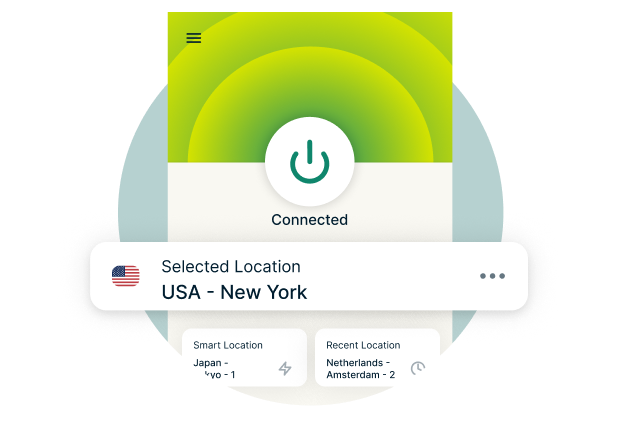
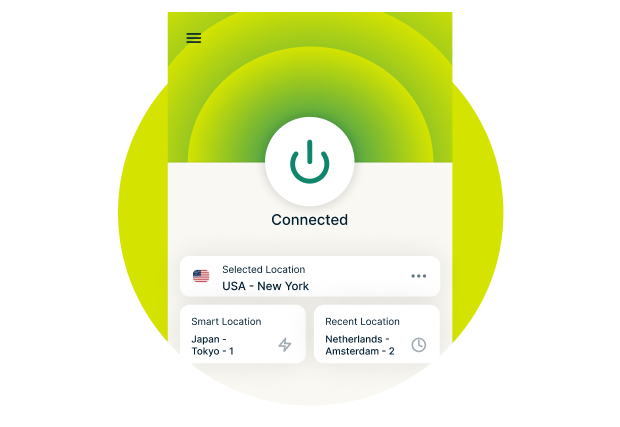
When you connect to an ExpressVPN server using our Chrome extension, it secures your entire device.
While most VPN extensions just secure your browser, ours serves as a “remote control” for the full VPN app.
-
![Encryption Protects Your Data@2x]()
Encryption Secures Your Personal Data
ExpressVPN’s extension for Chrome uses robust encryption to protect all your online activity from hackers and other third parties.
Many VPN extensions are actually proxies, not VPNs. So they don’t encrypt your traffic. Ours uses the same encryption as the full VPN app.
-
![Get Secure Private Us Ip@2x]()
Safeguard Your IP Address
The extension routes your browser traffic through a secure VPN server, protecting your IP address.
This helps reduce tracking linked to your IP address by malicious third parties.



Using a Chrome VPN Extension vs. a Full VPN App
-
![Protect Browser And Beyond@2x 1]()
Scope of Protection
Most VPN extensions only encrypt your browser traffic, while a full VPN app encrypts all traffic from your device (including apps, browsers, and other online services).
Unlike most VPN Chrome extensions, ExpressVPN’s is linked to the full app and protects your entire device.
-
![Access To Features@2x]()
Access to Features
Most VPN extensions have limited adjustable features compared to full VPN apps. You might not get a kill switch, split tunneling, or protocol selection.
In the full VPN app, all your custom settings (like Network Lock, Advanced Protection, and protocol selection) also apply to your browser traffic.
-
![Setup And Ease Of Use@2x]()
Setup and Ease of Use
Extensions are easy to install from the Chrome Web Store and integrate directly into your browser.
Full VPN apps are usually straightforward to set up and use too. ExpressVPN offers alternative setup methods for devices that don’t support VPN apps.

Why Use a VPN Extension for Chrome?
Get strong privacy protection and reliable connections through our server network, without leaving your browser
Easy Privacy Protection With a Chrome Extension VPN
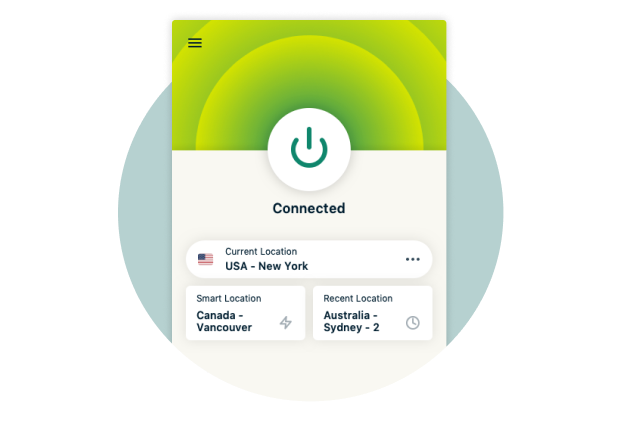
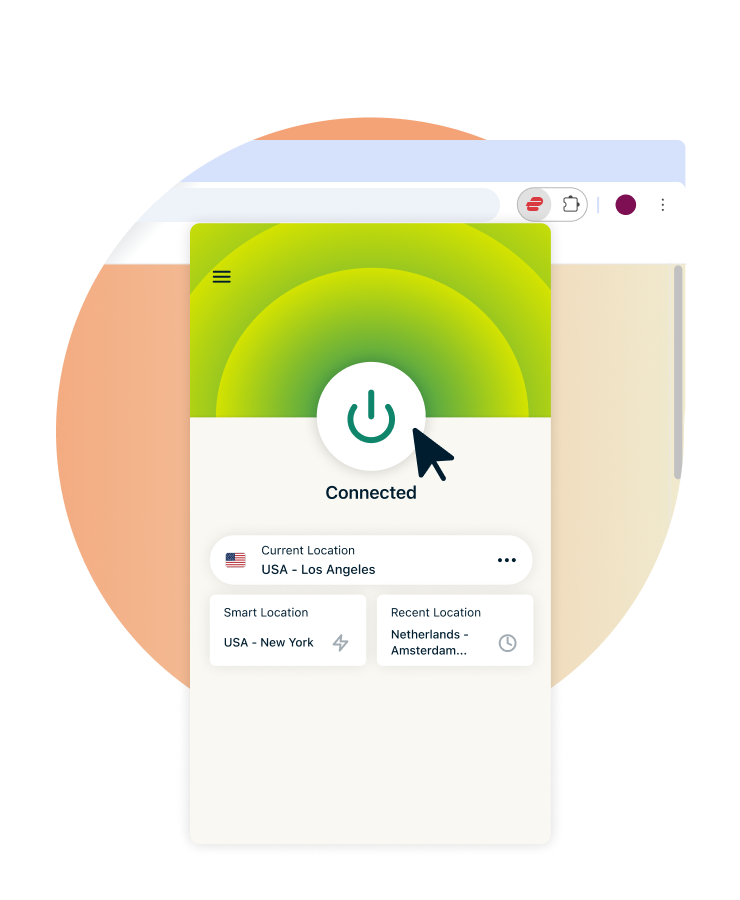
A Chrome extension gives you control over your browsing privacy from inside your browser window. It’s a quick and easy way to protect your data without having to open up a separate VPN app.
VPN Chrome extensions are usually built with simplicity in mind and only offer security settings that are relevant to the activity happening within the browser. That way, you don’t have to sift through a bunch of irrelevant menu options to find what you’re looking for.

Get Reliable, High-Speed Connections
When you connect through ExpressVPN, your Chrome activity is encrypted and safely routed through a protected connection. This helps prevent slowdowns from network congestion, so you can enjoy fast, consistent performance for all your online activities.

Stay Safe on Public Wi-Fi
If you’re a remote worker, public Wi-Fi can be your only choice. Luckily, you can keep hackers and other cyber threats at bay by encrypting your traffic with a VPN. Your traffic is encrypted before it leaves your device, protecting it even from people using the same network.
Our Chrome VPN extension is simple to set up, making it quick and easy to protect your device.
Protect Your IP Address and Prevent Snooping
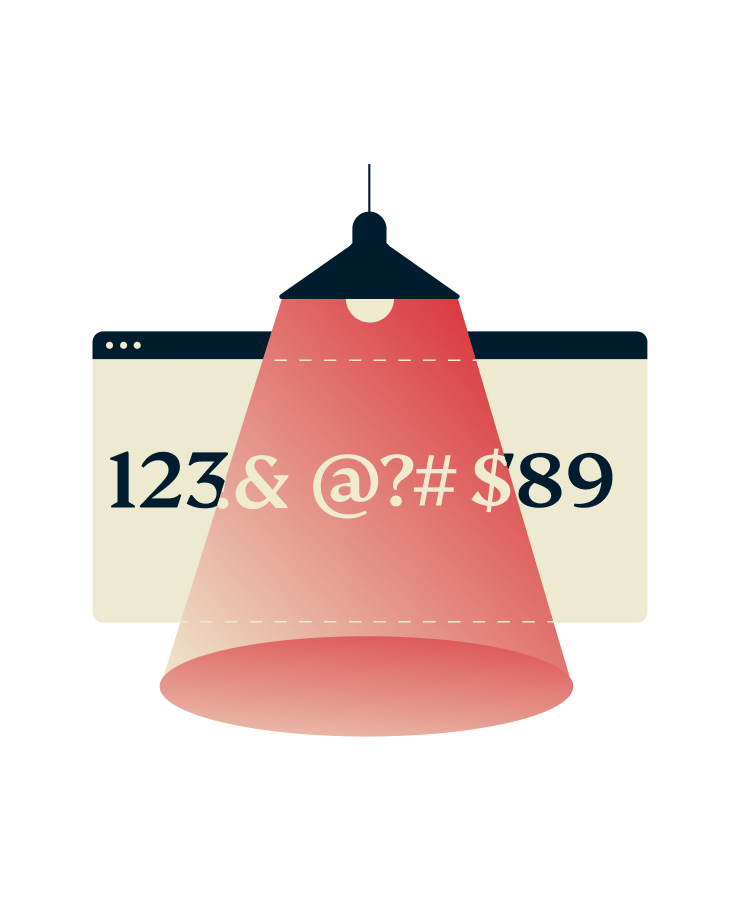
A VPN Chrome extension helps protect your IP address when you connect to a VPN server. This makes it difficult for websites to identify your physical location or accurately log your online activity. You can browse without worrying that your IP address will be used to monitor your browsing habits.
Key Features of Our Chrome VPN Extension
A VPN extension for Chrome that’s unlike the rest. Discover how ExpressVPN is built different
-
![Blazing Speeds@2x]()
Lightning-Fast Server Speeds
Our server network includes 10Gbps servers and supports smooth browsing. Whether you need lag-free gaming or crystal clear conference calls, our servers are equipped for the task.
-
![No Logs@2x]()
No-Logs Policy and Strong Encryption
Your Chrome traffic is secured by 256-bit AES encryption—the strongest on the market. This is backed by our no-logs policy, which is our promise that your online activity is never monitored or stored. Our policy and systems are regularly verified by reputable third-party auditors, like KPMG. That way, you can rest assured that your personal data is kept safe.
-
![Dark Mode@2x]()
Connect Automatically on Browser Launch
If you’re looking for fool-proof protection, this customizable feature is for you. With a simple toggle, ExpressVPN will connect immediately every time you open Chrome.
Dark mode is another customization option on our Chrome VPN. While it doesn’t offer any additional security benefits, it gives your extension a sleek appearance that’s kinder on the eyes.
-
![No Restrictions Play Screen@2x 1]()
Works for Browsing and Downloading
You get access to ExpressVPN’s global server network—all from within your browser. We maintain these IP addresses so you’ll have a safe, reliable connection whether you're at home or using public Wi-Fi.
Plus, all of our VPN servers support P2P traffic, so you can download via Chrome without worrying about your privacy or connection stability.
-
![Compatible Devices@2x]()
Compatible With Multiple Devices
Our native apps and easy installation methods let you protect any of your Wi-Fi enabled devices. All ExpressVPN plans support 14 simultaneous device connections, so you can install it on laptops, mobile devices, smart TVs, routers, and more.
For reference, when you connect our browser extension, it enables the main VPN app for that device, which counts as a single device.
-
![24 7 Support@2x]()
24/7 Live Chat Support
No matter what time zone you’re in, we have real support experts ready to help you. Our knowledgeable agents can help answer your questions and provide troubleshooting support whether you’re using our Chrome VPN extension or configuring your router with ExpressVPN.
You can navigate to the live chat support portal on our website or head there straight from your VPN Chrome extension.






Advanced Chrome VPN Extension Features
Take control with enhanced Chrome VPN features, accessible via user-friendly navigation

Enhance Location Privacy
Some websites track you through GPS and other location services. This means changing your IP address alone won’t be enough.
ExpressVPN’s location privacy feature helps reduce exposure to these signals, keeping your browsing private.

Block WebRTC to Prevent IP Leaks
WebRTC leaks can expose your true IP address to trackers and the websites you visit on Chrome.
That’s where our Block WebRTC feature comes in handy. Toggle it on as needed to prevent IP leaks from exposing your real location when you’re browsing and shopping online.

Use the Lightway Protocol for Ultra-Fast Speeds
Most VPN extensions for Chrome don’t let you select the connection protocol. Since ExpressVPN’s extension is tied to the full app, you can choose between our proprietary Lightway and Lightway Turbo protocols.
Both are built to be lightweight, and preserve battery life on mobile devices. Toggling on Turbo can give your VPN speed and stability an even bigger boost.

Get Advanced Protection to Block Online Threats
ExpressVPN’s Advanced Protection blocks ads, trackers, and malicious websites to keep your browsing safer and faster. It also includes parental controls to prevent access to adult content, making it ideal for families.
All these features are built into the ExpressVPN app. When you enable them, this protection extends to your Chrome browsing sessions.
How To Set Up a Google Chrome VPN Extension
Experience hassle-free setup and smooth Chrome integration with ExpressVPN’s extension
-
![Pick Subscription Plan@2x]()
Step 1
Install the Google Chrome VPN Extension
Choose an ExpressVPN subscription option and sign up. Next, navigate to the download page to install the Chrome extension. You can also search for it via the Chrome Web Store.
-
![Choose Server@2x]()
Step 2
Log In and Choose a Server
Open the extension and enter your account credentials to log in. Then, select an available server and click Connect.
-
![Connect And Browse@2x]()
Step 3
Connect and Browse Securely
Once your connection is established, your Chrome traffic is routed through a private VPN connection. Enjoy safe browsing and more.

Download ExpressVPN on All Your Devices
In addition to our Chrome extension, we offer native app downloads and streamlined setup methods for devices that don’t support VPN apps. An ExpressVPN subscription can support up to 14 simultaneous device connections. That way, you can get the benefits of having a VPN on more of your go-to gadgets.


24/7 customer support via live chat & email
Independently Verified and Audited for Privacy and Security

To show you’re in safe hands with ExpressVPN, our no-logs policy and security systems regularly undergo third-party audits.
Leading auditors, like Cure53, have scrutinized and verified the security of our apps and extensions, TrustedServer technology, the Lightway Protocol, and more. Transparency is a core value at ExpressVPN, so all audit reports are made publicly available.
Beyond audits, we also proactively enhance our defenses through our bug bounty program. By inviting security researchers worldwide to identify vulnerabilities within our systems—including our browser extensions—we're committed to continuous security improvement.















Free vs. Premium Chrome VPN Extensions
True, you can find plenty of free VPN options, but there’s always a catch. You’ll quickly notice how limited they are when you’re held back by slow speeds, weak security, and limited servers and data.
While “free” can be acceptable in certain situations, your VPN experience isn’t one of them
| Free chrome VPNs | ExpressVPN for chrome | |
|---|---|---|
| Installation and Performance | Straightforward installation but poor performance due to frequent connection drops, glitches, and bugs. | Quick and easy installation. Regular extension updates to keep connections stable, safe, and private. |
| Speed and Data | Servers are overloaded and speeds are capped, resulting in constant slowdowns. Data is limited, allowing you to secure your traffic for only a few hours per month. | High speed connections with ExpressVPN’s 10Gbps server upgrade and Lightway protocol. Uncongested servers keep connections fast and stable. |
| Server Network | Limited to no server selection. Many free VPNs choose the location for you. | A global server network covering 105+ countries. |
| Privacy Protection | Your privacy is at risk—many free VPNs monetize user data by selling it to third parties like advertisers. | ExpressVPN protects your data with TrustedServer Technology and a strict no-logs policy. |
| Customer Support and Updates | Lacking email support or live chat. You’re left to rely on outdated and limited FAQ pages. Infrequent updates leave performance issues unresolved. | Fast, helpful answers to your specific questions from a real person. Access to support 24/7 via live chat. Email, an extensive support page, and FAQs are also available. |
| Simultaneous Connections | 1 device | Up to 14 devices |
| Bonus Chrome Features | None | Protect your IP address, block WebRTC to prevent leaks, dark mode |
What People Are Saying About ExpressVPN
Get an inside look at what satisfied customers have to say about their experiences with ExpressVPN
I have ExpressVPN on all my devices - phone, laptop, tablet, AppleTV, etc., and absolutely love it.


* A sample of reviews from our most satisfied customers
Got an account with @expressvpn yesterday. Great decision for traveling out of the country!
@D_Geiger

* A sample of reviews from our most satisfied customers
With its consistent performance and reliable security, ExpressVPN is the best VPN out there.

* We sometimes pay expert sites for customer referrals
FAQs: VPN Chrome Extension
Addressing common questions about VPN Chrome Extensions
Is a VPN extension for Chrome safe to use?
Yes, ExpressVPN’s Chrome extension is safe and designed with strong privacy protections. It offers robust encryption, a kill switch, and blocks WebRTC leaks to keep your browsing secure.
That said, there are VPN Chrome extensions that aren't so trustworthy. It's always best to look into the security features, privacy policies, and reputation of the extension in question. Free options, for example, often fall short in these categories and actually put your data at risk.
Does a VPN Chrome extension encrypt my traffic?
A true VPN extension, like ExpressVPN, does encrypt your traffic. This ensures that your data is protected against hacking and other cyberthreats while you browse.
It's important to note that many Chrome extensions aren't full VPNs, but are proxies instead. Proxies are effective at changing your virtual location, but they lack the key security features (like encryption) offered by reputable VPNs.
Is a VPN Chrome extension the same as a VPN app?
No, they are not the same. An extension is accessible via your browser's toolbar and only protects your browser traffic, while a VPN app functions outside of the browser and protects all device traffic.
Will using a VPN extension slow down my browser?
VPN extensions can cause slowdowns due to encryption, but ExpressVPN is optimized for speed. Our proprietary Lightway protocol and 10Gbps server network are designed to maintain high-speed connections. While there may be a slight drop in speed, it's unlikely that you'll notice it. You can still enjoy Chrome, free from interruptions.
Can I disable the VPN in Google Chrome?
Yes, you can easily disconnect ExpressVPN without leaving your browser. Just open ExpressVPN via the Chrome extension toolbar and click the on/off button to disconnect.
What’s the best VPN extension for Chrome?
With full VPN protection packed into a convenient, easy-to-use browser extension, ExpressVPN is hard to beat. Our Chrome extension is equipped with the essentials, like encryption and access to servers in 105+ countries. In addition, it features Chrome-specific features, including WebRTC blocking.
ExpressVPN's no-logs policy and TrustedServer technology extend to the Chrome extension, providing dependable privacy protection while you browse.
Does Chrome have a built-in VPN extension?
No, Google Chrome does not have a built-in VPN extension. A third-party extension, like ExpressVPN, is needed in order to integrate VPN protection with Chrome.
Chrome does offer minimal privacy protection with its Incognito feature. While this reduces tracking via cookies and browser fingerprinting, it doesn’t hide your IP address or prevent your ISP tracking like a VPN does.
How is a VPN extension different from a full VPN?
A VPN extension only protects your browser traffic, while a VPN app encrypts all internet traffic on your device. ExpressVPN’s Chrome extension works different to most, though. It acts as a remote control for the full VPN app, combining convenience with comprehensive protection.
Can Google track you if you use a VPN?
Yes, Google can still track everything you do on its platform even if you use a VPN. Using a reputable service like ExpressVPN hides your real IP address and encrypts your traffic to block third parties from tracking your online activity. However, if you log into Google services directly, your activity may still be linked to your account. That said, ExpressVPN hides your IP address from third-party trackers, helping protect your privacy when using online services.
To maximize your privacy, use the VPN consistently and avoid signing into services that track your behavior.
